+
Get early access to OWOX Extension v.2
We're onboarding the first users on April 15th. Leave your email and we'll reach out before the public launch.

No spam. No pitch decks. Just early access when it's ready.
Every backlog item is just someone who needed one more column and couldn't get it themselves. OWOX Data Marts fixes the tooling gap – analysts define the rules once, business users self-serve forever. No SQL, no tickets, no you in the middle.
Watch the 90-second product walkthrough
You got the request. Again. Someone needs revenue by channel. Then margin by campaign. Then returns by SKU. You write the query, blend the data, export it, paste it into their sheet. And wait for the next question – which arrives before you've closed the last ticket.
They open the spreadsheet. They need one more number – revenue by channel, cost per campaign, units by region. They can't get it themselves. So they ask you. Then they wait. By the time the data arrives, the meeting has already happened – and there's a new request in your inbox.
Business users are stuck waiting. Data analysts are stuck doing work that adds no value. And the questions that actually matter – the ones that drive revenue and growth – stay unanswered longer than they should.
Connect your gold layer data with SQL or tables from BigQuery, Snowflake, or another data warehouse. Define which data marts can be blended and on which keys. That's your reusable foundation.
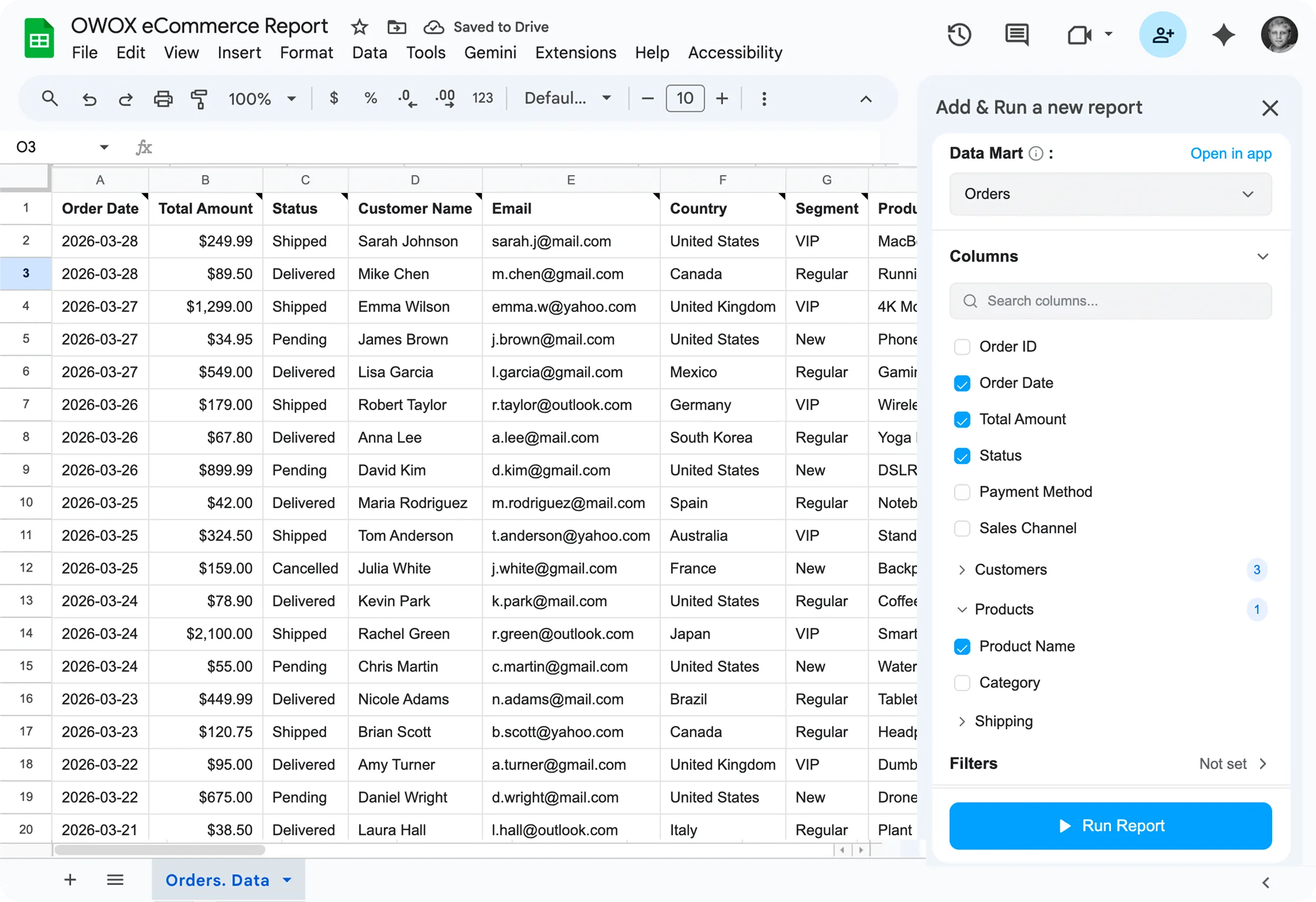
Business users open the OWOX extension in Google Sheets, browse available data marts, pick the columns they actually need, adds columns from related data marts, set filters – and hit Run. No SQL. No ticket or Slack ping.
Data lands in the spreadsheet instantly. Schedule automatic refreshes – daily, weekly, hourly or on demand. The analyst steps out of the request loop permanently. Every new question gets answered by self-service, not a ticket.
| Tool | What it does | Why it falls short |
|---|---|---|
 OWOX Data Marts OWOX Data Marts | Analyst-governed self-service for business users, directly in Google Sheets | ✓ Warehouse-powered, blendable, governed, schedulable — no SQL required |
| Supermetrics / Coupler | Pulls raw data from ad and ecom sources into sheets | Raw numbers, no blending, no analyst governance — pay per connector, per row |
| Fivetran / Airbyte | Moves data into your warehouse | Data lands there and stays — you still need an analyst to get anything out |
| Manual SQL exports | Analyst writes queries on demand | You wait days for a column. Then wait again when the question changes |
| BI dashboards (Looker, Tableau) | Visualizes pre-modeled data | You get the charts someone else decided you needed — not the slice you want |
| Google Sheets QUERY / IMPORTDATA | Pull data with spreadsheet formulas | Breaks on real data volumes, no live warehouse connection, manual refresh |
You've built clean data models. You're tired of being the human SQL interface for every new question. OWOX lets you define the access layer once — columns, joins, filters — and step back permanently.
You live in spreadsheets. Your data is in a warehouse your team manages. The gap between those two things costs you days every week. OWOX closes it – no SQL required.

We've added 127 slack insights to our spreadsheet reports. The CMO is so happy with that Monday morning digest .
Head of Data,
SaaS Company

We manage 46 Data Marts from a single place now. Run history alone saved us hours of figuring our whether report was updated or not.
Head of Analytics,
Retail

The reporting backlog is gone. Marketing, ops, finance — they all run their own reports now. I haven't touched an ad-hoc column request in weeks.
BI Lead,
E-commerce



Start building your data marts today – the column picker for business users ships in less than 2 weeks.