Reuse my existing queries
Read the docs
Request a demo

You already run SQL Data Marts from the Extension. Now unlock AI-powered Insights, Looker Studio reports, email delivery, and full run history — without changing a single query.
⚡ No extra $$$ required
⬆10X Team Productivity
🟢 Existing setup keeps working
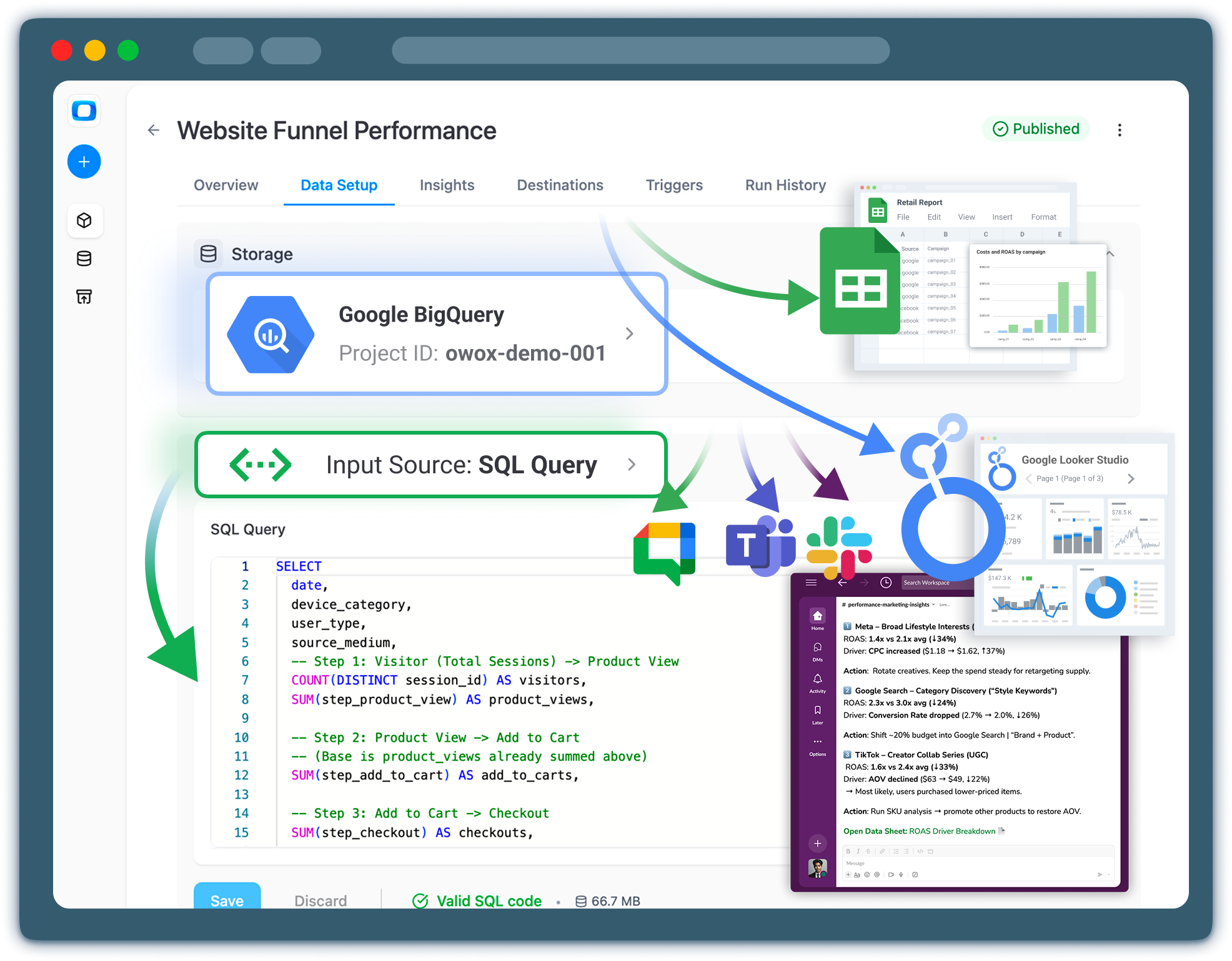
Your Extension Data Marts work — they query BigQuery and push data to Sheets on schedule. But as your team grows, so do the gaps:
OWOX Data Marts closes every one of these gaps — and auto-detects the Data Marts you already have.
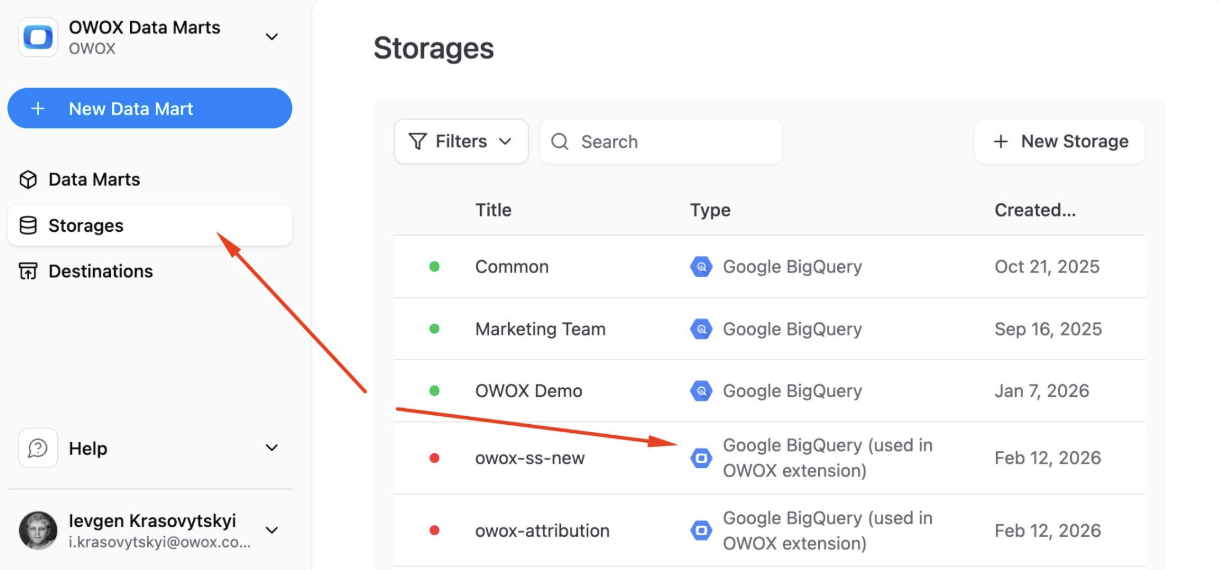
OWOX migrated your data marts together with GCP project. Just find it in the Storages tab — it's already there, named after your project ID.
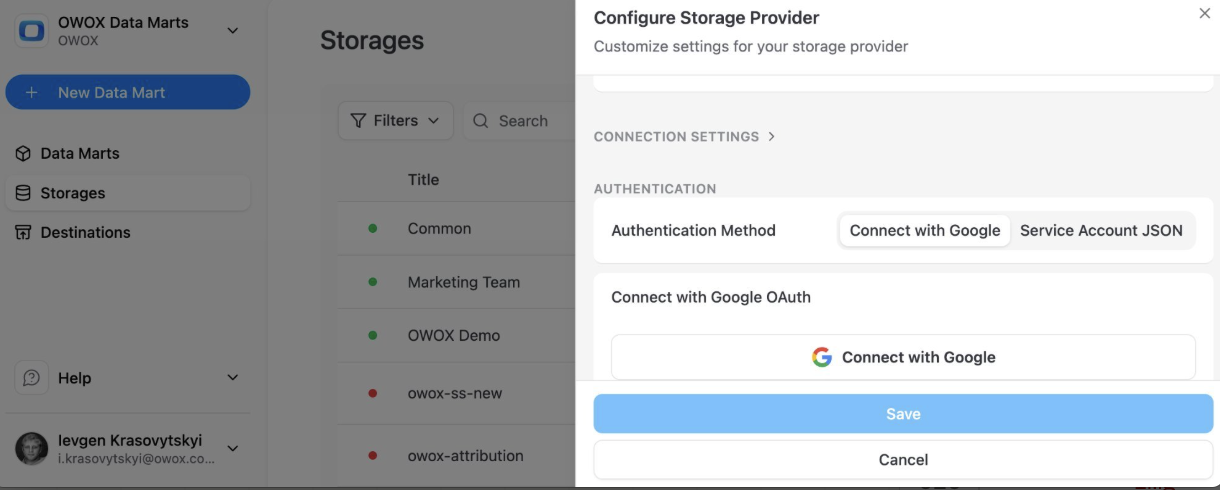
Just click connect with Google or paste your Service Account JSON. Choose auto-detect location and click Save. That's it.
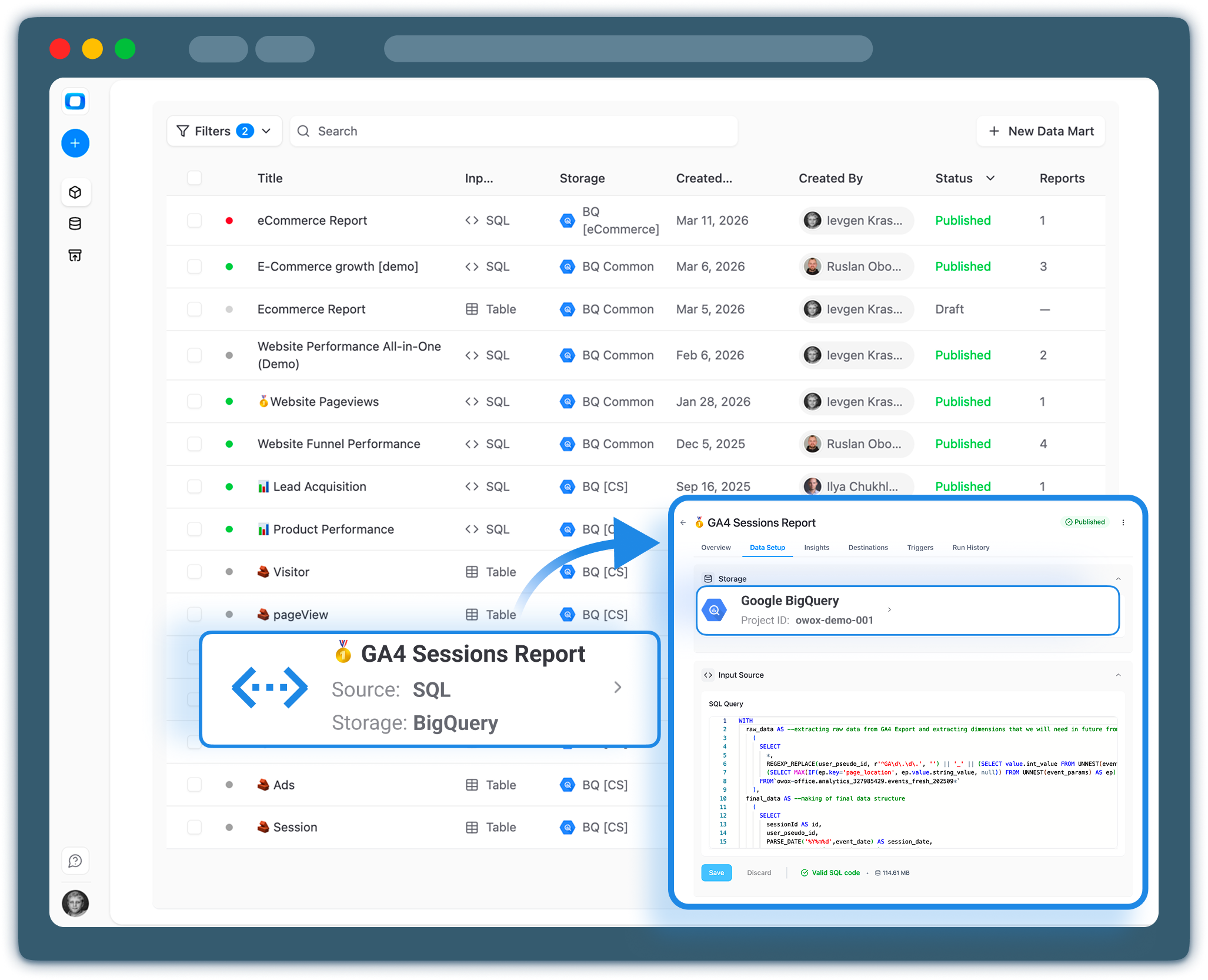
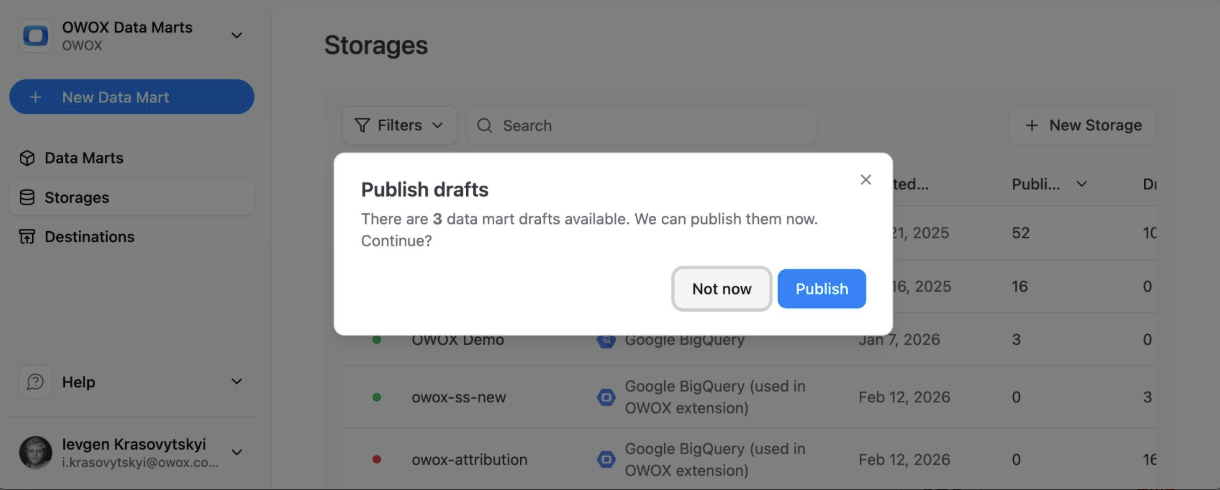
Your Extension Data Marts appear as Drafts. Open the three-dot menu, hit "Publish drafts" — and they're live with the full platform is unlocked.
OWOX automatically suggests AI insight prompts for each published Data Mart based on its schema and output. Run them right in the interface to get a plain-language summary of what's in your data — or schedule them for regular delivery. No extra pipeline, no BI tool required.

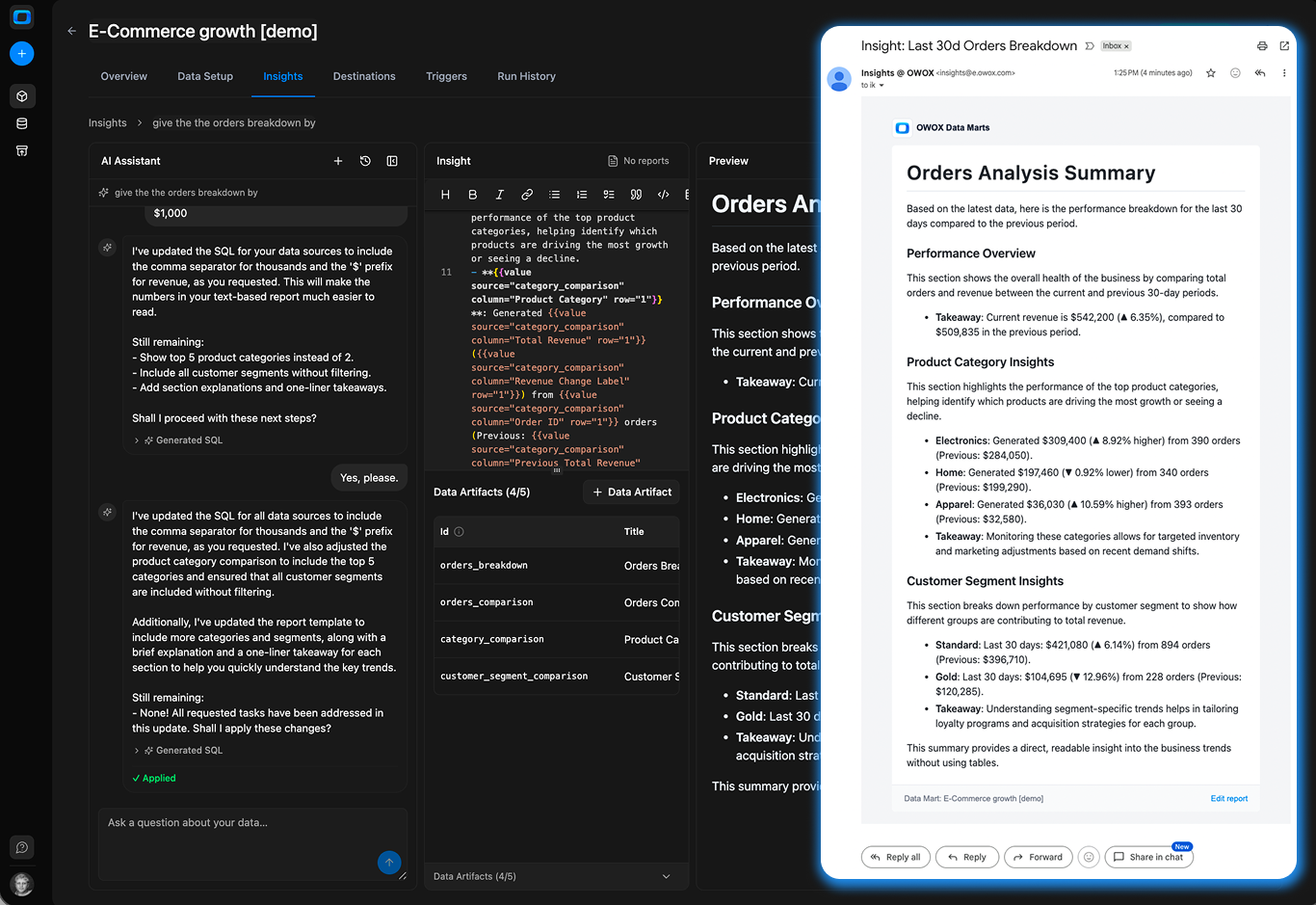
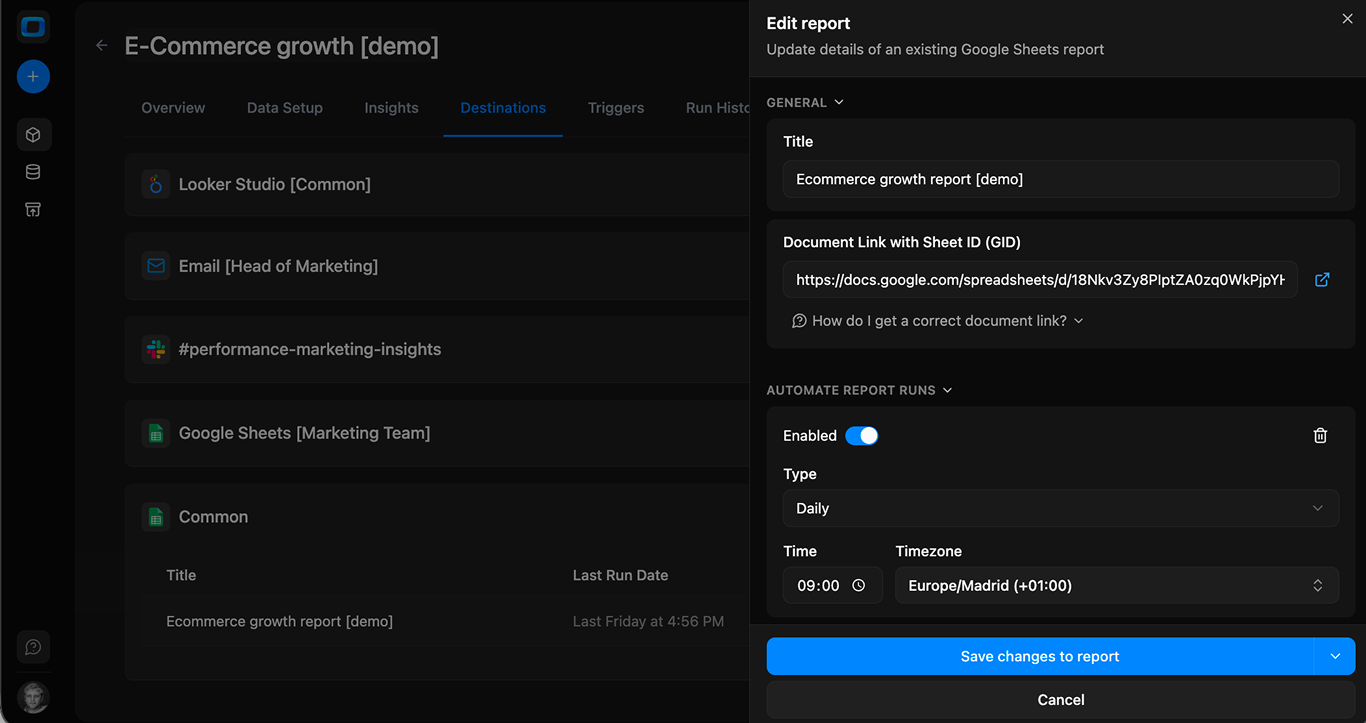
Add slack, MS teams or email destination for Insights, pick your recipients, set a schedule — daily, weekly, or monthly.
Then just control what you get with prompts & template.
OWOX then does all the dirty job for you, write SQL, run, analyze, format results, and delivers them by email.
Stakeholders get insights complimentary to a google sheets report.
Enable the Looker Studio toggle on any Data Mart. Connect using the OWOX connector and a JSON config token. Unlike Sheets (push mode, static between runs), Looker Studio pulls live data from BigQuery every time the report opens.



Introducing - connector-based Data Marts so you can pull raw data from ad platforms (and other sources) directly into BigQuery on a schedule. Add that to your existing SQL Data Marts for cross-channel or performance reporting, or CAC modeling, or attribution - no extra tools needed.
When the person who saves a SQL Query leaves – whether that's an analyst or a business user – their Google credentials leave with them.
Reports stop refreshing.
Nobody notices until somebody asks where is the fresh data.
OWOX Data Marts moves all triggers and credentials to the organization level. Schedules are managed centrally, not buried in individual spreadsheets or tied to personal accounts.

| Capability | Capability | Extension Only | Extension | Extension + OWOX Data Marts | Extension + ODM |
|---|---|---|---|---|---|
| SQL-based Data Marts in BigQuery | ✓ | ✓ | |||
| Push data to Google Sheets | ✓ | ✓ | |||
| Centralized scheduling & access management | — | ✓ | |||
| Full run history & error logs | — | ✓ | |||
| AI-powered Insights | — | ✓ | |||
| Email report delivery | — | ✓ | |||
| Looker Studio dashboards | — | ✓ | |||
| Slack / MS Teams / Google Chat / Email alerts | — | ✓ | |||
| Ad platform connectors | — | ✓ | |||
| Table-, view- & pattern-based Data Marts | — | ✓ | |||
| Snowflake, Redshift, Databricks & more dwhs | — | ✓ |
Your Extension Data Marts keep running exactly as they do today. OWOX reads your existing definitions — it doesn't replace them.
Data Marts stay linked between the Extension and the web app. Changes in one reflect in the other automatically.
Connect your storages and publish your Data Marts at no cost. Pay only when you scale beyond the free tier.

We've added 127 slack insights to our spreadsheet reports. The CMO is so happy with that Monday morning digest .
Head of Data,
SaaS Company

We manage 46 Data Marts from a single place now. Run history alone saved us hours of figuring our whether report was updated or not.
Head of Analytics,
Retail

We connect AWS Athena to Looker Studio for live dashboards. This is the only available connector that just works.
BI Lead,
E-commerce