Trusted, proven, recognized

The analytics system teams actually use

170K+
Users trust OWOX[1]
Analysts, marketers, and data teams across 20+ industries
4.9★
Rating on G2[2]
“A trusted data analytics partner” — verified review
365K+
Data marts delivered
Created and served by OWOX to business users
92K+
npm installs[3]
Self-hosted OWOX Community Edition on GitHub
Connect

Step 1: Create a Facebook Ads Data Mart

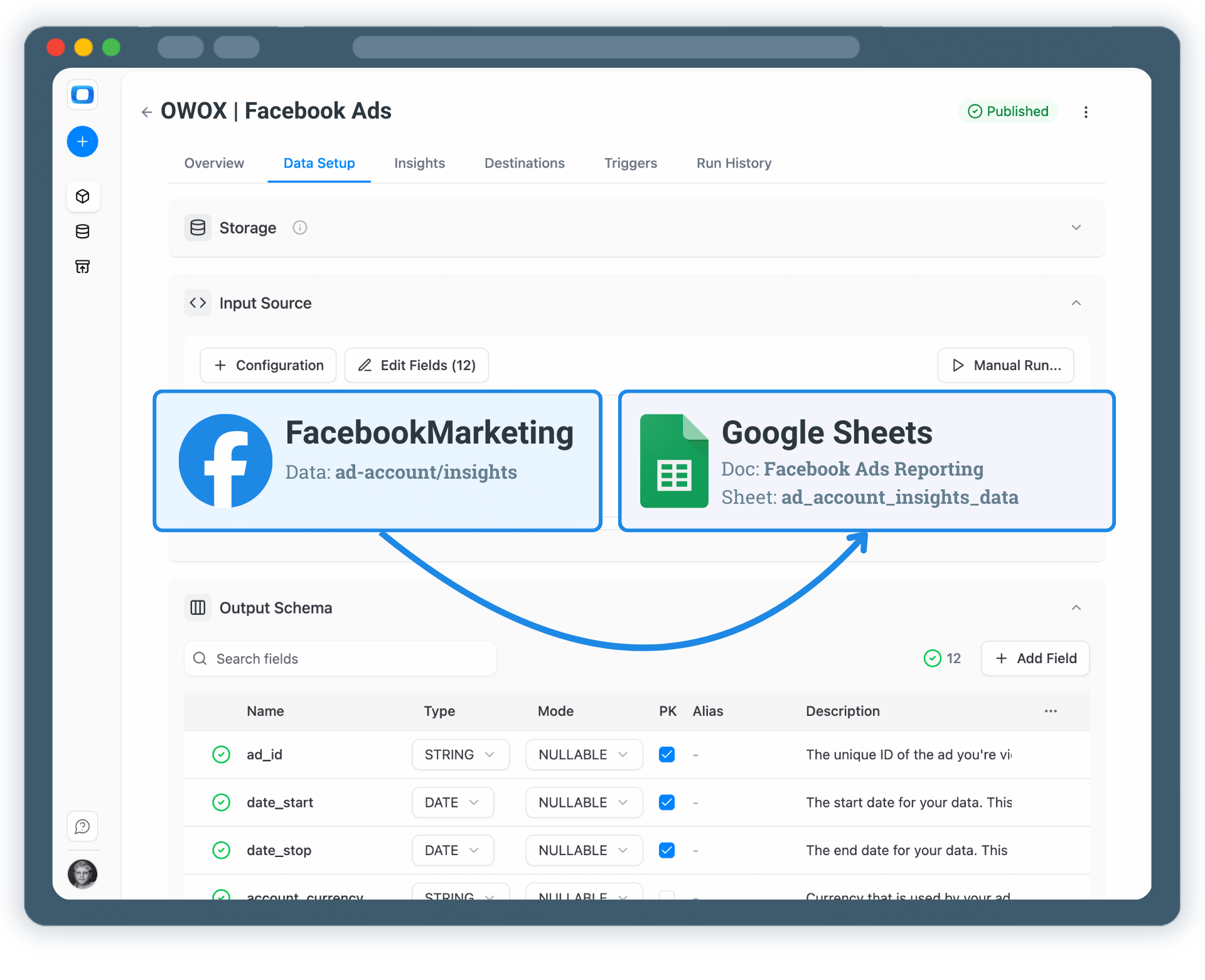
Start by creating a new Facebook Ads Data Mart and choose Connector as the definition type.

Select Facebook Ads as the data source
Specify the ad account that you want to collect data from
Authorize access to your Facebook Ads account
Step 1: Create a Facebook Ads Data Mart
Step 2: Select a Data Storage
Create

Step 2: Select a Data Storage

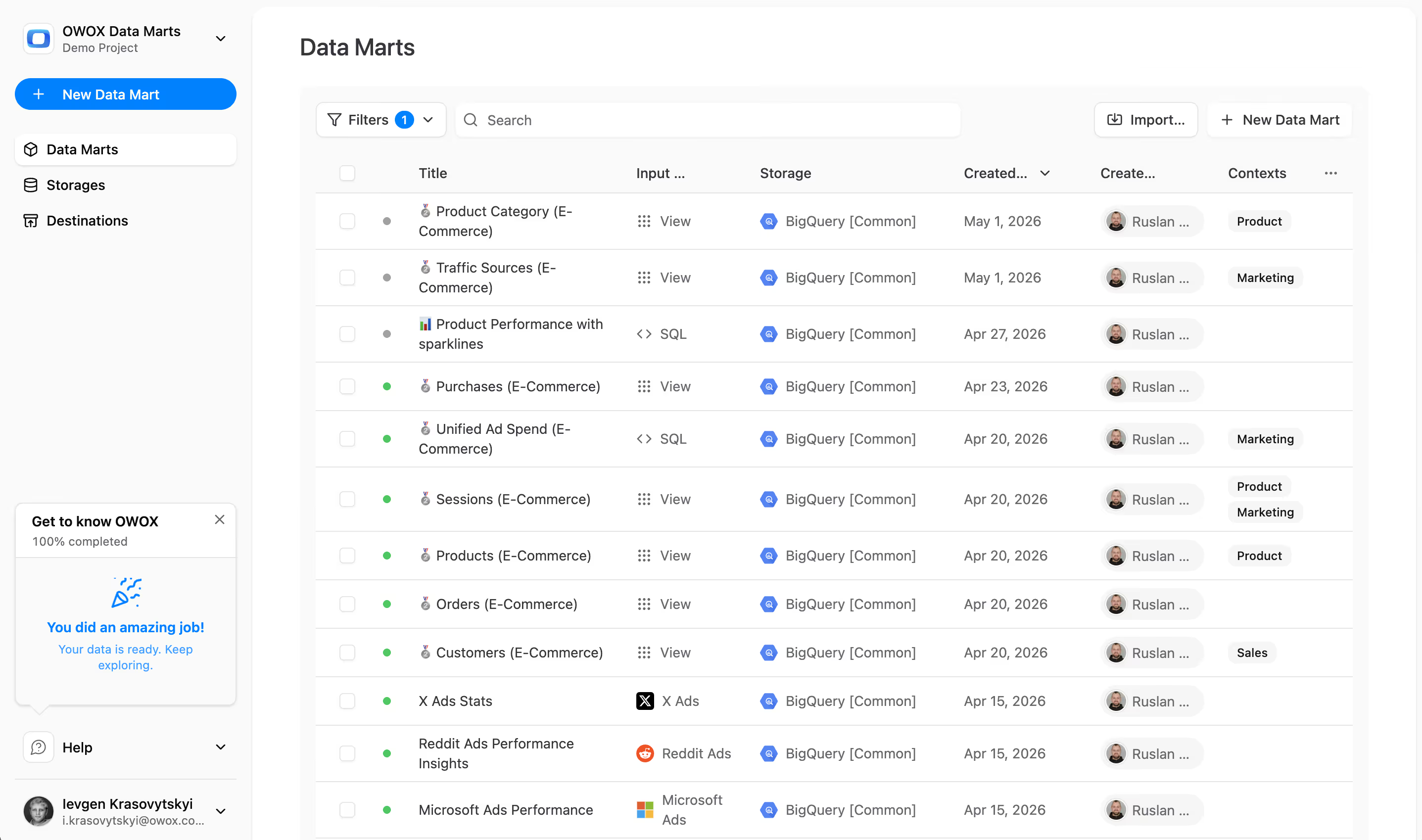
All data should have it's home. You need to connect a data storage where your Facebook Ads data will be stored & processed.

Choose a supported data warehouse such as BigQuery, Snowflake or Redshift.
Store raw Facebook Ads data in one central place so you can blend them later on
Keep full ownership and control over your data
Step 2: Select a Data Storage
Select

Step 3: Select API Endpoint & Fields

Choose exactly which Facebook Ads data should be collected.

Select the appropriate API endpoint (for example, ad_account_insights)
Choose metrics such as spend, impressions, clicks, and conversions
Authorize access to your Facebook Ads account
Step 3: Select API Endpoint & Fields
Step 4: Create Facebook Ads Report in Google Sheets
Enable

Step 4: Create Facebook Ads Report in Google Sheets

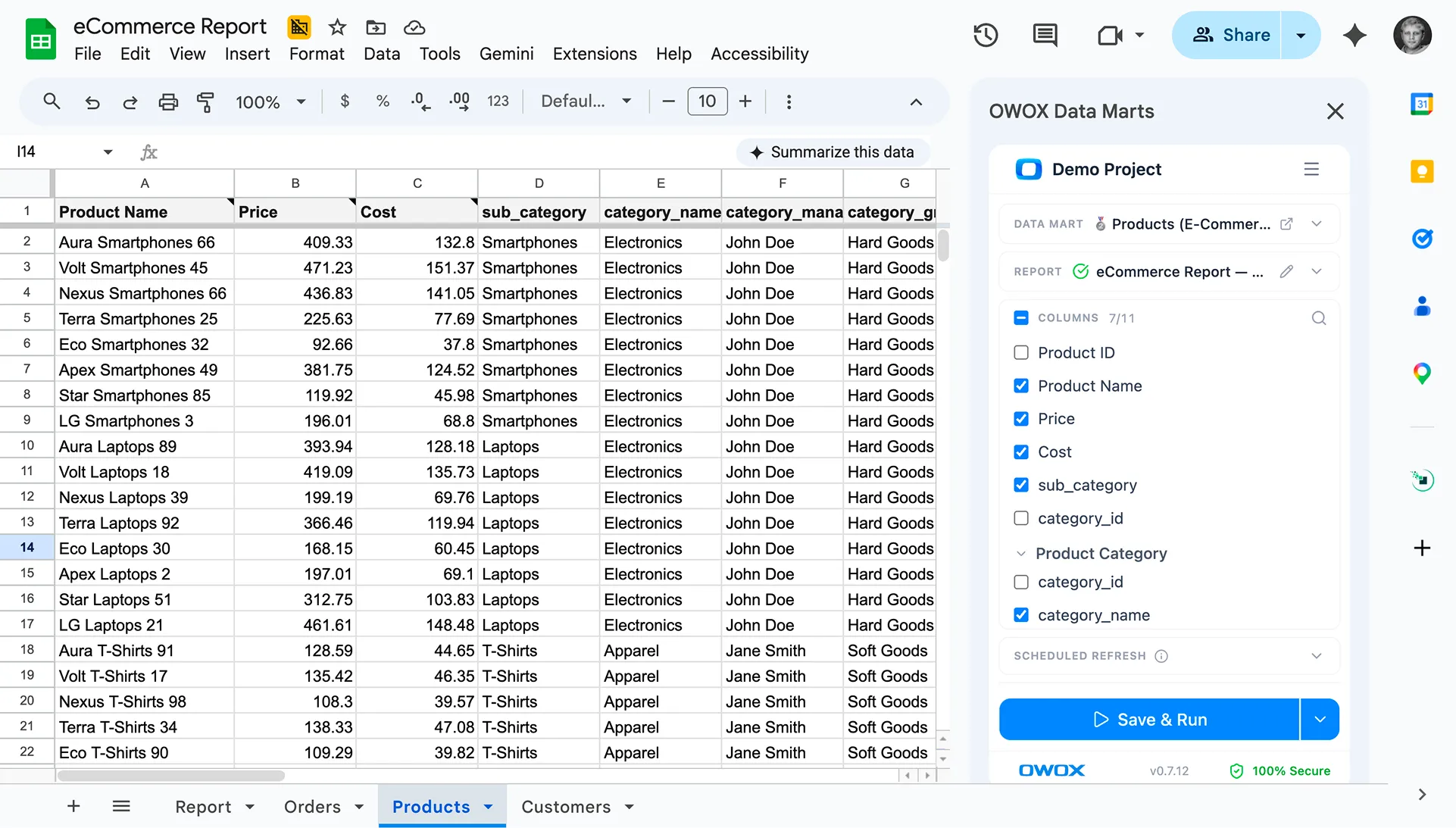
Now it's time to enable your Facebook Ads data in Google Sheets

Add Google Sheets as a Destination
Create a new Google Sheets Document, share it, then Create & Run your report
Check the box for regular updates to keep data fresh
Step 4: Create Facebook Ads Report in Google Sheets
Extend

Step 5: Get more from your Facebook Ads Data

Your Facebook Ads data is now available for analysis in Google Sheets. But why stop at just this? You can reuse the same Facebook Ads Data Mart to:

Enable Facebook Ads AI Insights delivered on a schedule to Slack, MS Teams or by Email
Visualize Facebook Ads Data in Looker Studio. Just tik the box on the destinations tab
Blend Facebook Ads data with GA4, CRM, or other ad platforms
Step 5: Get more from your Facebook Ads Data
Social proof

Every claim has a receipt.

Stats with comment threads attached — like a colleague verifying your numbers in a shared sheet.

170,000
Users on OWOX Platform — and growing 40% year-over-year.
B2
cell "users on platform"
SM
Sarah M.
Head of Analytics, Retail
3d ago

We migrated 200+ reports from Looker to OWOX Data Marts. Our team now self-serves without filing a single Jira ticket. Easily the best infrastructure decision we made this year.

✓ Verified
12 min
Median time-to-first-report for new OWOX users. No onboarding calls required.
C4
cell "time to first report"
DL
David L.
Data Lead, SaaS
1M ago

Connected BigQuery, set up 37 data marts, built a data model and had live reports in Sheets in under 15 minutes. My team thought I was joking when I showed them how they can now get live reports right in their sheets.

✓ Verified
Self-service analytics

Turn Facebook Ads Data into Actionable Insights

Google Sheets were never designed to be a system of record. With OWOX Data Marts, Sheets becomes a trusted analysis layer — powered by governed data marts defined upstream in your warehouse.

Business teams keep the flexibility they love
Data teams retain control over logic and definitions
No more fragile joins duplicated across spreadsheets
See how it works