
Churn Rate
Churn Rate measures the percentage of customers who stop doing business with your company over a specific time period. Here’s everything you need to know: what it is, why it matters, how to calculate it, and how to reduce it!
What is Churn Rate?
Churn Rate is the percentage of customers or subscribers who cancel or fail to renew their relationship with a business during a given timeframe. It’s a key indicator of customer retention and overall business health.
Why Is Churn Rate Important?
Churn Rate directly impacts growth and revenue. A high Churn Rate suggests issues with customer satisfaction, product value, or onboarding. Keeping churn low is critical for long-term profitability, especially in subscription-based models.
How to Calculate Churn Rate
To calculate Churn Rate, divide the number of customers lost during a specific time period by the number of customers you had at the beginning of that period. Multiply by 100 to express it as a percentage.
OWOX Data Marts
See your first report built in real time. 15 minutes.
- Connect your data warehouse
- Pick your metrics
- Get a live Google Sheets report
In the time it takes to write a ticket. Then imagine never writing that ticket again.
Book a DemoWe'll use your actual use case
The Churn Rate Formula:
Churn Rate (%) = (Customers Lost ÷ Customers at Start of Period) × 100
Example of Churn Rate in Action
Example of Churn Rate in Action
If your company started the month with 1,000 customers and lost 50 by the end of the month, your Churn Rate would be 5%. This means 5% of your customer base left during that time.
Optimize Your Churn Rate with OWOX Data Marts
Optimize Your Churn Rate with OWOX Data Marts
OWOX Data Marts helps you track Churn Rate by customer segment, channel, and lifecycle stage. Identify patterns, understand why users leave, and take action to reduce churn and improve retention.
What Is a Good Churn Rate?
A good Churn Rate varies by industry. In SaaS, 5% monthly or less is often considered healthy. Lower churn means higher retention, increased customer value, and greater revenue stability.
What Is a Bad Churn Rate?
A Churn Rate above 10% per month typically signals serious retention problems. It suggests that customers aren’t finding ongoing value, which undermines growth and profitability.
Best Practices for Churn Rate
Use these strategies to reduce your Churn Rate and build stronger customer relationships.
Improve Onboarding
Help customers quickly understand and get value from your product or service to reduce early churn.
Gather and Act on Feedback
Regularly survey users and respond to issues to show customers you’re listening and improving.
Identify At-Risk Customers
Use behavioral data to spot inactivity or declining usage and proactively reach out to re-engage.
Common Mistakes to Avoid with Churn Rate
Common Mistakes to Avoid with Churn Rate
Focusing only on acquisition and ignoring churn can erode growth. Don’t overlook exit surveys, usage trends, or key moments in the customer journey that may lead to drop-off.

Learn how teams ship analytics faster
Organizations that scaled analytics without scaling headcount
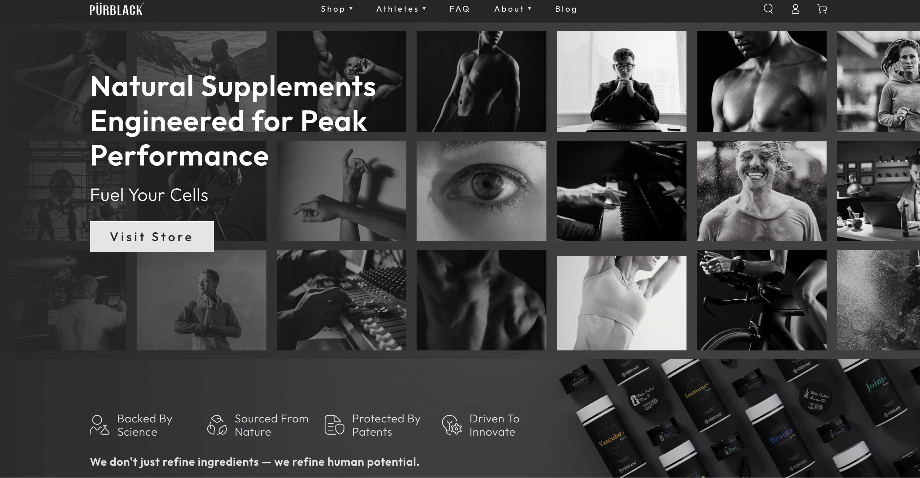 "For 10 years I was blind." The day Pürblack® founder stopped guessingSecondsto get reports across six channelsRead the story
  How OWOX Reports Helped Reformation Make Data-Backed DecisionsMinutesfrom data request to business decisionRead the story
  How OWOX Reports Streamlined Operations for WorkSimpli, Saving Over 10 Hours Weekly10hrs+saved per week on manual reportingRead the story
 Not testimonials. Comment threads.
Real things real customers said — each quote pinned to a specific claim, straight from the quotes database.
 Mark SimmonsCMO, Pürblack®
“We had six or seven different channels and no single source of truth — it was almost impossible, a lot of guesswork.”
 Nodari RizunFounder & CEO, Pürblack®
“Golden data is clean data — the measure of reality, true and not false, that you can trust based on its source. If you have that, you're good.”
Nodari RizunFounder & CEO, Pürblack®“Most businesses look at a Shopify or Google Analytics dashboard and think it's the source of truth. It's not — that data was never cleaned.”
Rediscover your data analytics with OWOX Data Marts.
Connect your sources, define Churn Rate once, and read the same number in Sheets, BI and AI chat.
- No AI hallucinations
- Analyst-governed definitions
- Every number traces to SQL