What Is Data Privacy for Snowflake?
Data privacy for Snowflake is the practice of protecting sensitive information stored and processed within the Snowflake platform from unauthorized access or misuse.
Data privacy in Snowflake includes built-in capabilities to secure personally identifiable information (PII), manage permissions, and ensure compliance with privacy regulations. These measures help organizations safely store, share, and analyze data without compromising security.
Key Data Privacy Features in Snowflake
Key Data Privacy Features in Snowflake
Snowflake provides a set of built-in capabilities that help secure sensitive data throughout its lifecycle.
Key features include:
- Data encryption: Uses strong cryptographic algorithms to protect data both at rest and in transit, preventing unauthorized parties from viewing or intercepting information.
- Role-based access control: Grants data access only to users with defined permissions, ensuring sensitive datasets are visible solely to authorized individuals.
- Audit logging: Captures detailed records of who accessed data, when, and what changes were made, enabling monitoring and investigative audits.
- Compliance adherence: Aligns with global privacy regulations like GDPR and HIPAA, helping organizations meet legal and industry-specific security requirements.
- Dynamic data masking: Automatically obscures sensitive fields during query execution, reducing exposure risk while maintaining data usability for approved analysis.
Why Continuous Data Protection in Snowflake Matters
Why Continuous Data Protection in Snowflake Matters
Continuous Data Protection (CDP) in Snowflake safeguards data integrity by preserving historical versions and enabling precise restoration to earlier states.
It is critical for recovering from accidental deletions, data corruption, and security breaches without disrupting operations.
- Automatic versioning: Continuously captures snapshots of data, allowing teams to roll back to an earlier state with accurate, complete records whenever issues occur.
- Point-in-time recovery: Enables restoration of databases, schemas, or tables to any exact moment within the defined retention period, minimizing data loss.
- Ransomware defense: Helps recover clean data quickly after malicious encryption attacks, avoiding costly downtime or ransom payments.
- Audit trails: Maintains detailed logs of every change to support compliance audits, security investigations, and operational transparency.
- Minimal impact: Runs in the background with no noticeable effect on query performance, ensuring protection without slowing down daily workloads.
OWOX Data Marts
See your first report built in real time. 15 minutes.
- Connect your data warehouse
- Pick your metrics
- Get a live Google Sheets report
In the time it takes to write a ticket. Then imagine never writing that ticket again.
Book a DemoWe'll use your actual use case
Best Practices for Maintaining Data Security in Snowflake
Best Practices for Maintaining Data Security in Snowflake
Following strong security practices in Snowflake helps protect sensitive data, ensure compliance, and maintain user trust.
Key practices include:
- Define granular roles: Apply least privilege principles so users have only the permissions necessary for their tasks, reducing the chance of unauthorized access.
- Enable multi-factor authentication: Add an extra layer of verification to user logins, making it harder for compromised credentials to be exploited.
- Apply data masking: Use dynamic masking to conceal sensitive fields during queries and data sharing without disrupting analysis workflows.
- Review audit logs regularly: Monitor logs to identify unusual activity or unauthorized changes, allowing timely incident response.
- Use Security Hub: Centralize security posture monitoring and compliance tracking for a more efficient oversight process.
- Keep software updated: Regularly update Snowflake integrations and related tools to close potential security vulnerabilities.
- Train users: Provide ongoing training to build awareness of data privacy responsibilities and best practices across the organization.
Enhance Your Data Handling with OWOX BI SQL Copilot for BigQuery
Enhance Your Data Handling with OWOX BI SQL Copilot for BigQuery
OWOX BI SQL Copilot streamlines SQL work in BigQuery with AI-powered suggestions, optimization, and error checks. From building compliant queries to refining data models, it helps you save time, reduce mistakes, and keep data handling secure and efficient. Empower your team to work faster while maintaining accuracy and governance standards.
Learn how teams ship analytics faster
Organizations that scaled analytics without scaling headcount
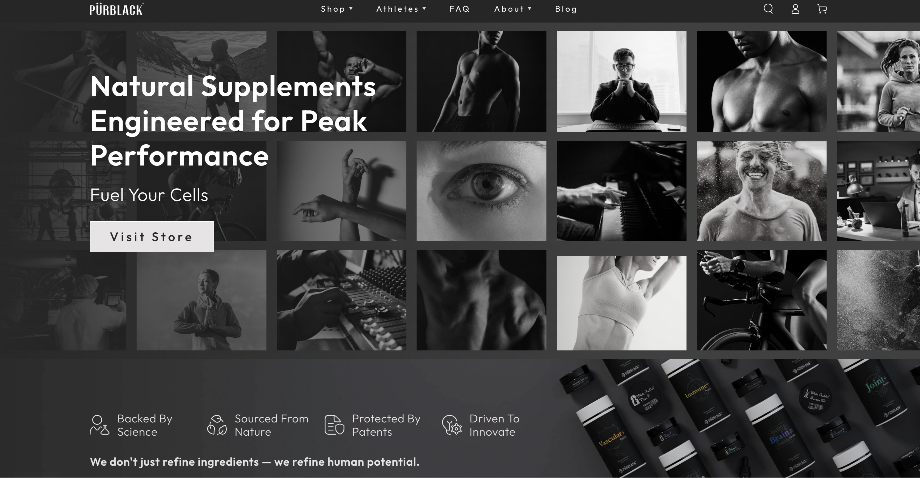 "For 10 years I was blind." The day Pürblack® founder stopped guessingSecondsto get reports across six channelsRead the story
  How OWOX Reports Helped Reformation Make Data-Backed DecisionsMinutesfrom data request to business decisionRead the story
  How OWOX Reports Streamlined Operations for WorkSimpli, Saving Over 10 Hours Weekly10hrs+saved per week on manual reportingRead the story
 Not testimonials. Comment threads.
Real things real customers said — each quote pinned to a specific claim, straight from the quotes database.
 Nodari RizunFounder & CEO, Pürblack®
“AI, by the nature of the models, will hallucinate. And because of that, you need something which will create guardrails to ensure that there are no hallucinations, that you can trust your data.”
Nodari RizunFounder & CEO, Pürblack®“I was blind, now I can see. OWOX opened our eyes.”
“We are extremely satisfied with the results achieved through our partnership with OWOX. I'm also impressed by quick and effective support we get from OWOX”
Turn your data into decisions.
Governed data marts give you the clean foundation ML needs to actually work.
- No AI hallucinations
- Analyst-governed definitions
- Every number traces to SQL