Turn AWS Athena into a Live Reporting System for Google Sheets

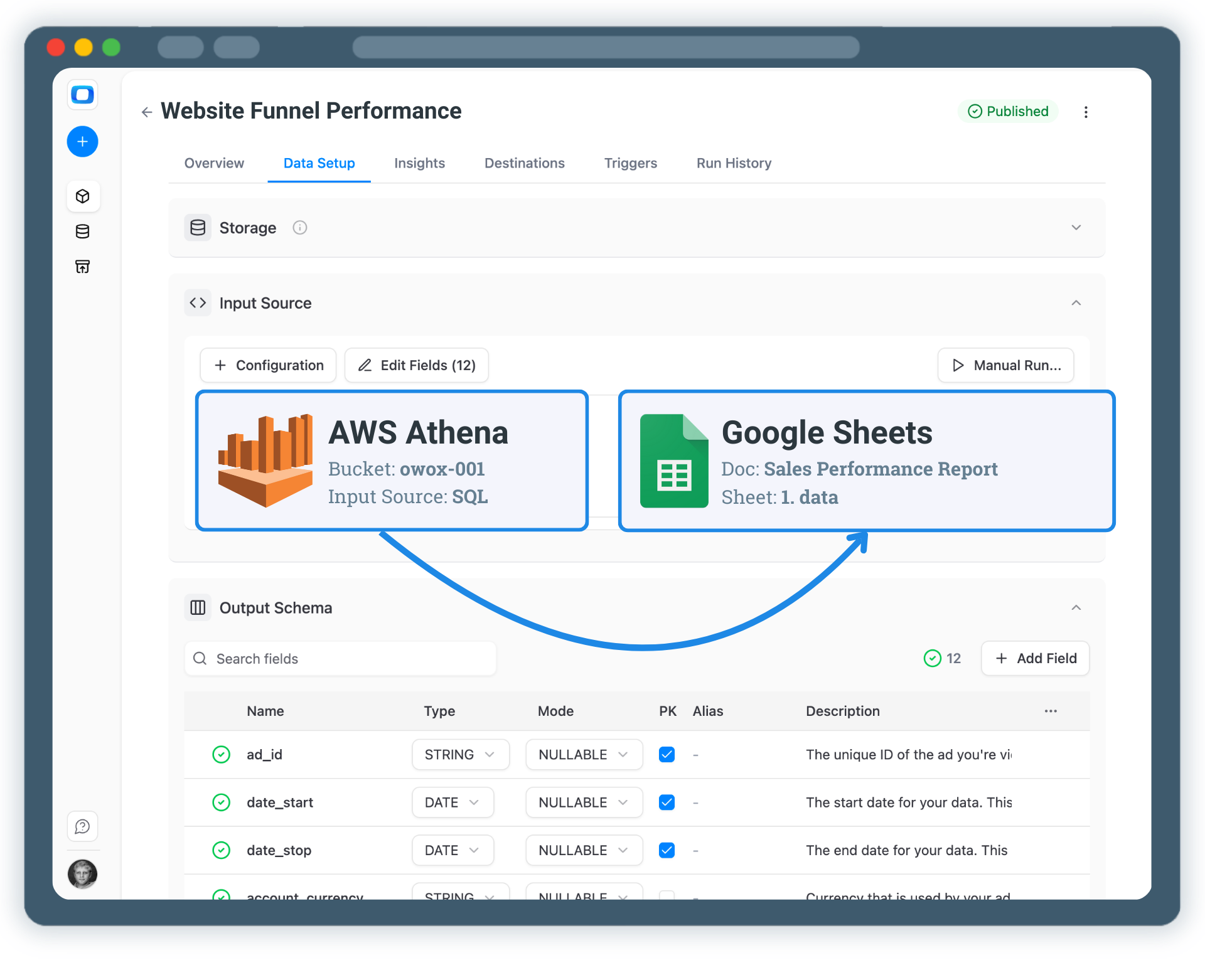
OWOX Data Marts lets you manage, schedule, and reuse reporting-ready data marts built on AWS Athena — and deliver them as live, governed reports in Google Sheets. This is not an export. It’s a reporting system.
Turn AWS Athena into a Live Reporting System for Google Sheets

Turn AWS Athena into a Live Reporting System for Google Sheets

Define reporting logic once on top of your S3 data and deliver business-ready, scheduled data marts to Google Sheets — with governance, reuse, and orchestration built in.

Step 1: Connect Your AWS Athena Data Storage

Start by using AWS Athena as the foundation for business reporting.

  • All reporting data lives in Amazon S3 and is queried via Athena
  • No direct source-to-spreadsheet connectors that fragment logic
  • Business logic stays centralized and reusable on top of your data lake

When data is collected and modeled inside the warehouse or lake, reporting stays connected to real business logic — not scattered across spreadsheets.

Step 1: Connect Your AWS Athena Data Storage
Connect Athena
Step 1: Connect Your AWS Athena Data Storage
Step 2: Create a Data Mart in AWS Athena

Step 2: Create a Data Mart in AWS Athena

Create reporting-ready data marts directly on top of AWS Athena.

  • Define data marts using SQL queries
  • Reuse existing tables or views backed by S3 data
  • Blend multiple datasets stored in your data lake

This is where analysts define joins, metrics, filters, and calculations once — instead of rebuilding logic in every report.

Step 2: Create a Data Mart in AWS Athena
Create Data Mart
Request a demo

Step 3: Prepare Data for Google Sheets

Make your Athena data marts easy for business users to work with.

  • Rename fields using business-friendly aliases
  • Add clear descriptions to explain metrics and dimensions
  • Control which fields are exposed to stakeholders

You don’t need to rewrite SQL to make data understandable — schema, naming, and descriptions are managed at the data mart level.

Step 3: Prepare Data for Google Sheets
Tweak Output Schema
Step 3: Prepare Data for Google Sheets
Step 4: Send & Schedule Athena Data to Google Sheets

Step 4: Send & Schedule Athena Data to Google Sheets

Deliver Gold-layer, business-ready data directly into Google Sheets.

  • Keep Sheets connected to Athena data marts
  • Schedule automatic refreshes
  • Share spreadsheets with stakeholders without breaking logic

Google Sheets becomes a trusted reporting interface — always reflecting the latest data from your data lake.

Step 4: Send & Schedule Athena Data to Google Sheets
Send to Google Sheets
Request a demo

Step 5: Reuse Athena Data Beyond Sheets

Your Athena data marts are not limited to spreadsheets.

  • Enable AI Insights generated from Athena data marts
  • Deliver insights to Email first (and add Slack, Microsoft Teams, or Google Chat if your team uses them)
  • Reuse the same data marts in Looker Studio dashboards

One Athena-based reporting system — multiple delivery channels.

Step 5: Reuse Athena Data Beyond Sheets
Reuse Data Marts
Step 5: Reuse Athena Data Beyond Sheets

Build a Reporting System on Top of AWS Athena

Schedule a quick walkthrough to see how OWOX Data Marts helps you:

  • Turn AWS Athena into a Live Reporting System for Google Sheets
  • Deliver trusted insights to business teams
  • Reduce reporting chaos & manual work
  • Scale analytics without adding complexity
Also, on this call, you’ll learn how data teams utilize AI Insights to always deliver what matters the most
Build a Reporting System on Top of AWS Athena