The same numbers in your dashboards, spreadsheets and AI chats
Connect a governed Data Mart and Data Studio picks up what you already defined: field descriptions, business aliases, and columns automatically joined from other Data Marts, with no per-dashboard SQL.
Dashboards Features
F01
AI Dashboards
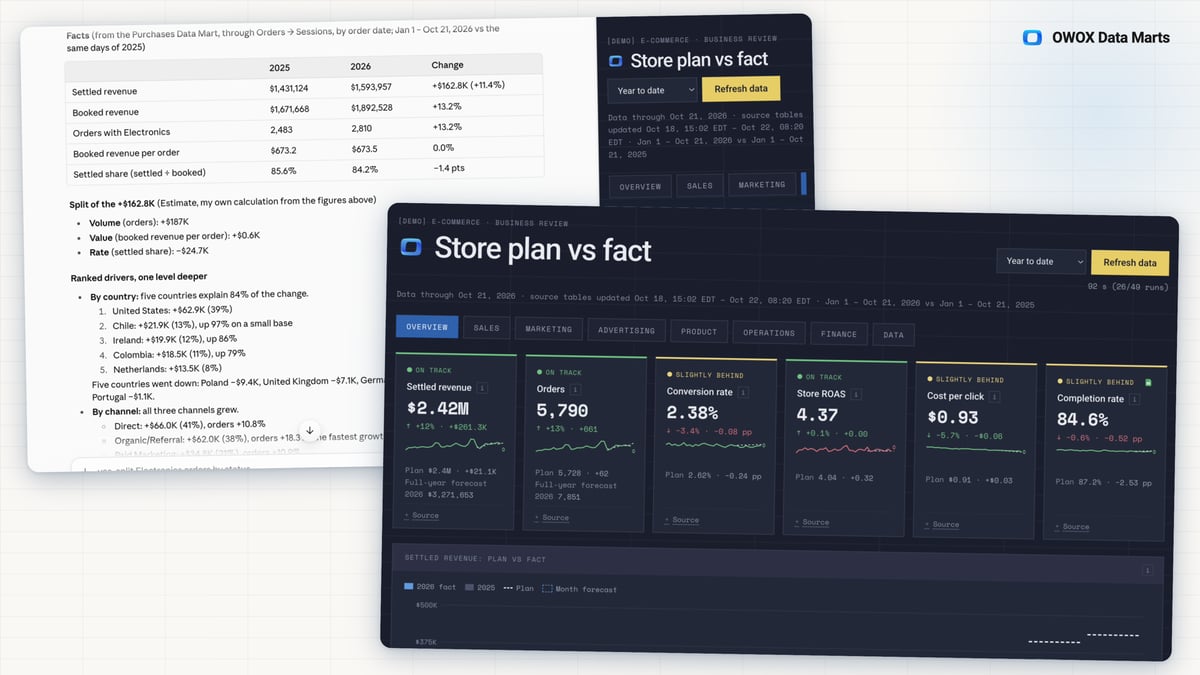
When you ask Claude or ChatGPT why you are behind plan, an assistant reading raw tables guesses which numbers to use, and every new dashboard guesses again. With AI Dashboards, Claude or ChatGPT answers from the Data Marts your team already set up, as a dashboard that shows what is going wrong.
- Numbers are read through OWOX, calculated the way your team defined each metric, with your business context, not guessed.
- The free OWOX dashboard skill for Claude asks a few questions instead of a long prompt, then shows plan vs. actual, what is dropping or growing, and why. The skill for ChatGPT is coming.
- A skill-built dashboard refreshes with one button, shows the Data Marts behind every block, and each colleague you share it with sees only what their role allows.
F02
Data Studio Connector
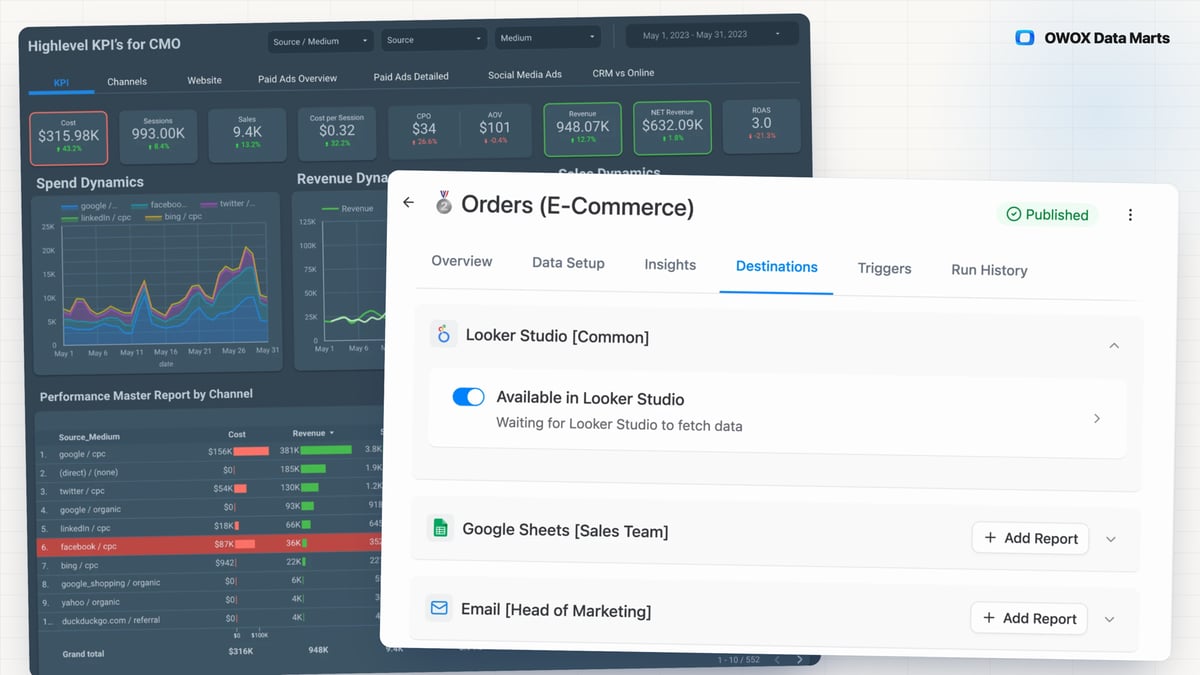
When the team wants its numbers in a Data Studio dashboard, a direct warehouse connection means one more copy of the query to keep in step with the spreadsheet, and warehouse access for whoever builds it. The Data Studio Connector serves a published Data Mart to Data Studio through OWOX instead.
- The dashboard, the Google Sheets report and the answer in Claude or ChatGPT through OWOX MCP read one published Data Mart, and each Data Studio report shows the SQL behind its numbers.
- Data Studio sees only the Data Marts you switch on, holds a secret key instead of warehouse credentials, and loses access when you rotate it.
- You set how long results are cached, from 5 minutes to 12 hours, and see when Data Studio last fetched.
- 0.43.0Plugin AI calls no longer fail with a timeout after 30 seconds
- 0.34.0Data Studio: complete responses for large reports, and real query errors
- 0.25.0Looker Studio destination renamed to Data Studio
- 0.25.0Bug fixes and improvements
- 0.19.0Fix Looker Studio connector requests with forFilterOnly fields
You are booked. The invitation is on its way to , with the calendar invite and the meeting link.