Make Your Spreadsheet Reporting Governed
Seamless connection to a source of truth, adjusted columns, traceable to SQL.
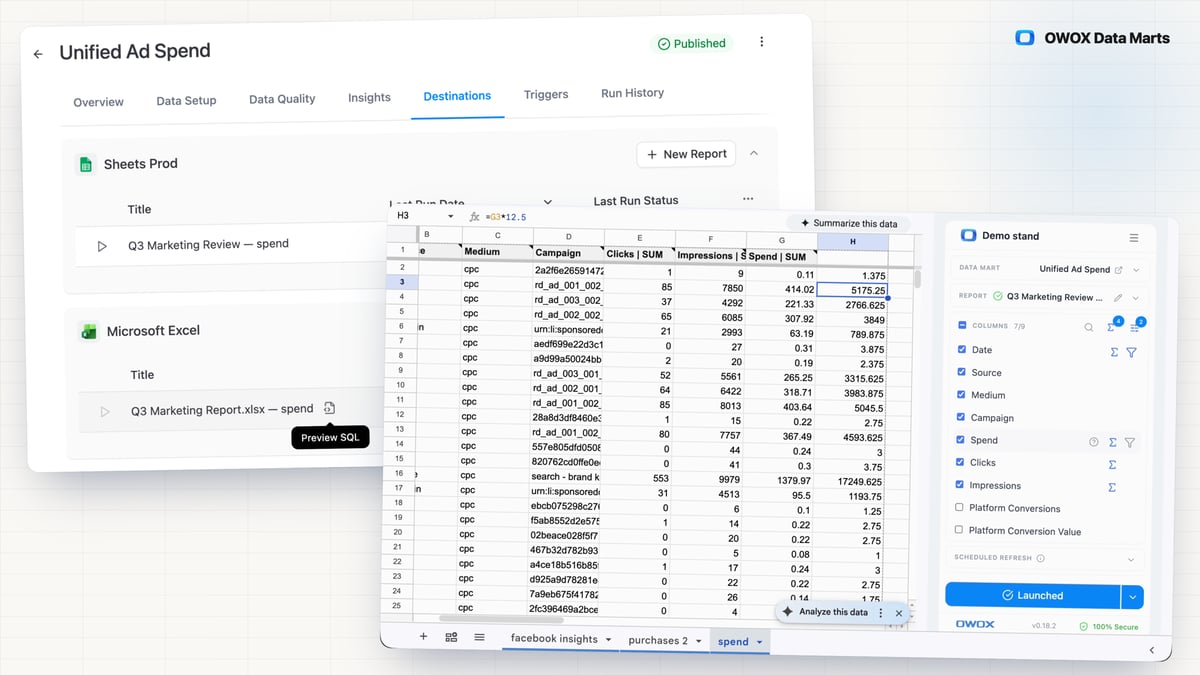
A report in OWOX is a live view of a Data Mart, not a copy of one. It refreshes on the schedule you set, and the refresh rewrites only the rectangle it imported, so the columns and formulas someone added to the right of it survive. When a business user needs one more column, they change the report’s filters, slices and aggregations inside the sheet. Every number still comes from the SQL you wrote, and the SQL is one click away.
Spreadsheets Features
F01
Spreadsheet Reporting
When the business asks for last quarter's numbers again, the Data Owner re-runs an export, and weeks later that file is still presented as current, with their name on it. Spreadsheet Reporting puts a published Data Mart into Google Sheets or Microsoft Excel, where business users pull and refresh it themselves.
- Every report sits on its Data Mart's Destinations tab with Preview SQL, so you can read the query behind any sheet or workbook.
- Business users pick columns, filters and fields from joined Data Marts; the definitions and the joins stay yours.
- A refresh rewrites only the imported range, so your formulas, columns to the right and column order survive, in Google Sheets and Microsoft Excel alike; Google Sheets reports also run on a schedule.
F02
Report Output Controls
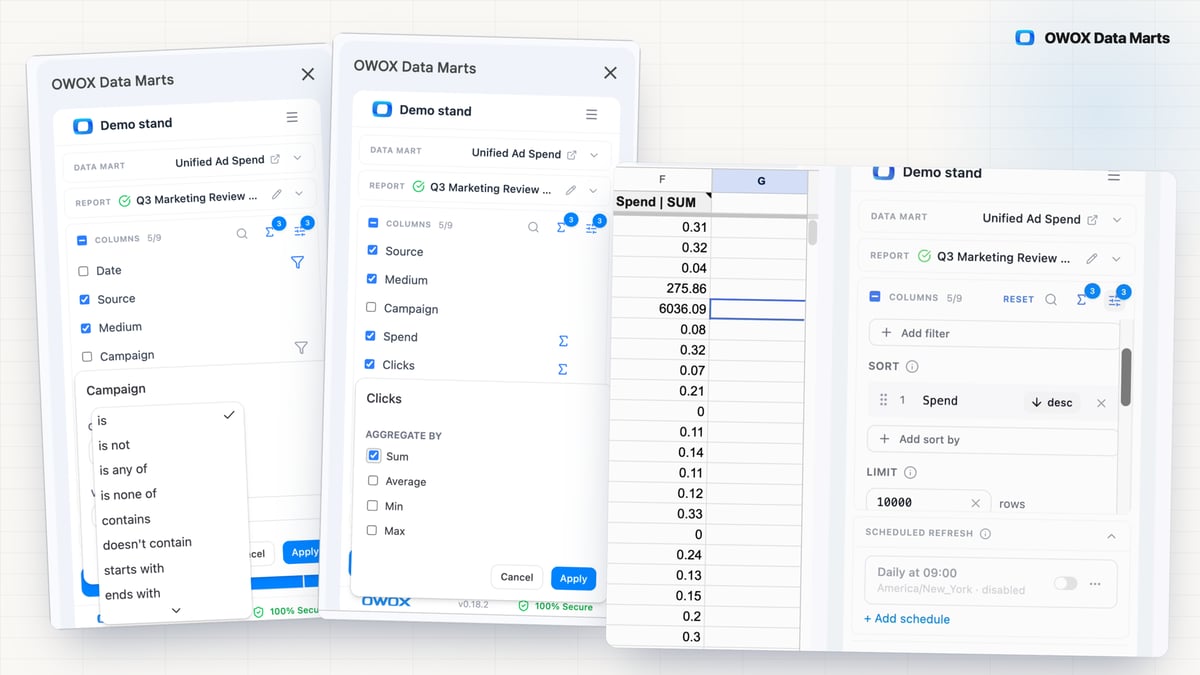
A marketer asks you why the regional sheet and the dashboard show different ad spend: each cut was built as another near-duplicate Data Mart or a hand-trimmed export, and the copies drifted. Output controls give every report its own filters, slices, sort, row limit and aggregations over one Data Mart, applied at query time in your warehouse.
- Aggregations run as one GROUP BY query in your own storage, and every report shows the exact SQL behind its numbers.
- Every cut reads the same Data Mart definition: a report applies only the aggregations the Data Owner allows on each field, and the Data Mart's SQL never changes.
- Set once on the report in Google Sheets, Microsoft Excel or Data Studio and reapplied on every run; a Last N days filter rolls forward on its own.
F03
Pivots & Charts
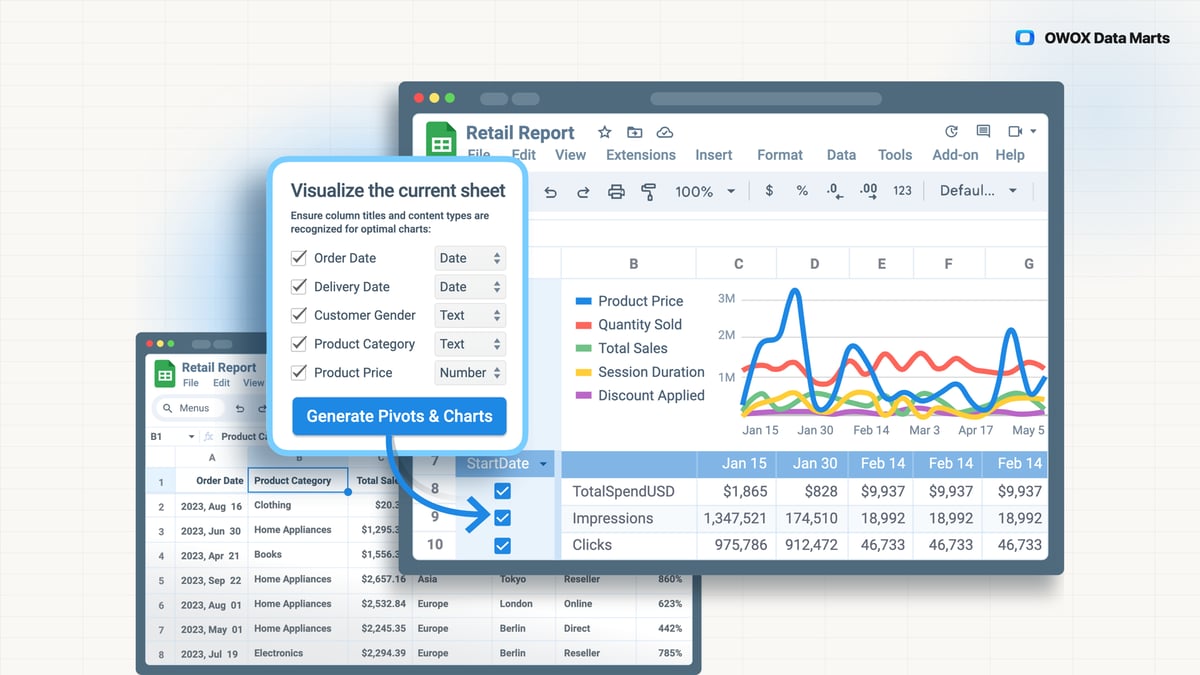
When a business user needs a report seen another way, it means a pivot built by hand or one more request to the Data Owner. The OWOX Data Marts extension generates pivot tables and charts from the report, inside Google Sheets.
- Charts are drawn from the report's own rows: the numbers of a Data Mart the Data Owner published.
- Swap a metric or a dimension instead of rebuilding the pivot by hand; the charts redraw when the report refreshes.
- Pick the columns, mark each a dimension or a metric, press Generate: pivot tables and charts land in the sheet.
- 0.37.0Unchecking a column in the OWOX Extension no longer fails Save & Run
- 0.36.0Upload a Google Sheet to your storage from the OWOX Extension
- 0.36.0Automatic aggregations you can change
- 0.35.0Handle array fields safely in reports
- 0.35.0Reports no longer deliver duplicate rows when no aggregation was chosen
You are booked. The invitation is on its way to , with the calendar invite and the meeting link.