OWOX MCP
Your CEO asks Claude or ChatGPT. Your Data Marts answer.
An AI chat over raw tables guesses the joins, and the wrong number carries your name. With OWOX MCP the assistant picks fields from Data Marts you published; OWOX builds the SQL over your joins, runs it in your warehouse and records it in Run History.
Get started freeRead the docs →
Does this fit your stack?
Why OWOX
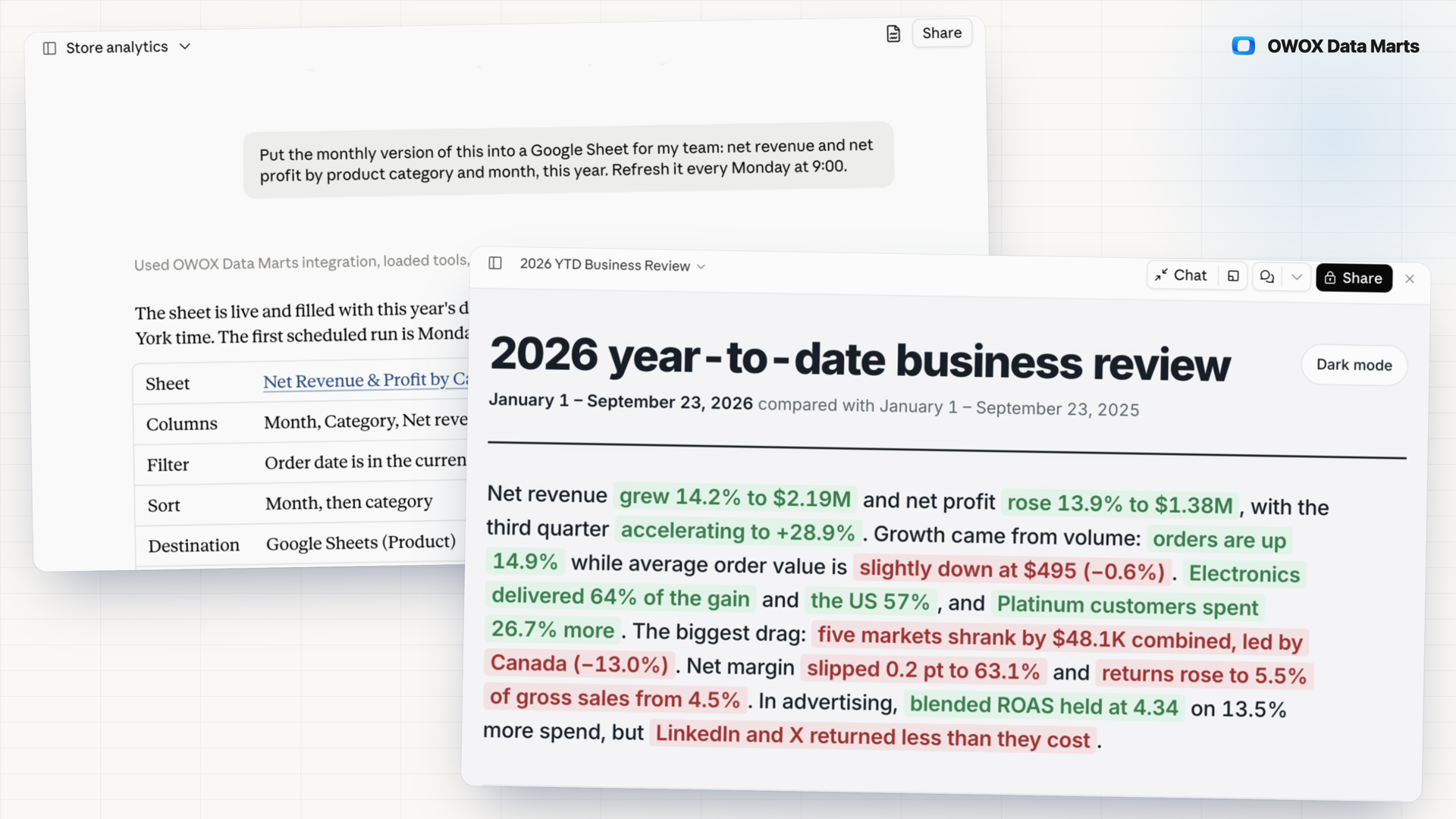
When the CEO asks Claude or ChatGPT about revenue, an assistant reading raw tables guesses the joins, and the wrong number lands in the meeting with your name on it. OWOX MCP answers from the Data Marts you published instead.
- The assistant never writes SQL: it picks fields and filters, OWOX builds the query over your joins, and Run History keeps the SQL it ran.
- Only published Data Marts are reachable, each member sees what their role allows, and the assistant cannot add a join you did not define.
- The answer reads the same published Data Mart as your Google Sheets report and Data Studio dashboard; ask for the report in Google Sheets, open the link and keep working there in the OWOX Extension.
- Nothing to switch on: publish a Data Mart, and the assistant can find it.
An AI answer you cannot trace is still your number
Business users already ask AI chats about company data. When the assistant guesses a join from raw tables, a wrong total looks no different from a right one, and you are the one asked why. With OWOX MCP, the assistant never writes the SQL.
THE DATA OWNER
You define what the assistant can reach
Publish the Data Marts, define the joins, write the project description. The assistant sees only published Data Marts a member's role allows, picks fields from their schema and cannot add a join. Every query it sends lands in Run History with the executed SQL.
Check any AI answer the way you already do: read its SQL.
THE BUSINESS USER
Ask in the AI chat you already use
Add OWOX Data Marts to Claude or ChatGPT, sign in and ask in plain language. Each result carries the Data Mart it came from and, when available, when its source tables last changed. Ask for a Google Sheet, and you get a link.
No new tool, no ticket, no SQL to write.
Not your warehouse's own MCP server — there, the model writes SQL against raw tables and infers the joins. Through OWOX, it can only select fields and use the joins a Data Owner defined.
For Data Owners
Hand over answers you can defend
The assistant handles the question. The Data Marts, the joins and the record of every query stay with you.
Only published Data Marts are reachable
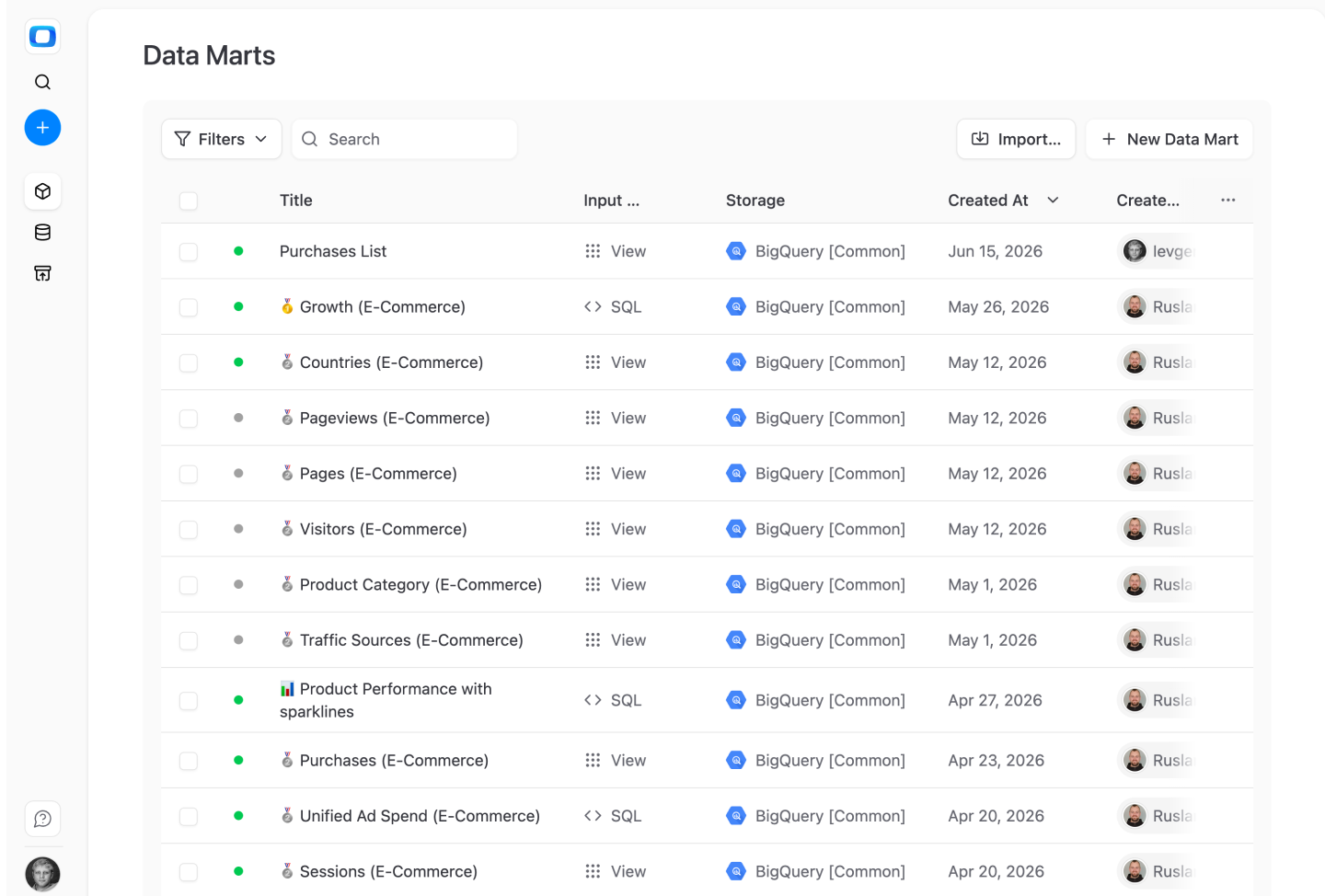
The assistant searches and queries published Data Marts only; a draft returns metadata at most. Each member reaches only what their project role allows.
Read the SQL behind any AI answer
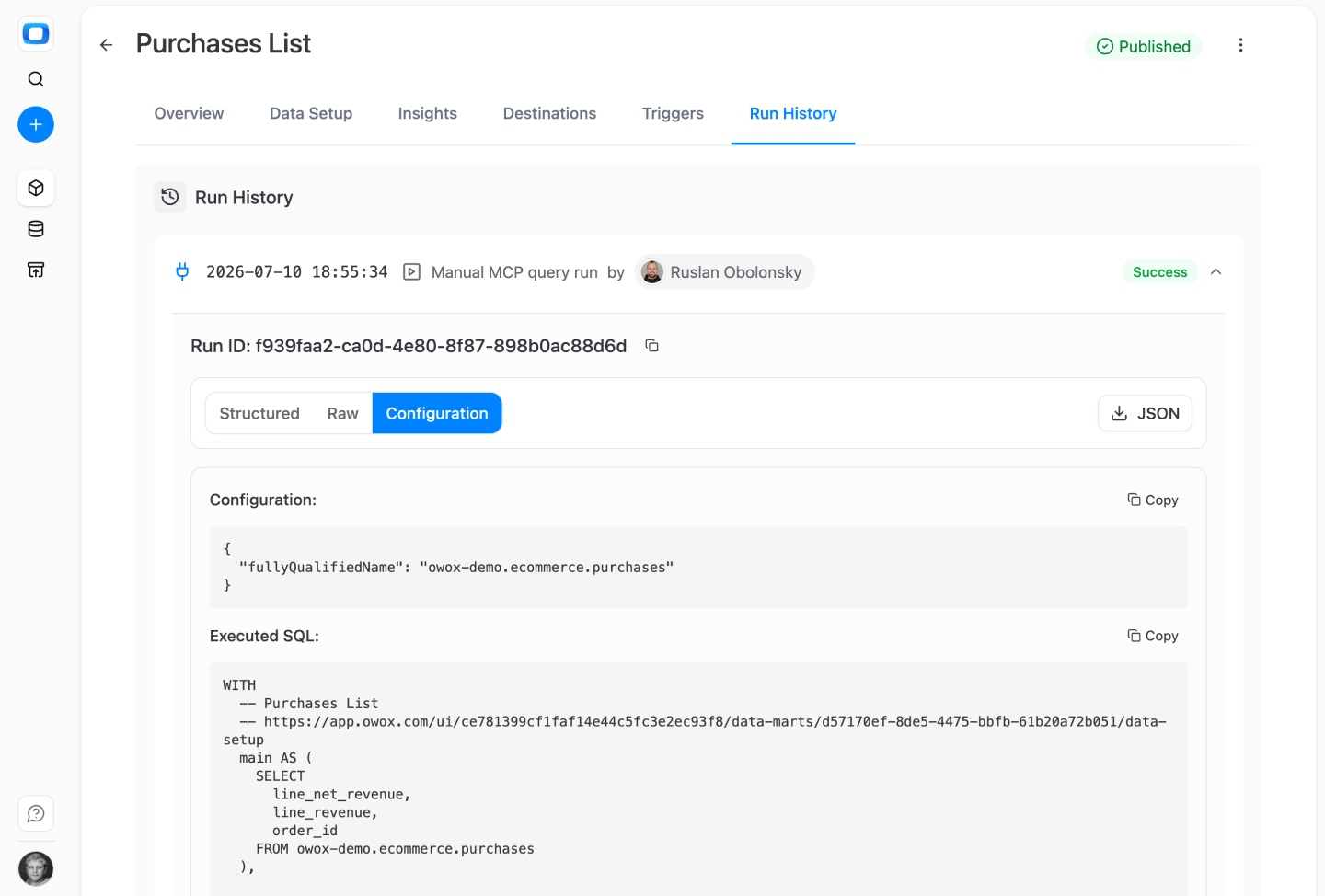
Open the Data Mart's Run History: each assistant query shows as a Manual MCP query run with the member's name, its configuration and the executed SQL, ready to copy. Row values are never stored.
Joins come from your definitions
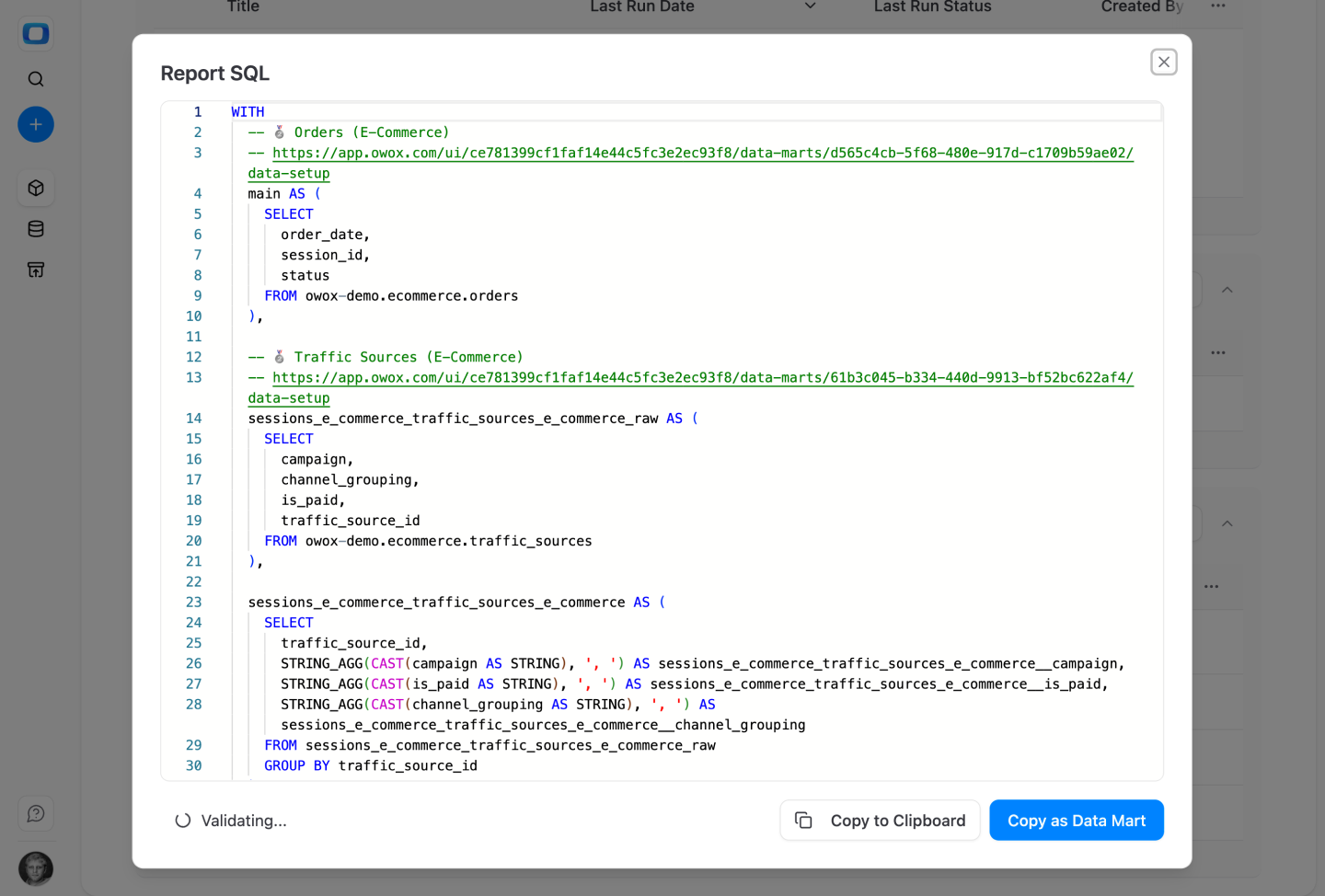
The assistant can select fields from a joined Data Mart but never create a join. In the SQL OWOX generates, each Data Mart it touches is labelled with a link to its definition.
For Business Users
Ask, check, and keep the answer
The question stays in your AI chat. The numbers come from Data Marts your Data Owner published.
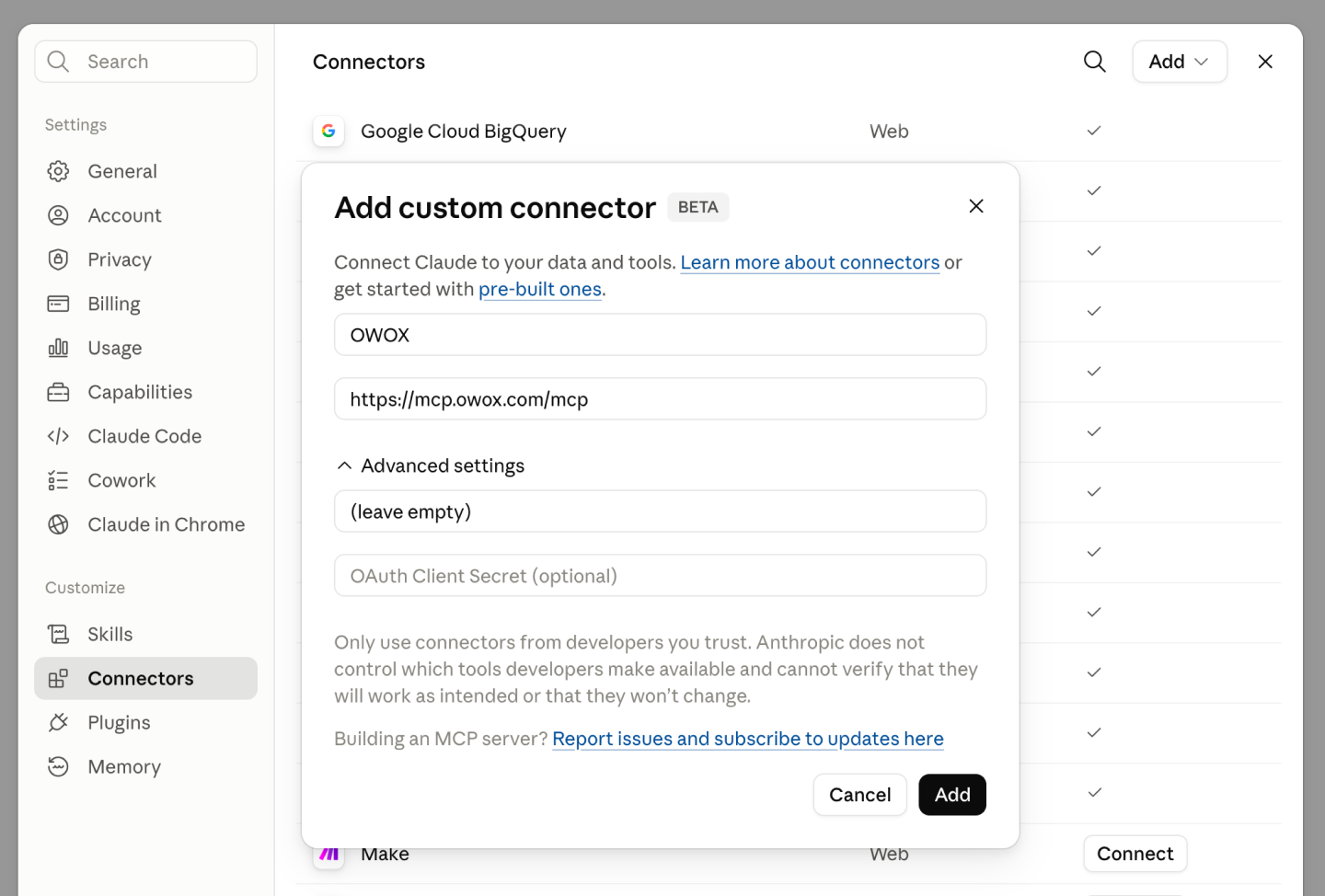
Add OWOX to Claude or ChatGPT
Install OWOX Data Marts from the Claude connector directory or the ChatGPT app gallery, or add mcp.owox.com/mcp as a custom connector. Sign in to OWOX and choose the project.
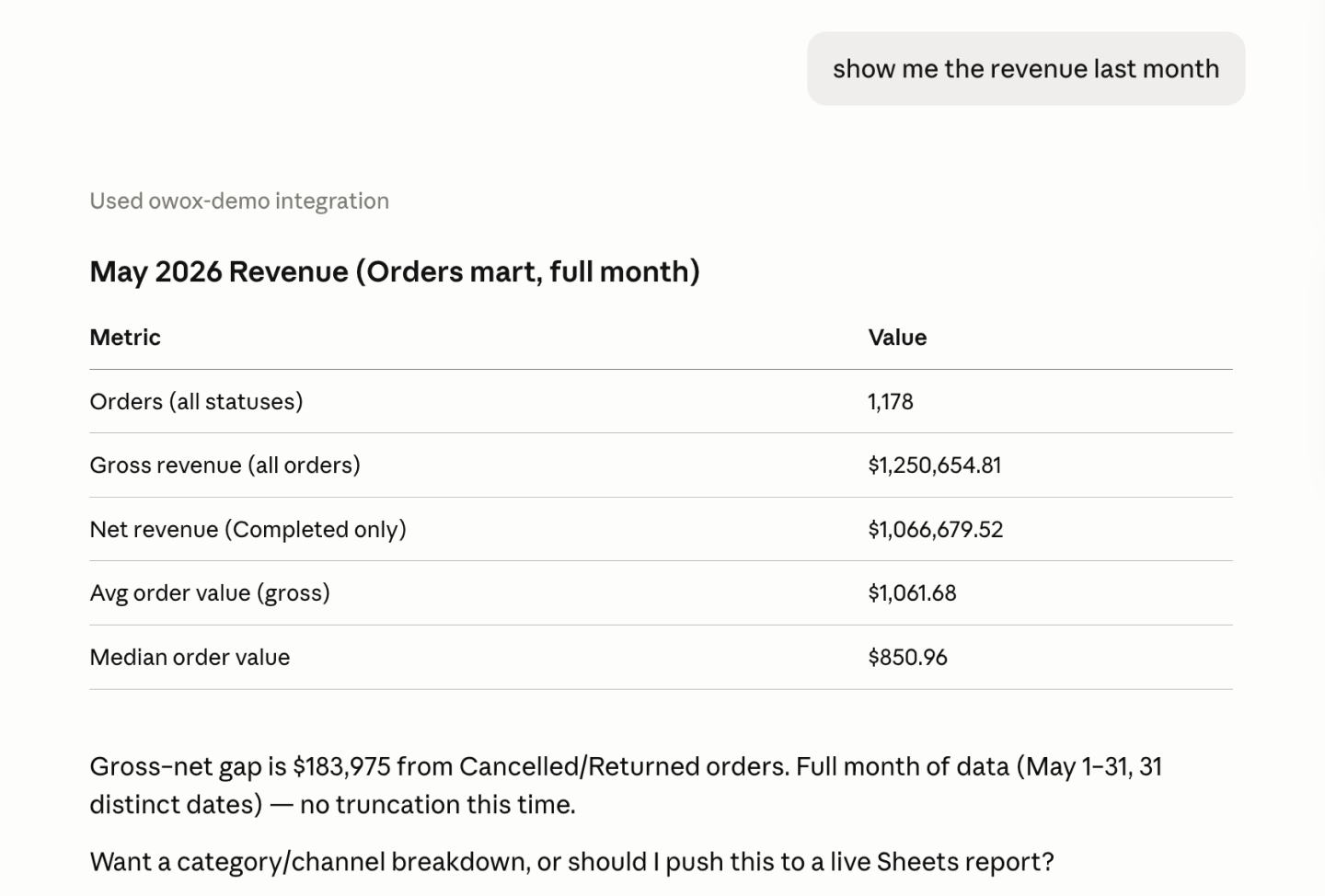
Get the number with its definition
Ask “show me the revenue last month”. The answer names the Data Mart it read and the definition behind each figure: gross revenue on all orders, net revenue on completed ones.
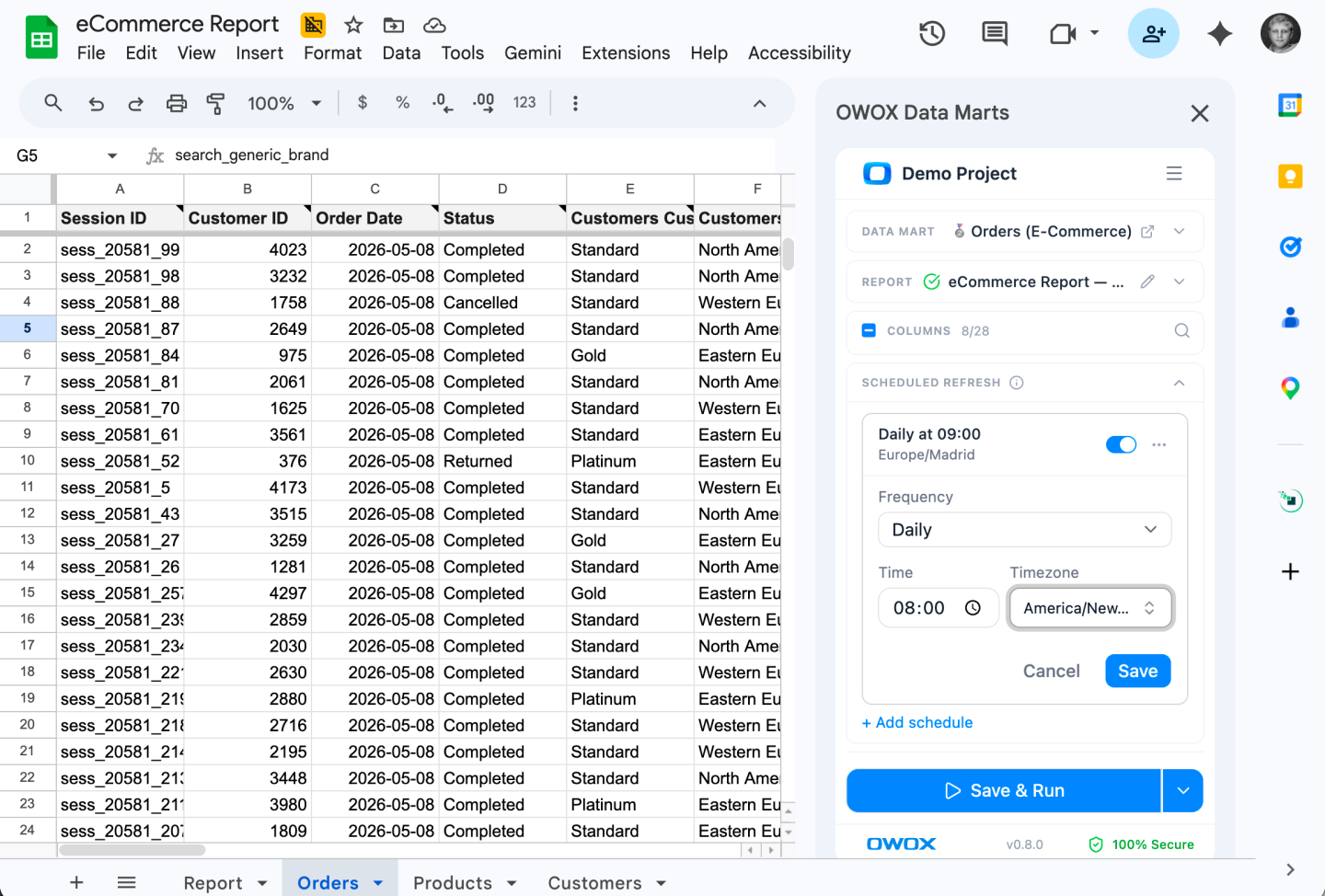
Keep it as a Google Sheet
Ask for the answer as a report: OWOX creates the Google Sheet, fills it and returns the link. Open it and keep working in the OWOX Extension, or ask for a schedule so it refreshes on its own.
Compare plans
Everything business needs

The assistant never writes SQL
It picks fields, filters, aggregations and date buckets. OWOX turns that request into SQL over your Data Marts and runs it in your warehouse.

One Data Mart behind every surface
The assistant reads the same published Data Mart as your Google Sheets reports and Data Studio dashboards, so each number is defined once, wherever it is asked.

Nothing to switch on
The MCP server is on by default, with no project setting. Publish a Data Mart, and the assistant can find it.

Every query in Run History
Each query the assistant sends is recorded with its definition and the executed SQL, under the member who asked. Row values are never stored.

0.1 credit per query
A successful query costs 0.1 credit, whether it returns 20 rows or 1,000. Failed queries and metadata lookups cost nothing.

Only the joins you defined
The assistant selects fields from joined Data Marts but cannot create a join, so revenue is joined the same way in every chat.

Your business context, read first
Write terminology, currency and conventions in the project description. The assistant is told to read it before its first project-specific step.

Answers in the chat they use
Claude, ChatGPT, or any client that supports MCP over Streamable HTTP with OAuth 2.0. Business users have no new app to learn.
Frequently asked questions
How is this different from my warehouse's own MCP server?
A warehouse MCP server lets the model write SQL against raw tables, joins included. Through OWOX, the assistant sends a structured request: fields, filters, aggregations. OWOX builds the SQL from it, using only the joins a Data Owner defined between published Data Marts.
Can the AI still give a wrong answer?
Yes, and it helps to know where. The assistant can pick the wrong Data Mart or field, or do its own math on the rows it gets. OWOX stands behind the rows it returns: SQL it built over your definitions, recorded in Run History. The project description is your lever on the assistant's choices.
What does one question cost?
Each successful query costs 0.1 credit, whatever its size; failed queries and metadata lookups are free. One question can take several queries, for example one per month asked about. Ask the assistant to plan its queries first to keep the count down.
What does the Data Owner set up?
Nothing to switch on: the server is on by default, with no project setting. The assistant works with what you already maintain: published Data Marts, the joins between them, field descriptions. Add a project description for business context, and a Google Sheets destination if business users should get reports.
What does the AI provider receive?
The Data Mart metadata the assistant looks up, the rows each query returns, and your project description. Queries run in your warehouse. OWOX keeps no copy of the rows: Run History stores the query and its SQL, never row values.
How many rows can one query return?
Up to 1,000 rows per call, 20 by default, with no pagination. Totals are computed by OWOX over every matching row, whatever the limit. Define a ratio such as click-through rate as a calculated field in the Data Mart, and OWOX computes it in the warehouse instead of the chat.
Every claim has a receipt.
Real things real customers said — each quote pinned to a specific claim, straight from the quotes database.
 Nodari RizunFounder & CEO, Pürblack®
“AI, by the nature of the models, will hallucinate. And because of that, you need something which will create guardrails to ensure that there are no hallucinations, that you can trust your data.”
 Mark SimmonsCMO, Pürblack®
“We had six or seven different channels and no single source of truth — it was almost impossible, a lot of guesswork.”
Nodari RizunFounder & CEO, Pürblack®“We regained time. And time is the one resource that never comes back.”
Let the next AI answer come from your SQL
Publish a Data Mart, add OWOX Data Marts in Claude or ChatGPT, and ask: “Which OWOX project am I connected to?”
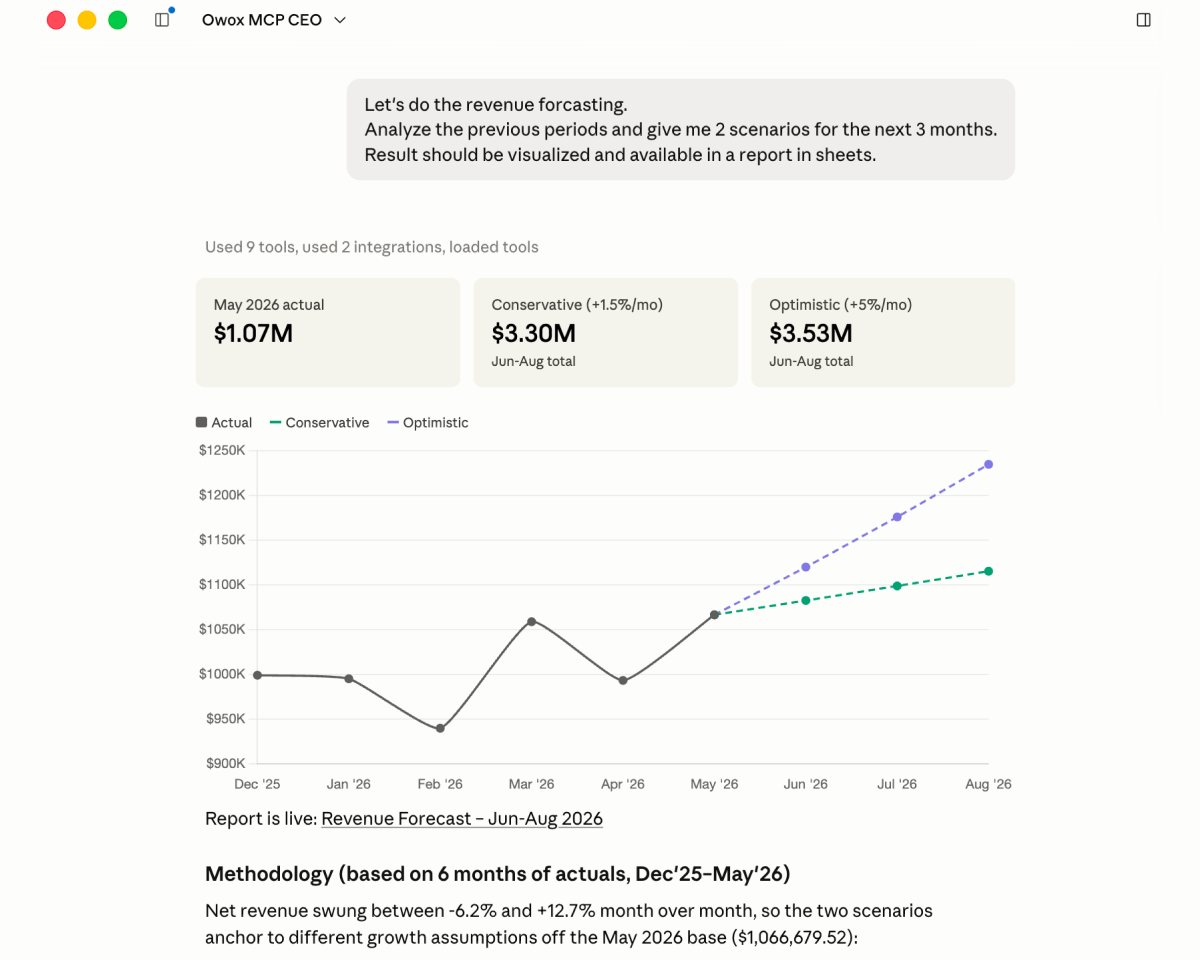
- Internal OWOX data as of 2026-10-02
- G2 reviews of OWOX
- npm installs stat
You are booked. The invitation is on its way to , with the calendar invite and the meeting link.