Trusted, proven, recognized

The analytics system teams actually use

170K+
Users trust OWOX[1]
Analysts, marketers, and data teams across 20+ industries
4.9★
Rating on G2[2]
“A trusted data analytics partner” — verified review
365K+
Data marts delivered
Created and served by OWOX to business users
92K+
npm installs[3]
Self-hosted OWOX Community Edition on GitHub
Connect

Step 1: Connect Your Snowflake Data Storage

Start by connecting a data storage where your Snowflake data will be prepared for Google Sheets.

Choose a supported data warehouse such as BigQuery, Snowflake or Redshift
Store your Snowflake query results in one central place
Keep full ownership and control over your data
Step 1: Connect Your Snowflake Data Storage
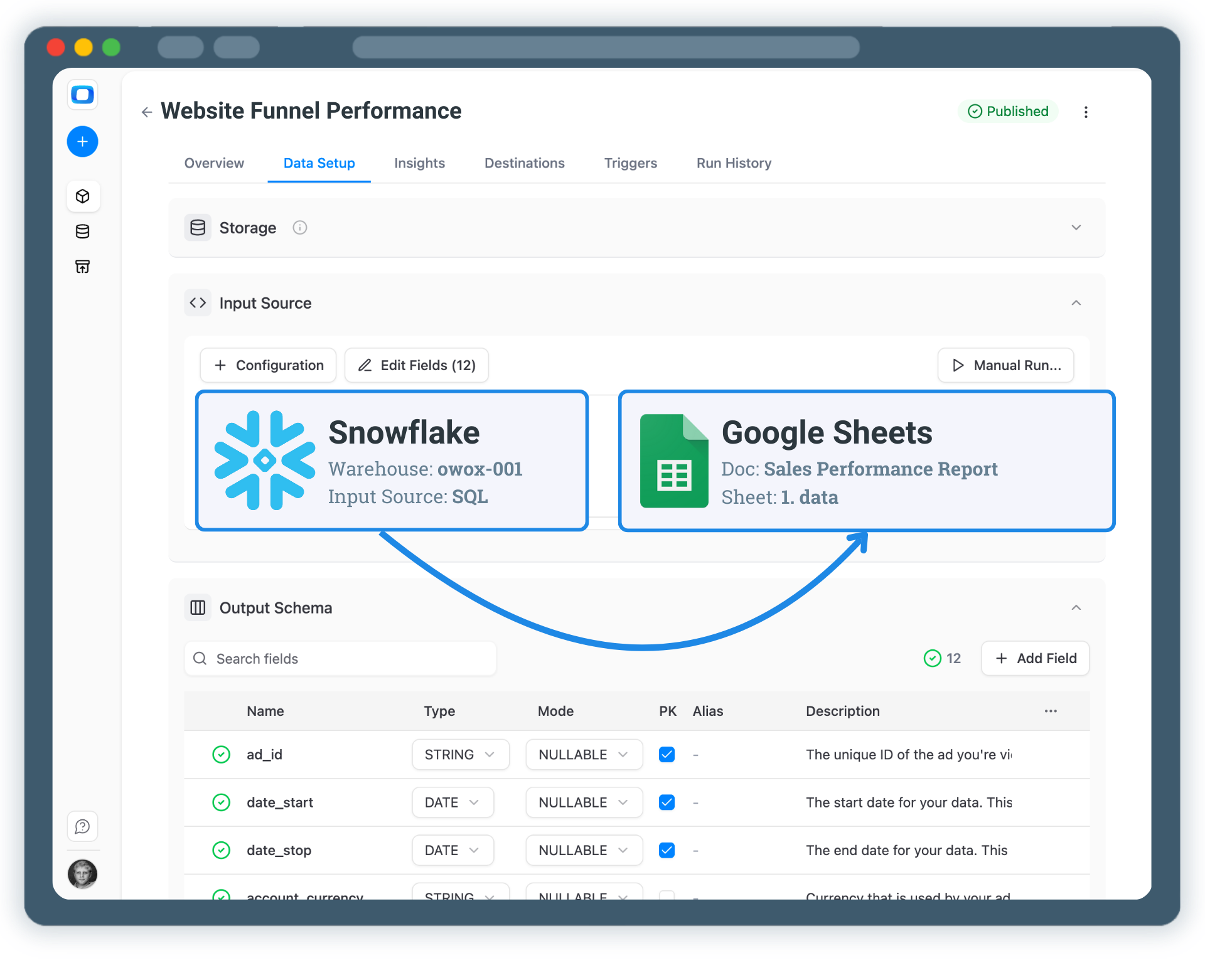
Step 2: Create Snowflake Data Mart
Create

Step 2: Create Snowflake Data Mart

Click on + New Data Mart, choose SQL as the definition type.

Write a SQL query that selects the Snowflake data you need
Use joins, filters, and transformations to prepare the dataset
Define the output table where the result will be stored
Step 2: Create Snowflake Data Mart
Select

Step 3: Publish & Configure Google Sheets Destination

Once your data mart is ready, enable Google Sheets as a destination.

Add Google Sheets as a Destination
Then just tick the box in the Destinations section of a data mart
Keep full ownership and control over your data
Step 3: Publish & Configure Google Sheets Destination
Step 4: Run & Schedule Data Delivery to Sheets
Enable

Step 4: Run & Schedule Data Delivery to Sheets

Control how and when Snowflake data is refreshed in Google Sheets.

Run manually to check the output before scheduling
Add a Trigger to automate data delivery on a schedule
All runs are logged and visible in Run History
Step 4: Run & Schedule Data Delivery to Sheets
Extend

Step 5: Go Beyond Google Sheets

Your Snowflake data is now available in Google Sheets. But why stop here?

Use the same data mart in Looker Studio
Blend Snowflake data with other sources like GA4 or ad platforms
Enable AI Insights delivered to Slack, Teams, or Email
Step 5: Go Beyond Google Sheets
Social proof

Every claim has a receipt.

Stats with comment threads attached — like a colleague verifying your numbers in a shared sheet.

170,000
Users on OWOX Platform — and growing 40% year-over-year.
B2
cell "users on platform"
SM
Sarah M.
Head of Analytics, Retail
3d ago

We migrated 200+ reports from Looker to OWOX Data Marts. Our team now self-serves without filing a single Jira ticket. Easily the best infrastructure decision we made this year.

✓ Verified
12 min
Median time-to-first-report for new OWOX users. No onboarding calls required.
C4
cell "time to first report"
DL
David L.
Data Lead, SaaS
1M ago

Connected BigQuery, set up 37 data marts, built a data model and had live reports in Sheets in under 15 minutes. My team thought I was joking when I showed them how they can now get live reports right in their sheets.

✓ Verified
Self-service analytics

Build a Reporting System on Top of Snowflake

Google Sheets were never designed to be a system of record. With OWOX Data Marts, Sheets becomes a trusted analysis layer — powered by governed data marts defined upstream in your warehouse.

Business teams keep the flexibility they love
Data teams retain control over logic and definitions
No more fragile joins duplicated across spreadsheets
See how it works