Get X Ads Insights Delivered by Email

Use OWOX Data Marts to turn X Ads data into AI-powered insights delivered straight to your inbox. Stay informed, spot issues early, and get answers – without dashboards.
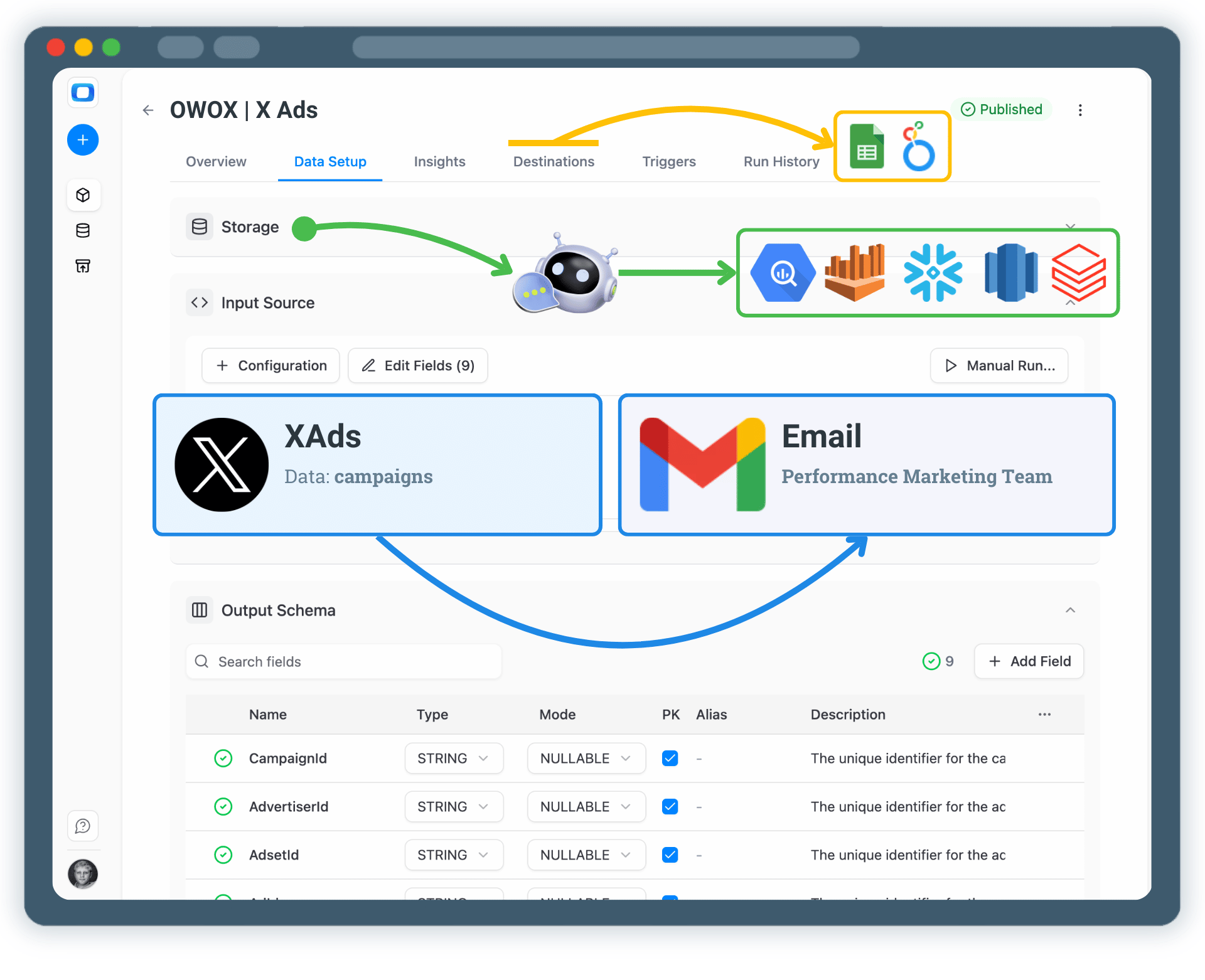
Get X Ads Insights Delivered by Email
From X Ads Data to Clear Insights – Delivered to Your Inbox

From X Ads Data to Clear Insights – Delivered to Your Inbox

You define what data you collect, how metrics are calculated, and which insights matter – AI delivers them by email on your schedule.

Step 1: Collect X Ads Data

Start by collecting raw X Ads data into a data storage using OWOX Data Marts.

  • Choose a data warehouse such as BigQuery, Snowflake or AWS Redshift
  • Collect spend, impressions, clicks, engagements, and campaign structure
  • Keep full ownership and transparency over your ads data

This data becomes the foundation for all future insights (both AI and SQL-based).

Step 1: Collect X Ads Data
Collect X Ads Data
Step 1: Collect X Ads Data
Step 2: Define Metrics & Business Logic

Step 2: Define Metrics & Business Logic

Define how X Ads performance should be calculated and interpreted.

  • Create or reuse an X Ads Data Mart
  • Define metrics like CPC, CPA, CTR, engagement rate, or custom KPIs
  • Ensure consistent logic across teams and reports

AI Insights rely on trusted, modeled data – not raw tables.

Step 2: Define Metrics & Business Logic
Define Metrics
Request a demo

Step 3: Configure AI Insights

Choose which X Ads insights you want to receive.

  • Daily or weekly performance summaries
  • Spend spikes, drops, or engagement anomalies
  • Campaigns, creatives, or audiences that overperform or underperform expectations
  • Natural-language answers to paid social and conversation-driven questions

You control what AI analyzes and how insights are generated.

Step 3: Configure AI Insights
Configure AI Insights
Step 3: Configure AI Insights
Step 4: Deliver Insights by Email

Step 4: Deliver Insights by Email

Send X Ads insights directly to your email inbox.

  • Choose recipients across marketing, finance, or leadership teams
  • Schedule automated delivery or receive alerts when thresholds are met
  • Review insights asynchronously, without logging into tools

Email makes insights accessible to everyone.

Step 4: Deliver Insights by Email
Connect Email
Request a demo

Step 5: Extend Insights to Your Team

Email is often just the starting point.

  • Reuse the same data mart in Google Sheets or Looker Studio
  • Blend X Ads data with GA4, CRM, or revenue data
  • Also deliver AI Insights to your corporate messenger like Slack, Microsoft Teams, or Google Chat

One trusted data mart – multiple insight destinations.

Step 5: Extend Insights to Your Team
Explore More Use Cases
Step 5: Extend Insights to Your Team

Turn X Ads Data into Actionable Updates

Schedule a quick walkthrough to see how OWOX Data Marts helps you:

  • Get X Ads Insights Delivered by Email
  • Deliver trusted insights to business teams
  • Reduce reporting chaos & manual work
  • Scale analytics without adding complexity
Also, on this call, you’ll learn how data teams utilize AI Insights to always deliver what matters the most
Turn X Ads Data into Actionable Updates