Every Source You Report On, Wherever You Need the Answer
OWOX’s connectors collect each source into the warehouse you own, then deliver it where the question is actually asked: Sheets and Excel, Studio and your BI tool, and Claude or email. Only the fields you picked, on the schedule you set, defined once and reused by every one of them. Every connector is MIT-licensed and lightweight, free to self-host; in OWOX Cloud all of them are in every plan, with no per-connector bill.
Data Connectors Features
F01
Connector Data Marts
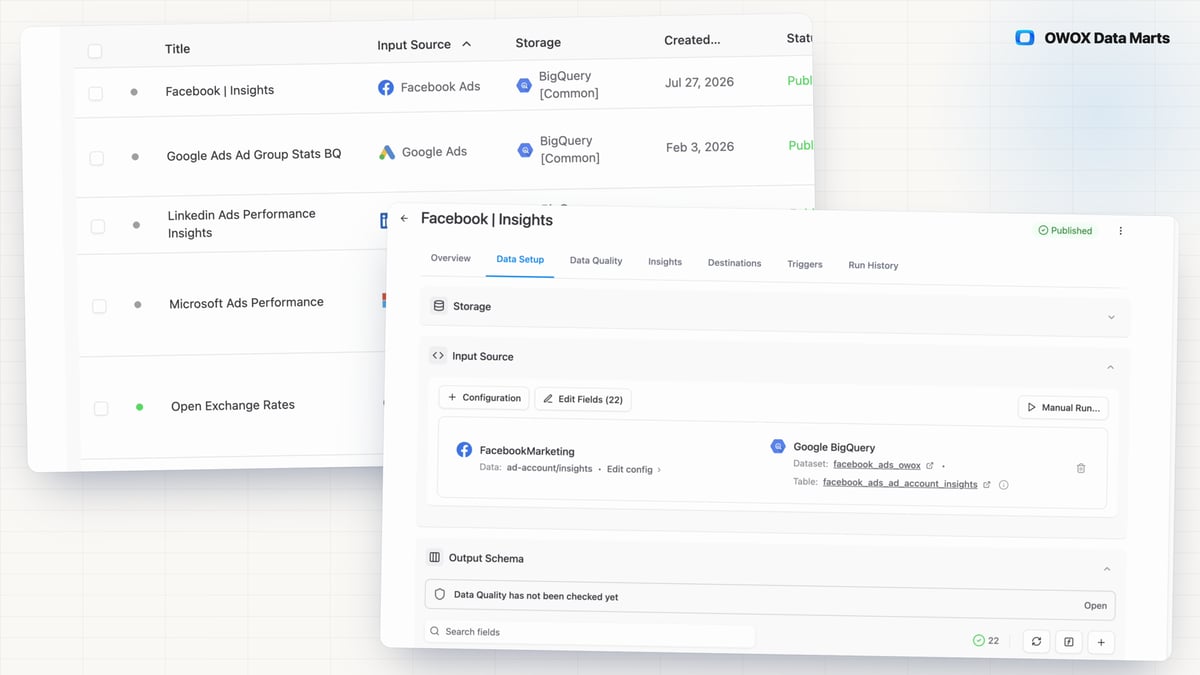
Ad, e-commerce and reference data scattered across APIs cannot be joined or trusted until it lands in one place. OWOX's open-source connectors bring 15 first-party sources into your own warehouse with no per-connector fee — as Connector Data Marts holding the fields you choose, ready for spreadsheets, BI and AI Insights.
F02
Custom Connectors
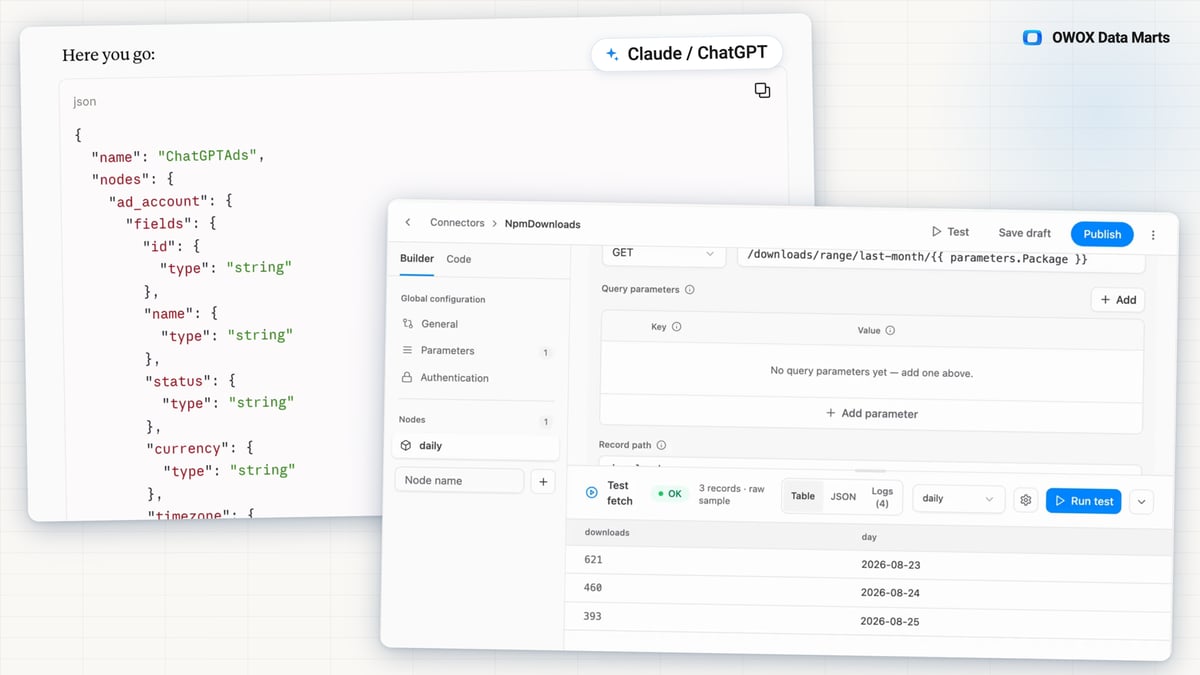
When a report needs a source OWOX has no connector for, the usual answers are a vendor roadmap, a script only its author can fix, or a CSV exported by hand every month. With Custom Connectors, your AI assistant writes that connector from the API's docs.
- Give the assistant OWOX's manifest guide and the API's documentation, then import the JSON it returns.
- Test it against the live API before anything depends on it; every publish is a version you can roll back.
- The data loads into your own warehouse as a scheduled Data Mart, and keys stay in OWOX, never with the assistant.
F03
Field Selection & Aliases
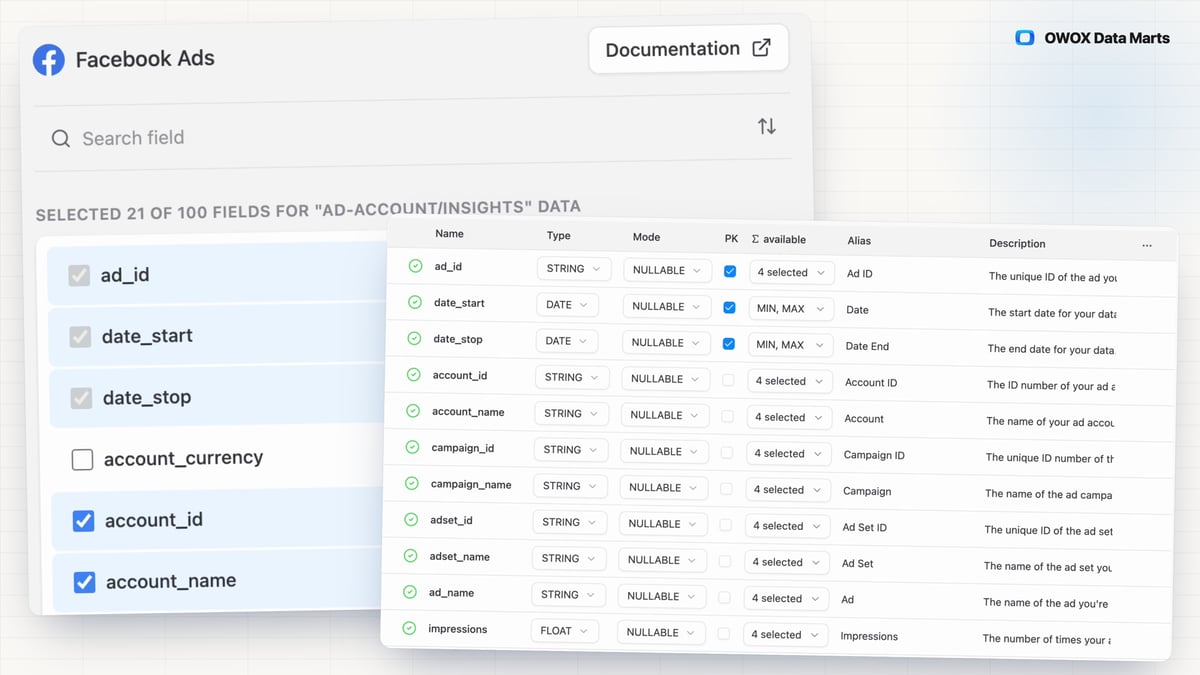
A connector that stores everything an API returns makes you pay for and wade through columns nobody uses. Schema Adjustment lets you pick the fields to land — the connector keeps the keys it needs to merge rows — and give columns business-friendly aliases, so campaign_id_str reads as "Campaign ID" in BI and spreadsheets.
F04
Scheduling
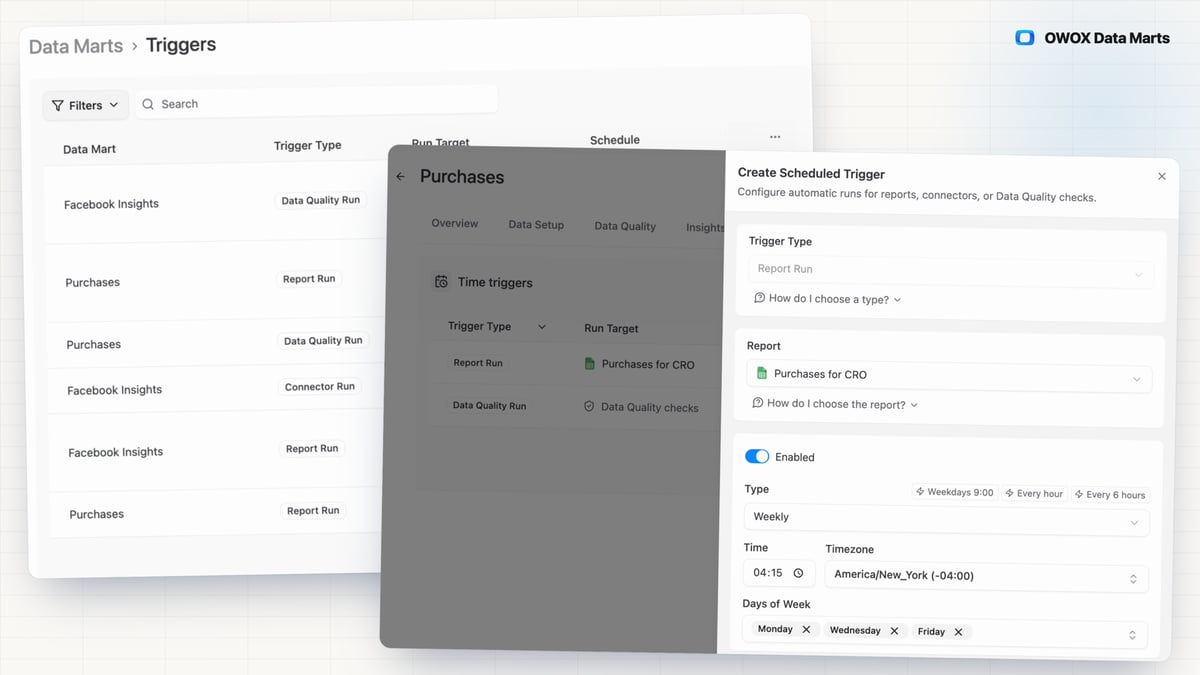
A report people open every morning is only as fresh as its last run, and a stale one looks exactly like a current one. Triggers import the source and deliver the report on a schedule you set on the Data Mart.
- Run it every working day, on a set date each month, at set times on chosen days of the week, or on an interval, each trigger in its own timezone.
- A failed run emails Project Admins and Data Owners, or calls your webhook, on by default; Run History shows the error and every run's status.
- You set the order: the connector imports into your warehouse first, then each report delivers.
- 0.37.0Short links resolve only on known short link services and domains you allow
- 0.37.0Clearer connector errors, and custom connectors that handle more APIs
- 0.36.0Upload a Google Sheet to your storage from the OWOX Extension
- 0.36.0Hiding a calculated metric no longer fails the save on a Data Mart with a joined formula
- 0.36.0Long field descriptions wrap in the Output Schema
You are booked. The invitation is on its way to , with the calendar invite and the meeting link.