Google Sheets extension
NewOWOX MCP is live & can deliver data to spreadsheets→
Your analyst shouldn’t be The export button.
Every backlog item is just someone who needed one more column and couldn’t get it themselves. OWOX Data Marts fixes the tooling gap – analysts define the rules once, business users self-serve forever. No SQL, no tickets, no you in the middle.
app.owox.com / data-marts / marketing 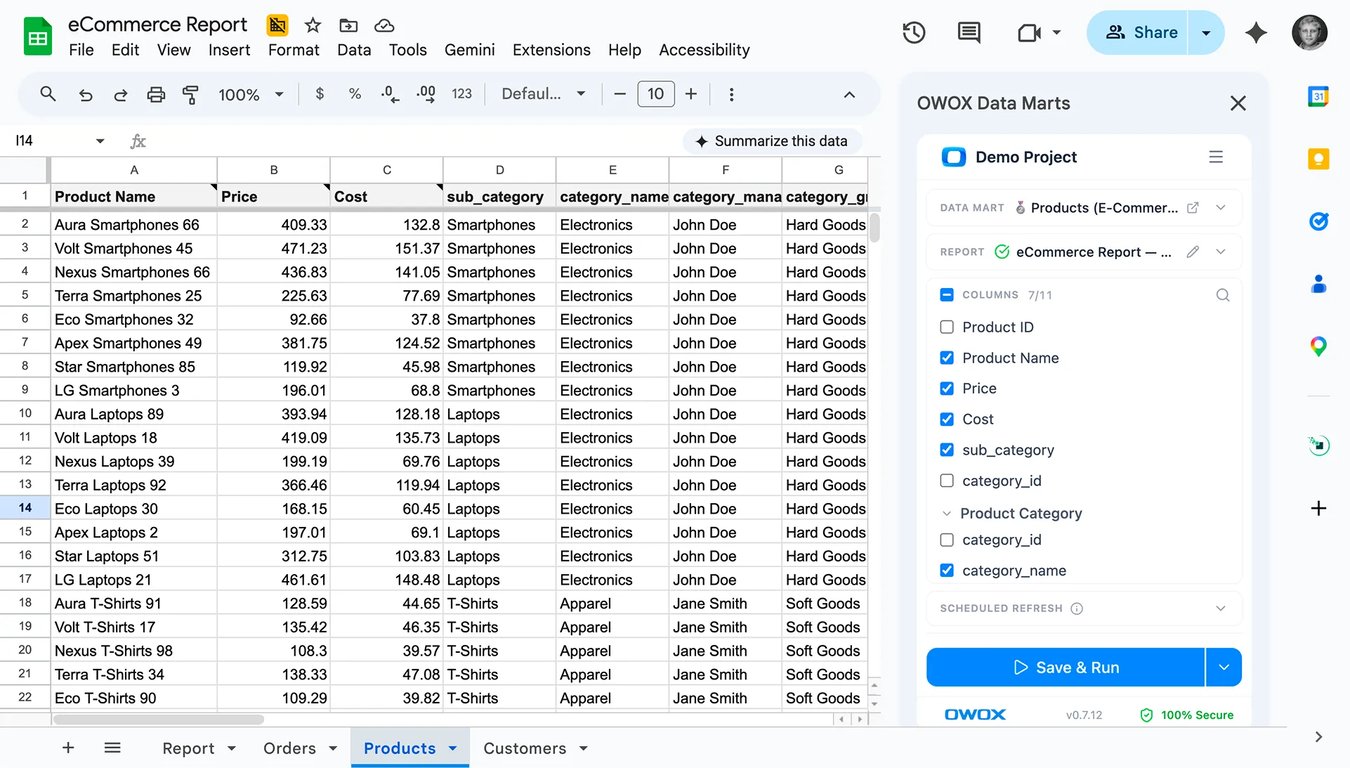
NewOWOX MCP is live & can deliver data to spreadsheets→
Your analyst shouldn’t be The export button.
Every backlog item is just someone who needed one more column and couldn’t get it themselves. OWOX Data Marts fixes the tooling gap – analysts define the rules once, business users self-serve forever. No SQL, no tickets, no you in the middle.
app.owox.com / data-marts / marketing
HOW IT WORKS
The analyst sets the rules.
The product does the work.
1
⚙️ Data Analyst · one time
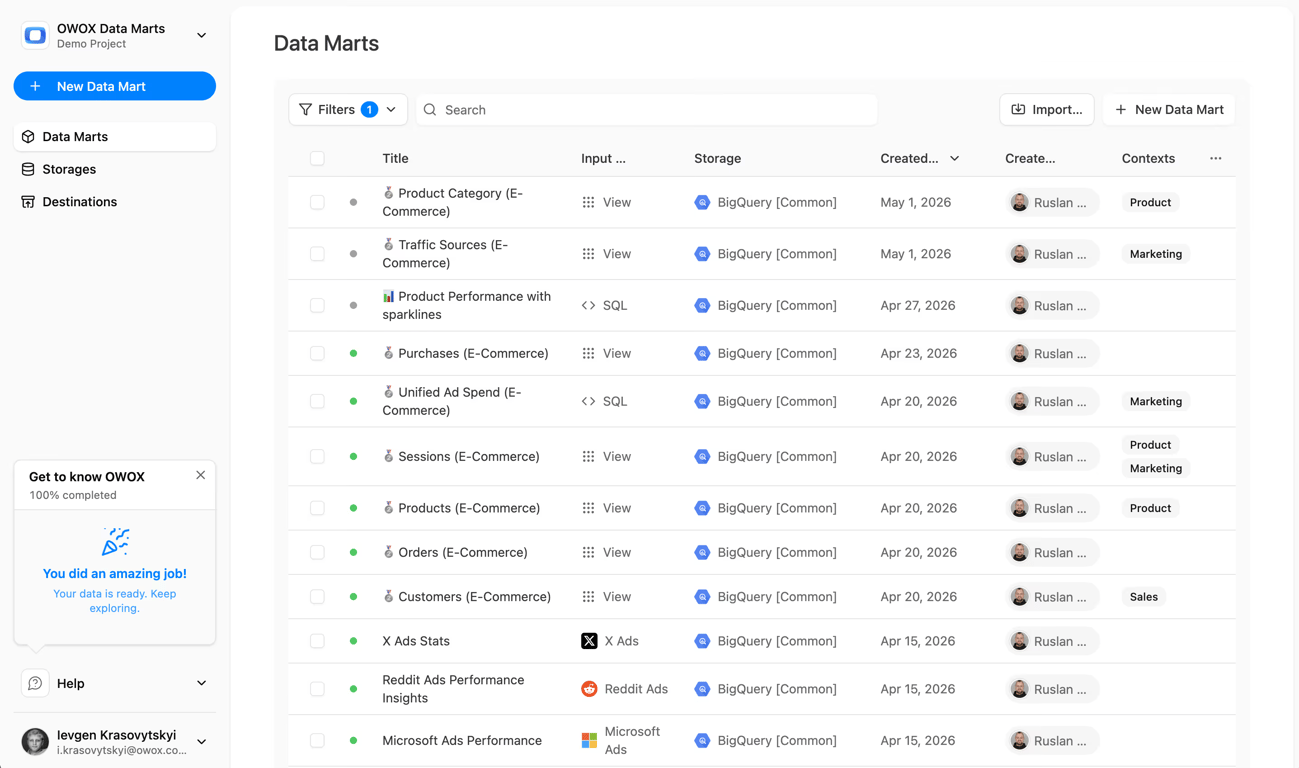
Create Data Marts & set join keys
Connect your gold layer data with SQL or tables from BigQuery, Snowflake, or another data warehouse. Define which data marts can be blended and on which keys. That’s your reusable foundation.
2
📊 Business User · self-service
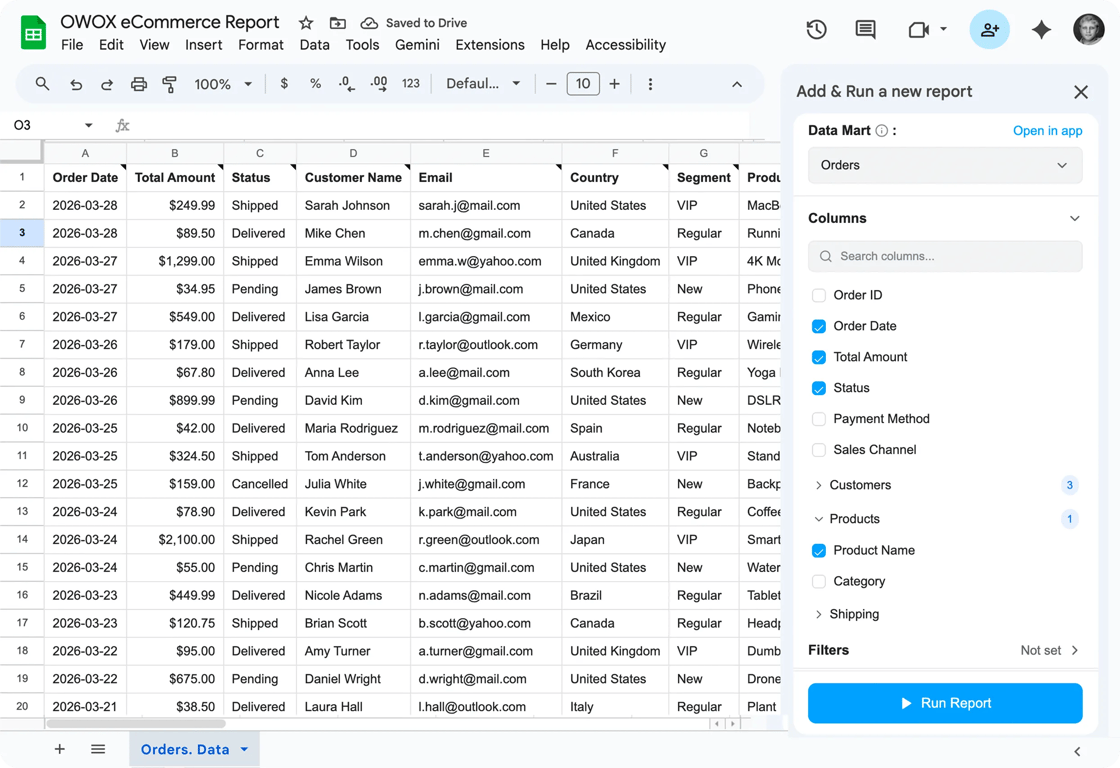
Pick columns, set filters, run
Business users open the OWOX extension in Google Sheets, browse available data marts, pick the columns they actually need, adds columns from related data marts, set filters – and hit Run. No SQL. No ticket or Slack ping.
3
⏰ Automated · ongoing
Fresh data on schedule, forever
Data lands in the instantly. Schedule automatic refreshes – daily, weekly, hourly or on demand. The analyst steps out of the request loop permanently. Every new question gets answered by self-service, not a ticket.
This is what your business users will see.
This is what your business users will see.
Pick columns - hit Run — and watch data land in the sheet. Then add more columns - hit run again. This is the actual extension UI.
docs.google.com/spreadsheets/d/owox-data-marts
OWOX vs. Alternatives
Not another connector.
Not another BI Tool.
Not a black-box.
You’ve probably already tried to solve this. Here’s why it didn’t stick.
Tool
What it does
Why it falls short
 OWOX Data Marts
Analyst-governed self-service for business users, directly in Google Sheets
✓ Warehouse-powered, blendable, governed, schedulable — no SQL required
Supermetrics / Coupler
Pulls raw data from ad and ecom sources into sheets
Raw numbers, no blending, no analyst governance — pay per connector, per row
Fivetran / Airbyte
Moves data into your warehouse
Data lands there and stays — you still need an analyst to get anything out
Manual SQL exports
Analyst writes queries on demand
You wait days for a column. Then wait again when the question changes
BI dashboards (Looker, Tableau)
Visualizes pre-modeled data
You get the charts someone else decided you needed — not the slice you want
What users are saying
Not testimonials. Comment threads.
Not testimonials. Comment threads.
From the founder and CMO who actually run on it. Each quote is a real thing they said – attached to a specific claim.
C3
re: trusting AI

Nodari Rizun
Founder & CEO, Pürblack®
“AI by its nature will hallucinate. You need guardrails so you can trust your data.”
A1
re: one source of truth

Mark Simmons
CMO, Pürblack®
“We had six or seven different channels and no single source of truth. It was almost impossible”
E7
re: getting time back
Nodari Rizun
Founder & CEO, Pürblack®
“We regained time. And time is the one resource that never comes back.”
FAQ
Frequently asked questions
We already have a BI tool. Why do we need this?
Is this another connector that charges per row?
What data warehouses do you support?
What if our analyst hasn’t set up data marts yet?
How does the analyst control what business users can see?
Does this require data engineering skills to set up?
Google Sheets in modern analytics
Your data is ready.
Your analysts are ready. Your business users are waiting.
✓
Business teams keep the flexibility they love
✓
Data teams retain control over logic and definitions
✓
No more fragile joins duplicated across spreadsheets
You are booked. The invitation is on its way to , with the calendar invite and the meeting link.
Schedule in person meeting at Data Outpost San Francisco
You are booked. The invitation is on its way to , with the calendar invite and the meeting link.