
Metric · 1 min read · Unit: Count
Number of orders
Number of Orders is a key metric that reflects how many purchase transactions have been completed over a given period. Learn how to track it, why it matters, and how to increase it.
Formula
Number of Orders = Total Count of Completed Transactions Over a Time Period
Example. If your ecommerce store received 1,200 orders in March and 1,500 in April, the Number of Orders increased by 25% month-over-month.
What it is
Number of Orders refers to the total count of completed purchase transactions made by customers within a defined timeframe. It helps track sales activity, customer demand, and revenue trends.
Why it matters
Number of Orders indicates product demand, customer buying behavior, and overall business momentum. It also helps in forecasting revenue and setting inventory or fulfillment priorities.
How it is calculated
Count the total number of confirmed and processed purchase orders in your database, POS system, or ecommerce platform during the selected period.
A good value
A good Number of Orders shows steady or growing volume aligned with your sales targets, margins, and customer acquisition goals.
A bad value
A declining or stagnant order count could signal product-market misalignment, weak campaigns, or a poor user experience.
Do
Use these strategies to increase the number of completed purchase transactions.
- 01
Simplify the checkout process
A fast, user-friendly checkout increases the chances of order completion and reduces cart abandonment.
- 02
Offer limited-time discounts
Creating urgency with time-sensitive deals can increase short-term order volume.
- 03
Use retargeting Ads
Bring back interested visitors with personalized retargeting campaigns to turn visits into orders.
Avoid
Ignoring cart abandonment issues, not tracking failed checkouts, or focusing solely on traffic can limit order growth.
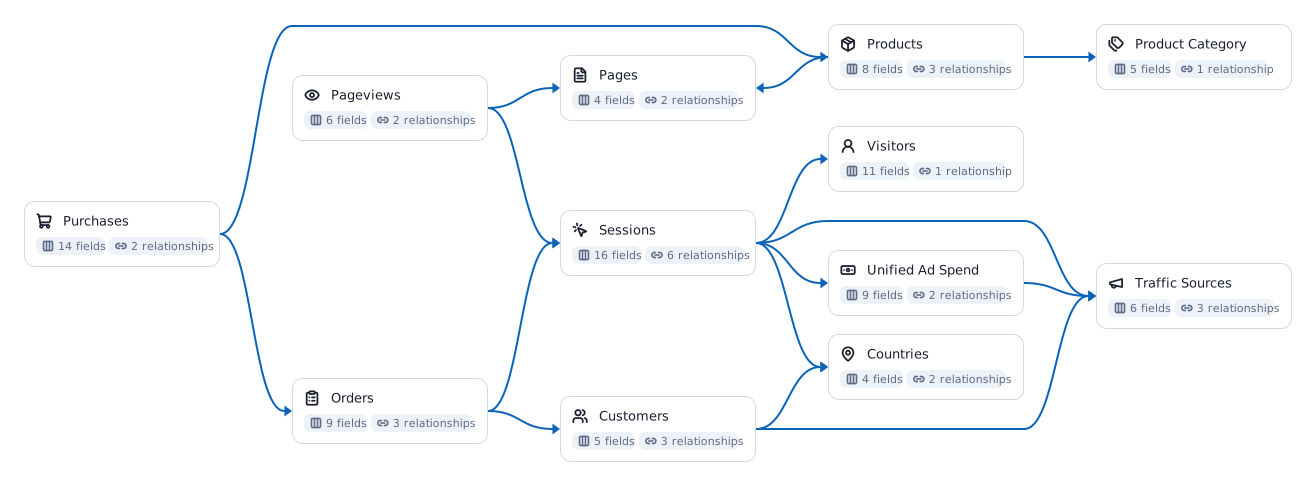
Related metrics you might be interested in
 Average Order Value (AOV)
= Total Revenue ÷ Total Number of Orders Ecommerce Conversion Rate
= (Total Transactions ÷ Total Visitors) × 100 Product Checkouts
= Total Number of Times Users Initiated the Checkout Process Total Sales
= Sum of All Completed Purchase TransactionsAverage Transaction Value (ATV)= Total Revenue ÷ Total Number of Transactions Item Revenue
= Units Sold × Price per Unit
Learn how teams ship analytics faster
Organizations that scaled analytics without scaling headcount



The Data Partner You Can Trust
users
176K Source: Internal OWOX data as of 2026-10-02
Executives and data analysts across 20+ industries
Customers
Calculate Number of Orders on your own data.
OWOX Data Marts connects your orders data with traffic and campaign performance to help identify what drives purchases and how to scale order volume.
- No AI hallucinations
- Analyst-governed definitions
- Every number traces to SQL