Orchestration (Scheduling)
Set-and-forget data freshness
Schedule when sources refresh and when Data Marts deliver. Sheets, dashboards, and AI briefings all open with current data — no manual runs, no stale reports.
Get started freeRead the docs →
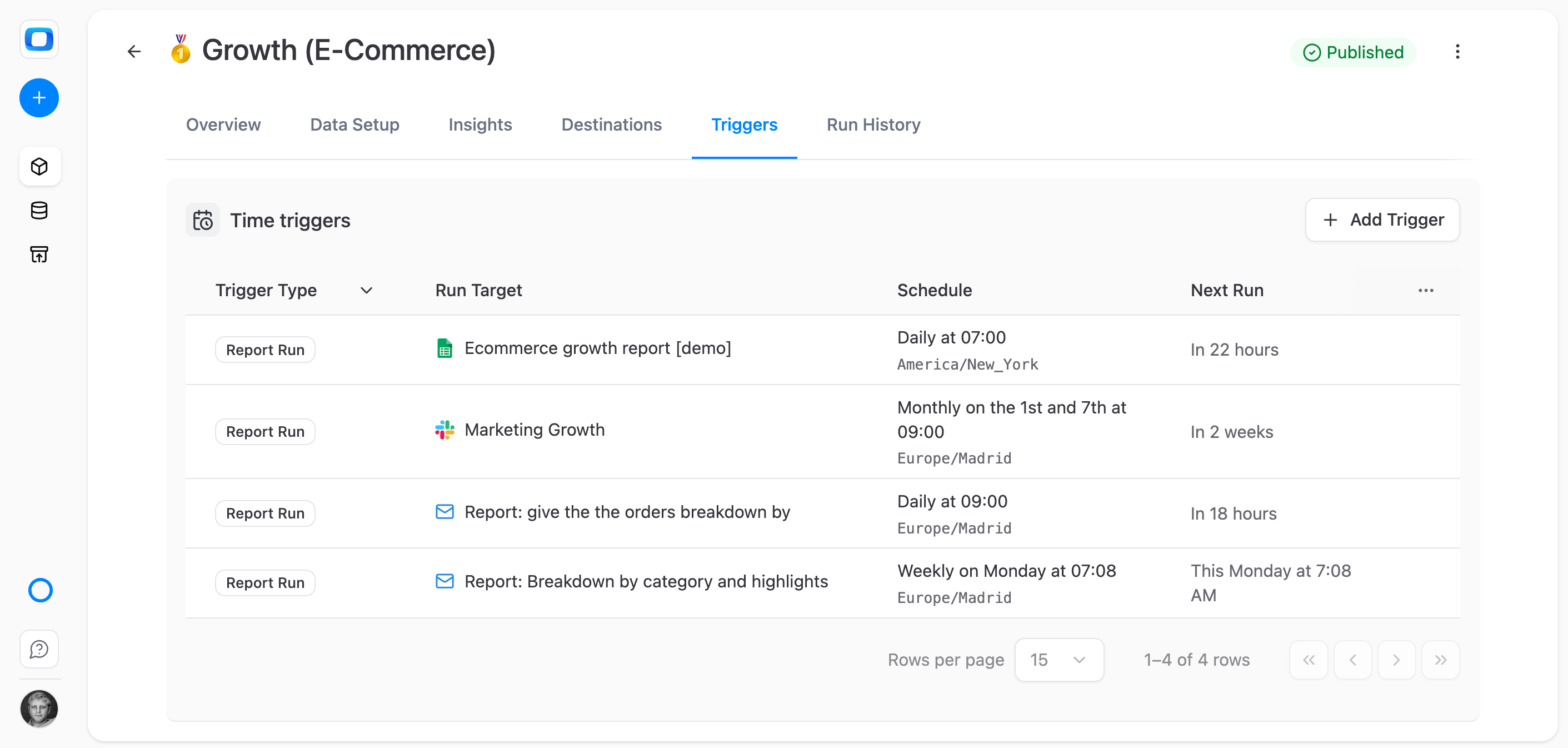
Triggers that keep every report fresh
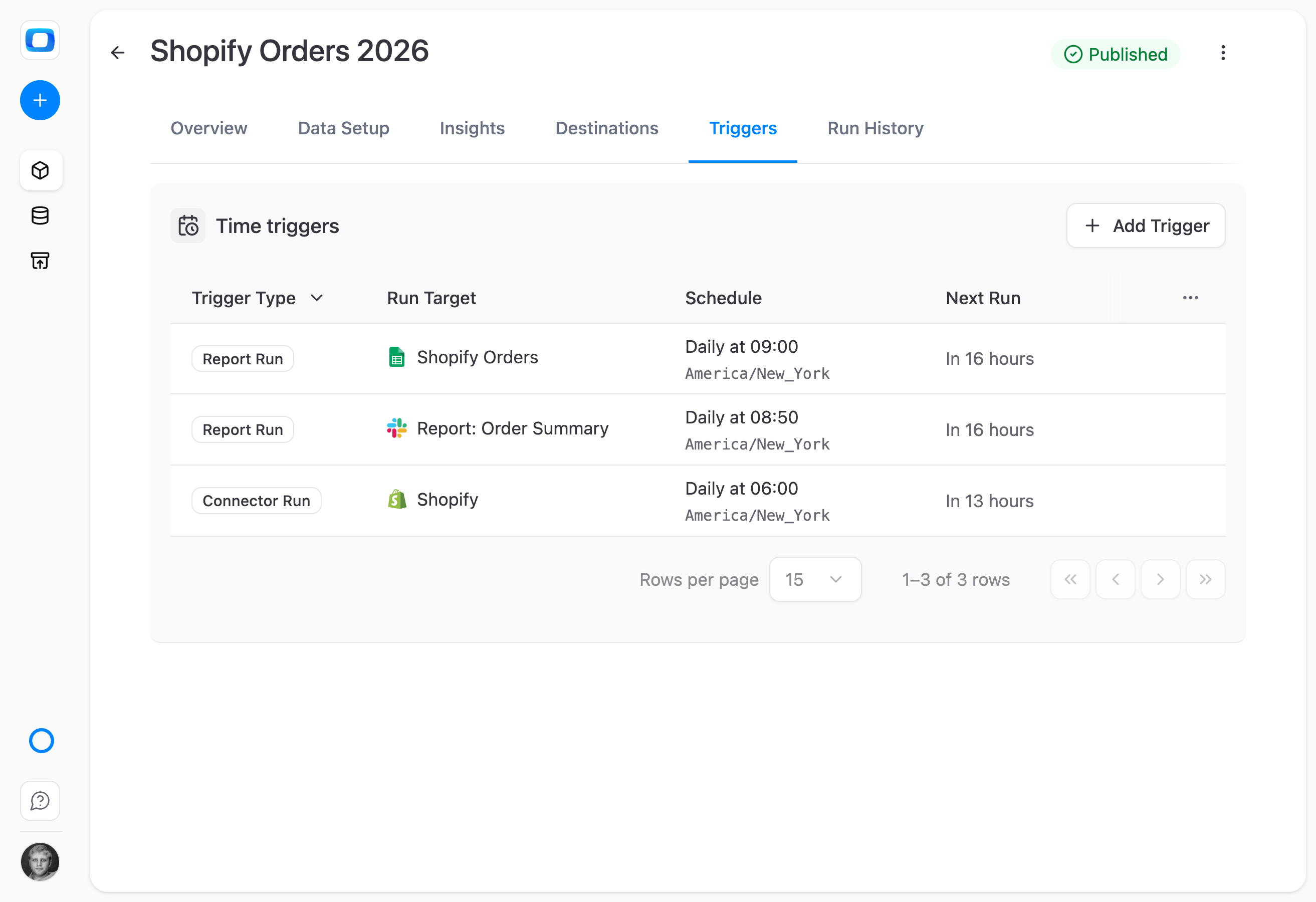
Connector Triggers pull data from your sources on a schedule. Report Triggers refresh Data Marts and deliver to destinations. Together they keep every Sheet, dashboard, and AI briefing current — without anyone running anything manually.
THE ANALYST
Two trigger types. Per-Data-Mart control.
Set Connector Triggers to pull from sources hourly, daily, or cron-style. Set Report Triggers to refresh Data Marts and push to Sheets or AI Insights. Every asset on its own clock — finance daily, marketing hourly, exec weekly.
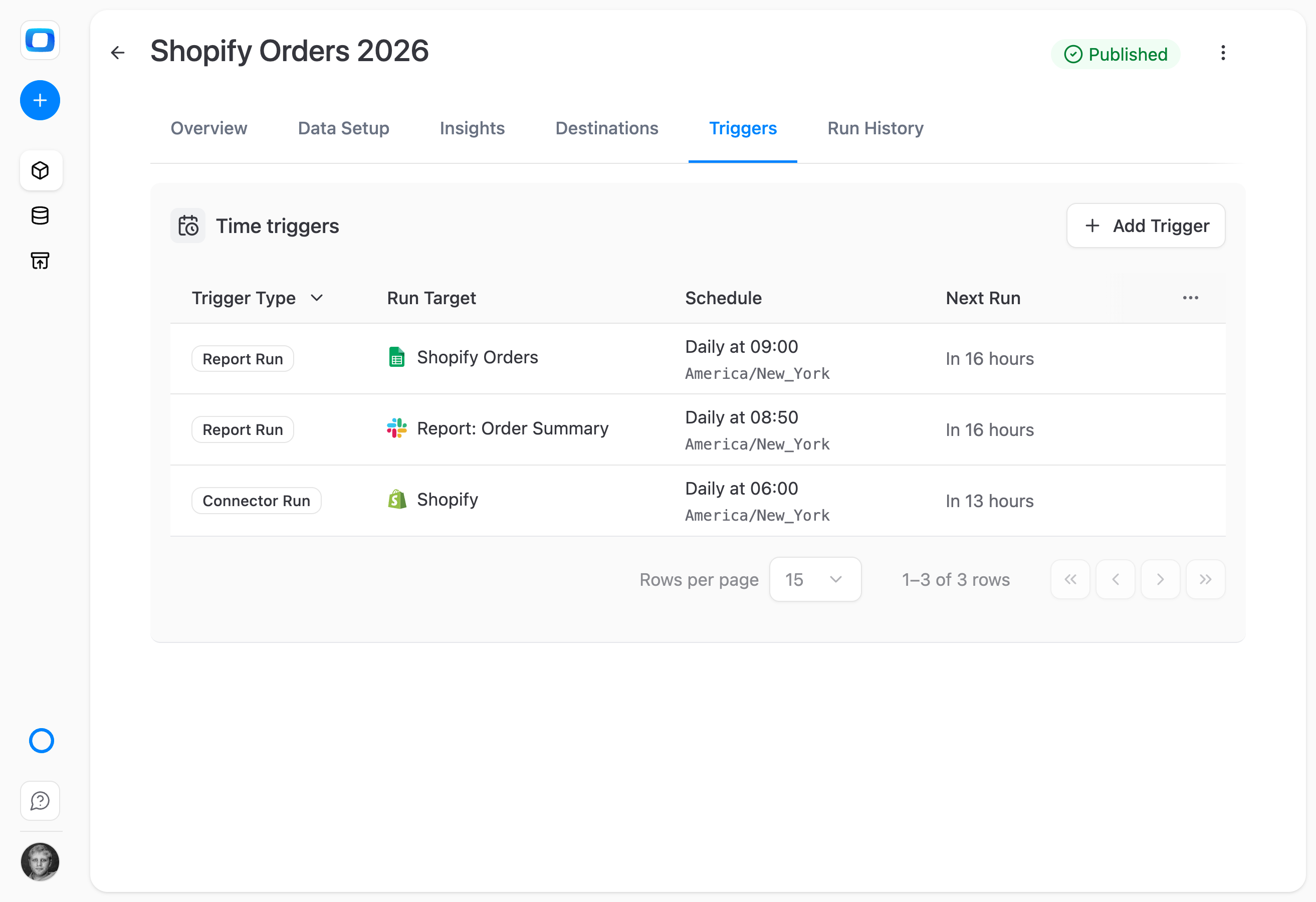
Set once. Runs forever. Monitor centrally.
THE BUSINESS USER
Open your report — it's already current
Triggers run overnight. When you open your Sheet at 8 AM, the data is already fresh. Your AI briefing in Slack at 9 AM is based on numbers that arrived hours ago. No refresh button, no waiting on the data team.
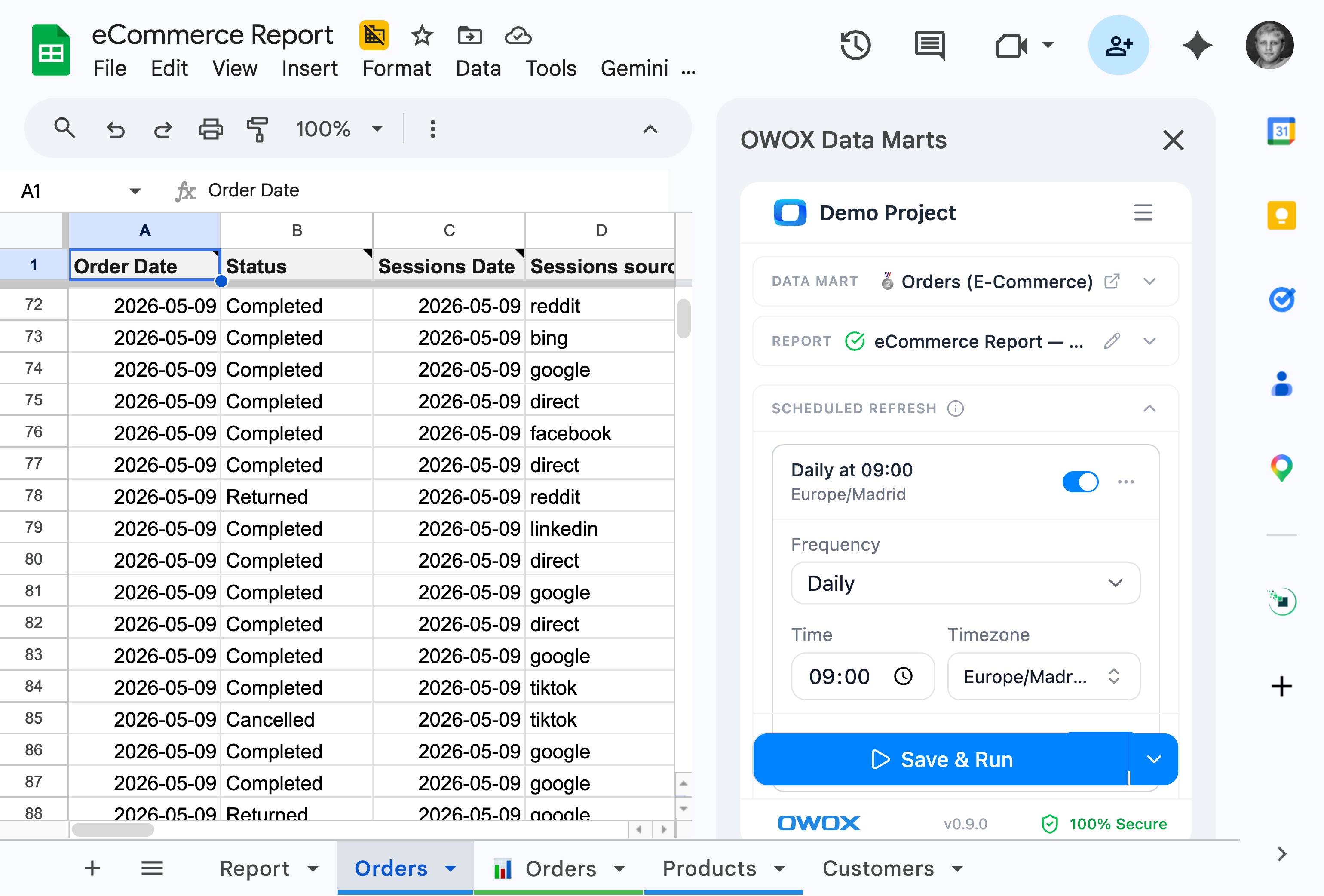
Trust the timing. Every report. Every morning.
The freshness layer your reports depend on — Triggers are the invisible heartbeat behind every Sheet, dashboard, and Slack briefing — keeping the data current so your team can stop asking and start deciding.
For Data Teams
Two trigger types, per-Data-Mart control
Connector Triggers refresh sources. Report Triggers refresh marts and push to destinations. Every asset on its own cadence.
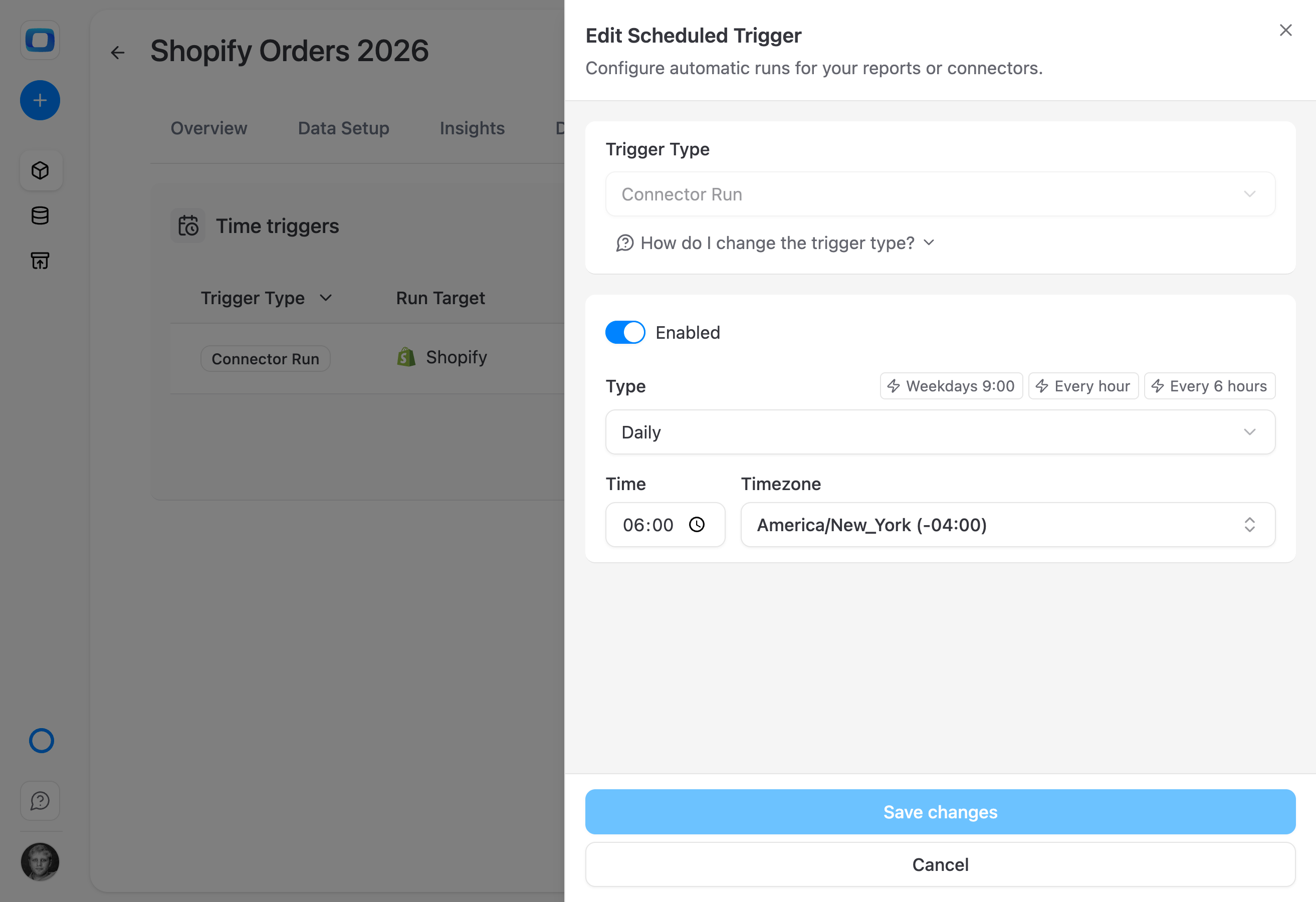
Schedule source refreshes – Connector Triggers
Set when each connector pulls data from Google Ads, Meta, your CRM, or any other source. Hourly, daily, or custom — each source on its own cadence.
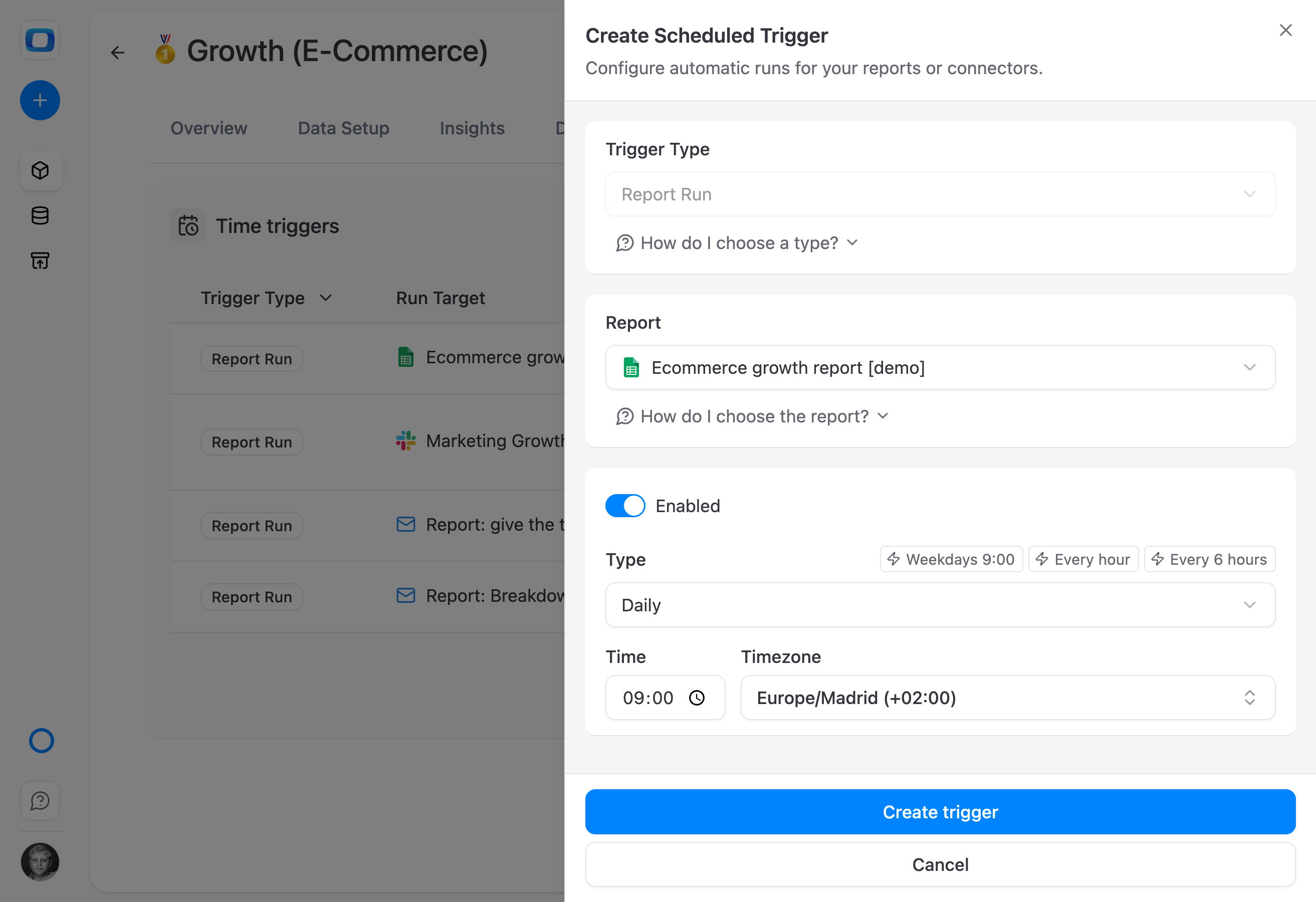
Schedule report deliveries – Report Triggers
Schedule when each Data Mart refreshes and pushes results to Google Sheets, Data Studio, or AI Insights. The mart picks up fresh source data and delivers automatically.
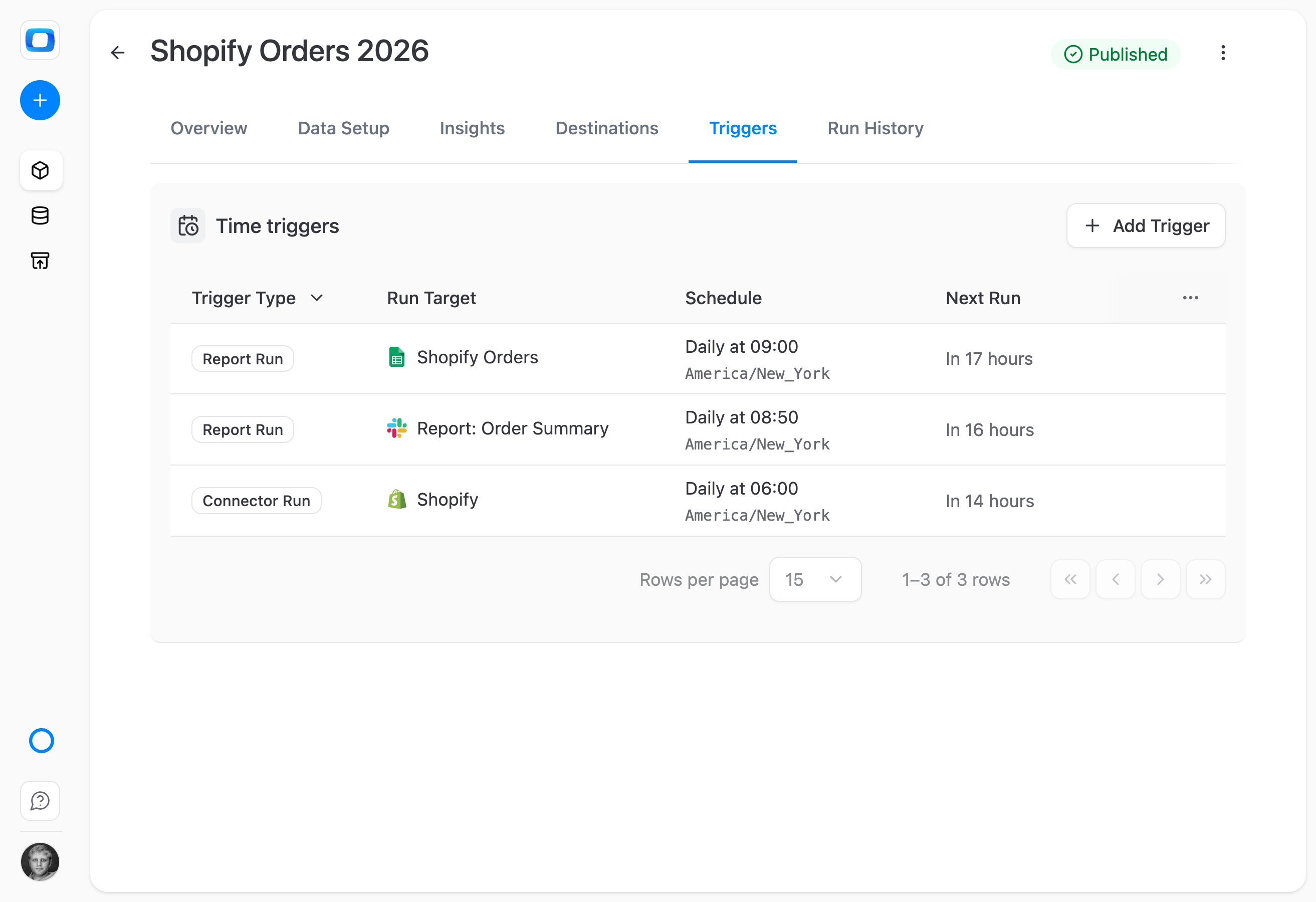
Granular schedules, per Data Mart
Hourly, daily, weekly, or cron expressions. Set the cadence that fits each report — finance daily, marketing hourly, exec weekly.
For Business Teams
Open your report — it's already current
Triggers refresh data overnight. Every Sheet, dashboard, and AI briefing opens with fresh numbers.
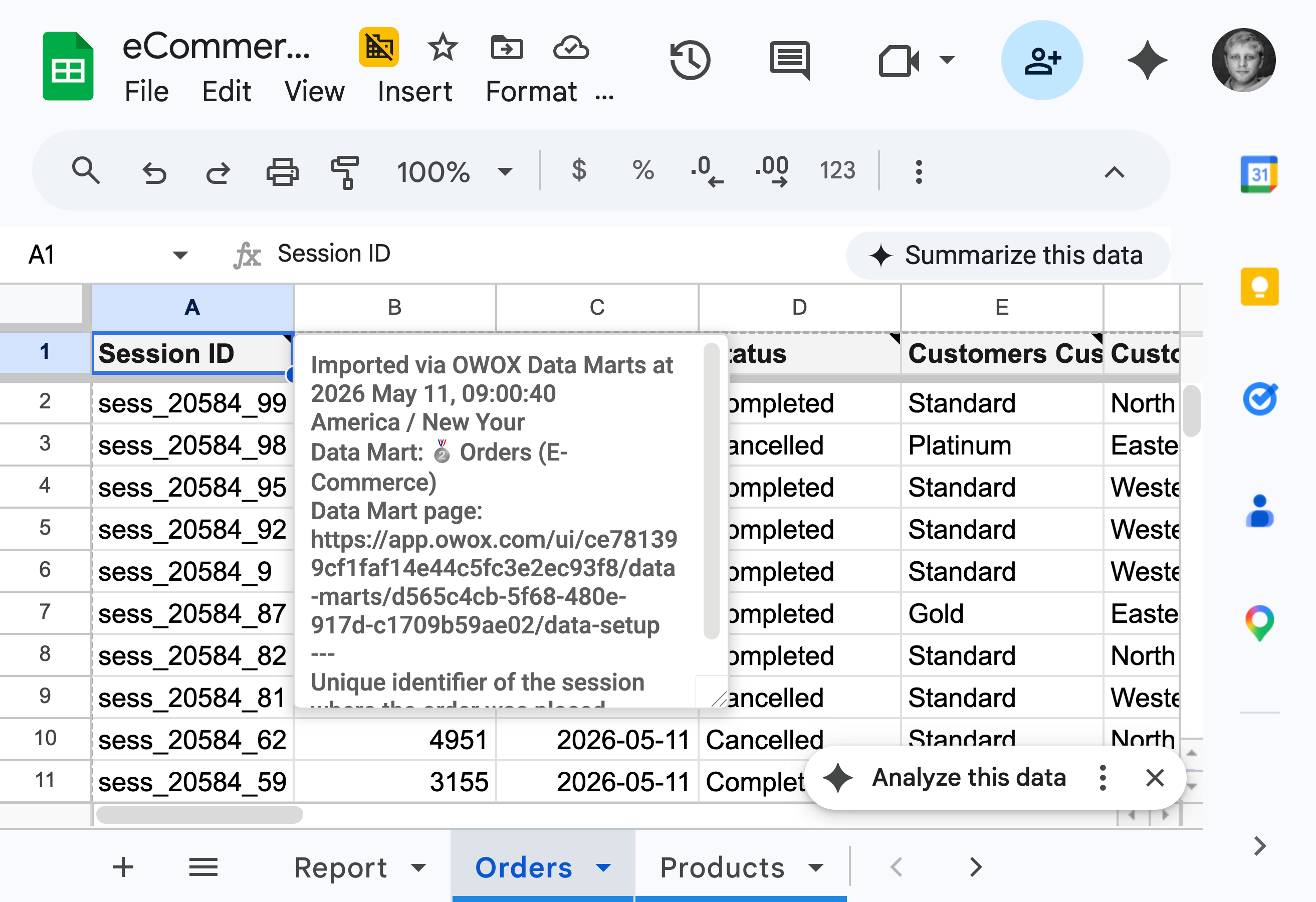
Open your report — data is already there
Triggers run overnight. When you open your Sheet or Data Studio dashboard in the morning, the data is current. No refresh button, no Slack ping to the data team.
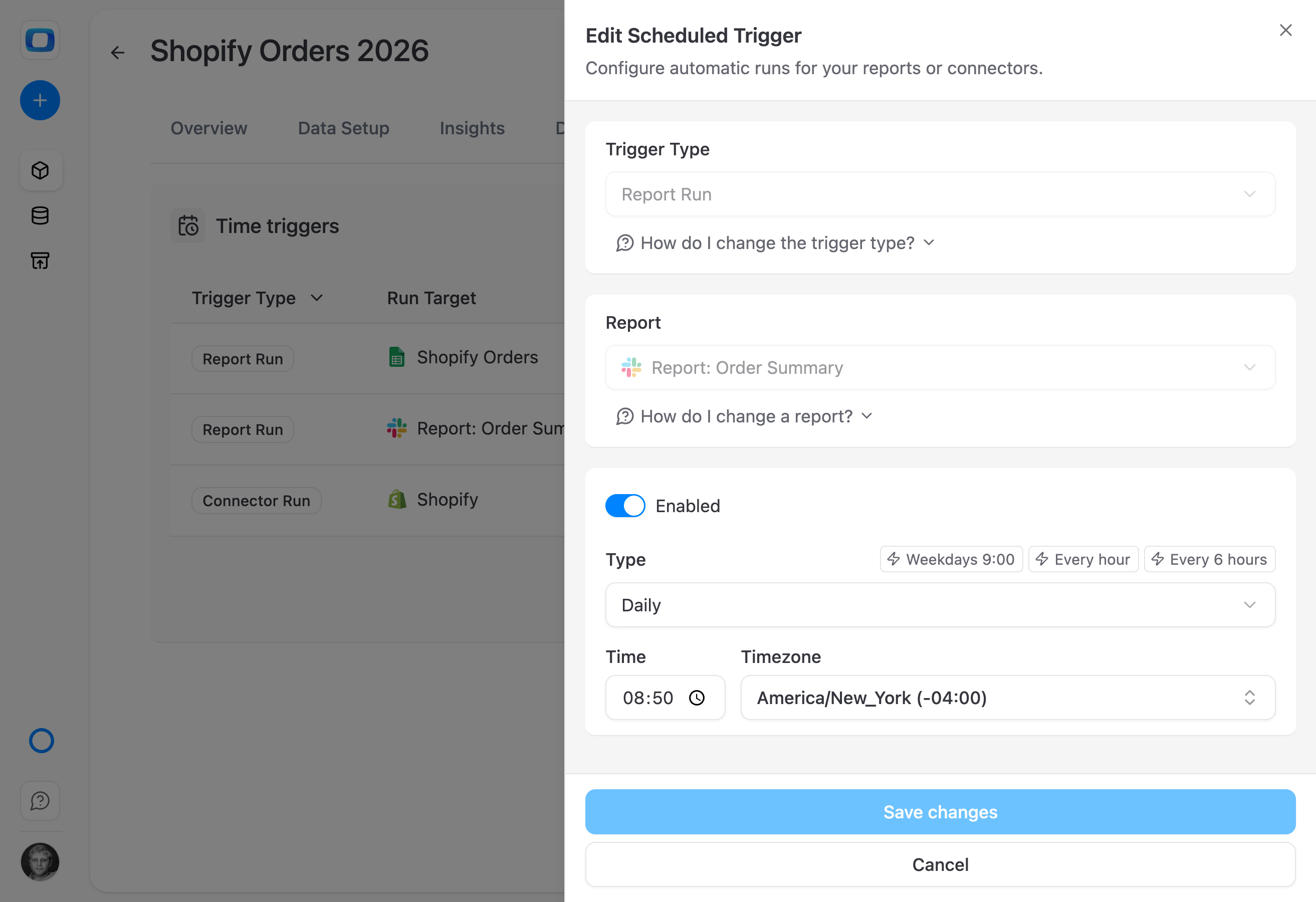
AI briefings always have fresh data
Connector Triggers refresh sources first; Report Triggers refresh reports in Google Sheets next; AI Insights run last with current numbers. The 9 AM briefing is always based on data that arrived overnight.
Stop asking "is this current?"
Every consumer surface — Sheets, dashboards, Slack briefings — pulls from data that refreshed on a schedule the analyst set. Trust is built into the timing.
Available in all editions
Everything business needs

Decide without delay
Stop waiting on data tickets. Get answers when you need them, and move faster with insights on your terms.

90% faster reporting
Use pre-built data contexts to reduce reporting time and get reliable answers without reinventing the wheel.

Real-time reporting
No more week-old dashboards. Get the freshest data, directly from your warehouse or source, in seconds.

Reports on the fly
Enable project managers and clients to get tailored reports anytime – without opening a single ticket.
Frequently asked questions
What's the difference between Connector Triggers and Report Triggers?
Connector Triggers control when data flows in from your sources — pulling fresh rows from Google Ads, Meta, your CRM, and so on. Report Triggers control when Data Marts refresh and push their results out to destinations like Google Sheets, Data Studio, or AI Insights. Together they form a complete refresh chain.
How granular are the schedules?
Both trigger types support hourly, daily, weekly, monthly, or custom cron expressions. Each Data Mart, each connector, each report can run on its own cadence — finance daily, marketing hourly, exec weekly.
What happens if a trigger fails?
Failures are logged with full context and alert the right people. You can configure retry logic, view execution history, and diagnose issues from the control panel — before stakeholders open a stale report.
Can different triggers run on the same data flow?
Yes. You schedule Connector Triggers to pull fresh data into your warehouse, and Report Triggers to refresh Data Marts and push to destinations. By aligning the schedules — say, connectors at 5 AM, reports at 6 AM, AI Insights at 9 AM — you create a smooth flow without manual coordination.
Can I trigger a refresh manually?
Yes. Every trigger can run on demand from the OWOX UI — useful for ad-hoc refreshes, testing schedule changes, or rerunning after a fix.
Which editions include triggers?
Triggers are available in all editions, including the free Starter plan and Community self-managed edition. No volume restrictions on schedule frequency.
Every claim has a receipt.
Real things real customers said — each quote pinned to a specific claim, straight from the quotes database.
 Nodari RizunFounder & CEO, Pürblack®
“AI, by the nature of the models, will hallucinate. And because of that, you need something which will create guardrails to ensure that there are no hallucinations, that you can trust your data.”
 Mark SimmonsCMO, Pürblack®
“We had six or seven different channels and no single source of truth — it was almost impossible, a lot of guesswork.”
Nodari RizunFounder & CEO, Pürblack®“We regained time. And time is the one resource that never comes back.”
Ready to stop refreshing manually?
Set Connector and Report Triggers once. Every report stays current — without anyone touching a button.
- Internal OWOX data as of 2026-10-02
- G2 reviews of OWOX
- npm installs stat
You are booked. The invitation is on its way to , with the calendar invite and the meeting link.