Collect LinkedIn Pages Data into AWS Redshift
Own your LinkedIn Pages data in AWS Redshift with OWOX Data Marts. Collect page-level performance and engagement data directly into Redshift, control schema and refresh logic, and reuse it across BI tools and AI Insights.
LinkedIn Pages Endpoints
2 LinkedIn Pages endpoints you can import. Each lands in its own table in your warehouse.
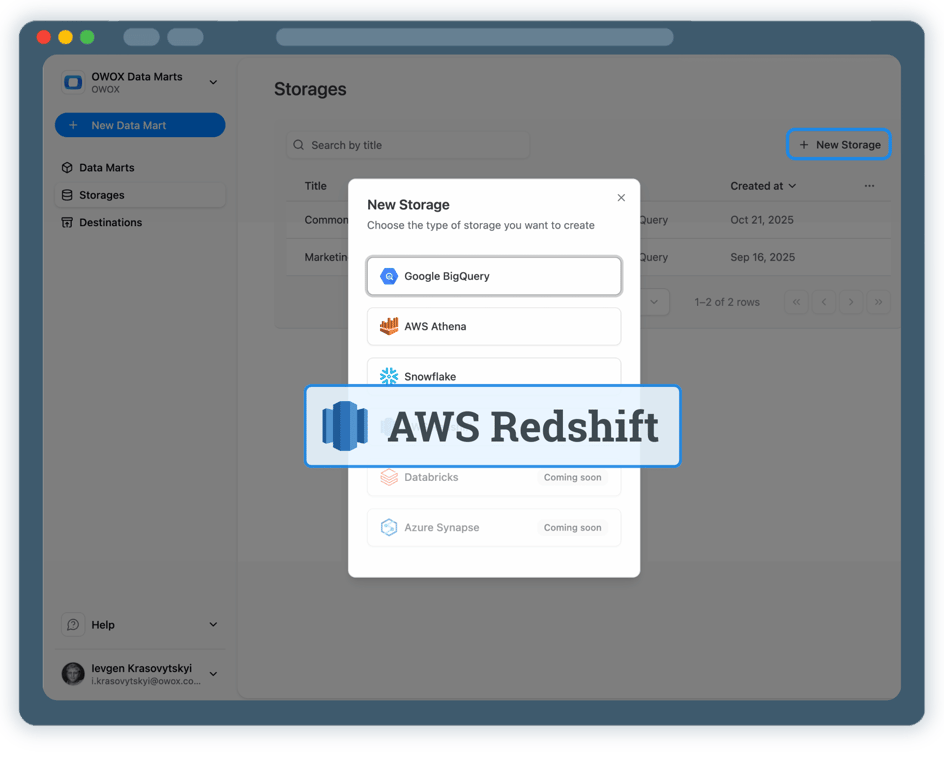
Step 1: Create an AWS Redshift data storage
Start by connecting your AWS Redshift environment as a storage.
- Choose your AWS region and Redshift database
- Connect either a Redshift Serverless workgroup or a provisioned cluster
- Authenticate securely using AWS IAM credentials
Step 2: Create a LinkedIn Pages Data Mart
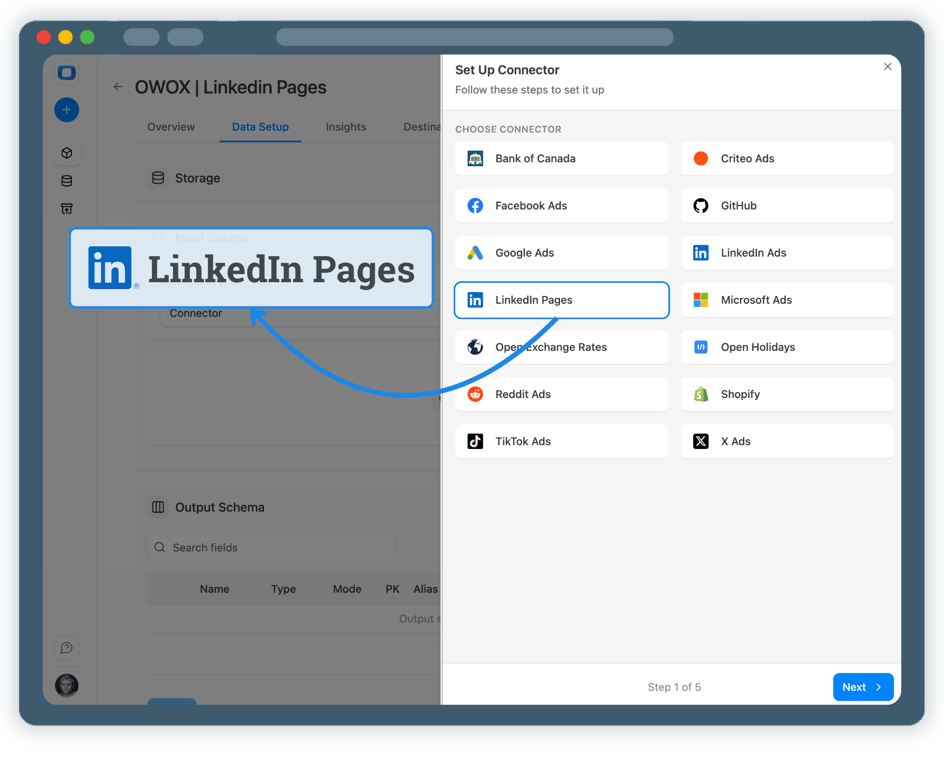
Create a new Data Mart and choose Connector as the definition type.
- Select LinkedIn Pages as the data source
- Connect your LinkedIn organization pages
- No API coding or engineering required
Step 3: Select fields & configure data import
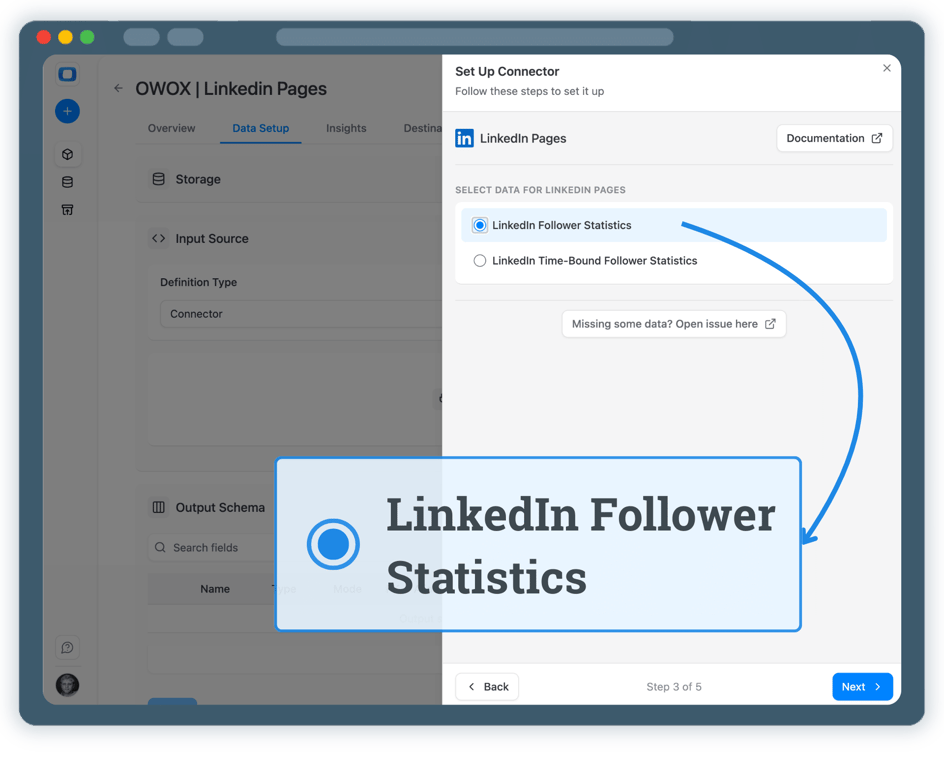
Choose exactly which LinkedIn Pages data you want to store in AWS Redshift.
- Select the appropriate LinkedIn Pages API endpoint
- Choose fields such as page views, followers, impressions, and engagement metrics
- Define the destination schema and table in Redshift
Step 4: Run & schedule LinkedIn Pages data collection
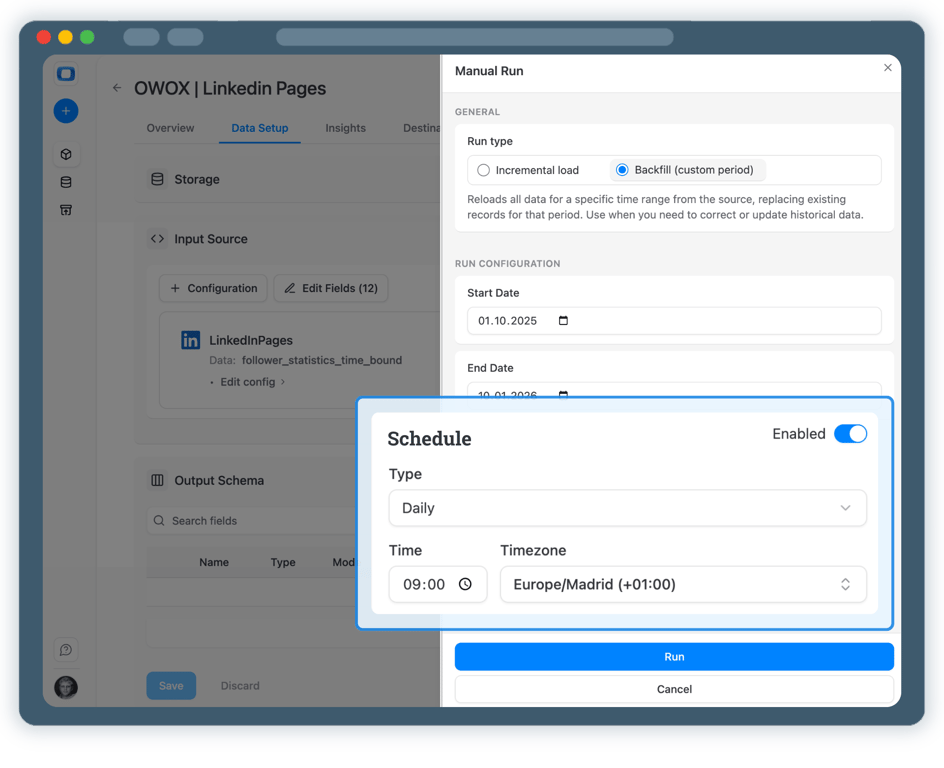
Once published, control how and when LinkedIn Pages data is imported.
- Incremental load to import the current day’s data
- Backfill (custom period) to load historical LinkedIn Pages data
- All runs are logged and visible in Run History
Step 5: Use LinkedIn Pages data across BI tools & AI Insights
Your LinkedIn Pages data is now available in AWS Redshift.
- Analyze performance in Google Sheets or Data Studio
- Join LinkedIn Pages data with ads, GA4, or CRM datasets
- Enable AI Insights for alerts, summaries, or performance questions




Every claim has a receipt.
Real things real customers said — each quote pinned to a specific claim, straight from the quotes database.
 Nodari RizunFounder & CEO, Pürblack®
“AI, by the nature of the models, will hallucinate. And because of that, you need something which will create guardrails to ensure that there are no hallucinations, that you can trust your data.”
 Mark SimmonsCMO, Pürblack®
“We had six or seven different channels and no single source of truth — it was almost impossible, a lot of guesswork.”
Nodari RizunFounder & CEO, Pürblack®“We regained time. And time is the one resource that never comes back.”
- 0.39.0Backfill any past period
- 0.39.0Facebook Ads imports now retry a corrupted response instead of failing
- 0.38.0Shopify connector: more orders fields, including line-item discounts
- 0.37.0Short links resolve only on known short link services and domains you allow
- 0.37.0Clearer connector errors, and custom connectors that handle more APIs
Turn LinkedIn Pages Data into Business Decisions
Schedule a quick walkthrough to see how OWOX Data Marts helps you collect LinkedIn Pages data in AWS Redshift, reduce reporting complexity, and scale analytics with confidence.
Get Started Free- Internal OWOX data as of 2026-10-02
- G2 reviews of OWOX
- npm installs stat
You are booked. The invitation is on its way to , with the calendar invite and the meeting link.
Schedule in person meeting at Tip Top Toronto
You are booked. The invitation is on its way to , with the calendar invite and the meeting link.