Trusted, proven, recognized

The analytics system teams actually use

170K+
Users trust OWOX[1]
Analysts, marketers, and data teams across 20+ industries
4.9★
Rating on G2[2]
“A trusted data analytics partner” — verified review
370K+
Data marts delivered
Created and served by OWOX to business users
132K+
npm installs[3]
Self-managed OWOX Edition from GitHub
Connect

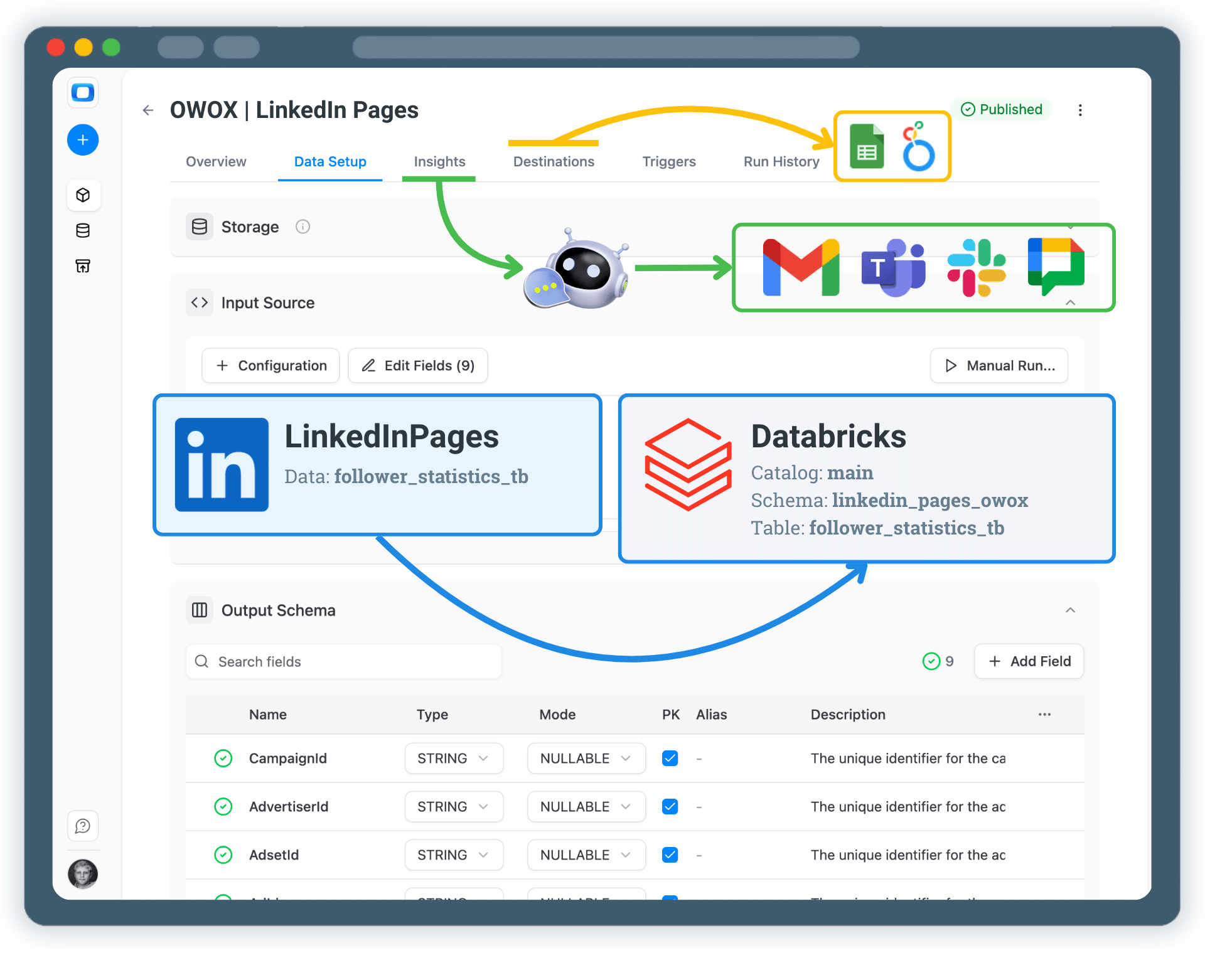
Step 1: Create a Databricks Data Storage

Start by connecting Databricks as your data storage in OWOX Data Marts.
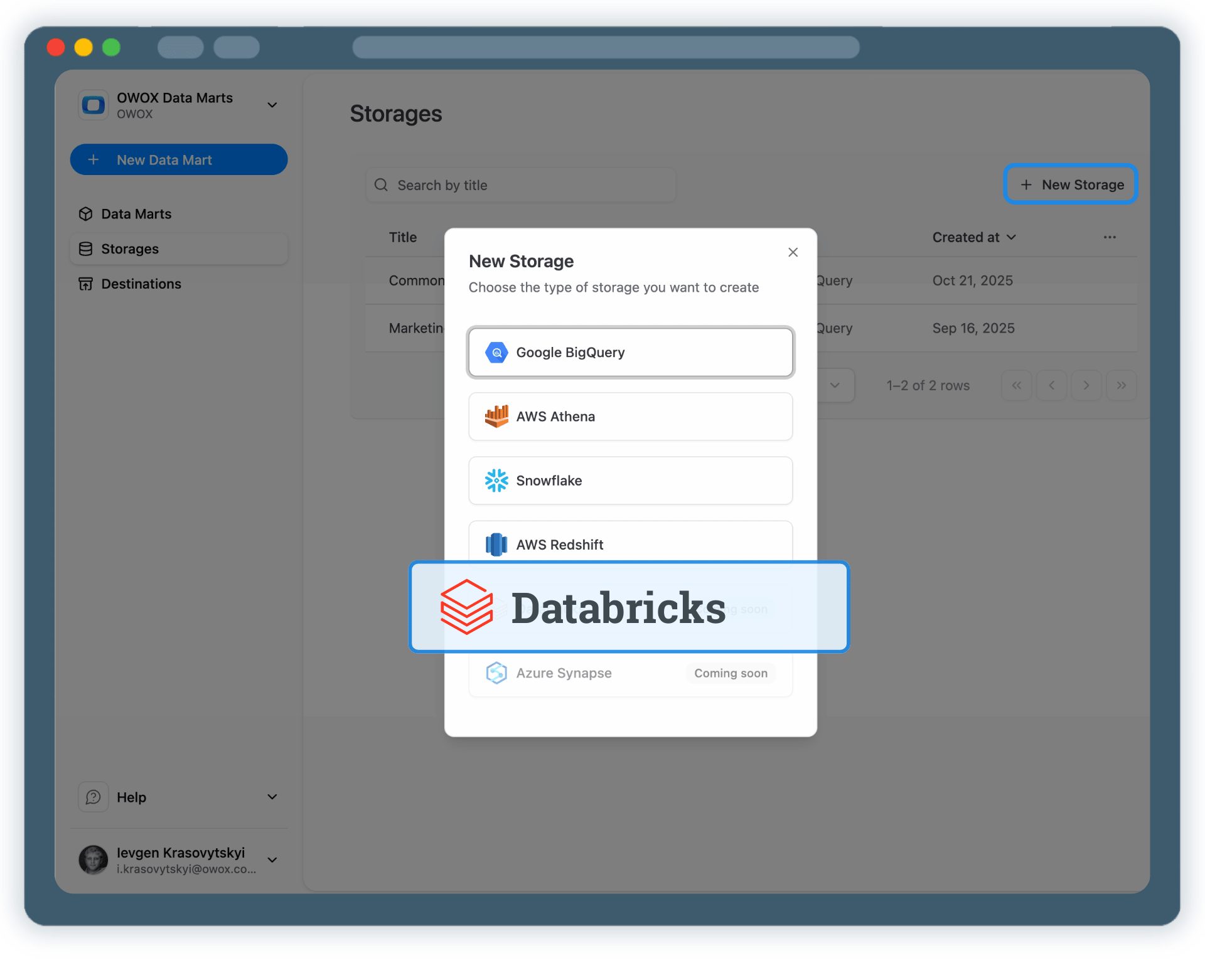
Provide the Databricks Workspace URL
Specify the HTTP Path for your SQL Warehouse
Add a Personal Access Token for Databricks authentication
Step 1: Create a Databricks Data Storage
Step 2: Create a LinkedIn Pages Data Mart
Create

Step 2: Create a LinkedIn Pages Data Mart

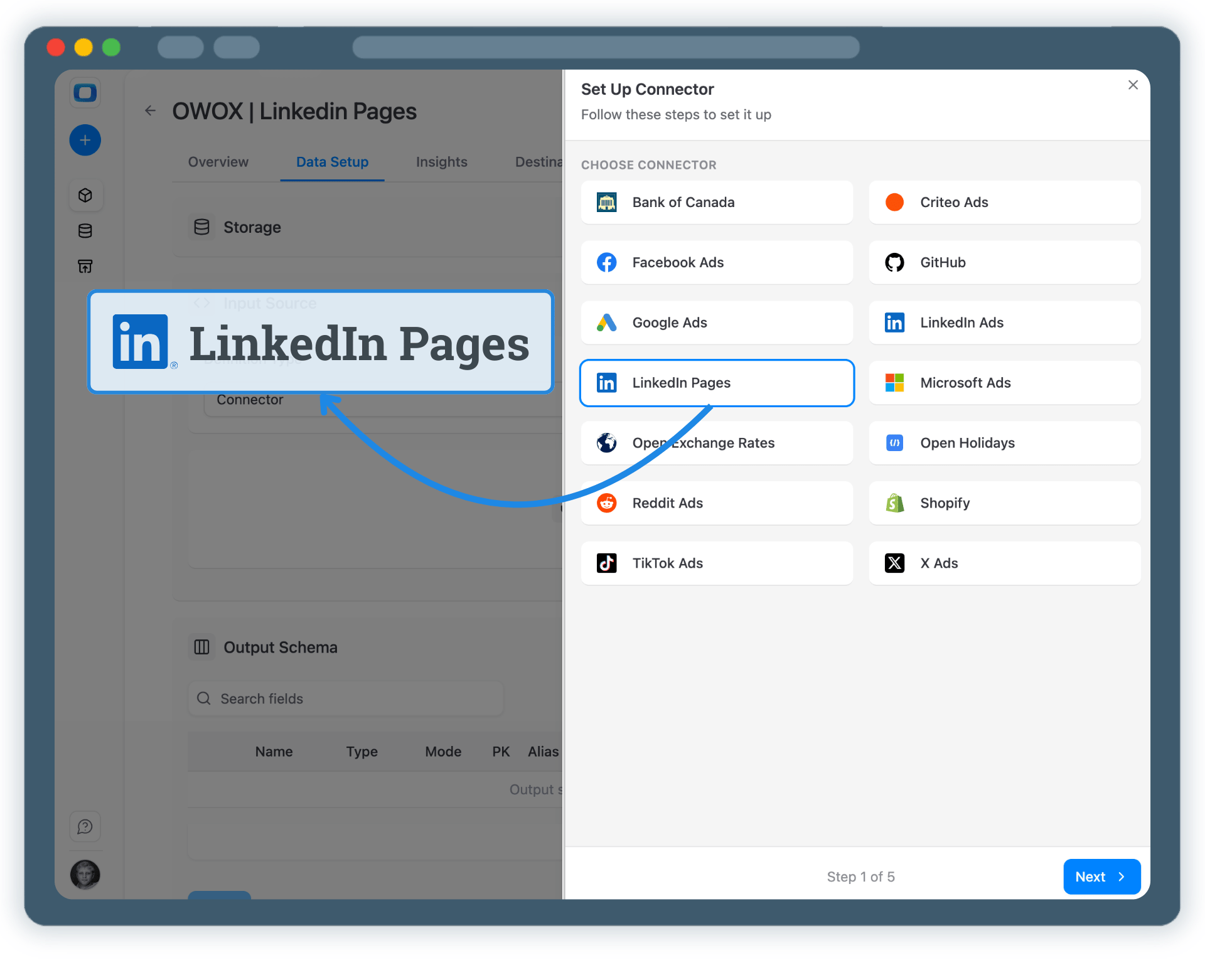
Create a new Data Mart and choose Connector as the definition type.

Select LinkedIn Pages as the data source
Authorize access to your LinkedIn organization pages
No API coding or engineering required
Step 2: Create a LinkedIn Pages Data Mart
Configure

Step 3: Select Fields & Configure Data Import

Choose exactly which LinkedIn Pages data you want to land in Databricks.
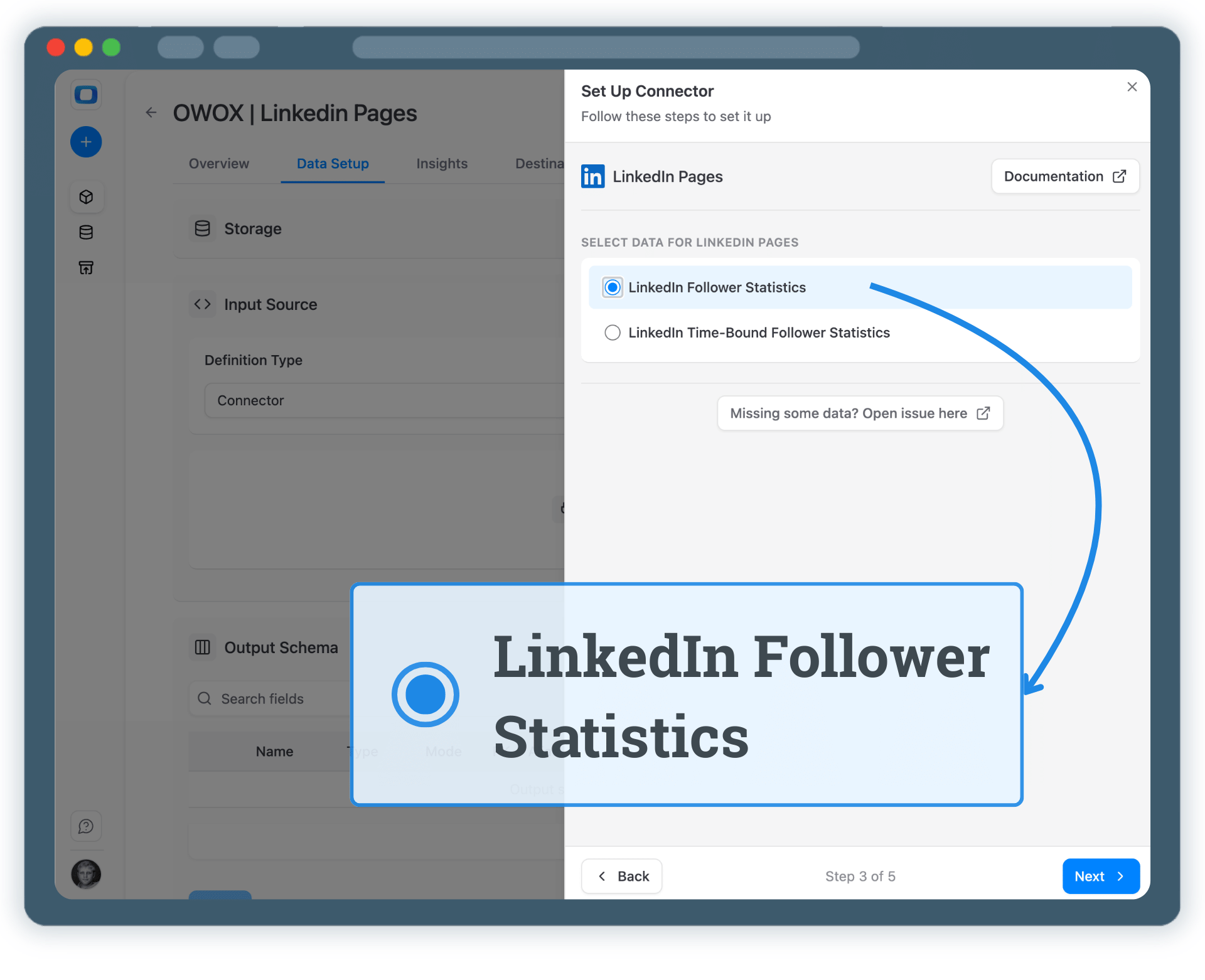
Select the required LinkedIn Pages API endpoint
Choose fields such as page views, followers, impressions, reactions, and engagement metrics
Add a Personal Access Token for Databricks authentication
Step 3: Select Fields & Configure Data Import
Step 4: Run & Schedule LinkedIn Pages Data Collection
Run

Step 4: Run & Schedule LinkedIn Pages Data Collection

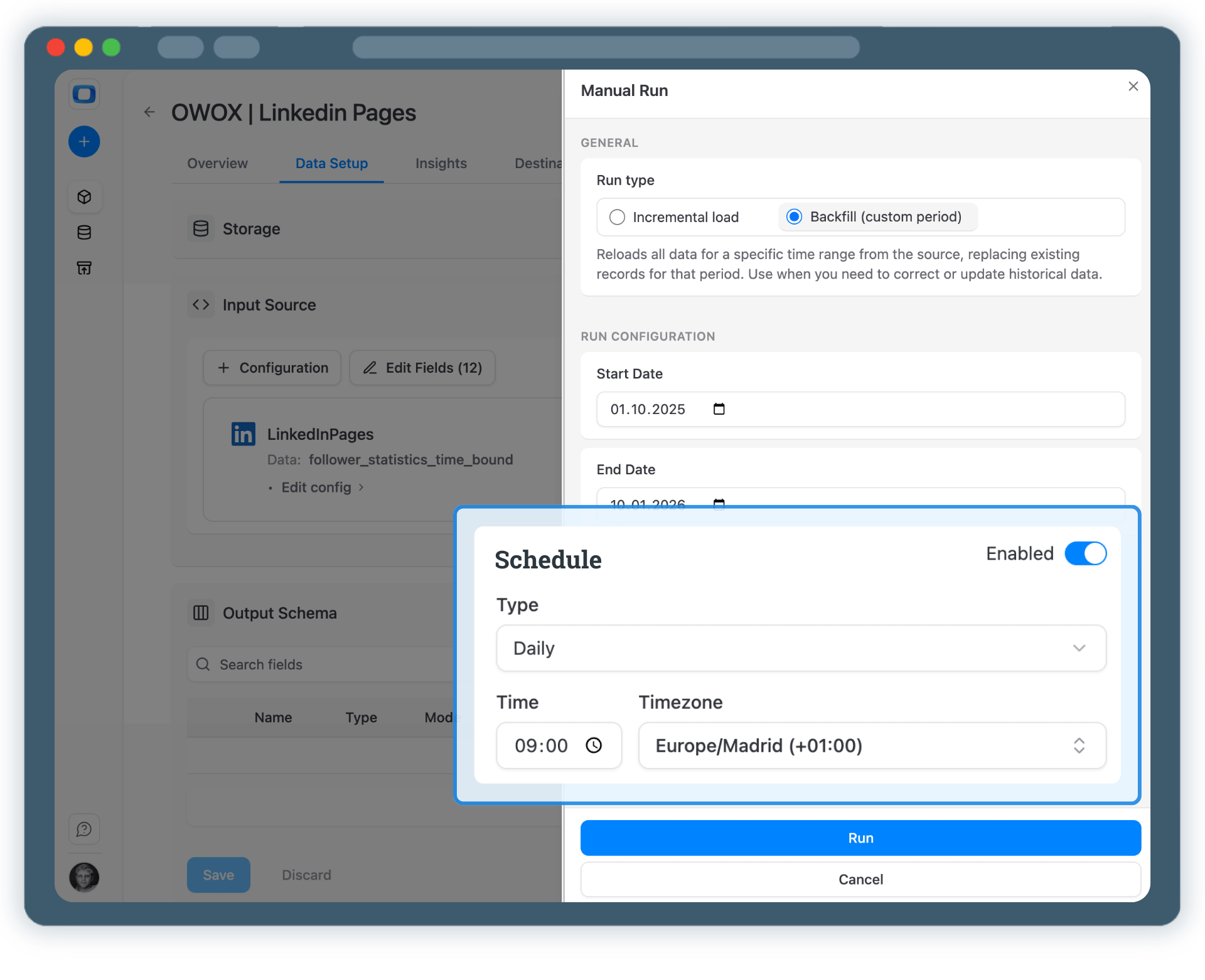
Once published, control how LinkedIn Pages data is imported.

Incremental load for the latest page activity
Backfill (custom period) for historical LinkedIn Pages data
Monitor execution in Run History
Step 4: Run & Schedule LinkedIn Pages Data Collection
Activate

Step 5: Use LinkedIn Pages Data Across BI Tools & AI Insights

Your LinkedIn Pages data is now available through Databricks.

Analyze audience growth and engagement in Google Sheets or Looker Studio
Join LinkedIn Pages data with ads, GA4, or CRM datasets
Enable AI Insights for page performance summaries and alerts
Step 5: Use LinkedIn Pages Data Across BI Tools & AI Insights
Social proof

Every claim has a receipt.

Every number below comes straight from our customers — on camera. Click any card to watch them say it.

Self-service analytics

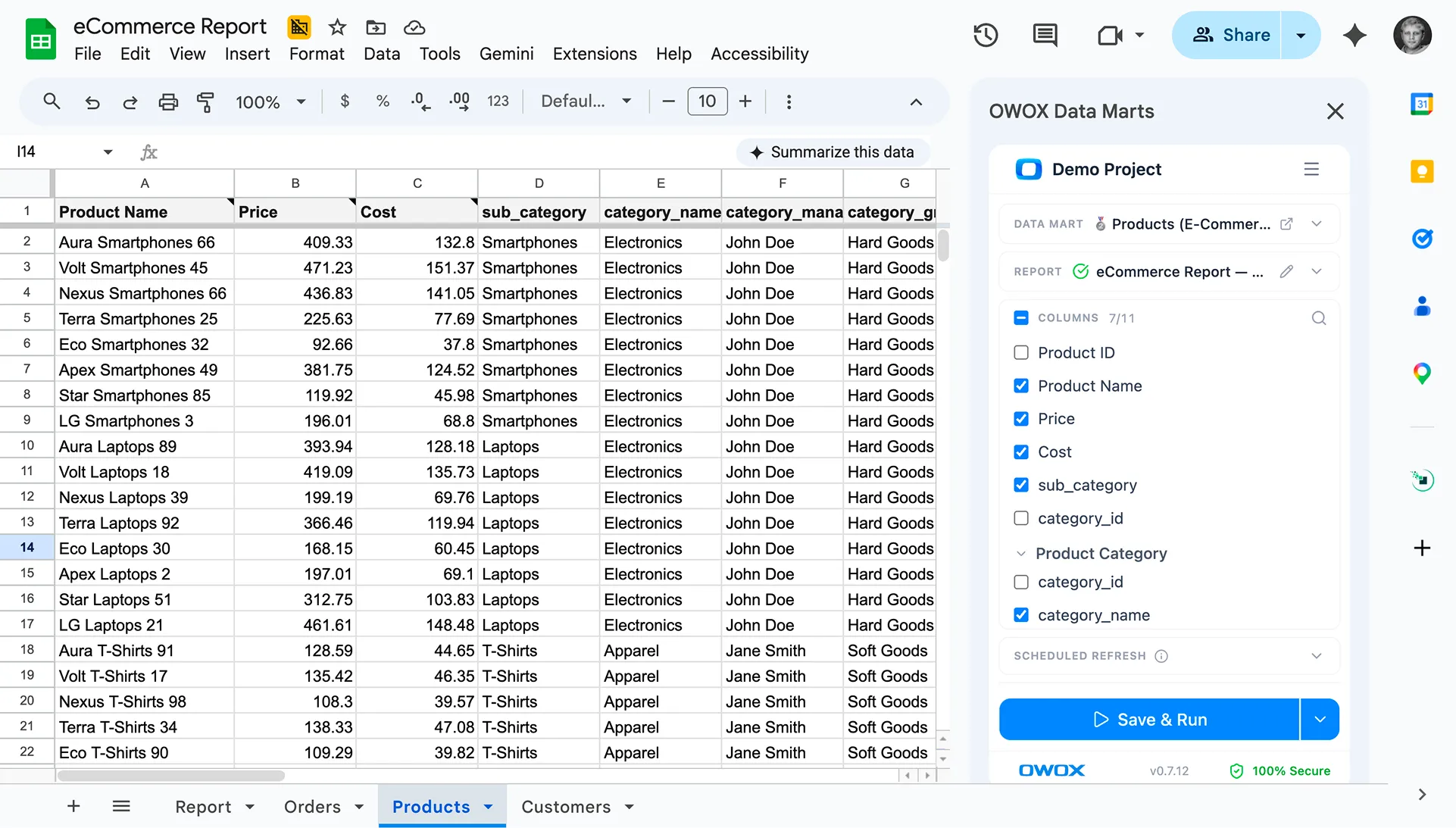
Turn LinkedIn Pages Data into Business Decisions

Google Sheets were never designed to be a system of record. With OWOX Data Marts, Sheets becomes a trusted analysis layer — powered by governed data marts defined upstream in your warehouse.

Business teams keep the flexibility they love
Data teams retain control over logic and definitions
No more fragile joins duplicated across spreadsheets
See how it works