Pivots & Charts
Charts and pivot tables from your Data Mart report
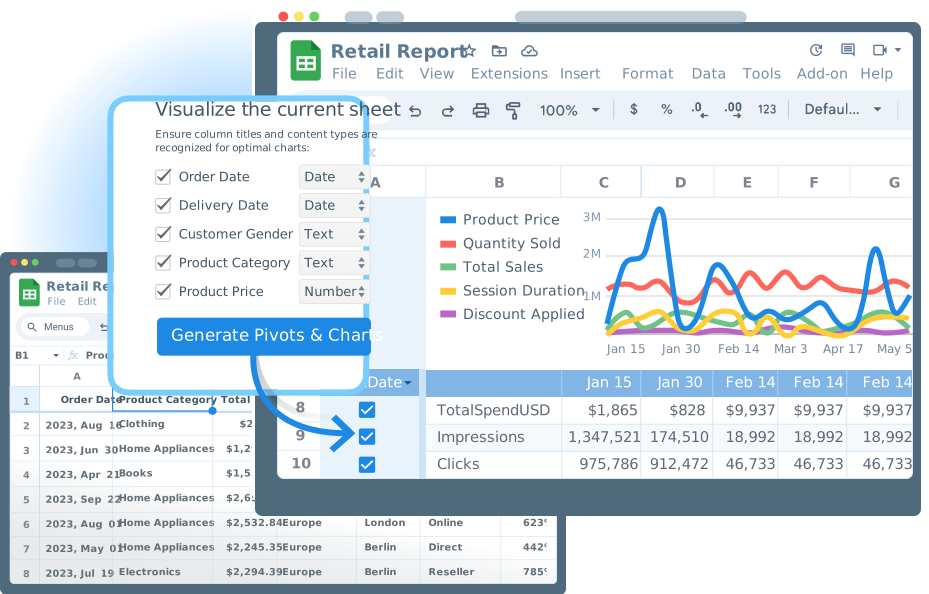
A report in Google Sheets arrives as rows, and every new cut means a pivot rebuilt by hand. In the OWOX Data Marts extension, choose the columns, mark each a dimension or a metric, and press Generate. The charts redraw when the report refreshes.
Why OWOX
When a business user needs a report seen another way, it means a pivot built by hand or one more request to the Data Owner. The OWOX Data Marts extension generates pivot tables and charts from the report, inside Google Sheets.
- Charts are drawn from the report's own rows: the numbers of a Data Mart the Data Owner published.
- Swap a metric or a dimension instead of rebuilding the pivot by hand; the charts redraw when the report refreshes.
- Pick the columns, mark each a dimension or a metric, press Generate: pivot tables and charts land in the sheet.
Every new cut of a report is another pivot by hand
A report reaches Google Sheets as rows. To read it, someone builds a pivot or a chart by hand, rebuilds it for the next question, or sends that question back to the Data Owner as one more request.
THE DATA OWNER
Your Data Mart, read as charts
You publish the Data Mart, and reports on it run in Google Sheets. Pivots & Charts reads a report's rows and adds pivot tables and charts to the same spreadsheet, so every chart shows what your Data Mart returns.
A new cut becomes a dimension swap, not a new request.
THE BUSINESS USER
Charts from the report you already have
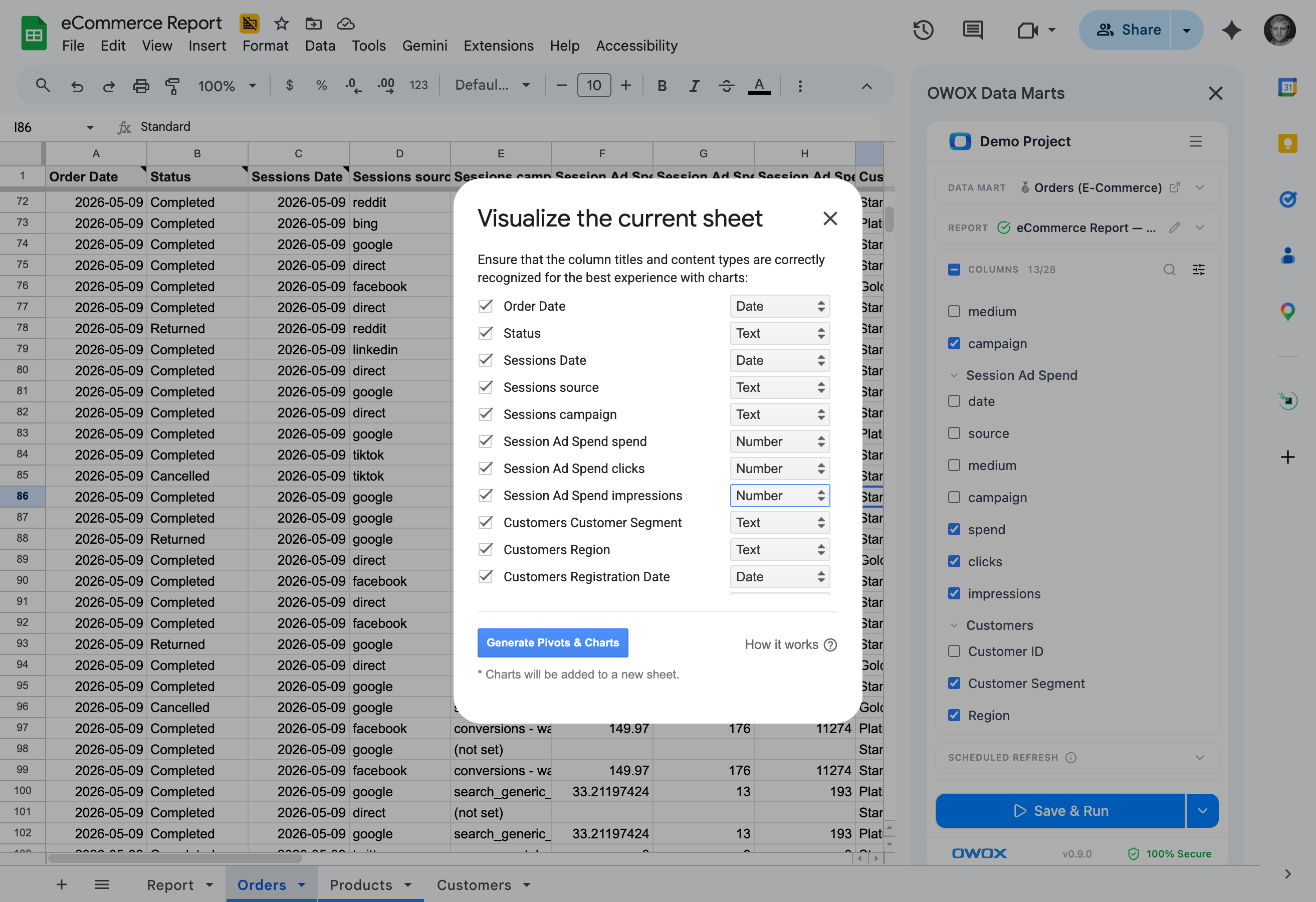
In the OWOX Data Marts extension, open Visualize, turn on the columns to chart, mark each a dimension or a metric, and press Generate. Pivot tables and charts are added to the sheet. To change the view later, swap a metric or a dimension.
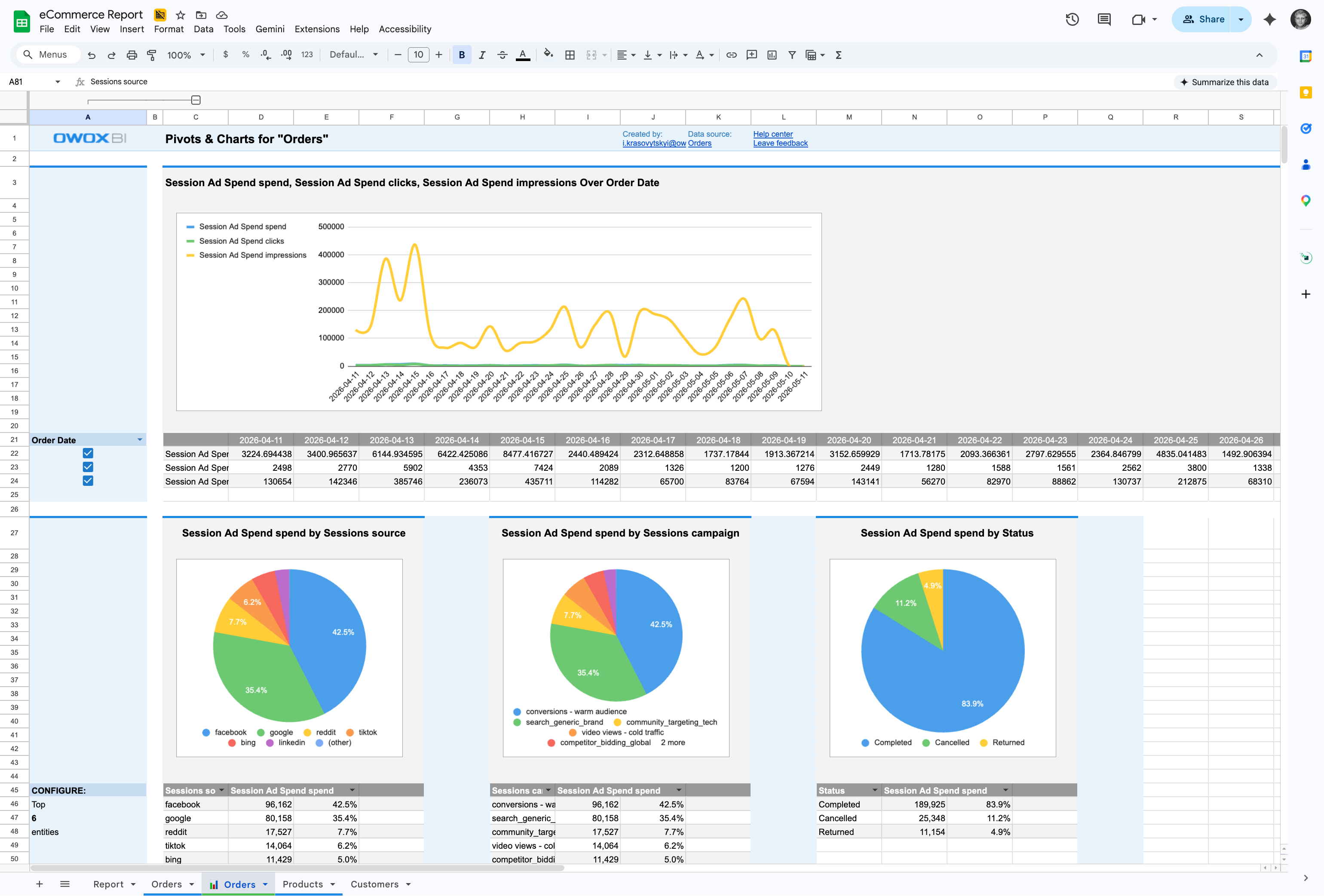
When the report refreshes, the charts redraw.
Built on the report, not on a pasted copy — A pivot over an exported CSV cannot refresh without redoing the work. These pivot tables and charts redraw when the report refreshes.
For Data Owners
Fewer requests for one more cut
Business users change the view of a report themselves, so a different breakdown does not have to start as a request to you.
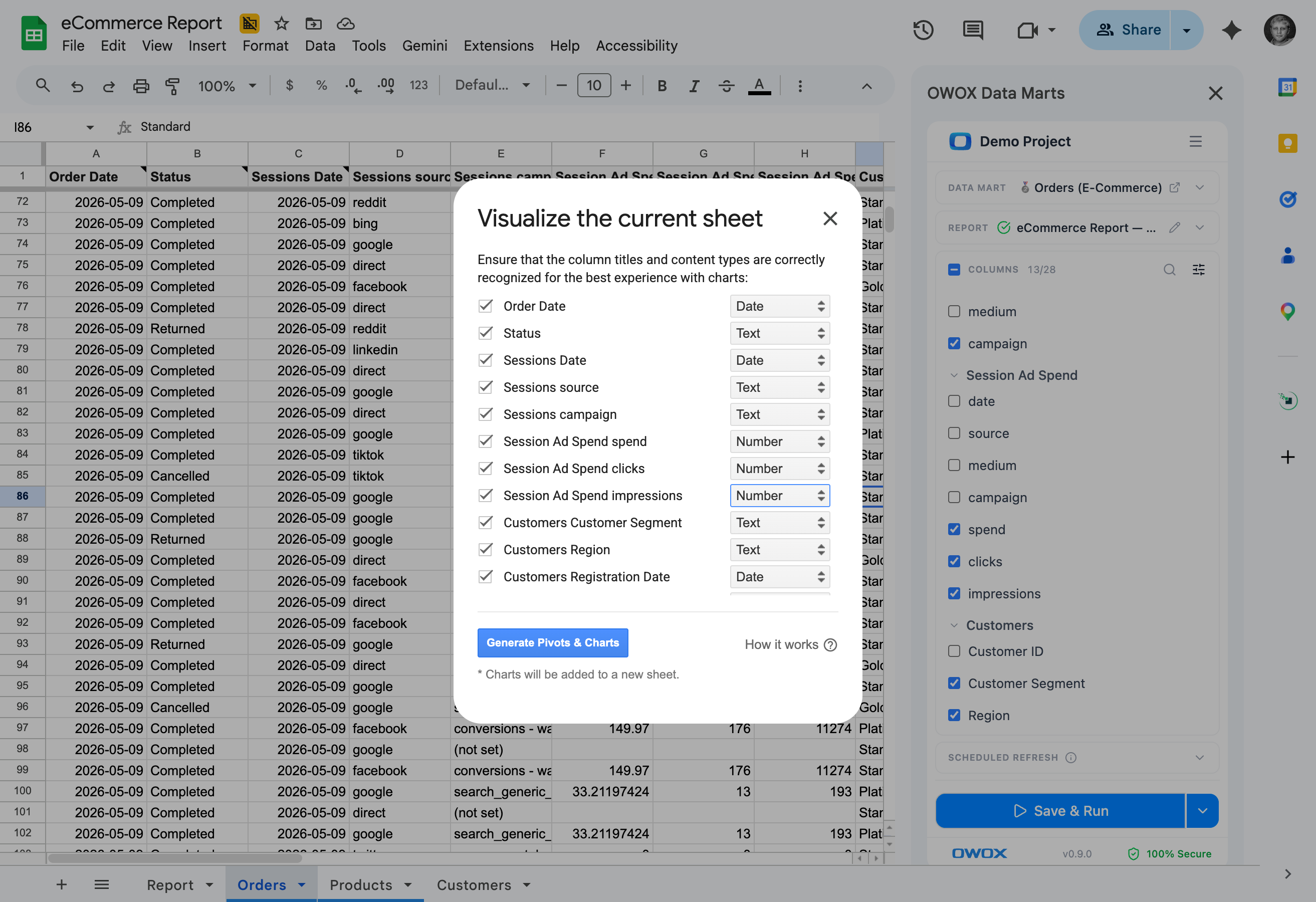
The Visualize flow, step by step
Open Visualize in the extension. Turn on the columns to chart, mark each as a dimension or a metric, and press Generate. Pivot tables and charts are added to the spreadsheet in sections, built from that report sheet.
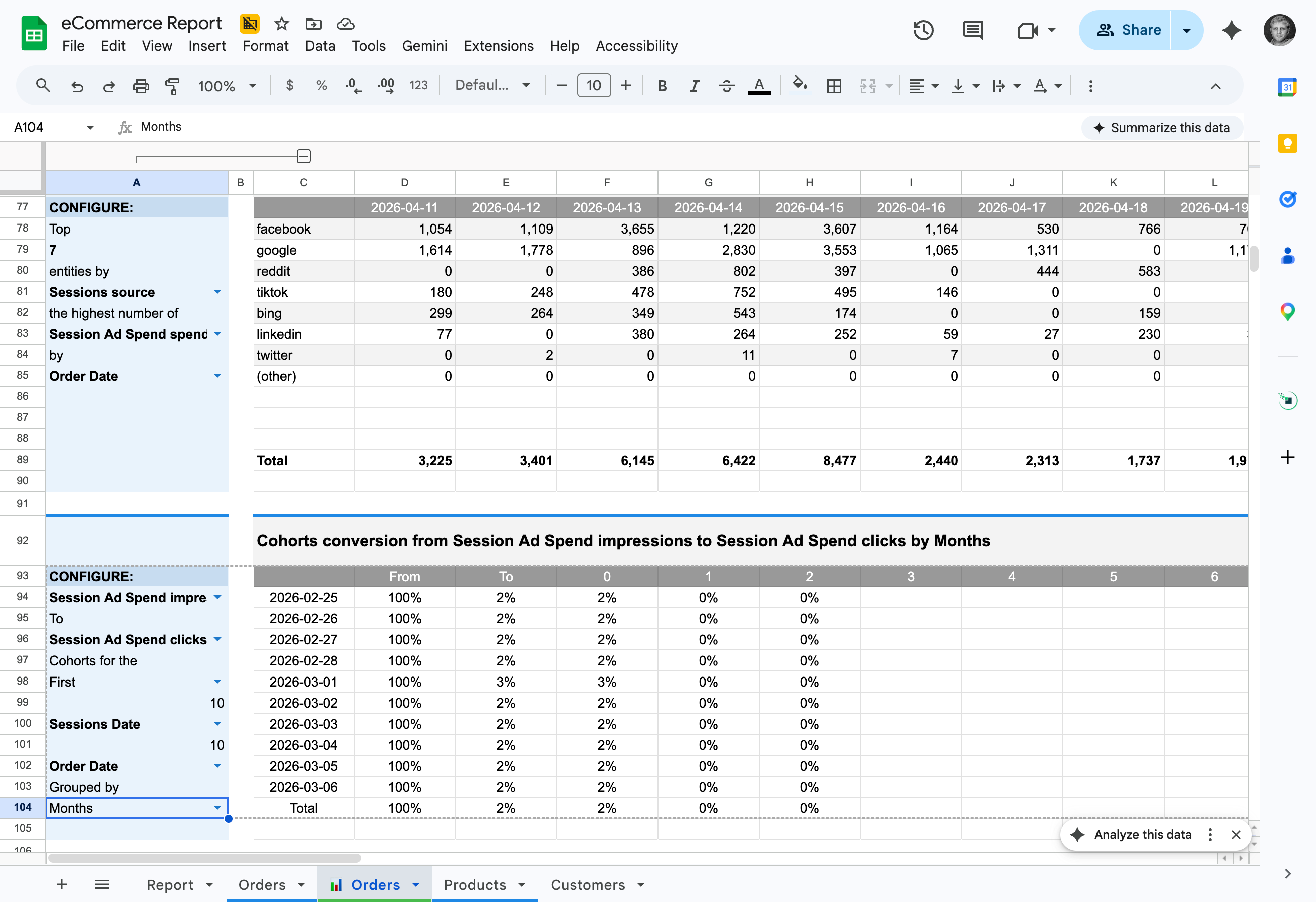
Swap the dimension, keep the pivot
To see a metric by a different dimension, the business user swaps it through the extension instead of rebuilding the pivot by hand. The next breakdown need not become another column you add.
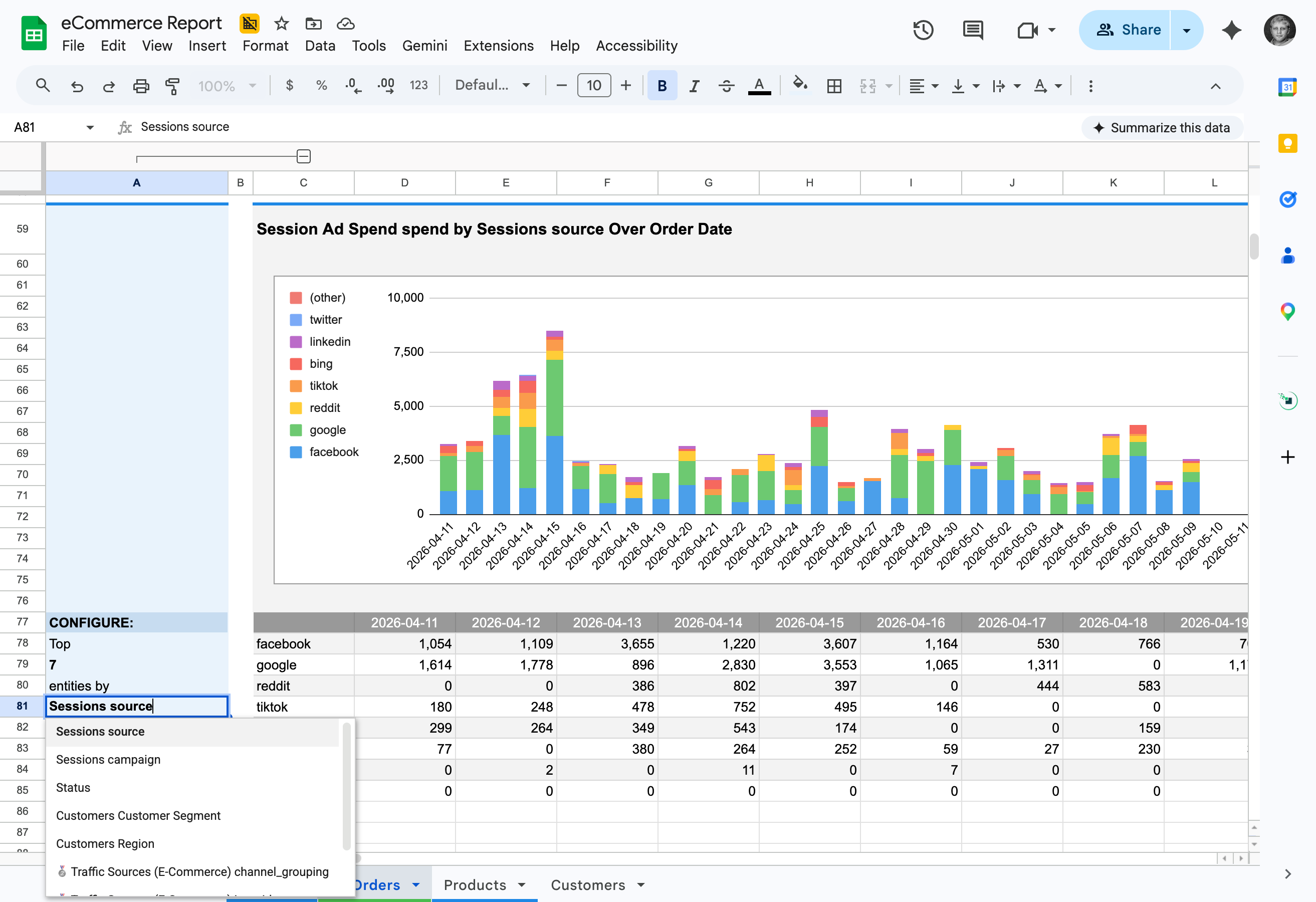
The numbers stay your Data Mart's
Charts are drawn from the report's rows, and those rows come from the Data Mart you published. The chart and the report under it show the same numbers.
For Business Users
See the report, not just its rows
Pivot tables and charts appear in the Google Sheets file where your report already lives.
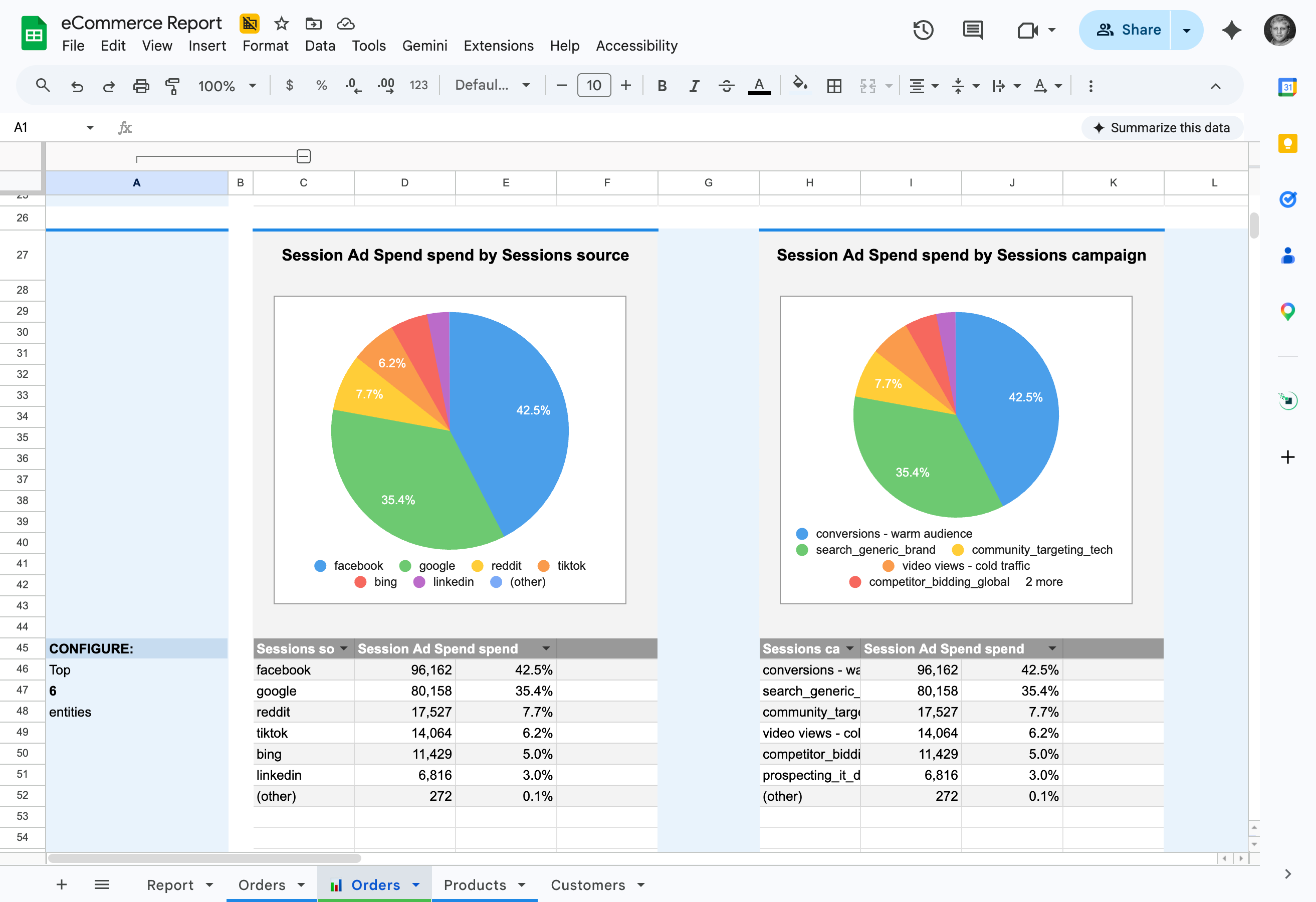
Pivot tables and charts in one pass
One Generate adds both to the sheet: tables you can read and charts you can show, built from the columns you picked.
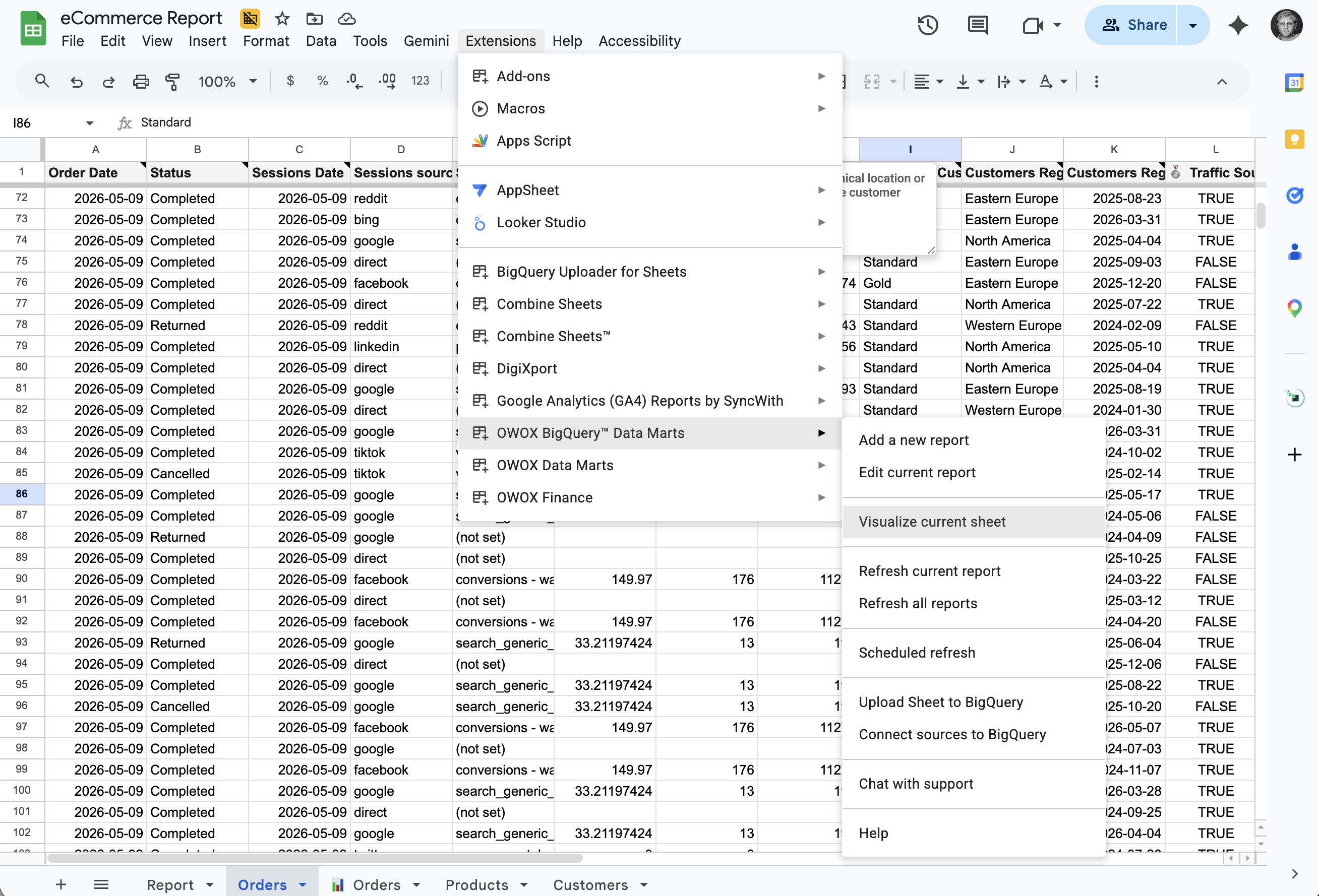
In the extension you already use
Visualize is part of the OWOX Data Marts extension, where you already pick columns, add filters and refresh your reports.
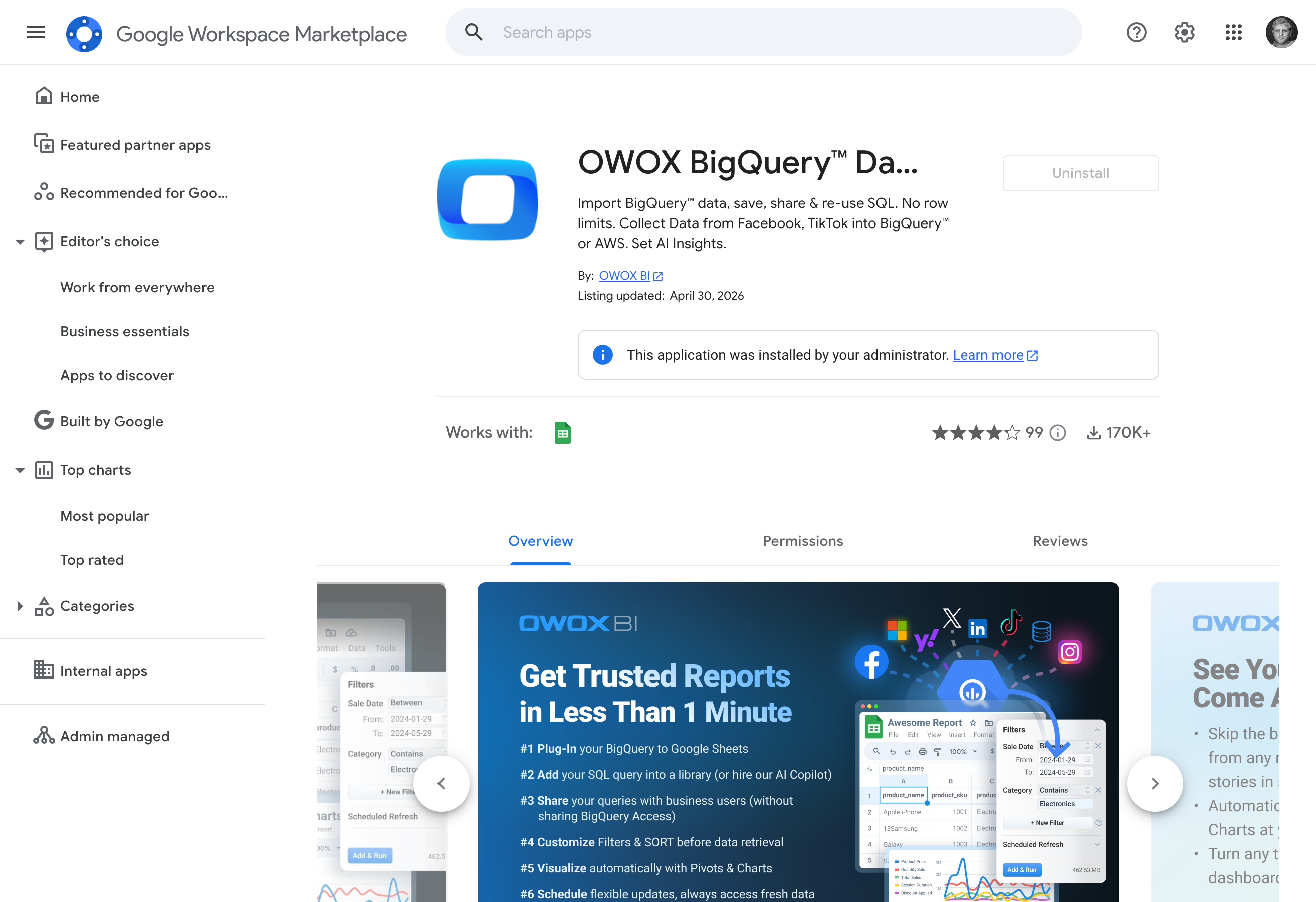
Install it yourself from Google Workspace Marketplace
The OWOX Data Marts extension is published on Google Workspace Marketplace, so you install it from there instead of waiting for a file someone shares with you.
Compare plans
Everything business needs

Built on a Data Mart report
Pivot tables and charts are generated from the rows of a report on a Data Mart the Data Owner published.

Dimension or metric, you decide
Choose the columns and mark each as a dimension or a metric before you press Generate.

Swap instead of rebuild
Change a metric or a dimension through the extension rather than rebuilding the pivot by hand.

Redraws on refresh
When the report refreshes, the visuals redraw from the new rows. A pivot over an exported CSV has to be rebuilt.
Frequently asked questions
How is this different from building a pivot table in Google Sheets myself?
A pivot built by hand over an exported CSV cannot refresh without redoing the work, and each new cut means building it again. Pivots & Charts generates from the report, redraws when the report refreshes, and lets you swap a metric or a dimension instead of rebuilding.
What do I need to use Pivots & Charts?
The OWOX Data Marts extension for Google Sheets, from Google Workspace Marketplace. Pivots & Charts works on a report built on a Data Mart in that spreadsheet.
How do I generate charts?
Open Visualize in the extension. Turn on the columns you want, mark each as a dimension or a metric, and press Generate. The pivot tables and charts are added to the spreadsheet in sections.
What happens to the charts when the report refreshes?
They redraw. The report pulls new rows from the Data Mart, and the pivot tables and charts follow, so nobody rebuilds them after a refresh.
Where do the numbers in the charts come from?
From the report's rows. Those come from the Data Mart the Data Owner published, so the charts show the same numbers as the report under them.
Can business users change what a chart shows?
Yes. They swap metrics and dimensions through the extension instead of rebuilding the pivot by hand. A different breakdown does not have to become a new request to the Data Owner.
Every claim has a receipt.
Real things real customers said — each quote pinned to a specific claim, straight from the quotes database.
 Nodari RizunFounder & CEO, Pürblack®
“AI, by the nature of the models, will hallucinate. And because of that, you need something which will create guardrails to ensure that there are no hallucinations, that you can trust your data.”
 Mark SimmonsCMO, Pürblack®
“We had six or seven different channels and no single source of truth — it was almost impossible, a lot of guesswork.”
Nodari RizunFounder & CEO, Pürblack®“We regained time. And time is the one resource that never comes back.”
Turn your next report into charts
Install the OWOX Data Marts extension, open a report, choose the columns and press Generate.
- Internal OWOX data as of 2026-10-02
- G2 reviews of OWOX
- npm installs stat
You are booked. The invitation is on its way to , with the calendar invite and the meeting link.
Schedule a meeting
You are booked. The invitation is on its way to , with the calendar invite and the meeting link.