

What Features Actually Matter: How to Analyze Feature Adoption in Your SaaS Product
Learn which SaaS feature adoption metrics matter — activation rate, stickiness, drop-off — and how to turn warehouse data into clear insights.

SaaS companies pour resources into developing new features, but not every feature matters equally. Some features see high traction and user love, while others get ignored entirely.
Understanding what drives adoption is important for feature success and for the overall health of your product. The success of a SaaS product hinges on how well users adopt and repeatedly engage with its core features.
This guide breaks down how to measure SaaS product adoption, identify what's working, and use actionable product data to grow smarter.
We'll also show you how OWOX helps teams move from raw warehouse data to feature insights — without hallucinations, without a semantic layer project, and without your data ever leaving your warehouse.
Why feature adoption matters for SaaS products
Tracking feature adoption gives product teams a direct signal of whether the product is delivering real value — not just being opened. Here's why it deserves a dedicated place in your analytics stack.
- Validates product-market fit: Feature adoption confirms that the features you're building align with real user needs and solve relevant problems.
- Boosts retention and satisfaction: Users who frequently engage with key features are more likely to stick around and feel satisfied with the product.
- Reduces churn: High feature adoption is directly linked to lower churn rates, as engaged users are less likely to leave.
- Reveals value perception across user types: Tracking how free vs. paid users adopt features helps segment journeys and personalize experiences.
- Identifies underused features: Low usage flags areas for UX refinement, better onboarding, or additional education efforts.
Essential feature adoption metrics to track for SaaS success
Feature adoption refers to the process by which users discover, start using, and continue engaging with a specific feature within your SaaS product. High feature adoption means users integrate your product's capabilities into their workflows, which is a strong signal of sustained value and loyalty.
How to calculate feature adoption rate:
= (Number of Feature Users in a Given Period) ÷ (Total Number of Active Users in the Same Period) x 100
Example: If 1,000 users logged in this month and 300 used a new reporting feature:
Feature Adoption Rate = (300 ÷ 1,000) × 100 = 30%
The following metrics show which features add real value, which need improvement, and how adoption varies across user segments — helping teams make smarter product decisions and avoid wasting engineering effort on features users ignore.
Activation rate
Activation rate measures the percentage of new users who complete a defined "aha moment" — the first meaningful action that signals they've discovered real value.
Formula: (Users who completed activation event ÷ Total new users) × 100
A low activation rate means users don't reach value fast enough — often a sign that onboarding needs work or the feature isn't visible enough at the start of the user journey.
Feature engagement rate
Feature engagement rate measures how often active users interact with a specific feature over a given time period.
Formula: (Number of feature interactions ÷ Total active users) × 100
This tells you whether a feature is becoming part of regular workflows or just being opened once and abandoned. High engagement means the feature fits naturally into how users work.
Feature retention rate
Feature retention rate tracks whether users return to a feature after their first use. It answers: does the feature have lasting value, or is it a one-time curiosity?
Formula: (Users who used the feature again in a later period ÷ Users who used it in the first period) × 100
Low feature retention often points to unclear value communication, a confusing UX, or a feature that solves a problem users only face occasionally.
Time to first use
Time to first use tracks how long it takes a new user to interact with a feature for the first time after signing up. The shorter the time, the better — it suggests the feature is easy to discover and immediately useful.
This metric is particularly important during onboarding design. If users take weeks to reach a core feature, the onboarding flow likely needs revision.
Feature stickiness (DAU/MAU ratio)
Feature stickiness measures how habitually users return to a feature. It's calculated as the ratio of daily active users (DAU) to monthly active users (MAU) for a specific feature.
Formula: (DAU for feature ÷ MAU for feature) × 100
A stickiness ratio above 20% is generally considered healthy for SaaS products. A higher ratio indicates the feature has become part of users' regular routines — a strong signal of true product value.
How to track feature adoption: a step-by-step approach
Tracking feature adoption well requires more than setting up event logging. It requires aligning your data model with real user behavior and business goals. Here's a practical approach that works in a warehouse-native environment.
Step 1: Define what adoption means for each feature
Before writing a single query, clarify what "adopted" means for each feature. Is it a single use? Three uses in the first week? Weekly recurrence? The answer depends on the feature's intended use pattern.
- One-time setup features (e.g., connecting an integration): adoption = completed setup
- Workflow features (e.g., a reporting dashboard): adoption = used 3+ times in first 14 days
- Collaboration features (e.g., sharing a report): adoption = invited at least one teammate
Document this definition. Without alignment, different teams will calculate the same metric differently.
Step 2: Identify and instrument the right events
Work with engineering to define the events that map to each adoption milestone. For example, if adoption means "used the export feature," you need an event like export_triggered with parameters like feature_id, user_id, and plan_type.
Avoid over-instrumenting. Track what maps to a defined metric, not every click. Event sprawl makes analysis harder, not easier.
Step 3: Build a SQL data mart to model adoption
Once events are flowing into your data warehouse (BigQuery, Snowflake, Redshift, etc.), build a SQL-based feature adoption data mart. This is where you define your adoption logic in a reusable, governed way.
A basic adoption mart might look like:
- One row per user per feature per time window
- Fields:
user_id,feature_name,first_use_date,use_count_7d,use_count_30d,adopted(boolean based on your definition),plan_type
This mart becomes the single source of truth for adoption reporting across all tools — Sheets, Looker Studio, Slack digests, whatever your team uses.
Step 4: Publish the mart and enable self-serve reporting
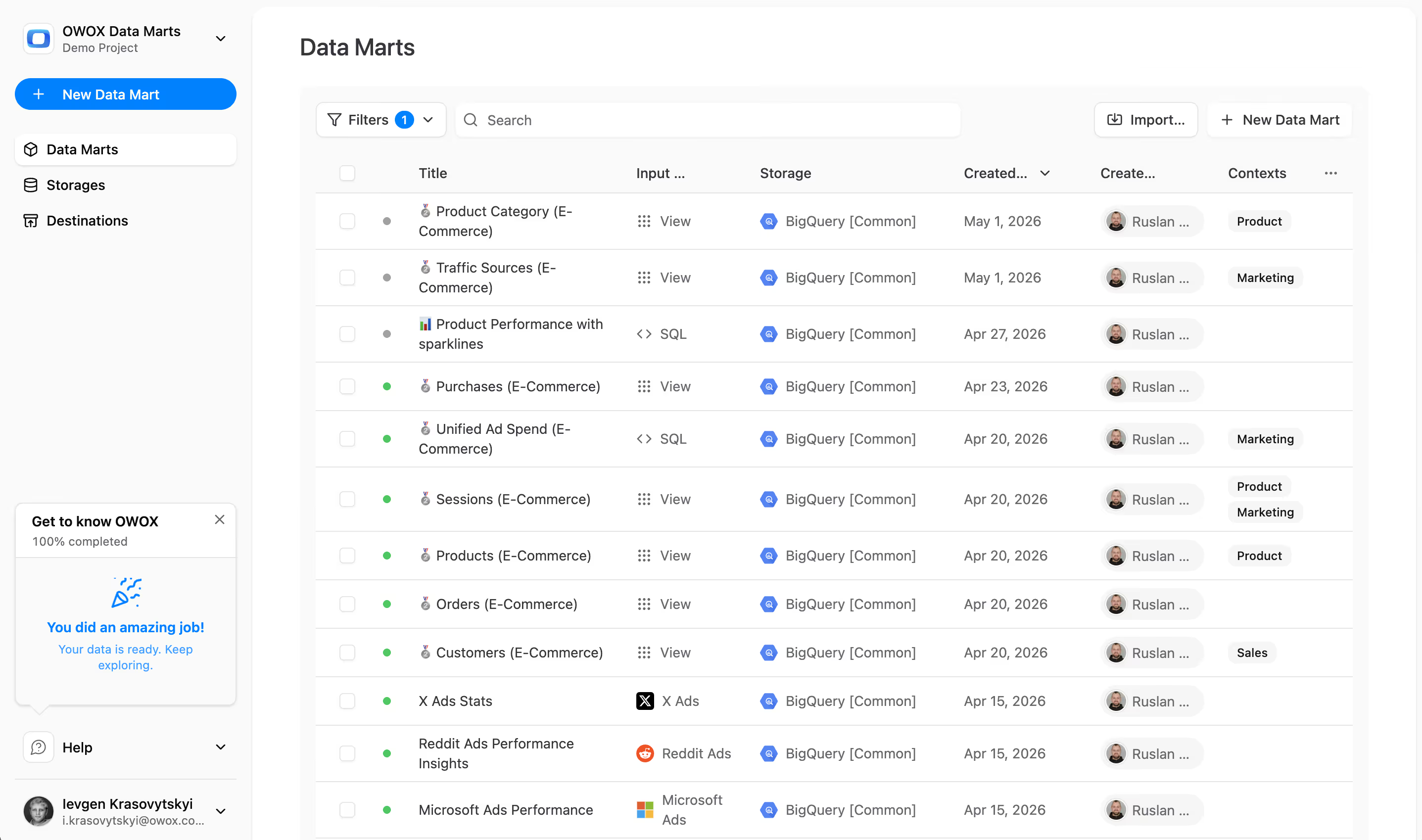
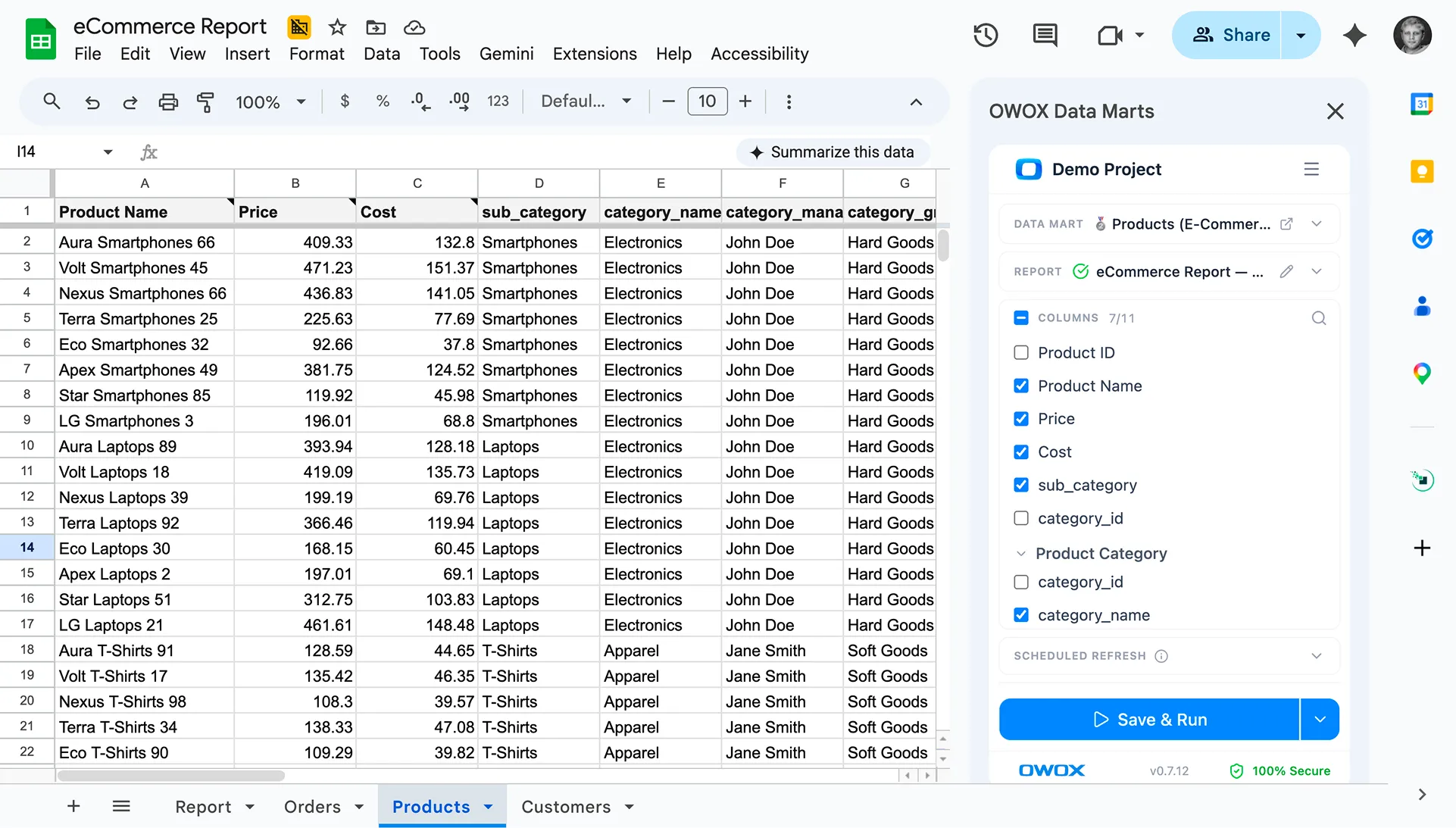
With OWOX Data Marts, analysts publish their SQL as a governed data mart that the whole team can access. Product managers can pull adoption metrics for any feature directly from Google Sheets without writing SQL.
The analyst defines the logic once. OWOX governs and schedules it. Business users self-serve from it. When definitions change — say, your threshold for "adopted" shifts from 3 uses to 5 — the analyst updates the mart and every connected report refreshes automatically.
Step 5: Segment by user type and cohort
Raw adoption rates rarely tell the full story. Break adoption down by:
- Plan type: Do free users adopt feature X at the same rate as paid users?
- Acquisition cohort: Are users who signed up last quarter adopting faster than earlier cohorts?
- Geography or industry: Is adoption concentrated in certain markets?
These segments often reveal whether a feature has found its audience or needs repositioning.
Step 6: Set targets and track against them
Adoption metrics only drive decisions when tied to targets. Set a baseline (current adoption rate), define a goal (e.g., +10% in 90 days), and assign ownership. Without a target, you're just observing — not managing.
Free vs. paid users: why adoption patterns differ
Free and paid users interact with your product very differently — and treating them the same in your analytics leads to misleading conclusions. Separate your adoption analysis by plan type from the start.
Free users
Free users are often exploring, not committing. They're evaluating whether the product is worth paying for. Expect lower adoption rates, lower stickiness, and more drop-off after the first session. Their behavior tells you: is the product compelling enough to convert?
Key question: Which features do free users adopt before they convert to paid?
Paid users
Paid users have already decided the product has value. Their adoption behavior tells you whether they're getting that value consistently. Low adoption of a core feature among paid users is a churn risk signal.
Key question: Which features do churned paid users stop using before canceling?
How to model this in SQL
Join your adoption mart with your subscription or plan table. Add plan_type as a dimension, then calculate adoption rate separately for each group:
- Free-to-paid conversion path: which features correlate with upgrade events?
- Paid retention path: which features distinguish retained users from churned ones?
This segmentation turns adoption tracking from a vanity metric into a retention and growth lever.
Common mistakes in feature adoption analysis
Even experienced teams get adoption tracking wrong. Here are the most common mistakes and how to avoid them.
Tracking page views instead of meaningful actions
A user opening the reporting page is not the same as using the reporting feature. Adoption tracking must be tied to intent-confirming actions — not passive views. Define the specific events that indicate real use and instrument those, not surrogate proxies.
Using a single adoption threshold for all features
A feature used daily (e.g., a dashboard) and a feature used monthly (e.g., an annual export) can't share the same adoption threshold. Set thresholds per feature based on expected use frequency, not a one-size-fits-all rule.
Ignoring time-to-adoption
Most adoption analyses focus on whether a user adopted, not when. But time-to-first-use is often more actionable — it reveals where users drop off in the onboarding flow and what friction they're hitting.
Not separating new from existing users
Adoption rates for a feature launched six months ago are not comparable between users who signed up this month and users who've been around for a year. Always cohort your adoption analysis by signup date or feature release date.
Building adoption reports without a governed data model
The most common mistake: different analysts build different queries with different filters and definitions. Reports disagree. Stakeholders lose trust. The fix is a shared, governed data mart — define adoption logic once, publish it, and make it the single source of truth.
How OWOX Data Marts makes feature adoption analysis scalable
OWOX Data Marts is built for exactly this kind of analysis: warehouse-native, analyst-defined, and self-serve for the whole team.
Analysts define the logic, OWOX governs it
Your analyst writes the SQL that defines feature adoption — the events, the thresholds, the segmentation. OWOX publishes it as a governed data mart, schedules it to refresh, and makes it available across tools. No black-box transformations. Every number traces back to SQL your team owns.
No AI hallucinations — every number is analyst-approved
Because all logic lives in analyst-written SQL, there are no AI-generated summaries that can hallucinate a trend. OWOX AI Insights generates narrative summaries only from the SQL-defined metrics your analysts have approved — so every insight is grounded in verifiable data.
Data stays in your warehouse
OWOX is warehouse-native. Your event data, your adoption marts, your segmentation logic — all of it stays in BigQuery, Snowflake, Redshift, Athena, or Databricks. No data copying. No vendor lock-in. You own the data and the SQL, always.
Business users self-serve from Sheets
Product managers, growth leads, and marketers can pull adoption metrics for any feature directly from Google Sheets using the OWOX Sheets Extension — no SQL required. They browse the Data Mart Library, pick the fields they need, apply filters, and refresh. When the analyst updates the mart, every connected Sheet updates automatically.
Start tracking feature adoption with warehouse-native analytics
Feature adoption is one of the clearest signals you have about whether your product is working. But tracking it well requires more than event logging — it requires a governed data model, consistent definitions, and a self-serve layer your whole team can trust.
OWOX Data Marts gives your analysts the infrastructure to define that model once and make it available everywhere — without semantic layers, without AI black boxes, and without your data ever leaving your warehouse.
Frequently asked questions




"AI by its nature will hallucinate. You need guardrails so you can trust your data."
"We had six or seven different channels and no single source of truth. It was almost impossible"
"We regained time. And time is the one resource that never comes back."