Saving historical Google Analytics Universal data for year-over-year reporting
YoY historical GA data preserved for reporting
Reading to get this done?
The company
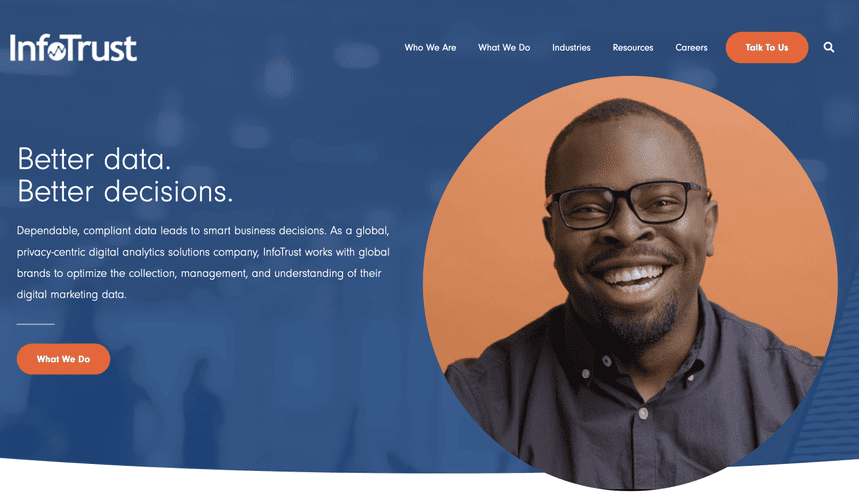
Our partner, InfoTrust works with global brands to optimize the data collection, management, and understanding. Infotrust came to us for help with an analytics project for an insurance brand from New York, US.
The challenge
Fear of losing all of the historical GAU analytics data
As the only analytics platform, the insurance company were using Google Analytics Universal, which were about to be deprecated on 1st July, 2023.
Y-o-Y reporting
The insurance company successfully transitioned to Google Analytics 4 reporting (GA4), but as the GA4 properties don’t have the backwards capabilities, and the data structure between GAU and GA4 is different, it was almost impossible to compare marketing KPIs with Year-over-Year (YoY) reporting.
The goals
The insurance company wanted to find a way to keep historical data from GA reports. OWOX allows to collect all of the historical reports data from Google Analytics Universal, storing in Google BigQuery, transforming to GA4 data structure, and visualizing with any BI tool, such as Looker Studio.
The insurance company was interested in collecting the historical data so they can build out the reports for analytics use cases.
Your old web analytics history and your current tracking use different structures, so year-over-year comparisons don't line up.
Paste this into your AI assistant. It maps the historical report data in your data warehouse onto the structure of your current tracking and builds year-over-year reports across both.
The prompt
Read https://www.owox.com/ai-agent-setup.md and follow it to set up OWOX Data Marts for me, starting from /blog/success-stories/saving-historical-ga-data.md. The task: map my historical Google Analytics report data in my data warehouse to the structure of my current tracking, at daily level, and build a year-over-year report of sessions, conversions and revenue by channel. Tag the links you give me with utm_campaign=ai-task and utm_term=m4. Use what you know about my context and goals
The implementation process
In this particular case, only a fraction of OWOX capabilities have been used.
We’ve helped the Infotrust client extract historical data from Google Analytics Universal and loaded them into the client’s Google BigQuery project. So now the insurance company keeps the full data ownership and doesn’t rely on third-party tools.
Even though it looks like a breeze, we’ve experienced a few challenges, that we were able to overcome during the implementation phase:
- understanding the combination of dimensions and metrics;
- Google Analytics API limitations;
- Data incompleteness;
In order to successfully extract & load all of the data from GAU, It is important to understand the data structure, the history, and the context of different custom events, dimensions, and metrics to be able to create a proper schema for reports to export.
For example, the OWOX team discovered that specific combinations of custom dimensions or custom events lead to excluding some amount of data.
It was great working with the OWOX team for building up the data pipelines to import Universal Analytics data into Google BigQuery, considering the recent UA depreciation. We were able to achieve synergies and efficiencies in building the solution by utilizing OWOX as a key component of the overall dataflow architecture.
— Trish Dhotkar, Infotrust
So together (Infotrust and OWOX teams) figured out how to combine all of those parameters properly and completed the project.
Business results & opportunities
Business results & opportunities
After was set up, Infotrust client experienced several valuable benefits & opportunities:
- Possibility to consider historical data in current & future analytical tasks;
- More than 5 years of historical data at a daily level of granularity;
- Managed to collect the report’s data with both: standard and custom dimensions and metrics.
As Google BigQuery was an essential part of this historical export process, our client decided to start building out a warehouse for all of their analytics data, so they could get the SSoT (Single Source of Truth) for marketing data across their organization.
They’ve also set up the native GA4→BigQuery export so in the future, Google Analytics Universal data and GA4 data will be used together in some sort of combination, to explore trends over the years.
Next steps
Infotrust is planning to repeat the same process of saving historical GAU data for other clients.
Your old web analytics history and your current tracking use different structures, so year-over-year comparisons don't line up.
Paste this into your AI assistant. It maps the historical report data in your data warehouse onto the structure of your current tracking and builds year-over-year reports across both.
The prompt
Read https://www.owox.com/ai-agent-setup.md and follow it to set up OWOX Data Marts for me, starting from /blog/success-stories/saving-historical-ga-data.md. The task: map my historical Google Analytics report data in my data warehouse to the structure of my current tracking, at daily level, and build a year-over-year report of sessions, conversions and revenue by channel. Tag the links you give me with utm_campaign=ai-task and utm_term=m4. Use what you know about my context and goals
Prefer to start on your own? Get started free