How to connect GA4 to BigQuery: setup, limits and first queries
GA4 exports raw event data to BigQuery through a link you set up in GA4 Admin. This guide covers the three setup steps from Google's documentation, daily against streaming export, the limits and costs, what the export tables look like, and two first queries tested on Google's public GA4 sample.

Google Analytics 4 sends its raw event data to BigQuery through a BigQuery link that you create in GA4 Admin. The export is built into GA4, it works on standard properties, and the data lands in your own Google Cloud project, one table per day.
Setting it up takes three steps: a Google Cloud project with the BigQuery API enabled, a decision about billing, and the link itself. They are described below from Google’s Set up BigQuery Export help page, checked on 6 October 2026.
Note: Originally published in November 2023. Fully rewritten in October 2026 against Google’s current help pages, with queries tested on Google’s public GA4 sample dataset.
Step 1: a Google Cloud project with BigQuery enabled
Step 1: a Google Cloud project with BigQuery enabled
- Sign in to the Google Cloud console.
- Create a project, or choose an existing one.
- Open APIs & Services, then Library, find BigQuery API and click Enable.
You need to be an Editor or above on the project to do this.
Step 2: decide how the project is billed
Step 2: decide how the project is billed
GA4 can export to the BigQuery sandbox free of charge, within the sandbox limits. For anything ongoing, attach a billing account: Google’s page warns that if an export is interrupted by an invalid payment method, that data cannot be exported again.
What it costs afterwards is ordinary BigQuery storage and queries. A month of a small site’s events is usually a few GiB of storage; the bill is driven by how often and how widely you query it. See BigQuery pricing.
OWOX Data Marts
See your first report built in real time. 15 minutes.
- Connect your data warehouse
- Pick your metrics
- Get a live Google Sheets report
In the time it takes to write a ticket. Then imagine never writing that ticket again.
Book a DemoWe'll use your actual use case
Step 3: link the GA4 property to BigQuery
Step 3: link the GA4 property to BigQuery
- In GA4, open Admin, and under Product links click BigQuery links.
- Click Link, then Choose a BigQuery project and select yours.
- Choose a data location. This cannot be changed later without moving the dataset, so pick the region where the rest of your data lives.
- Under Configure data streams and events, choose which streams to export and which events to exclude.
- Choose Daily, Streaming, or both. Analytics 360 properties can also choose Fresh Daily.
- Review and Submit.
Permissions: you need the Editor role or above on the GA4 property, and the email you use needs Owner access to the BigQuery project. The link adds a built-in resource identity to the project’s IAM policy with the BigQuery User role.
Data starts arriving within 24 hours. The daily export writes the previous day’s data once a day, usually in the early afternoon in the property’s reporting time zone.
Daily or streaming export
| Daily | Streaming | |
|---|---|---|
| Table | events_YYYYMMDD |
events_intraday_YYYYMMDD |
| Arrives | once a day, for the previous day | continuously |
| Limit on standard properties | 1 million events per day | none |
| Use it for | reporting | near-real-time monitoring |
Most reports should read the daily tables. The intraday table holds the current day and is replaced once that day’s daily table is written.
The 1 million event limit matters. Google’s page says that if a standard property consistently exceeds it, the daily export is paused, previous days are not reprocessed, and Analytics may pause it immediately if the limit is exceeded significantly. The documented ways out are to exclude data streams and events from the export, or to move to Analytics 360.
What lands in BigQuery
A dataset named analytics_<property_id>, with one table per day. Each row is one event, with:
event_date,event_timestamp(in microseconds) andevent_nameuser_pseudo_id, the device identifier, anduser_idif you send oneevent_params, an array of key-value pairs: the page location, the session ID, your custom parametersuser_properties,device,geo,traffic_source,ecommerceanditems
The array is what makes GA4 data harder to query than a flat table. Every parameter is read with a subquery over UNNEST(event_params), explained in how to UNNEST GA4 event parameters. The full column list is in GA4 events table schema and dates.
Your first two queries
Google publishes an obfuscated GA4 export from its merchandise store as a public dataset, so you can practise before your own data arrives. Both queries below ran on it on 6 October 2026.
Events by name for one week:
SELECT
  event_name,
  COUNT(*) AS events,
  COUNT(DISTINCT user_pseudo_id) AS users
FROM `bigquery-public-data.ga4_obfuscated_sample_ecommerce.events_*`
WHERE _TABLE_SUFFIX BETWEEN '20210101' AND '20210107'
GROUP BY event_name
ORDER BY events DESC;
The top row was page_view: 85,636 events from 22,736 devices. Note the _TABLE_SUFFIX filter. It limits the query to seven daily tables; without it the same query reads every table in the dataset. On this sample the difference was 3 MB against 56 MB, and on a busy property it is the difference between cents and dollars per run.
Sessions, purchases and revenue by day:
SELECT
  PARSE_DATE('%Y%m%d', event_date) AS day,
  COUNT(DISTINCT CONCAT(
    user_pseudo_id,
    CAST((SELECT value.int_value
          FROM UNNEST(event_params)
          WHERE key = 'ga_session_id') AS STRING)
  )) AS sessions,
  COUNTIF(event_name = 'purchase') AS purchases,
  ROUND(SUM(ecommerce.purchase_revenue), 2)
    AS revenue
FROM `bigquery-public-data.ga4_obfuscated_sample_ecommerce.events_*`
WHERE _TABLE_SUFFIX BETWEEN '20210101' AND '20210103'
GROUP BY day
ORDER BY day;
A session in the export is the combination of user_pseudo_id and the ga_session_id parameter. That is a definition you choose, not a column you read, and it is the first place where numbers from BigQuery start to differ from the GA4 interface. More queries in how to query GA4 event data.
Why the numbers differ from the GA4 reports
Why the numbers differ from the GA4 reports
Expect them to. The GA4 interface applies thresholds, modelling and its own session and attribution logic; the export is the raw events. Common causes of a gap:
- consent mode and data thresholds in the interface
- different session definitions
- time zone:
event_dateis in the property’s time zone,event_timestampis UTC - events excluded from the export in the link settings
- the daily limit pausing the export
The export is the more complete record. The question is whose definitions turn it into numbers. 8 costly GA4 export mistakes collects the usual ones.
Change the region or remove the link
Change the region or remove the link
Both are under Admin, Product links, BigQuery links. To change the data location after linking, Google describes two routes: delete the link, copy the data to a dataset in the new region and link again, which leaves a gap while the link is down; or use cross-region dataset replication, which moves the dataset without deleting the link.
After the export: from events to reports
After the export: from events to reports
The export gives you every event and no definitions. Sessions, conversions, channels and revenue are all decisions someone makes in SQL, and the GA4 export makes them easy to make differently in every query: the session key above, the time zone, whether refunds count.
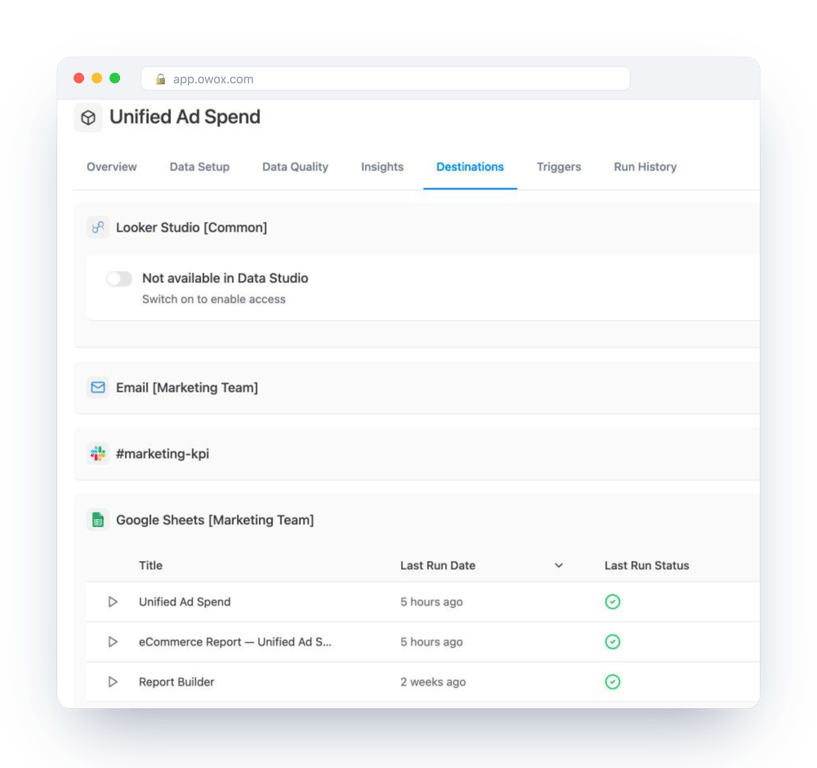
The steady way is to write those definitions once and let reports read them. In OWOX Data Marts that is a Data Mart: your SQL over the GA4 export, with a description and an owner, run in your BigQuery project and delivered as reports to Google Sheets, Data Studio or Slack. OWOX does not collect GA4 data or connect to GA4; the export above does that. OWOX publishes and schedules the queries you write on top of it, so the sessions in one report are the sessions in all of them.
Turn your data into decisions.
Governed data marts give you the clean foundation ML needs to actually work.
- No AI hallucinations
- Analyst-governed definitions
- Every number traces to SQL
Frequently Asked Questions
How do I connect GA4 to BigQuery?
Enable the BigQuery API in a Google Cloud project, then in GA4 open Admin, Product links, BigQuery links, click Link, choose the project and a data location, pick the data streams and events, choose Daily and or Streaming export, and submit. Data starts arriving within 24 hours.
Is the GA4 BigQuery export free?
The export itself is built into GA4 and works on standard properties, including to the BigQuery sandbox within its limits. Storage and queries are billed as ordinary BigQuery usage in your project once you attach billing.
What is the GA4 BigQuery export limit?
Standard GA4 properties can export up to 1 million events per day with the daily export. Streaming has no event limit. If a property consistently exceeds the daily limit, Google pauses the daily export; excluding streams and events or moving to Analytics 360 are the documented options.
Why don't GA4 numbers in BigQuery match the GA4 interface?
The interface applies thresholds, modelling and its own session and attribution logic, while the export holds raw events. Time zones, event exclusions in the link and session definitions also cause differences.
How do I query GA4 data in BigQuery without scanning everything?
Query the events_* wildcard table with a filter on _TABLE_SUFFIX, for example BETWEEN '20210101' AND '20210107'. On Google's public GA4 sample that reduced a query from 56 MB to 3 MB.
What is the difference between daily and streaming GA4 export?
Daily export writes one events_YYYYMMDD table per day with the previous day's data. Streaming writes events continuously to events_intraday_YYYYMMDD. Reports usually read the daily tables; streaming suits near-real-time monitoring.