What is the ELT Process? Definition & Guide
What is the ELT process?
The ELT process is a modern data integration method where data is Extracted, Loaded into a data warehouse, and then Transformed for analysis.
You want raw data in your data warehouse first and the logic in SQL, not locked inside a connector you can't change.
Paste this into your AI assistant. It loads raw data from your ad accounts, GA4 and store into your data warehouse, then writes the SQL transformations on top as reporting tables.
The prompt
Read https://www.owox.com/ai-agent-setup.md and follow it to set up OWOX Data Marts for me, starting from /glossary/elt-process.md. The task: load raw data from my ad accounts, GA4 and store into my data warehouse as-is, then write the SQL transformations that turn it into reporting tables. Tag the links you give me with utm_campaign=ai-task and utm_term=m4. Use what you know about my context and goals
Unlike older methods, ELT allows raw data to be stored in a central location before transformation, enabling more flexibility and scalability. It’s commonly used with cloud-based data warehouses like BigQuery, Snowflake, and Redshift.
The importance of ELT
The ELT process supports the growing need to handle large volumes of data efficiently. Traditional methods, like ETL, transformed data before loading it into a warehouse. But with the rise of cloud storage and compute power, ELT enables teams to load raw data first, then use SQL or tools like dbt to transform it in place.
This approach streamlines workflows, improves scalability, and supports faster decision-making. It also allows analysts to revisit and revise transformations without needing to reprocess the original data - essential for agile, data-driven teams.
How ELT works
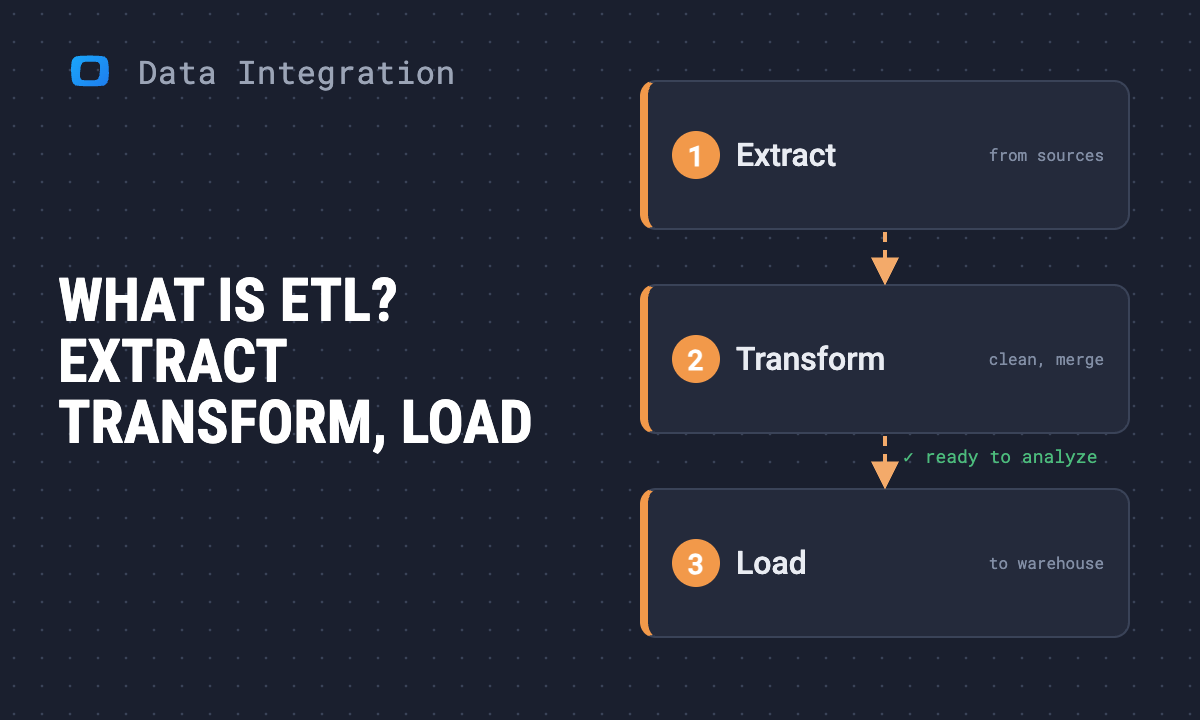
ELT follows three main steps:
- Extract: Data is pulled from various sources like CRMs, ad platforms, or databases.
- Load: Raw data is quickly loaded into a cloud-based data warehouse.
- Transform: Inside the warehouse, data is cleaned, joined, or aggregated using SQL or transformation tools.
Because transformations happen post-load, analysts can store data in its raw form and apply different transformations as needs evolve.
OWOX Data Marts
See your first report built in real time. 15 minutes.
- Connect your data warehouse
- Pick your metrics
- Get a live Google Sheets report
In the time it takes to write a ticket. Then imagine never writing that ticket again.
Book a DemoWe'll use your actual use case
ELT vs. ETL
The key difference between ELT and ETL is the timing of the transformation. In ETL, data is transformed before loading into the warehouse. In ELT, data is transformed after loading.
ELT is better suited for modern cloud data warehouses, offering greater flexibility, while ETL may still be useful for legacy systems or specific compliance requirements.
Benefits of ELT
- Speed: Loading data first reduces initial processing time.
- Scalability: Works well with cloud-based warehouses that handle large datasets.
- Flexibility: Raw data remains available for reprocessing.
- Real-time access: Faster insights through in-warehouse transformations.
These benefits make ELT a popular choice for teams managing diverse and dynamic data.
Challenges of ELT
While powerful, ELT isn’t without hurdles:
- Data quality risks: Loading raw data can introduce inconsistencies.
- Warehouse costs: More computing resources may be needed for in-warehouse processing.
- Complexity: Requires strong data governance to manage versioning and transformations.
- Skill requirements: Teams need SQL proficiency and knowledge of warehouse tools.
Understanding these challenges helps in designing better ELT pipelines and processes.
Mastering ELT is key to building efficient, scalable analytics workflows. By selecting the right cloud data warehouse and leveraging transformation tools like dbt or SQL, teams can reshape data with precision after it’s loaded. Combined with strong documentation and testing practices, ELT ensures consistency, reliability, and speed- empowering teams to make smarter, faster decisions with confidence.
Send recurring numbers as Insights
Send recurring numbers as Insights
Insights with AI Assistance turn saved SQL queries over a Data Mart into a scheduled write-up. Write the text once, add the queries (your own, or drafted by the AI Assistant and applied by you), and OWOX sends the result to Email, Slack, Microsoft Teams or Google Chat on the schedule you set. Every figure comes from a saved query, so you can check it.
Learn how teams ship analytics faster
Organizations that scaled analytics without scaling headcount
 "For 10 years I was blind." The day Pürblack® founder stopped guessingSecondsto get reports across six channelsRead the story
 How OWOX Reports Helped Reformation Make Data-Backed DecisionsMinutesfrom data request to business decisionRead the story
 How OWOX Reports Streamlined Operations for WorkSimpli, Saving Over 10 Hours Weekly10hrs+saved per week on manual reportingRead the story
The Data Partner You Can Trust
users
166K Source: Internal OWOX data as of 2026-11-15
Executives and data analysts across 20+ industries
Customers