Import Ad Costs into GA4 via BigQuery | OWOX
Import Ad Costs into GA4 via BigQuery | OWOX
NewAI Insights — your data, analyzed on a schedule→
Import non-Google ad costs into GA4 – the modern way
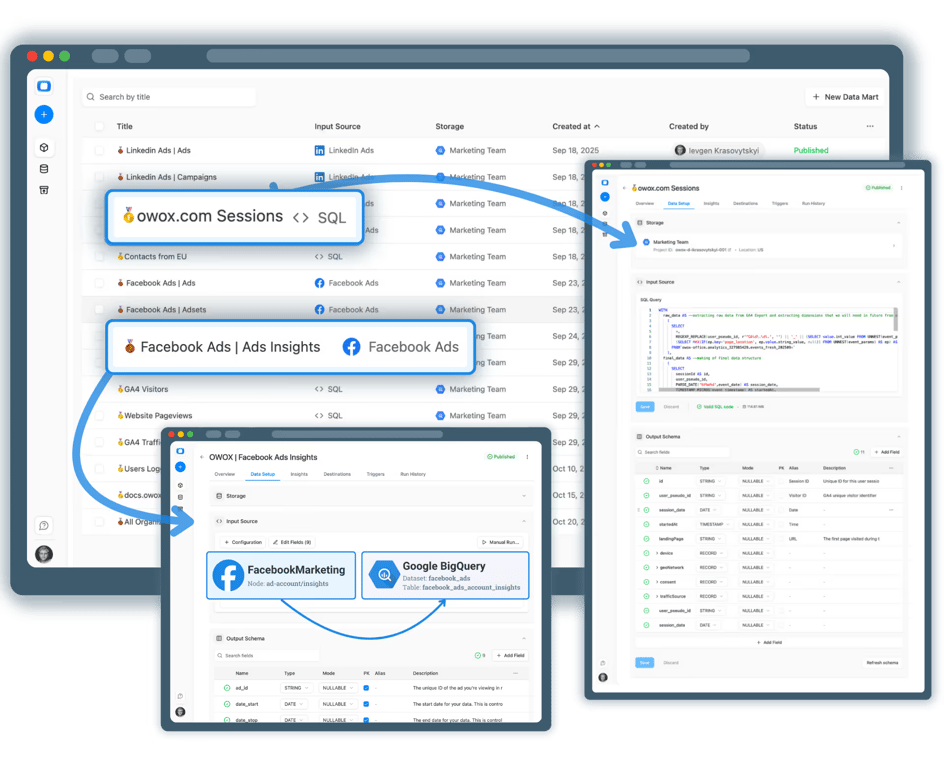
GA4 Campaign Import can pull campaign cost data directly from BigQuery. OWOX gets all of your ad platform data into BigQuery reliably – with blending and reusability in mind.Then you can link your ads cost data to Google Analytics conversion data, so you can analyze your cost per lead (CPL), cost per order (CPO), & return on ad spend (ROAS).
app.owox.com / data-marts / marketing 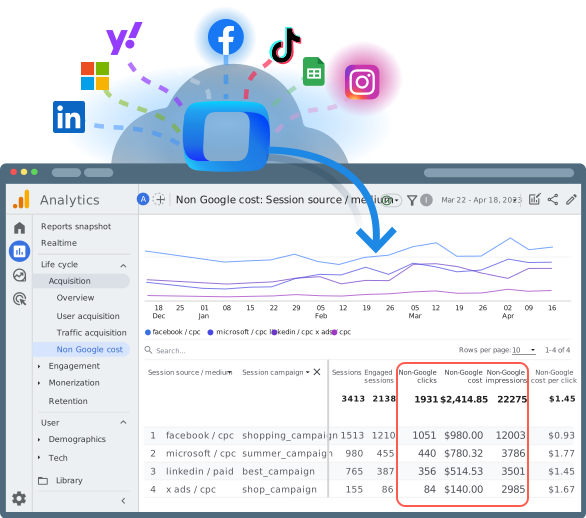
STEP 1
OWOX (the part Google won’t do for you)
OWOX (the part Google won’t do for you)
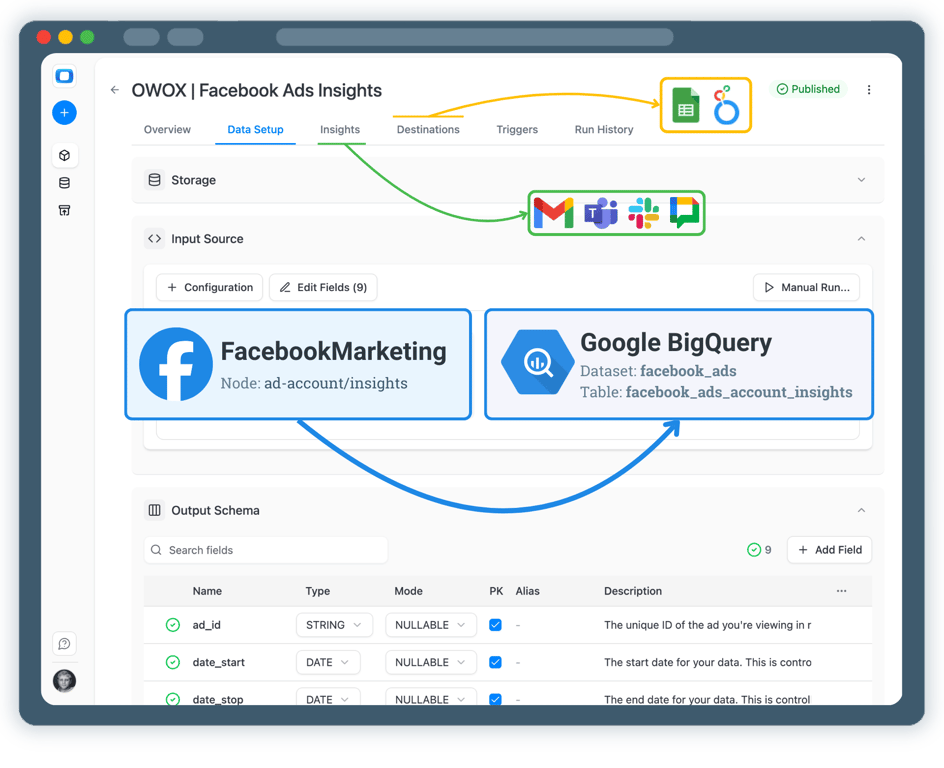
Get clean, joinable cost data into BigQuery.
✓
Pull cost/clicks/impressions from your Facebook, TikTok, Linkedin, Microsoft & other advertising platforms on a schedule;
✓
Normalize fields and naming;
✓
Keep a stable table you can reuse everywhere (not just GA4)
STEP B
Google Analytics (the part you can do without us)
Google Analytics (the part you can do without us)
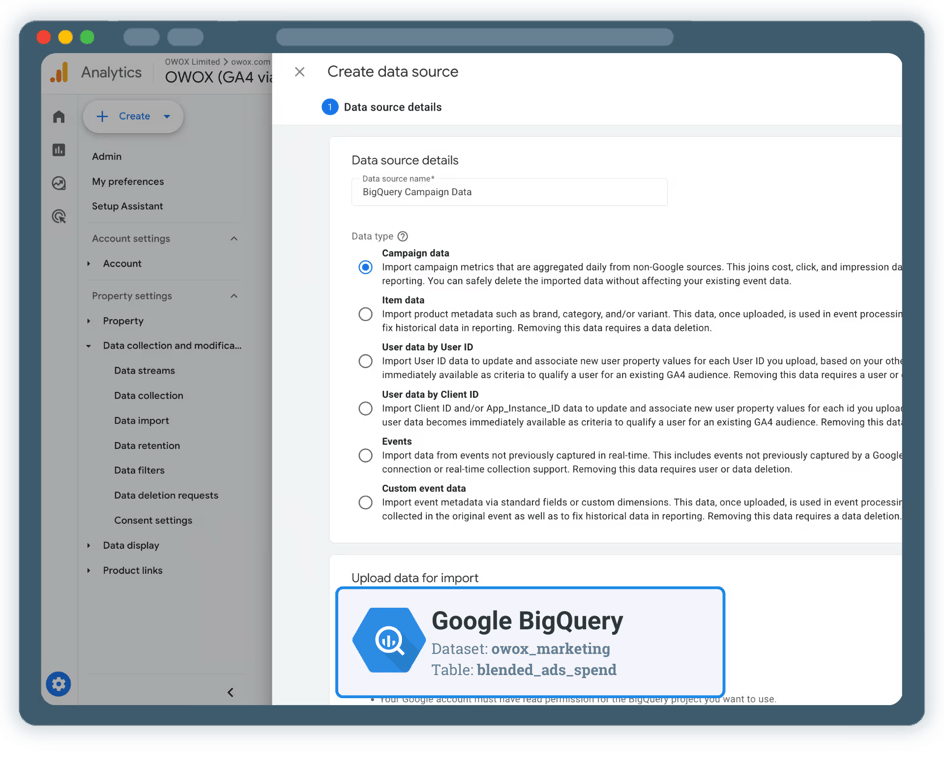
Use GA4 Campaign Data Import to bring cost data from BigQuery into Google Analytics.
✓
In GA4 Admin → Data Import → Campaign Data, you select BigQuery as the source
✓
You map fields like: campaign ID / campaign name, cost, clicks, impressions
✓
Important: GA4 does not clean and normalize campaign data for you. It assumes the BigQuery table already contains consistent, joinable, and regularly refreshed data. That’s exactly where you need OWOX.
STEP 3
OWOX is the data asset layer. GA4 is the destination.
OWOX is the data asset layer. GA4 is the destination.
If you already have perfect cost tables in BigQuery, you can skip us. But most teams don’t – because the hard part is:
✓
blending multiple platforms data together
✓
keeping UTMs consistent… matching keys (utm_id)…
✓
refreshing on a schedule & making the data reusable for BI + finance + forecasting…
The Plan
How it all works step-by-step
Four outcomes you get the moment your data marts go live.

Collect ad cost data into BigQuery
Pick your sources (Meta / TikTok / LinkedIn / etc.) → run on schedule → write to BigQuery.

Ensure your campaigns are tagged
GA4 joins imported campaign data to your sessions via campaign parameters (utm_id / utm_campaign).

Create GA4 Campaign Data Import source
In GA4: Admin → Data import → Campaign data → select BigQuery as the import source, map fields, schedule refresh.

Validate in GA4 reports
You’ll see imported campaign performance in the Non-Google campaign report + Advertising workspace views.
Customer stories
Teams that applied self-service analytics
Teams that applied self-service analytics
Three outcomes you get the moment your data marts go live
 Purblack · eCommerce “For 10 years I was blind.” The day Pürblack® founder stopped guessing Seconds to get reports across six channels
 Reformation · Retail How OWOX Reports Helped Reformation Make Data-Backed Decisions Minutes from data request to business decision
 WorkSimpli · SaaS How OWOX Reports Streamlined Operations for WorkSimpli, Saving Over 10 Hours Weekly 10hrs+ saved per week on manual reporting
Stop renting your marketing data. Own it in BigQuery.
Get OWOX help to create reusable cost datasets once – then feed GA4, Sheets, BI, and AI insights from the same source.
Help you become the central person of analytics
Deliver more insights actoss entire business
Increase the culture of data-first decision-making
On the call, you’ll also learn how data teams use AI Insights to always deliver what matters most.