BigQuery date functions: syntax, examples and common errors
A reference to BigQuery date functions with one tested example each: adding and subtracting dates, differences, truncation, extraction, parsing and formatting. It also covers weeks that start on Monday, SAFE.PARSE_DATE, and the errors people search for.
BigQuery has twelve functions that work on the DATE type. This page lists each one with an example that was run in BigQuery on 6 October 2026, so the result next to every query is the real one. All examples use that date, a Tuesday.
| To do this | Use | Example result |
|---|---|---|
| Today’s date | CURRENT_DATE() |
2026-10-06 |
| Add days, months, quarters | DATE_ADD |
2026-02-28 |
| Subtract them | DATE_SUB |
2026-07-06 |
| Count days or months between dates | DATE_DIFF |
278 |
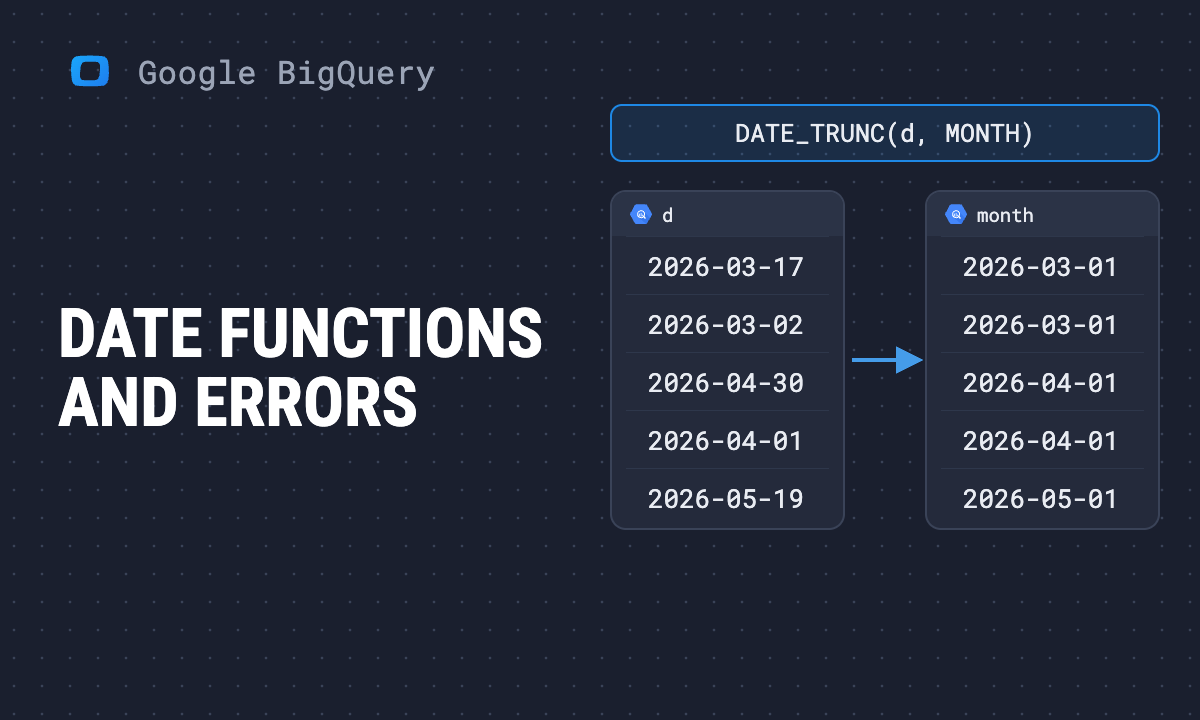
| Round down to week, month, quarter | DATE_TRUNC |
2026-10-01 |
| Pull out year, month, week | EXTRACT |
10 |
| Text to date | PARSE_DATE |
2026-10-06 |
| Date to text | FORMAT_DATE |
Oct 6, 2026 |
| Last day of a month or quarter | LAST_DAY |
2026-12-31 |
| Build a date from parts or a timestamp | DATE |
2026-10-06 |
| Days since 1970-01-01, and back | UNIX_DATE, DATE_FROM_UNIX_DATE |
20732 |
Google’s own list is the date functions reference. If your column is a DATETIME or TIMESTAMP, the functions have different names: see datetime functions, timestamp functions and how to choose between the three types.
Note: Originally published in January 2024. Fully updated in October 2026: every example re-run, and sections added on weeks that start on Monday and on SAFE.PARSE_DATE.
CURRENT_DATE
Returns today’s date. Without an argument it uses UTC, which is the usual reason a “today” report is a day off for part of the day.
SELECT
  CURRENT_DATE() AS utc_today,
  CURRENT_DATE('America/Los_Angeles') AS la_today;
Pass a time zone name whenever “today” means the business’s day and not UTC’s.
DATE_ADD and DATE_SUB
Add or subtract an interval. The parts are DAY, WEEK, MONTH, QUARTER and YEAR.
SELECT
  DATE_ADD(DATE '2026-01-31', INTERVAL 1 MONTH),
  -- 2026-02-28
  DATE_SUB(DATE '2026-10-06', INTERVAL 1 QUARTER),
  -- 2026-07-06
  DATE_ADD(DATE '2026-10-06', INTERVAL -7 DAY),
  -- 2026-09-29
  DATE '2026-10-06' + 7;
  -- 2026-10-13
Three things worth knowing:
- Month arithmetic clamps to the last valid day. 31 January plus one month is 28 February, not an error and not 3 March.
INTERVAL 1 QUARTERis valid and moves three months.- A negative interval in
DATE_ADDworks, and so doesdate + integerfor whole days.
OWOX Data Marts
See your first report built in real time. 15 minutes.
- Connect your data warehouse
- Pick your metrics
- Get a live Google Sheets report
In the time it takes to write a ticket. Then imagine never writing that ticket again.
Book a DemoWe'll use your actual use case
DATE_DIFF
Returns the number of part boundaries between two dates, later date first.
SELECT
  DATE_DIFF(DATE '2026-10-06',
            DATE '2026-01-01', DAY),
  -- 278
  DATE_DIFF(DATE '2026-01-01',
            DATE '2025-12-31', YEAR);
  -- 1
The second result is the one that surprises people. One day apart, and DATE_DIFF(..., YEAR) returns 1, because one year boundary was crossed. DATE_DIFF counts boundaries, not elapsed time. For “full years between”, compare the dates directly or compute from days. The same boundary counting is why calendar-month cohorts and 30-day windows report different retention from the same orders, as cohort retention analysis in SQL shows on real data.
If the earlier date comes first, the result is negative.
DATE_TRUNC
Rounds a date down to the start of a part.
SELECT
  DATE_TRUNC(DATE '2026-10-06', MONTH),
  -- 2026-10-01
  DATE_TRUNC(DATE '2026-10-06', QUARTER),
  -- 2026-10-01
  DATE_TRUNC(DATE '2026-10-06', WEEK);
  -- 2026-10-04, a Sunday
This is the function behind every “group by month” query: truncate, then GROUP BY the result. To truncate a TIMESTAMP column to a date-sized bucket, use TIMESTAMP_TRUNC, or convert first with DATE(ts, 'time zone').
Weeks that start on Monday
By default a BigQuery week starts on Sunday. There are two ways to get Monday, and they are not the same.
SELECT
  DATE_TRUNC(DATE '2026-10-06', WEEK),
  -- 2026-10-04 (Sunday)
  DATE_TRUNC(DATE '2026-10-06', WEEK(MONDAY)),
  -- 2026-10-05
  DATE_TRUNC(DATE '2026-10-06', ISOWEEK),
  -- 2026-10-05
  EXTRACT(WEEK FROM DATE '2026-10-06'),
  -- 40
  EXTRACT(WEEK(MONDAY) FROM DATE '2026-10-06'),
  -- 40
  EXTRACT(ISOWEEK FROM DATE '2026-10-06');
-- 41WEEK(MONDAY)changes the first day of the week. You can put any weekday in the brackets. Week numbers still count from the first such weekday of the year, and the days before it are week 0.ISOWEEKfollows ISO 8601: weeks start on Monday and week 1 is the week containing the first Thursday of the year. That is why the same date is week 40 one way and week 41 the other.
For truncation the two give the same Monday. For week numbers they differ, and at the turn of the year the ISO week belongs to the ISO year: 1 January 2027 is ISO week 53 of ISO year 2026. If you label weeks by number, extract ISOYEAR together with ISOWEEK, never YEAR with ISOWEEK.
DATE_DIFF takes the same parts, and the choice changes the answer:
SELECT
  DATE_DIFF(DATE '2026-10-06',
            DATE '2026-10-04', WEEK),
  -- 0
  DATE_DIFF(DATE '2026-10-06',
            DATE '2026-10-04', WEEK(MONDAY));
  -- 1
Sunday to Tuesday crosses no Sunday boundary and one Monday boundary.
EXTRACT
Returns one part of a date as a number.
SELECT
  EXTRACT(YEAR FROM DATE '2026-10-06'),      -- 2026
  EXTRACT(MONTH FROM DATE '2026-10-06'),     -- 10
  EXTRACT(DAYOFWEEK FROM DATE '2026-10-06'); -- 3
DAYOFWEEK runs from 1 for Sunday to 7 for Saturday, so Tuesday is 3. Other parts include DAY, DAYOFYEAR, QUARTER, WEEK, ISOWEEK and ISOYEAR.
For a weekday or month name, use FORMAT_DATE('%A', d) or FORMAT_DATE('%B', d).
PARSE_DATE and SAFE.PARSE_DATE
PARSE_DATE and SAFE.PARSE_DATE
PARSE_DATE turns text into a date using a format string you supply.
SELECT PARSE_DATE('%d/%m/%Y', '06/10/2026');
-- 2026-10-06
If one row does not match the format, the whole query fails. On imported data that is the normal case, so use the SAFE. prefix, which returns NULL for the rows that cannot be parsed:
SELECT
  s,
  SAFE.PARSE_DATE('%Y-%m-%d', s) AS iso,
  SAFE.PARSE_DATE('%d/%m/%Y', s) AS dmy,
  COALESCE(
    SAFE.PARSE_DATE('%Y-%m-%d', s),
    SAFE.PARSE_DATE('%d/%m/%Y', s)
  ) AS either
FROM UNNEST([
  '2026-02-28', '2026-02-30',
  '28/02/2026', 'not a date'
]) AS s;| s | iso | dmy | either |
|---|---|---|---|
| 2026-02-28 | 2026-02-28 | NULL | 2026-02-28 |
| 2026-02-30 | NULL | NULL | NULL |
| 28/02/2026 | NULL | 2026-02-28 | 2026-02-28 |
| not a date | NULL | NULL | NULL |
The COALESCE pattern handles a column with mixed formats. Count the rows where either IS NULL before you trust the result: those are the dates you silently lost. COALESCE has its own guide.
“SAFE with function date is not supported”
SAFE.DATE(string_column) does not work: BigQuery returns exactly that error. (The three-number form, SAFE.DATE(2026, 2, 30), does run and returns NULL.) For a string, use one of these instead:
SELECT
  SAFE_CAST(s AS DATE),
  SAFE.PARSE_DATE('%Y-%m-%d', s)
FROM UNNEST(['2026-02-30']) AS s;
-- NULL, NULL
SAFE_CAST accepts only the YYYY-MM-DD form. For any other layout, SAFE.PARSE_DATE with the right format string. More on the first in CAST and SAFE_CAST.
FORMAT_DATE
Turns a date into text.
SELECT
  FORMAT_DATE('%b %e, %Y', DATE '2026-10-06'),
  -- Oct  6, 2026
  FORMAT_DATE('%Y-%m', DATE '2026-10-06'),
  -- 2026-10
  FORMAT_DATE('%A', DATE '2026-10-06');
  -- Tuesday
%e pads a single-digit day with a space, which is why there are two spaces before the 6. Use %d for a zero-padded day.
Format for display, not for grouping or sorting. FORMAT_DATE returns a string, and strings sort alphabetically: Apr comes before Jan. Group by DATE_TRUNC(d, MONTH) and format in the last step.
LAST_DAY
Returns the last day of the month, or of another part.
SELECT
  LAST_DAY(DATE '2026-02-10'),          -- 2026-02-28
  LAST_DAY(DATE '2026-10-06', QUARTER); -- 2026-12-31
DATE
Builds a date from numbers, or takes the date out of a timestamp.
SELECT
  DATE(2026, 10, 6),
  -- 2026-10-06
  DATE(TIMESTAMP '2026-10-06 23:30:00+00',
       'America/Los_Angeles'),
  -- 2026-10-06
  DATE(TIMESTAMP '2026-10-06 23:30:00+00',
       'Asia/Tokyo');
  -- 2026-10-07
The same instant is two different dates in two time zones. Always pass the time zone when you turn a timestamp into a date, or the default, UTC, decides which day an evening order belongs to.
UNIX_DATE and DATE_FROM_UNIX_DATE
UNIX_DATE and DATE_FROM_UNIX_DATE
Convert between a date and the number of days since 1 January 1970.
SELECT
  UNIX_DATE(DATE '2026-10-06'),   -- 20732
  DATE_FROM_UNIX_DATE(20732);     -- 2026-10-06
Useful when a source system stores dates as integers.
Filtering between two dates
BETWEEN includes both ends:
SELECT DATE '2026-10-06'
  BETWEEN DATE '2026-10-01' AND DATE '2026-10-06';
-- true
That is right for a DATE column. On a TIMESTAMP column it is a trap: BETWEEN '2026-10-01' AND '2026-10-06' stops at midnight at the start of the 6th and drops the rest of that day. For timestamps use a half-open range, >= '2026-10-01' AND < '2026-10-07'.
On a table partitioned by date, filter on the bare partition column. Wrapping the column in a function can stop BigQuery from pruning partitions, and the query scans the whole table.
Errors you are likely to meet
“Failed to parse input string”. PARSE_DATE met a value that does not match the format. Switch to SAFE.PARSE_DATE and inspect the rows that come back NULL.
“SAFE with function date is not supported”. SAFE.DATE() on a string. Use SAFE_CAST(x AS DATE) or SAFE.PARSE_DATE.
“No matching signature for function DATE_DIFF”. The two arguments are different types, usually a DATE and a TIMESTAMP. Convert one: DATE(ts, 'time zone').
A week total that does not match the finance report. One side counts weeks from Sunday and the other from Monday. Decide once and use WEEK(MONDAY) or ISOWEEK everywhere.
“Yesterday” is wrong for a few hours a day. CURRENT_DATE() without a time zone is UTC.
Where date logic goes wrong in reporting
Where date logic goes wrong in reporting
None of the errors above is a syntax problem you make twice. The lasting problem is that the same question gets answered with different date logic in different queries: one report truncates to Sunday weeks, another to ISO weeks, a third converts timestamps in UTC and a fourth in the office time zone. Each query is correct. The numbers do not match, and nothing in the result says why.
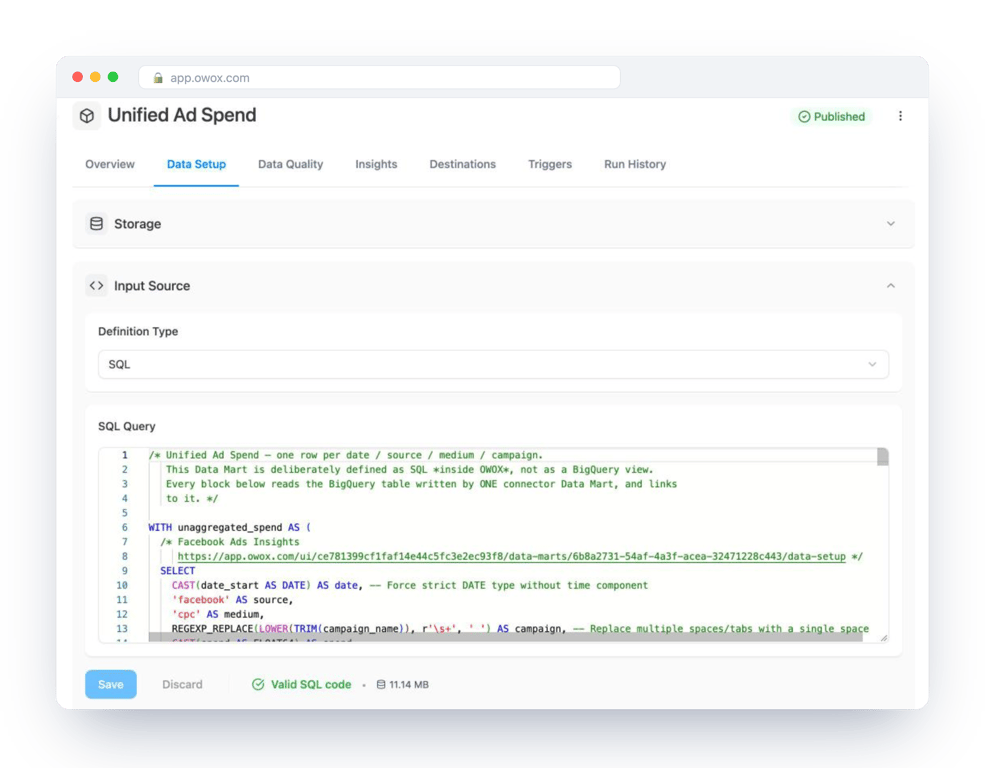
The fix is to make those choices once, in one query that other reports read from. In OWOX Data Marts that query is a Data Mart: your SQL, with the week definition and the time zone you chose, saved with a description and an owner and run in your warehouse. OWOX does not change the date logic. It keeps it in one place, so the weekly number in the and the one in the come from the same DATE_TRUNC.
Turn your data into decisions.
Governed data marts give you the clean foundation ML needs to actually work.
- No AI hallucinations
- Analyst-governed definitions
- Every number traces to SQL
Frequently Asked Questions
How do I subtract from a date in BigQuery?
DATE_SUB(date, INTERVAL n part). DATE_SUB(DATE '2026-10-06', INTERVAL 1 QUARTER) returns 2026-07-06. A negative interval in DATE_ADD gives the same result.
How do I get the current date in BigQuery?
Use CURRENT_DATE(). Without an argument it returns the date in UTC. Pass a time zone name, for example CURRENT_DATE('America/Los_Angeles'), when today should mean the business's day.
How do I add days or months to a date in BigQuery?
DATE_ADD(date, INTERVAL n part), where part is DAY, WEEK, MONTH, QUARTER or YEAR. Month arithmetic clamps to the last valid day: DATE_ADD(DATE '2026-01-31', INTERVAL 1 MONTH) returns 2026-02-28.
How does DATE_DIFF work in BigQuery?
DATE_DIFF(later_date, earlier_date, part) returns the number of part boundaries crossed, not elapsed time. DATE_DIFF(DATE '2026-01-01', DATE '2025-12-31', YEAR) returns 1, although the dates are one day apart.
How do I make BigQuery weeks start on Monday?
Use WEEK(MONDAY) or ISOWEEK as the date part: DATE_TRUNC(d, WEEK(MONDAY)) returns the Monday of the week. Both truncate to the same Monday, but their week numbers differ, because ISO week 1 is the week containing the first Thursday of the year.
Why does SAFE.DATE not work in BigQuery?
With a string argument BigQuery returns 'SAFE with function date is not supported'. Use SAFE_CAST(x AS DATE) for values in YYYY-MM-DD form, or SAFE.PARSE_DATE with a format string for any other layout. Both return NULL for a value that is not a valid date.