Best marketing attribution software in 2026: seven tools compared
Seven marketing attribution tools compared on what they measure, where the data lives and who they fit: Google Analytics 4, OWOX Data Marts, AppsFlyer, Ruler Analytics, Dreamdata, Adobe Analytics and ThoughtMetric. Every claim comes from the vendor's own pages, checked in October 2026.
Every ad platform tells you its ads caused the sale. Add the claims up and you have sold the same order three times. Marketing attribution software exists to settle that argument: it reconstructs the customer’s journey across channels, applies an attribution model to it, and tells you which campaigns actually moved revenue.
This comparison covers seven tools, chosen because each answers a different buyer. The short version:
- Google Analytics 4: free, Google’s own data-driven model, sees only what Google sees.
- OWOX Data Marts: attribution as SQL your analyst owns, published as governed Data Marts in your own warehouse.
- AppsFlyer: mobile-first attribution for apps, with web, CTV and console measurement alongside.
- Ruler Analytics: closes the loop between calls, forms, chats, CRM revenue and the marketing that produced them.
- Dreamdata: B2B revenue attribution across long, multi-contact journeys.
- Adobe Analytics: enterprise attribution inside Analysis Workspace, for companies already on Adobe.
- ThoughtMetric: e-commerce attribution for Shopify-style stores, with surveys and creative analytics.
Every statement about a vendor below comes from that vendor’s own pages, checked in October 2026, and no prices are quoted because they change faster than articles do.
Note: Originally published in 2023. Fully rewritten in October 2026: the retired OWOX product entry was replaced, every vendor claim was re-checked at source, and the comparison was restructured around who each tool fits.
What attribution software does
What attribution software does
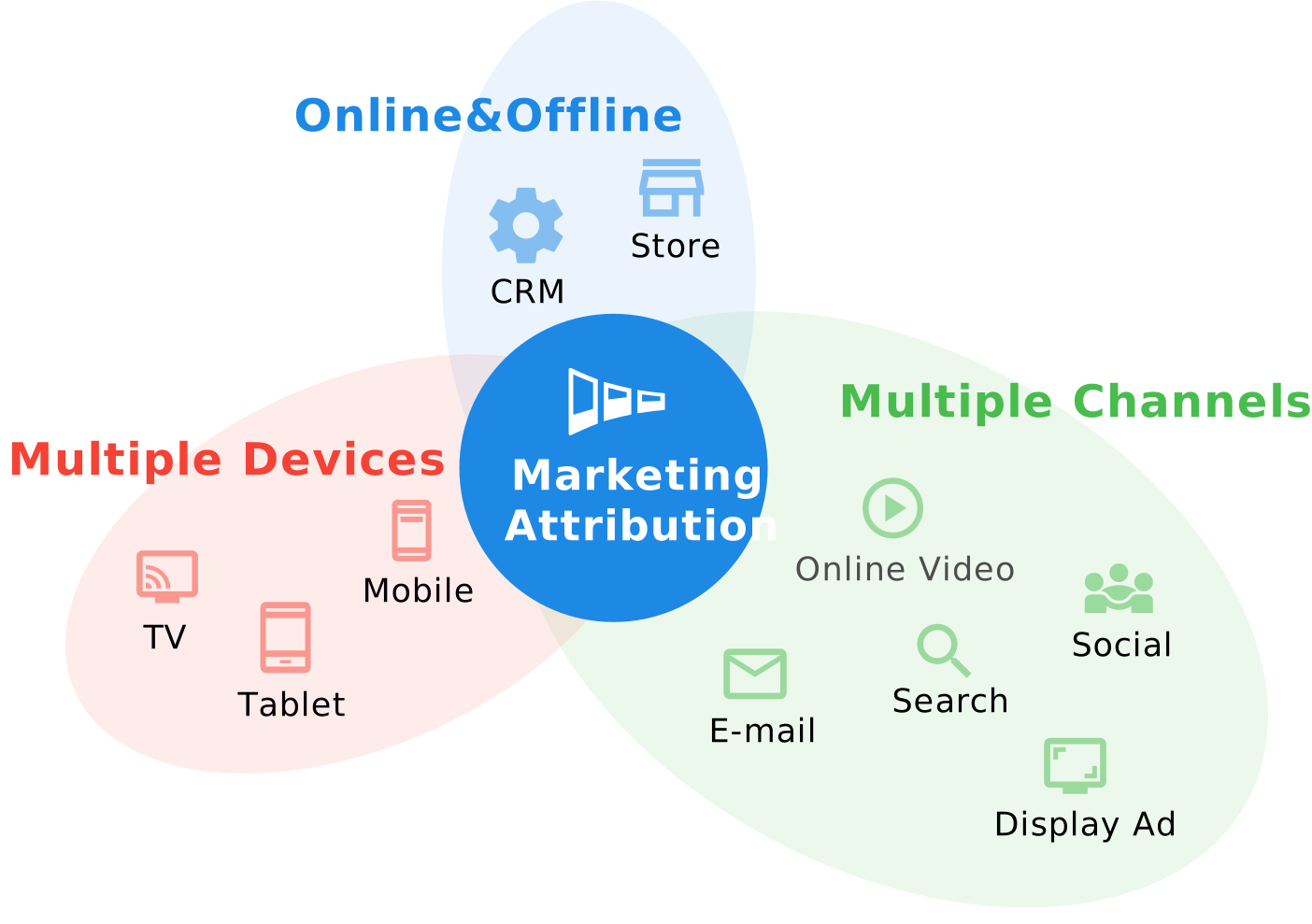
Attribution software does three jobs. It collects touchpoints: sessions, clicks, impressions, calls, form fills, app installs, whatever the business counts as an interaction. It stitches them into journeys per person or account, which is the hard part, because the same person arrives from several devices and channels. And it applies a model that splits each conversion’s value across the journey, so a campaign is credited for the revenue it contributed to rather than for the last click it happened to get.
The tools differ far more on the first two jobs than on the third. Every tool on this list offers multi-touch models; what separates them is which touchpoints they can see, where the data ends up living, and whether you can inspect the model that produced the number.
Why the choice matters
Attribution is where marketing spend becomes a decision. A tool that only sees paid search will tell you paid search works. A tool that cannot see your CRM will credit a “conversion” that your sales team later disqualified. The budget follows the number, so the number has to come from somewhere you trust.
- Budget goes where the credit goes. A model that over-credits the last click moves money into retargeting and brand search, and starves the channels that created the demand.
- Reporting has to survive the boardroom. When the CMO is asked where a revenue figure came from, “the vendor’s model” is a weaker answer than “this query, this table, this join”.
- The data outlives the vendor. Attribution history that lives only inside a tool disappears when the contract ends. History in your own warehouse does not.
OWOX Data Marts
See your first report built in real time. 15 minutes.
- Connect your data warehouse
- Pick your metrics
- Get a live Google Sheets report
In the time it takes to write a ticket. Then imagine never writing that ticket again.
Book a DemoWe'll use your actual use case
Attribution tracking types
The tools below use the same four approaches in different mixes. Marketing attribution models explains each one with worked examples; this is the summary you need to read a vendor’s feature list.
Single-touch attribution
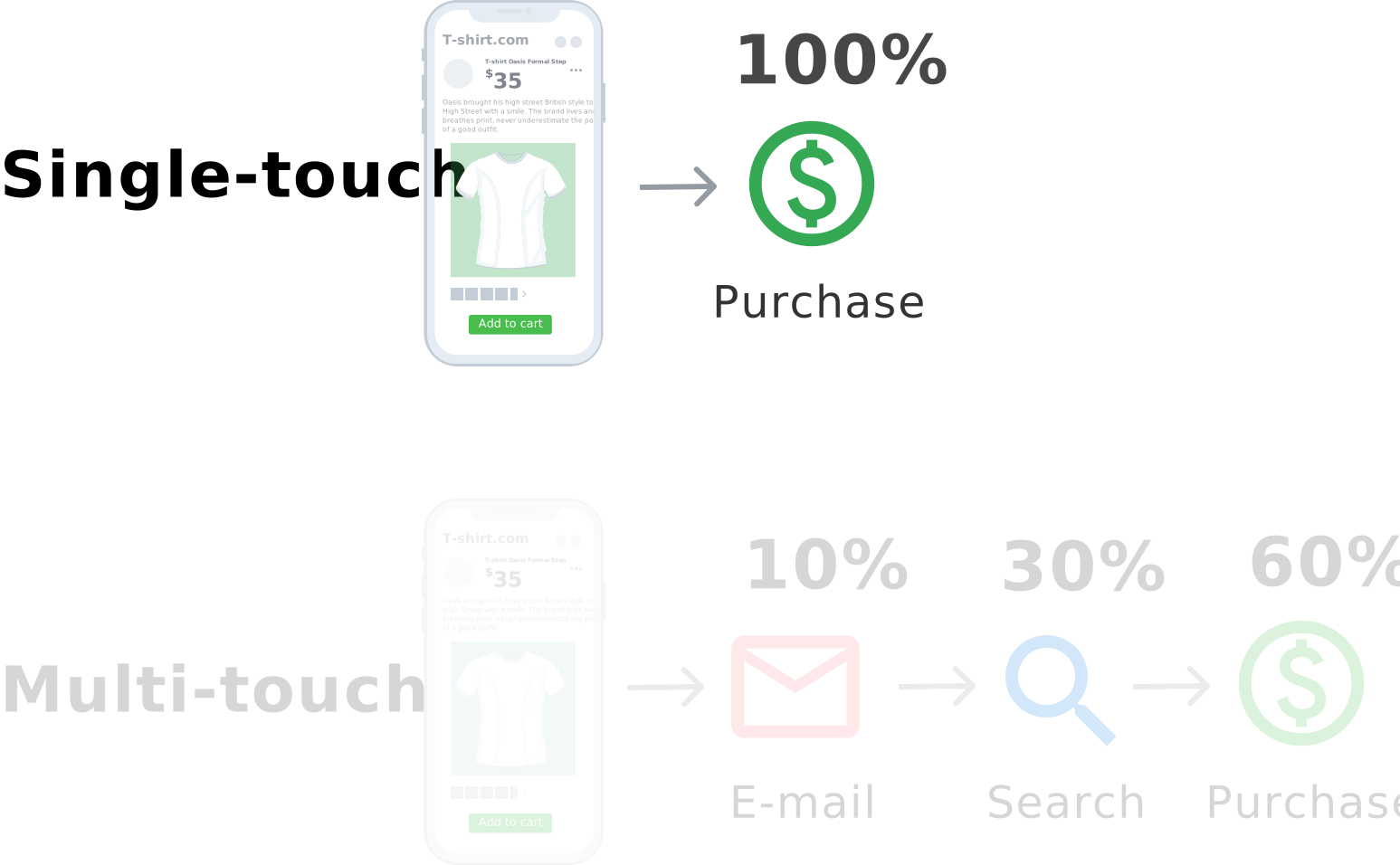
All the credit goes to one touch, the first or the last. Simple, cheap, and blind to everything else that happened. Still the default in most ad platforms.
Multi-touch attribution
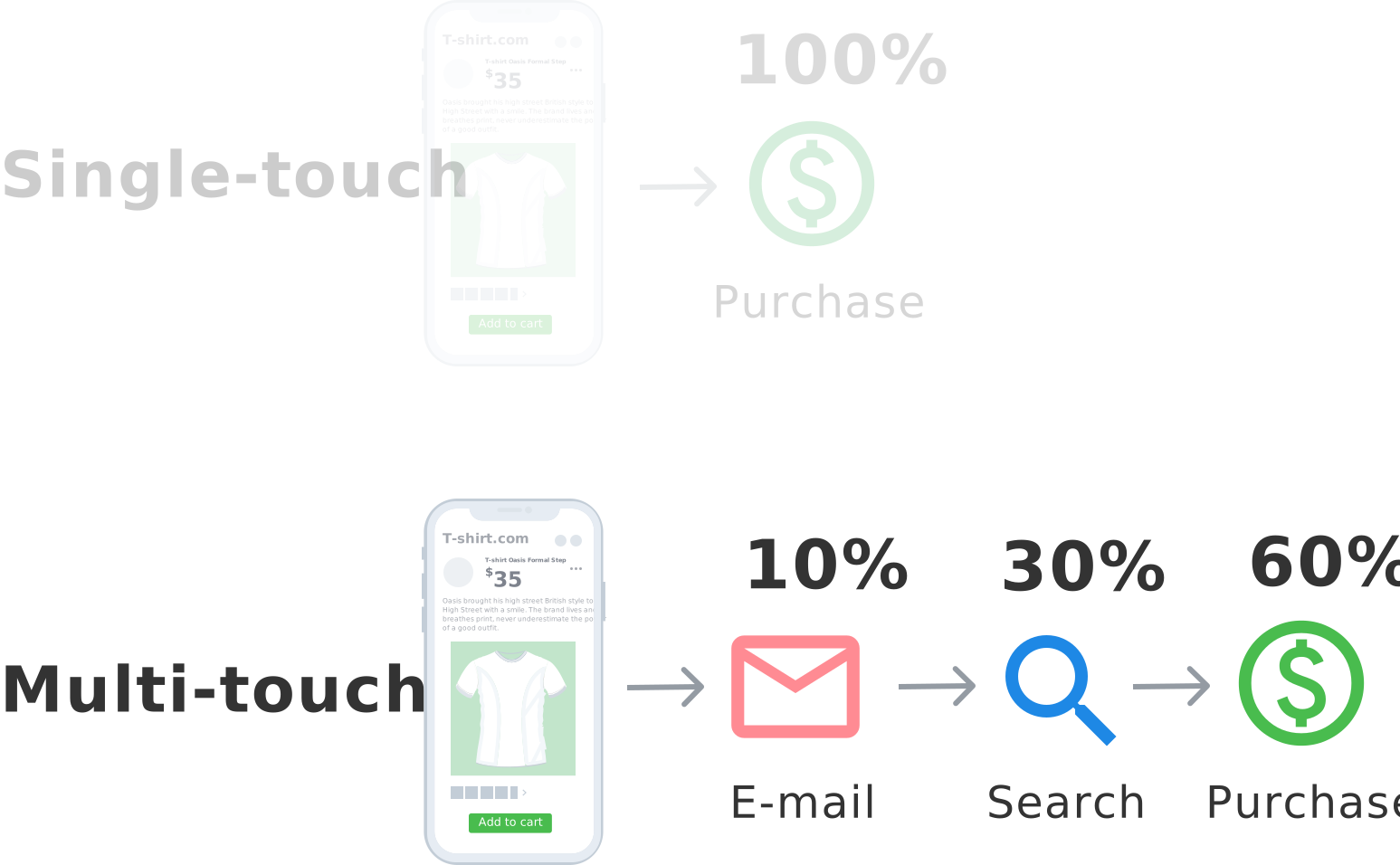
Credit is split across every touch in the journey by a rule: equally, by recency, or by position. Fairer than single-touch, still arbitrary, and the standard offer of every tool in this list.
Marketing mix modelling
Marketing mix modelling works top-down from spend and outcomes over time rather than from individual journeys. It is how you measure channels that leave no clickable trace, such as TV or out-of-home, and some attribution vendors now bundle it.
Algorithmic attribution
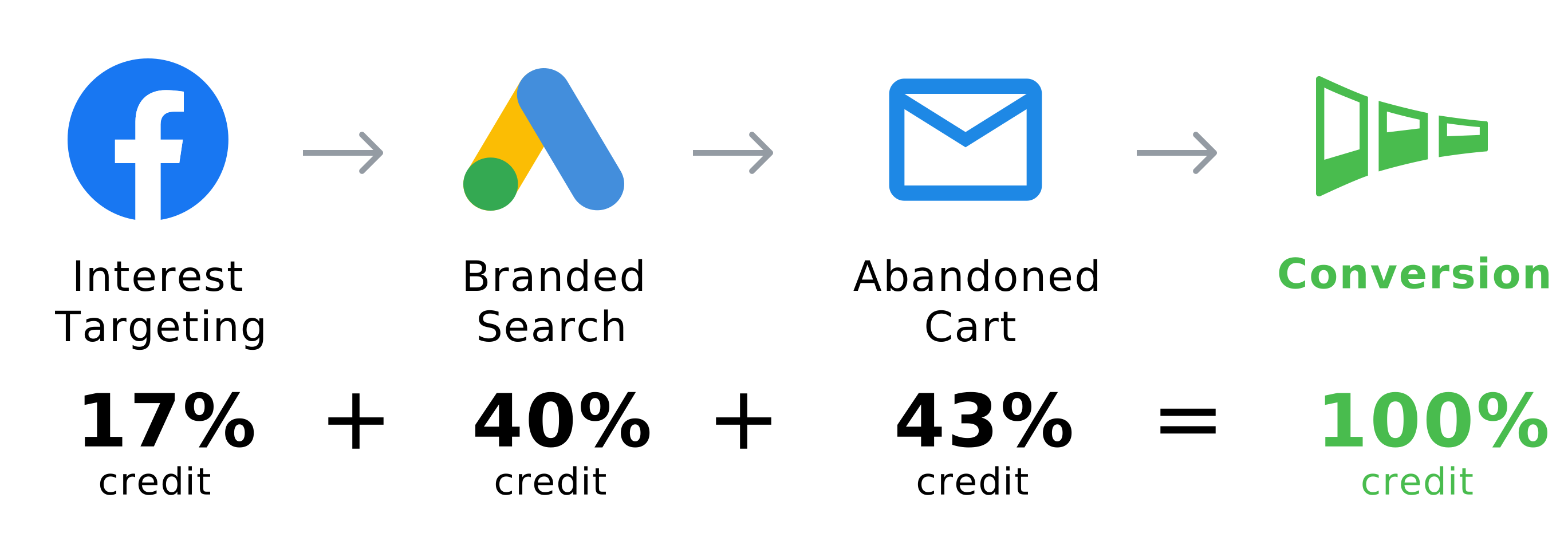
The split is learned from converting and non-converting paths instead of fixed in advance: Google’s data-driven model, Markov chains, Shapley values. More accurate when there is enough data, and only trustworthy when you can see inside it. Data-driven attribution covers Google’s version in detail.
What to look for
Six capabilities decide whether a tool will produce a number you can act on. Feature lists are long; these are the ones that matter.
Cost joined to sessions
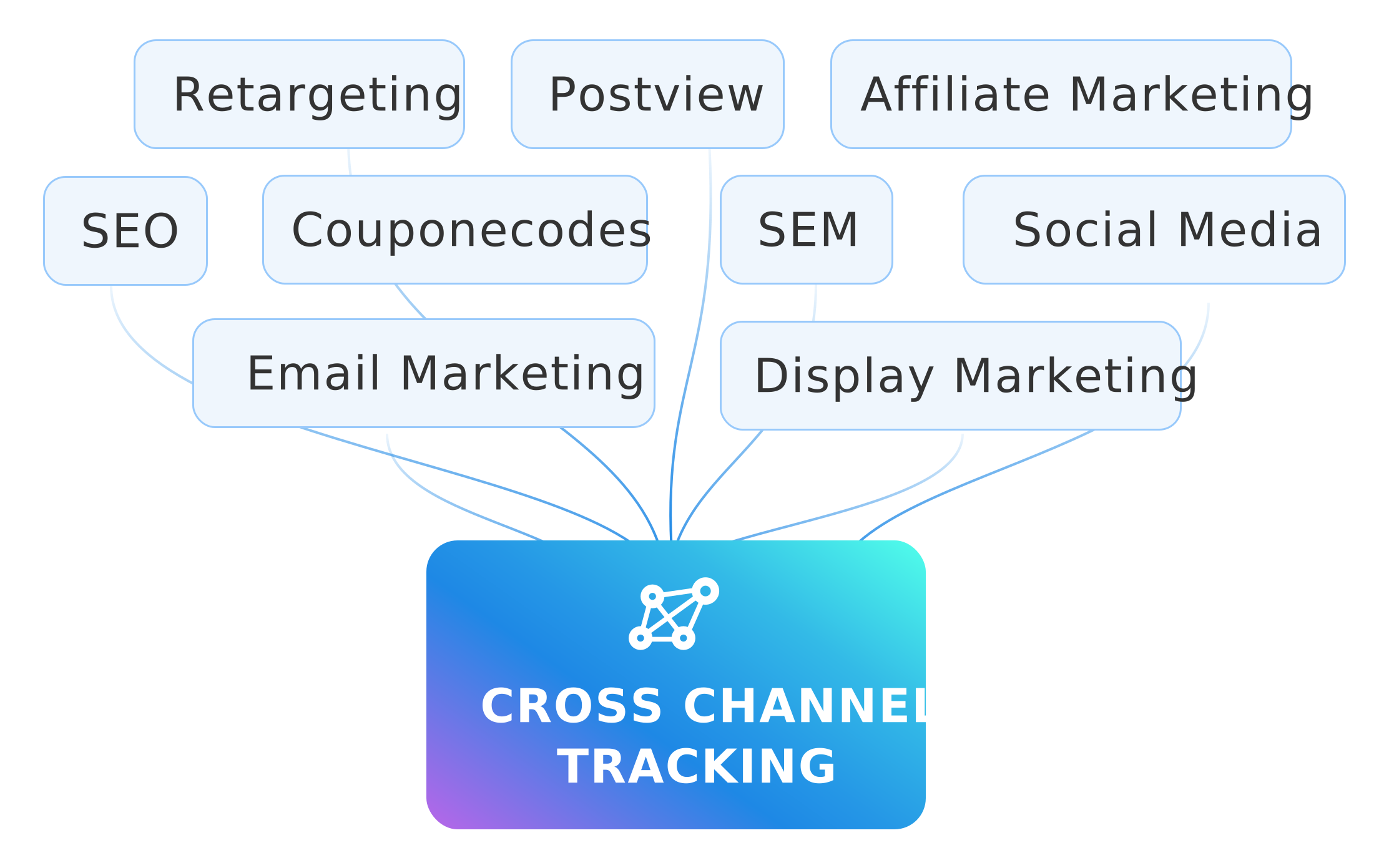
Attribution without cost is a popularity contest. The tool has to join ad spend to the sessions and conversions it produced, so that the output is return on ad spend by campaign and not just conversions by channel.
Offline and CRM conversions
If revenue is recognised in a CRM, an ERP or a store, the tool has to see it there. A “conversion” that is really a form fill or an add-to-cart will credit the wrong channels. Blending GA4 conversions with ad spend shows what that join looks like in practice.
Cross-device journeys
Customers research on a phone and buy on a laptop. A tool that counts those as two people will credit the laptop’s channel and lose the phone’s. Ask how identities are stitched and what happens when they cannot be.
Models you can inspect
Any tool will show you a number under a data-driven model. Fewer will show you the model. If the credit split cannot be explained or reproduced, it cannot be defended, and it will be ignored the first time it contradicts a platform’s own report.
Where the data lives
Some tools copy your data into their platform; others read it where it already is. The difference decides who owns the history, what happens when the contract ends, and whether your analysts can run their own queries against it.
Time to a first number

An attribution project that takes two quarters to show a number will be cancelled before it does. Count the setup honestly: tracking, integrations, identity stitching, model configuration, and whoever has to maintain all of it.
The seven tools
Each entry follows the same shape: what the tool is, what it does well, where it falls short, and who it fits. The vendor’s own page is linked so you can check the current state of each claim.
Google Analytics 4

Google Analytics 4 is where most teams meet attribution for the first time. Its Attribution reports offer three models: data-driven, paid and organic last click, and Google paid channels last click. The first click, linear, time decay and position-based models were removed in November 2023, so if you want those you now build them yourself.
What it does well
- Free, already installed, and integrated with Google Ads and Search Console.
- The data-driven model is trained on your own property’s converting and non-converting paths.
- The raw event export to BigQuery is the starting point for building any model you like.
Where it falls short
- It sees Google’s touches. Meta, LinkedIn and TikTok spend, your CRM’s closed deals and refunds are outside the model.
- The data-driven model’s weights are not visible and cannot be reproduced outside Google.
- Only three models remain in the interface.
Best for teams that want a free baseline, and as the raw-data source behind a warehouse model.
OWOX Data Marts
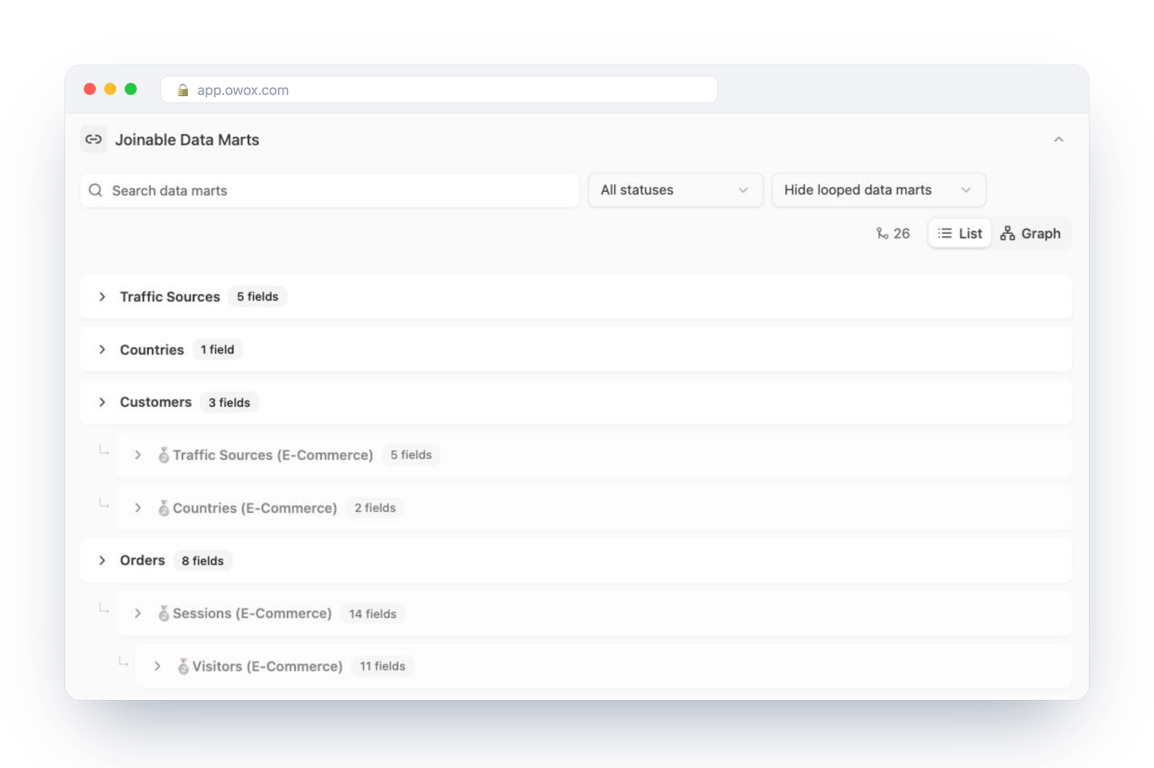
OWOX Data Marts takes a different position from every other tool here: it does not calculate attribution for you. Your analyst writes the attribution model as SQL against the sessions, ad-spend and CRM data already in your warehouse (Google BigQuery, Snowflake, AWS Redshift, AWS Athena or Databricks), and OWOX publishes that query as a governed Data Mart that reports, spreadsheets and AI assistants read from.
What it does well
- The number is defensible. Every figure in a report traces back to SQL with a named owner, not to a vendor’s model. That is the difference between “the tool said so” and an answer you can show the board.
- No semantic-layer project. Relationships between Data Marts (sessions to orders, orders to customers) are declared once as joinable Data Marts, and business users pick joined fields without writing SQL.
- Data stays in your warehouse. Nothing is copied into a vendor platform; the history is yours when the contract ends, and the core is open source with a self-managed option.
- Delivery where people work. Data Marts publish to Google Sheets, Looker Studio, Slack and email on a schedule, and the same Data Marts answer plain-language questions in Claude or ChatGPT over MCP, with every answer traced to the query behind it.
Where it falls short
- It is not a tracking tool. Sessions come from the GA4 export or your own tracking; ad spend comes through connectors; offline conversions come from your CRM.
- Someone has to write the SQL. If there is no analyst, there is no model; building an attribution model in BigQuery shows what that work involves.
Best for companies with a warehouse and at least one analyst, which want attribution they can audit and a reporting layer business users can use without a new tool.
AppsFlyer

AppsFlyer is the mobile measurement partner most app marketers already know. Its measurement suite covers mobile, web, CTV and PC/console attribution, cross-platform measurement, incrementality and fraud protection, with deep linking and an AI assistant alongside.
What it does well
- Built for app installs, in-app events and revenue, with the ad-network integrations that market needs.
- Fraud protection and privacy-era measurement (SKAN and similar) are first-class, not add-ons.
- Cross-platform measurement extends the same model to web, CTV and console.
Where it falls short
- It is an app-first platform. A business whose revenue is mostly web or offline is buying a lot it will not use.
- The modelling and the data live inside AppsFlyer; your warehouse gets exports, not the model.
Best for businesses whose growth runs through a mobile app and who need fraud-aware install attribution.
Ruler Analytics

Ruler Analytics is built around closing the loop between marketing and revenue. It tracks visitors across sessions, matches conversions that arrive by phone, form, live chat or e-commerce to the marketing that preceded them, pulls revenue back from the CRM, and attributes it to channels and campaigns under first-party multi-touch and data-driven models. The vendor describes the data as “no black box, fully transparent granular data”.
What it does well
- Call, form and chat tracking in the same journey as web sessions, which is where lead-generation businesses lose their attribution.
- CRM integration so the number attributed is revenue, not leads.
- Marketing mix modelling and a budget scenario planner sit alongside the attribution reports.
Where it falls short
- Lead-gen and service businesses are the home ground; app and product analytics are not.
- The company is UK-based, which matters for support hours and for data residency conversations.
Best for lead-generation businesses where the sale closes on the phone or in a CRM, not in a cart.
Dreamdata

Dreamdata positions itself as an agentic B2B attribution platform: customer journeys, performance attribution, revenue analytics, an audience hub and signals, built on a data platform with its own tracking, integrations and data hub. Its own framing is “no black boxes, verifiable numbers”, with every figure traceable back to the contact.
What it does well
- Journeys are modelled at the account level, which is what a B2B sale with several stakeholders needs.
- Revenue attribution reads from the CRM pipeline, so credit follows closed revenue rather than form fills.
- A LinkedIn partnership and audience activation turn the attribution output back into targeting.
Where it falls short
- Built for B2B; a consumer business will find most of the model does not apply.
- It is a platform you adopt, with its own tracking and data hub, rather than a layer over the warehouse you already have.
Best for B2B companies with long sales cycles and a CRM that is the system of record for revenue.
Adobe Analytics

Adobe Analytics handles attribution inside Analysis Workspace: an Attribution panel takes any metric and any dimension, lets you pick the attribution models and lookback windows to compare, and returns the comparison as a set of visualisations. It is attribution as a feature of an enterprise analytics suite rather than a standalone tool.
What it does well
- Any dimension can be attributed against, including custom ones such as internal promotions, not just marketing channels.
- Several models and lookback windows are compared side by side in one panel.
- It inherits the governance, scale and integrations of the Adobe stack.
Where it falls short
- It only makes sense if you are already on Adobe; nobody buys the suite for the attribution panel.
- Implementation and administration are a specialist job.
Best for enterprises already running Adobe Analytics or Customer Journey Analytics.
ThoughtMetric
ThoughtMetric is marketing attribution for e-commerce brands. Alongside attribution it offers campaign, creative, customer and product analytics, integrations with the usual e-commerce stack, a conversion API that sends conversion data back to ad platforms, “how did you hear about us?” post-purchase surveys, and AI connectors that bring attribution data into Claude and ChatGPT.
What it does well
- Built around the store: product-level and creative-level performance next to channel attribution.
- Post-purchase surveys add a self-reported signal that click-based models cannot see.
- The conversion API closes the loop back to the ad platforms’ own optimisation.
Where it falls short
- E-commerce only; there is no CRM or offline sales model.
- The data and the model live in the platform.
Best for direct-to-consumer brands on Shopify-style platforms that want attribution and creative analytics in one place.
How to choose
Three questions sort the list faster than any feature matrix.
Where is your revenue recognised? In a cart, pick ThoughtMetric or build in the warehouse. In a CRM after a call, pick Ruler or Dreamdata. In an app, AppsFlyer. If it is recognised in more than one place, the warehouse is the only option that sees all of them.
Who owns the model? If you want a vendor to own it, every platform tool here will. If you need to explain the number to a board or an auditor, the model has to be inspectable, which means SQL you can read or a vendor that shows its work.
Where should the history live? Attribution data that lives in a vendor’s platform is theirs to keep while you pay. Data in your own warehouse is yours either way, and it is where your analysts can run the next question without a new integration. Custom attribution models covers when building your own is worth it.
Key takeaways
- Attribution tools differ on what they can see and where the data lives, far more than on the models they offer.
- GA4 is the free baseline and the raw-data source; every other tool exists because GA4 only sees Google.
- Platform tools (AppsFlyer, Ruler, Dreamdata, Adobe, ThoughtMetric) each fit one kind of revenue: app, lead-gen, B2B, enterprise suite, e-commerce.
- A warehouse model, published as governed Data Marts, is the one option that sees every revenue source and produces a number you can trace to its query.
- Check every vendor claim on the vendor’s own page before buying. This article did, in October 2026; the pages will have changed by the time you read it.
Turn your data into decisions.
Governed data marts give you the clean foundation ML needs to actually work.
- No AI hallucinations
- Analyst-governed definitions
- Every number traces to SQL
Frequently Asked Questions
What is multi-touch attribution software?
Multi-touch attribution software splits the credit for a conversion across several touchpoints in the customer's journey instead of giving it all to the first or last click. Every tool in this comparison offers multi-touch models; they differ on which touchpoints they can see and whether you can inspect how the credit was split.
Why should you use attribution software?
Attribution software tells you which campaigns and channels contributed to revenue, so budget can move to what works. Without it, every ad platform credits itself for the same sale and the reports cannot be reconciled.
What are marketing attribution tools?
Marketing attribution tools are software that reconstructs customer journeys across channels and applies an attribution model to them, so you can see which campaigns contribute to conversions. The platforms' own tools (GA4, Google Ads, Meta) only see their own touches; a warehouse-based model sees all of them, including CRM and offline sales.
What are the best marketing attribution software tools in 2026?
It depends on where your revenue is recognised. GA4 is the free baseline; AppsFlyer fits apps, Ruler Analytics fits lead generation, Dreamdata fits B2B, Adobe fits enterprises already on Adobe, ThoughtMetric fits e-commerce, and OWOX Data Marts fits companies that want the attribution model as SQL their analyst owns, in their own warehouse.