BigQuery CREATE TABLE and DROP TABLE: syntax and examples
The DDL statements that create and remove BigQuery tables and datasets: CREATE TABLE with columns, partitioning and options, IF NOT EXISTS against OR REPLACE, CREATE TABLE AS SELECT, LIKE and COPY, CREATE SCHEMA, and DROP. Every statement here was validated by a BigQuery dry run, and the errors you hit most often are reproduced.
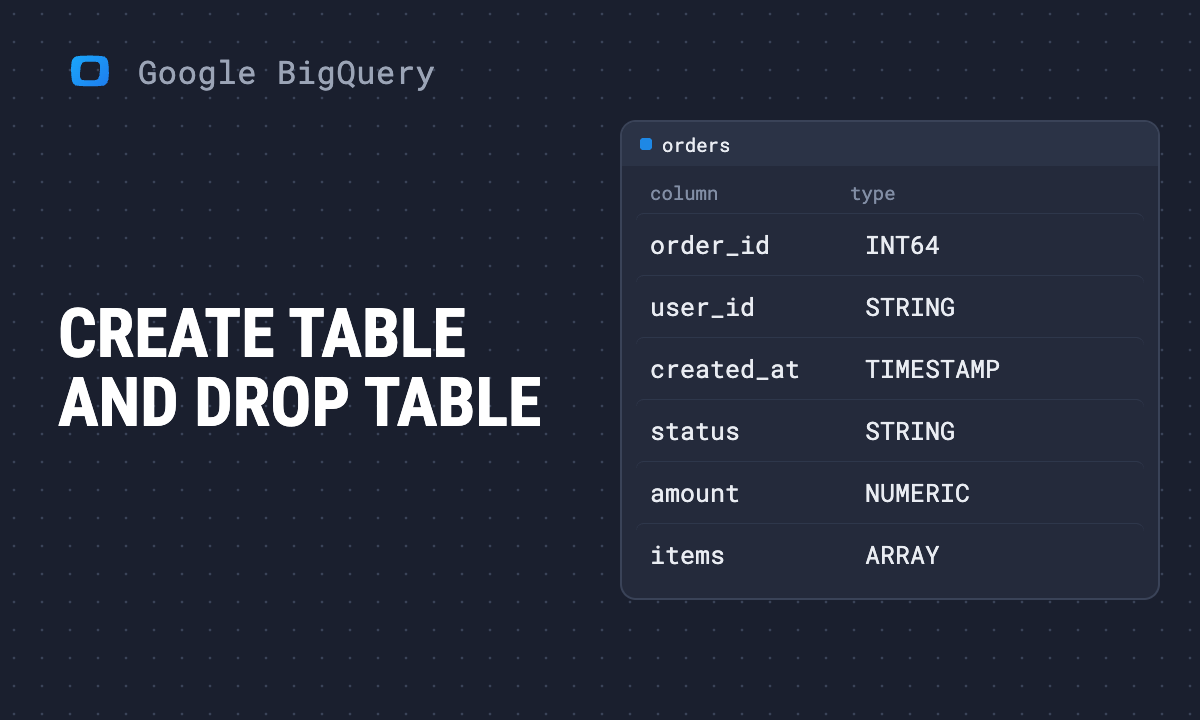
To create a table in BigQuery with SQL, write CREATE TABLE dataset.table (column TYPE, ...). To create it from a query, CREATE TABLE dataset.table AS SELECT .... To remove it, DROP TABLE dataset.table. The rest of this page is the options around those three, and the errors that stop them.
| You want to | Statement |
|---|---|
| create an empty table | CREATE TABLE d.t (col TYPE, ...) |
| create it only if it is missing | CREATE TABLE IF NOT EXISTS d.t (...) |
| create or overwrite it | CREATE OR REPLACE TABLE d.t (...) |
| create it from a query | CREATE [OR REPLACE] TABLE d.t AS SELECT ... |
| copy the structure only | CREATE TABLE d.t LIKE d.source |
| copy structure and data | CREATE TABLE d.t COPY d.source |
| create a dataset | CREATE SCHEMA [IF NOT EXISTS] project.d |
| remove a table or dataset | DROP TABLE [IF EXISTS] d.t, DROP SCHEMA d |
To change a table that exists, see ALTER TABLE.
Note: Originally published in January 2024. Fully rewritten in October 2026. Every statement below was validated by a BigQuery dry run on 16 October 2026, which checks the statement against the project without creating or dropping anything. The error messages are the ones those dry runs returned.
CREATE TABLE with columns and options
CREATE TABLE with columns and options
CREATE TABLE IF NOT EXISTS mydataset.orders (
  order_id INT64 NOT NULL OPTIONS (description = 'Order number'),
  order_date DATE NOT NULL,
  customer_id STRING,
  amount NUMERIC,
  status STRING DEFAULT 'new'
)
PARTITION BY order_date
CLUSTER BY customer_id
OPTIONS (
  description = 'Orders, one row per order',
  partition_expiration_days = 400,
  require_partition_filter = TRUE
);
What each part does:
NOT NULLmakes the column REQUIRED. A load with an empty value fails instead of storing a NULL.OPTIONS (description = ...)on a column is the documentation every later reader sees in the schema.DEFAULT 'new'fills the column when an insert leaves it out.PARTITION BY order_datesplits the table by day, so a query that filters on the date reads only those days. See partitioned tables.CLUSTER BY customer_idsorts data within each partition, so filters on that column read less.partition_expiration_daysdeletes partitions older than that many days.require_partition_filter = TRUErejects any query on the table that does not filter on the partition column. It is the simplest guard against a full-table scan by accident.
The column types are explained in BigQuery data types. For a TIMESTAMP column, partition by its date: PARTITION BY DATE(event_ts).
IF NOT EXISTS or OR REPLACE
| Statement | If the table already exists |
|---|---|
CREATE TABLE d.t ... |
fails: “Already Exists: Table project:d.t” |
CREATE TABLE IF NOT EXISTS d.t ... |
does nothing; the existing table and its data stay |
CREATE OR REPLACE TABLE d.t ... |
replaces it; the old data is gone |
CREATE OR REPLACE TABLE IF NOT EXISTS ... |
fails: “CREATE TABLE cannot have both OR REPLACE and IF NOT EXISTS” |
Use IF NOT EXISTS in setup scripts that may run twice. Use OR REPLACE for tables that are rebuilt from a query on every run. A replaced table can be recovered for a few days with time travel; see restoring a deleted table.
CREATE SCHEMA IF NOT EXISTS works the same way for datasets.
OWOX Data Marts
See your first report built in real time. 15 minutes.
- Connect your data warehouse
- Pick your metrics
- Get a live Google Sheets report
In the time it takes to write a ticket. Then imagine never writing that ticket again.
Book a DemoWe'll use your actual use case
CREATE TABLE AS SELECT
CREATE OR REPLACE TABLE mydataset.daily_clicks
PARTITION BY data_date AS
SELECT
  data_date,
  SUM(clicks) AS clicks,
  SUM(impressions) AS impressions
FROM searchconsole.searchdata_site_impression
WHERE data_date >= '2026-09-01'
GROUP BY data_date;
The schema comes from the query: here data_date DATE, clicks INT64, impressions INT64. The dry run reported 18.7 MB to read from our Search Console export, which is what the statement would be billed for. Partitioning and clustering go before AS.
This is the usual way to build a summary table that reports read instead of the raw data. Scheduled, it is a nightly rebuild. One thing to know: with OR REPLACE, a change to the query changes the table’s schema on the next run, and whatever reads the table sees it at once.
LIKE and COPY
CREATE TABLE mydataset.orders_empty LIKE mydataset.orders;
CREATE TABLE mydataset.orders_copy COPY mydataset.orders;
LIKE creates an empty table with the same columns and, per Google’s DDL reference, the same partitioning, clustering and options. COPY copies columns and data. For a backup that only costs storage for what later changes, use a table snapshot instead; the restore guide shows it.
CREATE SCHEMA: datasets
CREATE SCHEMA IF NOT EXISTS `myproject.reporting`
OPTIONS (
  location = 'US',
  default_table_expiration_days = 30
);
In BigQuery, SCHEMA means dataset. The location cannot be changed later, and a query can only join tables in the same location, so create every dataset a report uses in the same one. default_table_expiration_days deletes new tables after that many days, which suits a scratch dataset.
DROP
DROP TABLE IF EXISTS mydataset.orders;
DROP SCHEMA mydataset;
DROP SCHEMA mydataset CASCADE;
IF EXISTSstops the statement from failing when the table is already gone.DROP SCHEMArefuses a dataset that still has tables, with “Dataset … is still in use”.CASCADEdrops the tables with it.- A dropped table can be restored within the dataset’s time travel window, seven days by default, and a dropped dataset with
UNDROP SCHEMA. After that it is gone. Details in the restore guide.
Deleting rows rather than the table is DML: see the DML guide.
Views
CREATE VIEW and CREATE MATERIALIZED VIEW follow the same IF NOT EXISTS and OR REPLACE rules. When to use which is in BigQuery views and materialized views.
Keep the DDL with the logic
A CREATE OR REPLACE TABLE ... AS SELECT that runs every night is report logic, and it usually lives in one person’s scheduled queries. When that person is away and the numbers look wrong, nobody can see which query built the table. In OWOX Data Marts the same SQL is a Data Mart with an owner, a description per column and a run history, and reports read it directly. OWOX Data Marts runs your SQL as written, in your own BigQuery project, and does not transform the data.
Turn your data into decisions.
Governed data marts give you the clean foundation ML needs to actually work.
- No AI hallucinations
- Analyst-governed definitions
- Every number traces to SQL
Frequently Asked Questions
How do I create a table from a query in BigQuery?
CREATE TABLE dataset.table AS SELECT ..., or CREATE OR REPLACE TABLE to rebuild it each run. The schema comes from the query. Partitioning and clustering go before AS: CREATE OR REPLACE TABLE d.t PARTITION BY day AS SELECT ...
How do I add partitioning and clustering in CREATE TABLE?
After the column list: PARTITION BY order_date CLUSTER BY customer_id, then OPTIONS such as partition_expiration_days and require_partition_filter = TRUE. For a TIMESTAMP column, partition by DATE(column).
What does 'Already Exists: Table' mean in BigQuery?
CREATE TABLE fails when a table with that name exists. Use CREATE TABLE IF NOT EXISTS to skip it and keep the existing table, or CREATE OR REPLACE TABLE to overwrite it. The two cannot be combined in one statement.
How do I create a BigQuery table only if it does not exist?
CREATE TABLE IF NOT EXISTS dataset.table (...). If the table exists, the statement does nothing and its data stays. CREATE SCHEMA IF NOT EXISTS does the same for datasets.
What are DDL statements in BigQuery?
Data definition language: the SQL statements that create, change and remove tables, views and datasets, such as CREATE TABLE, CREATE OR REPLACE TABLE, ALTER TABLE, CREATE SCHEMA and DROP TABLE. In BigQuery, SCHEMA means dataset.