Is BigQuery a data warehouse or a data lake? A guide for marketing teams
Google BigQuery (GBQ) is a cloud data warehouse that can also read files in a data lake. This guide explains the difference in plain terms, what a marketing data warehouse holds, how marketing data gets into BigQuery, what it costs a small team, and where BigQuery is not the right choice.

Google BigQuery is a data warehouse. It stores data in tables and answers SQL queries over them. It can also read files that sit in a data lake, such as Parquet files in Cloud Storage, without loading them first. So the honest answer to “warehouse or lake” is: a warehouse by design, with a door into the lake.
Google itself now describes BigQuery more broadly, as “a fully managed, AI-ready data platform” (introduction to BigQuery, read in October 2026). For a marketing team the practical meaning is simpler: it is the place where ad spend, website behaviour and sales can sit in one set of tables and be joined.
Note: Originally published in July 2023. Fully rewritten in October 2026 against Google’s current documentation and pricing.
Data warehouse and data lake: the difference
Data warehouse and data lake: the difference
| Data warehouse | Data lake | |
|---|---|---|
| Holds | tables with defined columns | files in any format |
| Structure is decided | before the data is stored | when the data is read |
| You work with it through | SQL | SQL engines, notebooks, code |
| Typical user | analysts, marketers with SQL | data engineers, data scientists |
| Good at | reports that must agree with each other | keeping everything cheaply, in case |
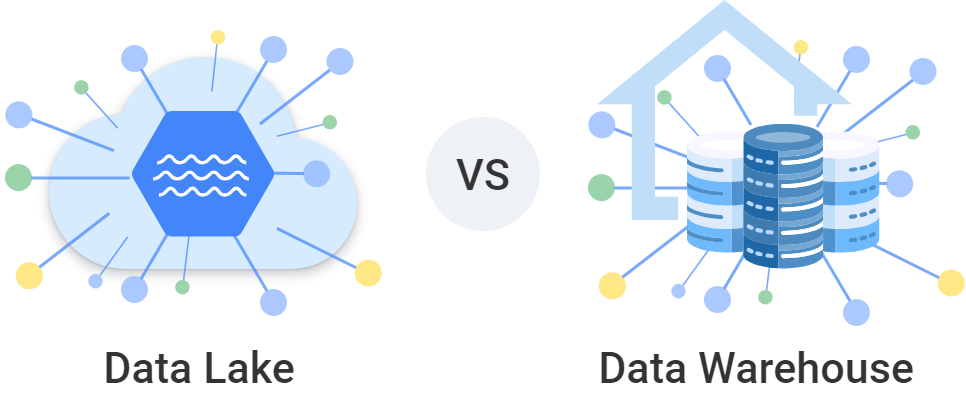
A lake is cheap to fill and expensive to trust: nobody has decided yet what a “session” or an “order” is. A warehouse costs more thought up front and repays it every time two people pull the same number and get the same answer.
Where BigQuery sits
BigQuery’s own storage is a warehouse: datasets, tables, columns, types. Three features reach into lake territory, all from Google’s introduction page:
- External tables and BigLake tables query data that stays in Cloud Storage or another cloud’s storage, without moving it.
- Open table formats: Apache Iceberg, Delta and Apache Hudi are supported.
- Unstructured data: Google says BigQuery provides “a uniform way to work with both structured and unstructured data”.
The industry name for a warehouse that does this is a lakehouse. If your marketing data arrives as rows from ad platforms and a CRM, you will rarely need the lake side. It matters when another team already keeps event files in Cloud Storage and you want to join them to your tables.
What a marketing data warehouse holds
What a marketing data warehouse holds
A marketing data warehouse is an ordinary warehouse filled with the data a marketing team reports on:
- Ad platforms: cost, impressions and clicks by campaign and day.
- Website and app: sessions, events and conversions.
- CRM and sales: leads, deals, orders, refunds.
- Reference data: budgets, targets, channel groupings.
The point of putting them in one place is the join. Cost lives in the ad platform, revenue lives in the CRM, and return on ad spend exists in neither until the two meet on a campaign or a date. Platform interfaces also keep history for a limited time; a warehouse keeps it until you delete it.
Warehouse, Data Mart, report
Three words get mixed up, including in searches for “Google Data Mart”:
- The warehouse holds everything, raw and prepared.
- A Data Mart is a prepared slice of it for one subject, for example “orders with their traffic source”, with agreed column meanings.
- A report is what a person reads, built on a Data Mart.
Google has no product called a Data Mart. In BigQuery it is a table or a view that somebody maintains for the purpose.
OWOX Data Marts
See your first report built in real time. 15 minutes.
- Connect your data warehouse
- Pick your metrics
- Get a live Google Sheets report
In the time it takes to write a ticket. Then imagine never writing that ticket again.
Book a DemoWe'll use your actual use case
Why marketing teams choose BigQuery
Why marketing teams choose BigQuery
It starts where Google’s marketing data already is. Google Analytics 4 exports raw events to BigQuery natively, and the BigQuery Data Transfer Service loads Google Ads, Campaign Manager, Display & Video 360, Search Ads 360 and YouTube on a schedule. For a team whose stack is mostly Google, half the loading is configuration. See the GA4 to BigQuery guide.
There are no servers to run. Storage and compute are separate, and Google allocates the compute for each query. Nobody sizes a cluster or pauses it at night.
A small team can start for nothing. The BigQuery sandbox needs no billing account. On a billed account in the Iowa region, as of October 2026, the first 1 TiB of on-demand query data and the first 10 GiB of storage each month are free, then queries cost $6.25 per TiB scanned and active storage about $0.023 per GiB per month. A few years of ad platform data for one brand is usually well inside that. The detail is in BigQuery pricing.
It speaks SQL. Whatever tool reads the data later, the logic is written in a language most analysts know. Start with the BigQuery overview.
Reports connect to it directly. Google Sheets, Data Studio (formerly Looker Studio), Power BI and Tableau all read BigQuery. See BigQuery visualization tools.
Machine learning is in the same place. BigQuery ML trains and runs models with SQL on the tables you already have.
Where BigQuery is the wrong choice
Where BigQuery is the wrong choice
- Your company already runs another warehouse. If finance and product live in Snowflake, Databricks or Amazon Redshift, a separate marketing island in BigQuery creates a second copy of the truth. The warehouse comparison sets them side by side.
- You need an application database. BigQuery is built for analytical queries over large tables, not for many small reads and writes per second.
- Nobody will own the queries. On-demand billing charges for data scanned. An unfiltered query on a large table, scheduled hourly, is how small bills become large ones.
- You expect it to tidy the data. BigQuery stores what you load. Deduplication, currency conversion and channel grouping are SQL somebody has to write and keep.
Is it the best data warehouse for a small business? It is one of the cheapest to start with and the least work to run, which is most of what a small team needs. “Best” depends on the warehouse the rest of the company uses.
How marketing data gets into BigQuery
How marketing data gets into BigQuery
| Source | Route | Cost of the loading |
|---|---|---|
| Google Analytics 4 | native export, set up in GA4 Admin | free; you pay BigQuery storage and queries |
| Google Ads, Campaign Manager, Search Ads 360, YouTube | BigQuery Data Transfer Service | no orchestration charge for Google’s own sources |
| Facebook Ads | Data Transfer Service, or a connector | billed for the compute used, or free with an open-source connector you run |
| TikTok Ads and other ad platforms | a connector | depends on the tool |
| CRM exports, budgets, targets | file upload or a Google Sheets external table | free to load |
The cheapest way to get marketing data into BigQuery is therefore: Google’s own exports for Google’s products, and an open-source connector for the rest. OWOX Data Marts includes open-source connectors that write raw ad platform data into your warehouse; the TikTok Ads to BigQuery guide walks through one. Every route is compared in loading data into BigQuery.
From a warehouse to numbers people agree on
From a warehouse to numbers people agree on
Getting the data in is the smaller half. A warehouse full of raw tables still lets two analysts define “revenue” two ways, and a marketer who cannot write SQL still waits for one of them.
The fix is the Data Mart layer described above, and it is what OWOX Data Marts manages on top of your warehouse. It works with Google BigQuery, Snowflake, Databricks, Amazon Redshift and Amazon Athena, runs your SQL as written in your own project, and does not transform the data.
- An analyst publishes a table, a view or a SQL query as a Data Mart, with a description for every column.
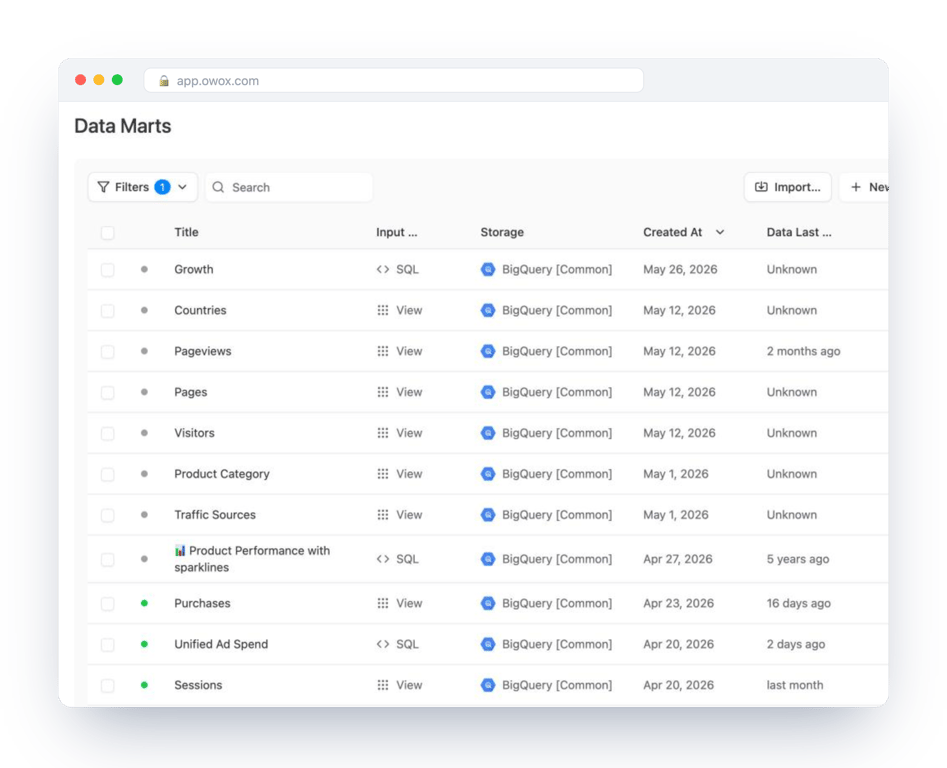
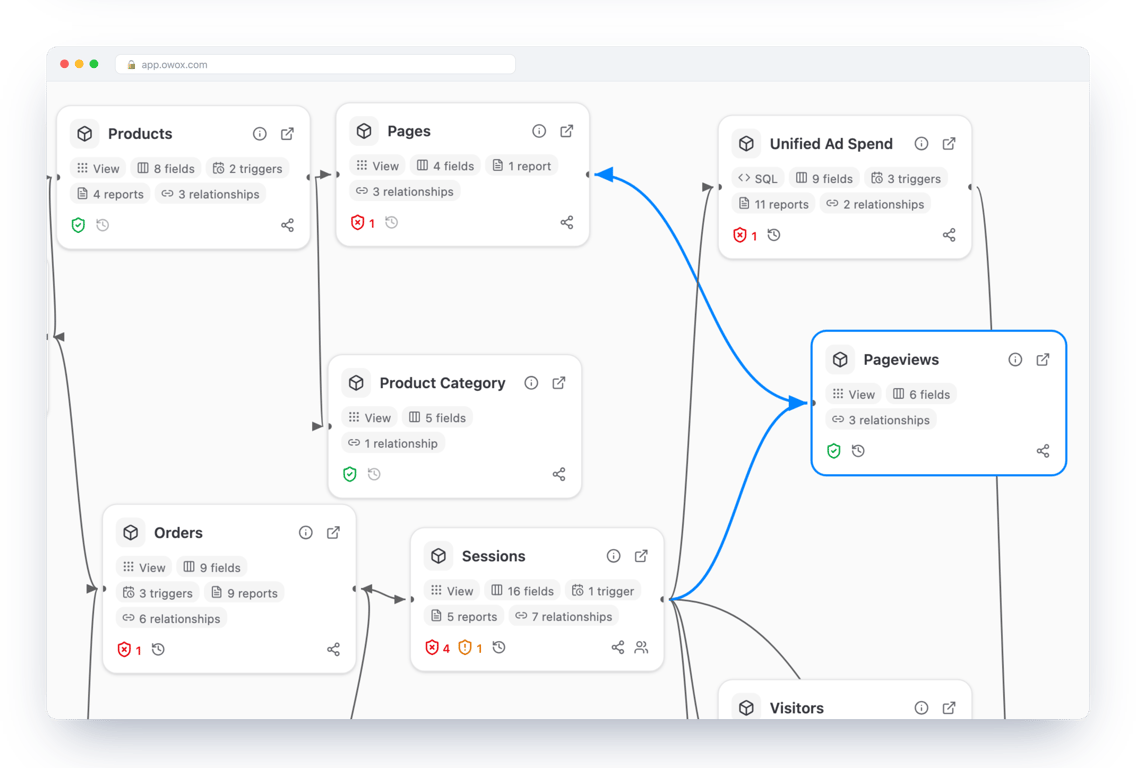
- The analyst declares how Data Marts join, once. Pageviews join to sessions and to pages, orders to sessions, and the join no longer depends on who writes the query. A wrong join is the usual reason two reports disagree; the JOIN and UNION guide shows how it happens.
- Each Data Mart is delivered where people work: Google Sheets, Data Studio, email or Slack, on a schedule. The steps for a spreadsheet are in how to connect BigQuery to Google Sheets.
The warehouse stays yours, in your cloud account. If you stop using the tool, the tables and the SQL remain.
A short checklist before you commit
A short checklist before you commit
- List the questions first. “Which campaigns bring customers who buy twice” tells you which sources you need. “All our data in one place” does not.
- Check what the company already runs. One warehouse is easier to trust than two.
- Start with two sources. Usually website events and one ad platform. Add the CRM when the first join works.
- Name an owner for definitions. Someone decides what counts as a lead and writes it down next to the column.
- Put a date filter in every scheduled query. It is the single habit that keeps the bill small.
Turn your data into decisions.
Governed data marts give you the clean foundation ML needs to actually work.
- No AI hallucinations
- Analyst-governed definitions
- Every number traces to SQL
Frequently Asked Questions
Is BigQuery a data warehouse or a data lake?
A data warehouse. BigQuery stores data in tables and answers SQL queries over them. It can also query files that stay in a data lake, such as Parquet files in Cloud Storage, through external and BigLake tables, which is why it is sometimes called a lakehouse.
What is a marketing data warehouse?
A data warehouse filled with the data a marketing team reports on: ad platform cost and clicks, website and app events, CRM leads and orders, and reference data such as budgets. Its purpose is to join them, so that spend and revenue can sit in one report.
Is BigQuery a good data warehouse for a small business?
It is one of the cheapest to start with and needs no servers. The sandbox works without a billing account, and a billed account gets 1 TiB of on-demand query data and 10 GiB of storage free each month. If the rest of the company already uses another warehouse, use that one.
What is the cheapest way to get marketing data into BigQuery?
Use Google's own exports for Google's products: the GA4 export and the BigQuery Data Transfer Service for Google Ads and YouTube carry no loading charge. For other ad platforms, an open-source connector you run yourself avoids a per-source fee. You still pay BigQuery for storage and queries.
What does GBQ stand for?
GBQ is short for Google BigQuery, the data warehouse in Google Cloud. The product's official name is BigQuery.
What is the difference between a data warehouse and a Data Mart?
A data warehouse holds all of a company's analytical data. A Data Mart is a prepared slice of it for one subject, such as orders with their traffic source, with agreed column meanings. In BigQuery a Data Mart is a table or a view that someone maintains for that purpose.