JOIN vs UNION in SQL: the difference, with examples
JOIN puts tables side by side and adds columns, matching rows on a key. UNION stacks tables on top of each other and adds rows. This guide runs one small dataset through both, covers UNION ALL and UNION DISTINCT in BigQuery, and shows the two mistakes that silently change a total.

JOIN combines tables side by side: it adds columns, matching rows on a key. UNION combines tables top to bottom: it adds rows, and the tables need the same columns. Use JOIN when the tables describe different things about the same entity. Use UNION when they hold the same kind of record from different places.
| JOIN | UNION | |
|---|---|---|
| Combines | horizontally | vertically |
| Adds | columns | rows |
| Needs | a matching key | the same number and types of columns |
| Typical use | orders with customer details | web orders with store orders |
The examples are BigQuery SQL, run on 6 October 2026. The logic is the same in any SQL database; the one BigQuery-specific rule is noted where it applies.
Note: Originally published in April 2024. Fully updated in October 2026 with one dataset used throughout and every result re-run.
The dataset
Three small tables, declared inline so you can paste and run them. web and store hold orders from two channels. crm holds a tier per customer.
WITH web AS (
  SELECT 'ana' AS customer, 120 AS amount
  UNION ALL SELECT 'ben', 40
  UNION ALL SELECT 'ben', 40
),
store AS (
  SELECT 'ben' AS customer, 40 AS amount
  UNION ALL SELECT 'cy', 500
),
crm AS (
  SELECT 'ana' AS customer, 'gold' AS tier
  UNION ALL SELECT 'cy', 'silver'
  UNION ALL SELECT 'dee', 'gold'
)
SELECT * FROM web;
Ben has two identical web orders on purpose. Keep the WITH block and replace the last line with each query below.
UNION: stack rows
web and store have the same columns, so they can be stacked.
SELECT * FROM web
UNION ALL
SELECT * FROM store;
Five rows: every row from both tables, duplicates included.
SELECT * FROM web
UNION DISTINCT
SELECT * FROM store;
Three rows: ana 120, ben 40, cy 500. UNION DISTINCT removes every duplicate row, including the ones that were already inside web. Ben’s three 40-unit orders across the two channels become one.
That is the trap. If those were three real orders, UNION DISTINCT just deleted two of them, and revenue fell from 740 to 660 without an error. Use UNION ALL unless you can say why duplicates must go. It is also cheaper, because the database does not have to compare rows.
UNION ALL vs UNION DISTINCT in BigQuery
In BigQuery you must write one of the two. A bare UNION is a syntax error:
Syntax error: Expected keyword ALL or keyword
DISTINCT but got keyword SELECT
Many other databases accept a bare UNION and treat it as UNION DISTINCT. So a query moved to BigQuery from elsewhere needs the word added, and the right word to add for a bare UNION is DISTINCT if you want the same result as before.
What UNION requires
- The same number of columns. Otherwise: “Queries in UNION ALL have mismatched column count”.
- Compatible types in each position. Otherwise: “Column 1 in UNION ALL has incompatible types: STRING, INT64”.
- Columns are matched by position, not by name. If one query selects
customer, amountand the otheramount, customer, BigQuery either raises the type error above or, when the types happen to match, puts values in the wrong columns without complaint.
To match by name instead, BigQuery accepts BY NAME:
SELECT customer, amount FROM web
UNION ALL BY NAME
SELECT amount, customer FROM store;
The result takes its column names from the first query.
OWOX Data Marts
See your first report built in real time. 15 minutes.
- Connect your data warehouse
- Pick your metrics
- Get a live Google Sheets report
In the time it takes to write a ticket. Then imagine never writing that ticket again.
Book a DemoWe'll use your actual use case
JOIN: add columns
crm describes customers, not orders, so it cannot be stacked under web. It is joined to it, on the column both share.
SELECT w.customer, w.amount, c.tier
FROM web AS w
JOIN crm AS c USING (customer);
One row: ana, 120, gold. An inner join keeps only the rows that match on both sides. Ben is not in crm, so both his orders are gone.
The type of join decides what happens to rows without a match:
| Join | Keeps | Rows here |
|---|---|---|
JOIN (inner) |
matches only | 1 |
LEFT JOIN |
every web row |
3 |
FULL JOIN |
every row from both | 5 |
SELECT w.customer, w.amount, c.tier
FROM web AS w
LEFT JOIN crm AS c USING (customer);
Three rows: ana with gold, and ben twice with NULL in tier. For a report on orders this is usually the right join. An inner join would have dropped Ben’s revenue because a lookup table was incomplete.
RIGHT JOIN is a left join with the tables swapped, and CROSS JOIN pairs every row with every row, with no key at all.
The mistake JOIN makes: fan-out
The mistake JOIN makes: fan-out
A join repeats a row once for each match on the other side. Join store to web on customer and sum the store amounts:
SELECT SUM(s.amount) AS store_revenue
FROM store AS s
JOIN web AS w USING (customer);
-- 80
Ben’s single store order of 40 matched his two web orders, so it appears twice and the sum is 80, not 40. No error, no warning, and a number that looks reasonable.
This is the most common way a join produces a wrong total. Before you sum across a join, check that the key is unique on the side you are joining to:
SELECT customer, COUNT(*) AS n
FROM web
GROUP BY customer
HAVING COUNT(*) > 1;
If that returns rows, aggregate that table to one row per key first, then join. Unique keys are what primary and foreign keys describe.
When to use which
- The tables have the same columns and mean the same thing (two months, two regions, two channels):
UNION ALL. - One table describes the rows of the other (orders and customers, sessions and campaigns):
JOIN. - You want rows in one table that are, or are not, in another:
INTERSECT DISTINCTandEXCEPT DISTINCT. With the dataset above, the first returns ben 40 and the second ana 120.
A frequent real case needs both. Stack the channels first, then add customer details:
SELECT o.channel, o.customer, o.amount, c.tier
FROM (
  SELECT 'web' AS channel, * FROM web
  UNION ALL
  SELECT 'store', * FROM store
) AS o
LEFT JOIN crm AS c USING (customer);
Adding a channel column before the union keeps the origin of every row, which you will want the first time someone asks where a number came from. For readability on longer queries, put each step in a common table expression.
Performance, briefly
UNION ALLonly appends.UNION DISTINCThas to deduplicate the whole result.- A join costs more the more rows it has to match. Filter each table in a WHERE clause before joining, and select only the columns you need.
- In BigQuery, a join on a partitioned table with a filter on the partition column scans less data.
Why the join belongs in one place
Why the join belongs in one place
Both silent failures on this page, the UNION DISTINCT that removed real orders and the join that counted one order twice, produce a plausible number. Nobody notices at the time. They notice when two reports disagree, and by then each report has its own copy of the join.
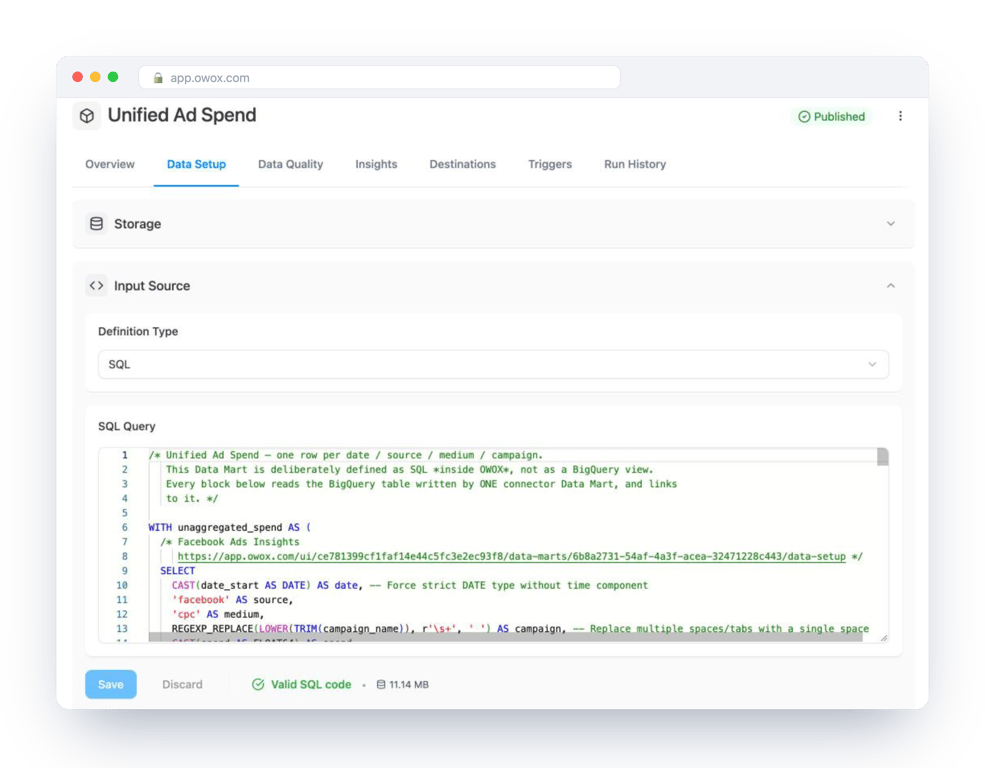
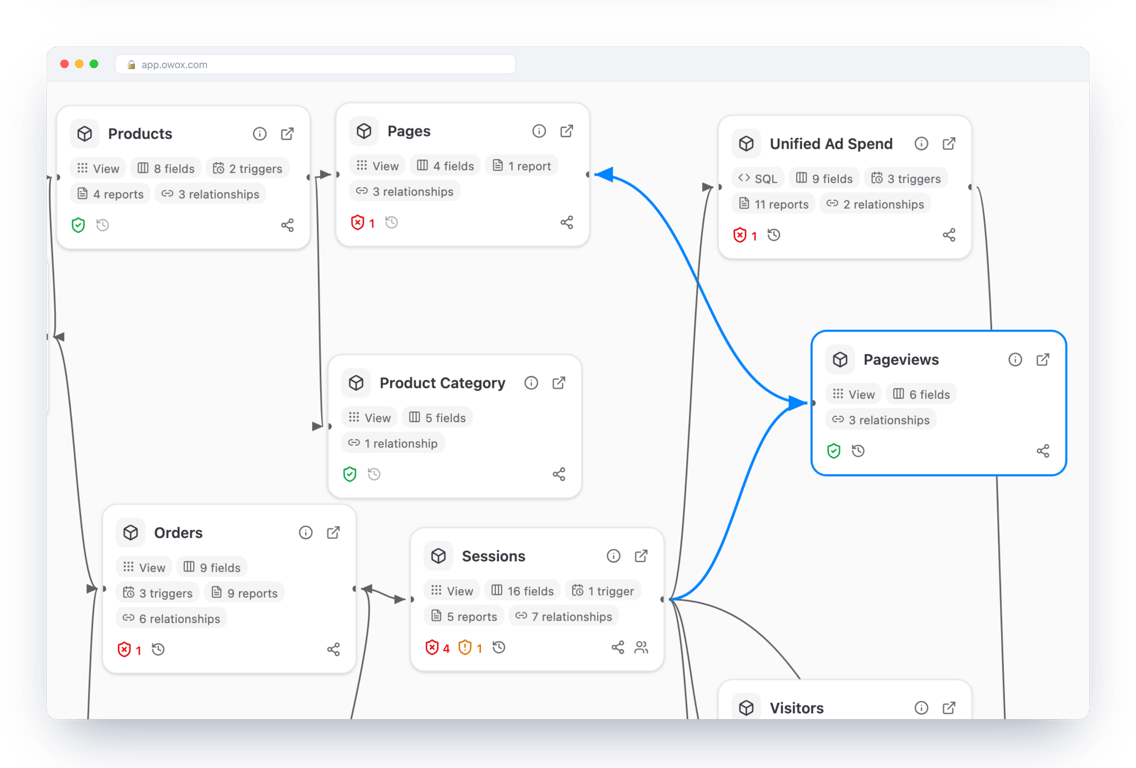
The practical fix is to write the join once, by the person who knows which key is unique, and have reports read the result. In OWOX Data Marts that is what a Data Mart and its relationships are for: your SQL defines each dataset, you define how two Data Marts join, and reports in a or use that definition. OWOX does not guess the key or write the join for you. It keeps the one you wrote from being rewritten five different ways.
A model drawn once looks like this: each Data Mart is a card, and each line is a join somebody decided on.
Turn your data into decisions.
Governed data marts give you the clean foundation ML needs to actually work.
- No AI hallucinations
- Analyst-governed definitions
- Every number traces to SQL
Frequently Asked Questions
What is the difference between UNION ALL and UNION DISTINCT?
UNION ALL keeps every row from both queries. UNION DISTINCT removes duplicate rows from the combined result, including duplicates that were already inside one of the tables. In BigQuery you must write ALL or DISTINCT; a bare UNION is a syntax error.
Why does a JOIN return a higher total than expected?
Because the key is not unique on the side being joined to. Each row repeats once per match, so a SUM counts it several times. Check with GROUP BY key HAVING COUNT(*) > 1, and aggregate that table to one row per key before joining.
Can I use JOIN and UNION in the same query?
Yes. A common pattern is to stack the same kind of record from several sources with UNION ALL in a subquery or CTE, adding a column that names the source, and then JOIN the result to a table that describes those records.
What does UNION require of the two queries?
The same number of columns and compatible data types in each position. Columns are matched by position, not by name. In BigQuery, UNION ALL BY NAME matches them by name instead.
How do I choose the correct JOIN type?
By what should happen to rows without a match. An inner JOIN drops them, a LEFT JOIN keeps every row of the first table with NULLs for the missing side, and a FULL JOIN keeps unmatched rows from both. For a report on orders joined to a lookup table, LEFT JOIN is usually right.
What is the difference between JOIN and UNION in SQL?
JOIN combines tables side by side and adds columns, matching rows on a key. UNION combines tables top to bottom and adds rows, and the tables must have the same number of columns with compatible types.