Can you retire your BI tool now the data lives in the warehouse?
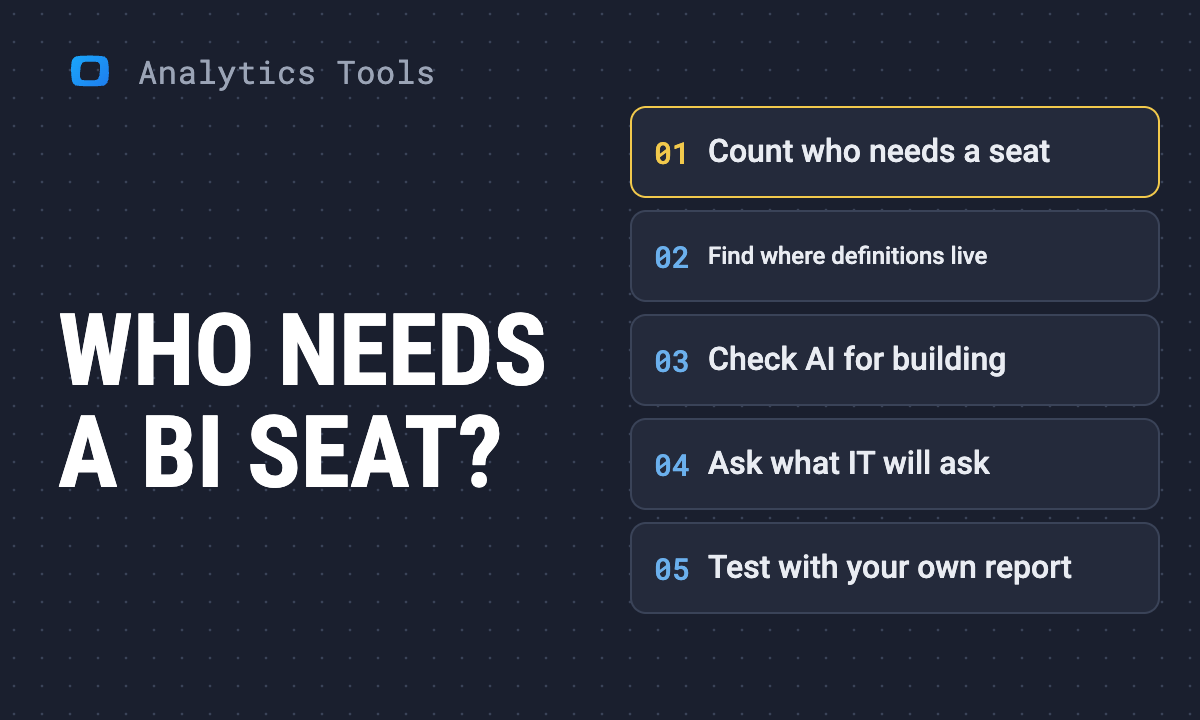
Your data sits in Snowflake, Databricks or BigQuery, the platform now ships its own dashboards and AI chat, and the account team says you could drop Power BI or Tableau. This guide sorts reports into four groups, shows which can move and which still need a BI tool, and turns the result into a seat count, using what 190 practitioner comments reported.
Has anyone actually been successful deploying this new tech to less technical users? Have you been able to deprecate your BI tool, or at least reduce seat count, as they've suggested?
-- a post on r/snowflake, October 2026
The short answer:
- Usually not the whole tool. What moves is a share of your reports, and the seats of people who only read those reports.
- Nobody we read could say how big that share is. Not one of 190 practitioner comments gave a percentage, a report count or a seat count.
- You can work it out for your own team in a month, before the renewal. This guide shows how: sort the reports, count the seats, write the definitions first.
What 18 teams actually did
We read eight Reddit threads where teams discussed exactly this question, 190 comments in all. Only 18 people said what had happened to their own BI tool.
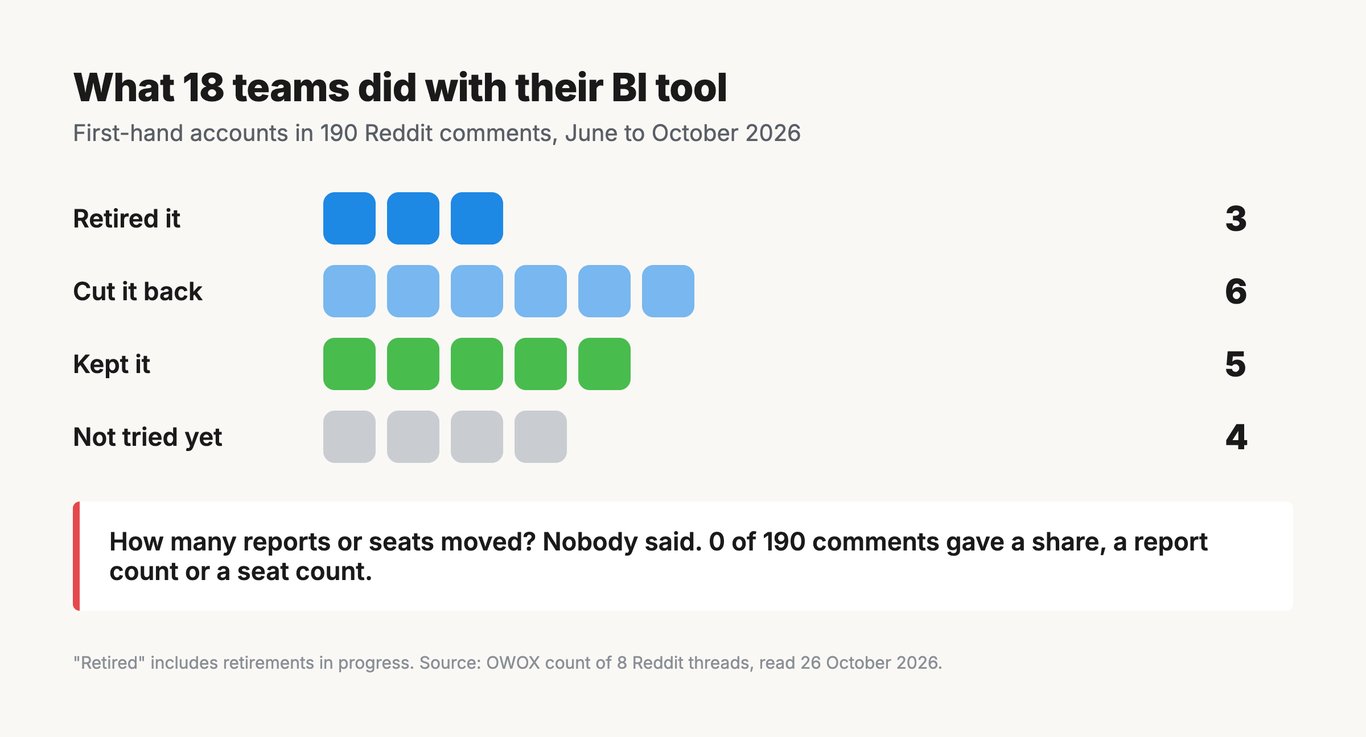
Two patterns stand out:
- The three who retired it built their own replacement. Dashboards built by Claude on Databricks, an app on Snowflake, or “our own app and data architecture”.
- The six who cut it back split the work. Part of the reporting moved: the default for new dashboards, executive dashboards, some Power BI reports. It went to Databricks dashboards, Claude artifacts refreshed daily, Genie, Streamlit or Snowflake Cowork agents. Where they said what stayed, it was the “more complex stuff” and the “deeper and exploratory dashboards”.
One thread asked for the percentage directly. The one reply that took it up, from a BI vendor’s account, began: “I haven’t made that migration myself, so I can’t put a percentage on it.”
What moves, and what keeps reports in BI
What moves, and what keeps reports in BI
We tagged every comment by the topics it raised. The counts show where the line falls.
What moves:
- AI-built dashboards or apps take some reports (34 comments). “We have started to shift executive level dashboards to Claude artifacts/dashboards already.”
- Ad hoc questions move to an AI chat (21). The long tail of “can you also show me…” requests.
- Standard dashboards move to the platform (11). “We finally moved the default to dbx dashboards last year.”
What keeps reports in the BI tool:
- Permissions and governance (19). “I need users to only see their data and managers/teams to only see the data of their teams.”
- The cost of building and running a replacement (17).
- Habit (14). Users want the dashboard they know.
- Interactivity (13). Filters, drill-downs, sorting by any column.
- Formatting (12). “The second you want to incorporate or try to style your report to say match a company color scheme it starts to fall apart.”
What has to exist first: written definitions (19). “Clean semantic layer first, AI second.”
OWOX Data Marts
See your first report built in real time. 15 minutes.
- Connect your data warehouse
- Pick your metrics
- Get a live Google Sheets report
In the time it takes to write a ticket. Then imagine never writing that ticket again.
Book a DemoWe'll use your actual use case
What the warehouse platforms offer now
What the warehouse platforms offer now
All three major platforms now put an AI chat next to the data. In their own words, read on 26 October 2026:
- Databricks AI/BI: dashboards with “visualizations and cross-filtering capabilities”, plus Genie Agents, “conversational interfaces that learn from data” (Databricks documentation).
- Snowflake Cortex Analyst: “business users … ask questions in natural language and receive direct answers without writing SQL” (Snowflake documentation). The same page now says “Snowflake recommends transitioning to Cortex Agents”, so check which one your account team means.
- Conversational analytics in BigQuery: “lets you chat with agents about your data using natural language” (Google Cloud documentation).
Each one rests on written definitions underneath: Unity Catalog metrics, Snowflake semantic views, BigQuery agents set up over chosen tables. The chat is only as good as that layer.
Step 1: sort your reports into four groups
Step 1: sort your reports into four groups
Export your report usage for the last 90 days: who opened what, and how often. Your BI tool’s usage or activity data has it; how far back it goes depends on the tool and the edition. Then put every report in one of four groups.
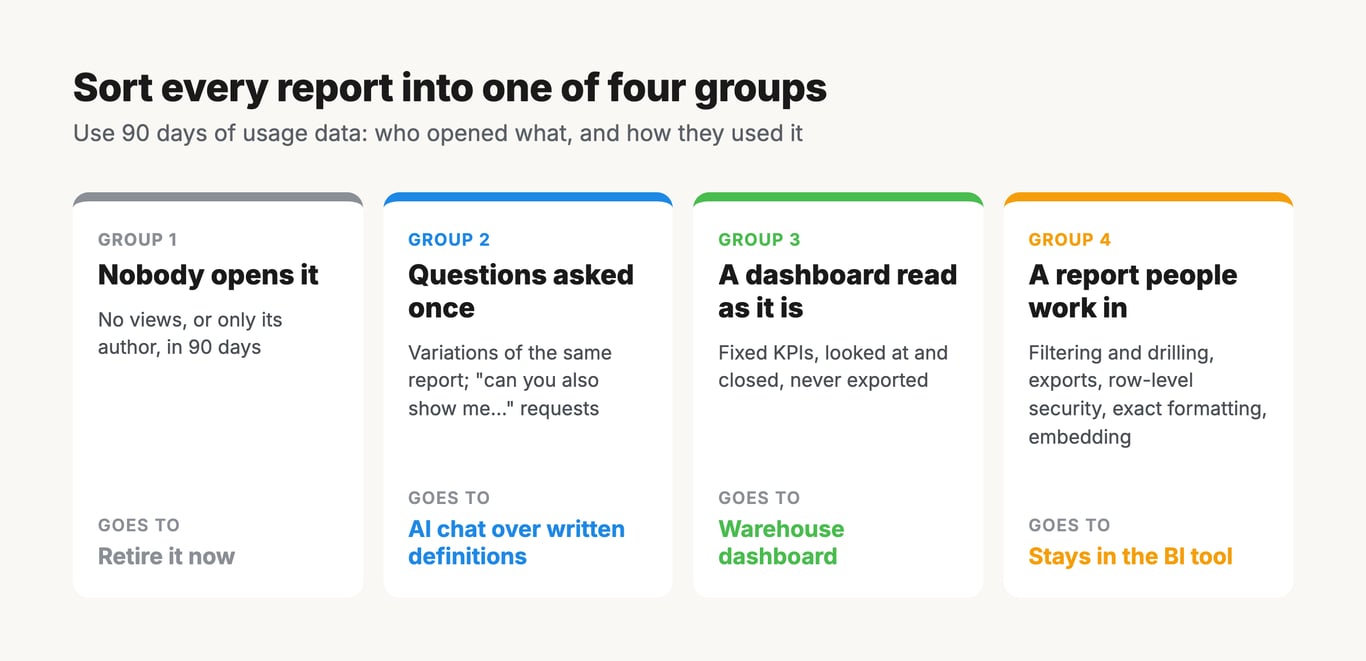
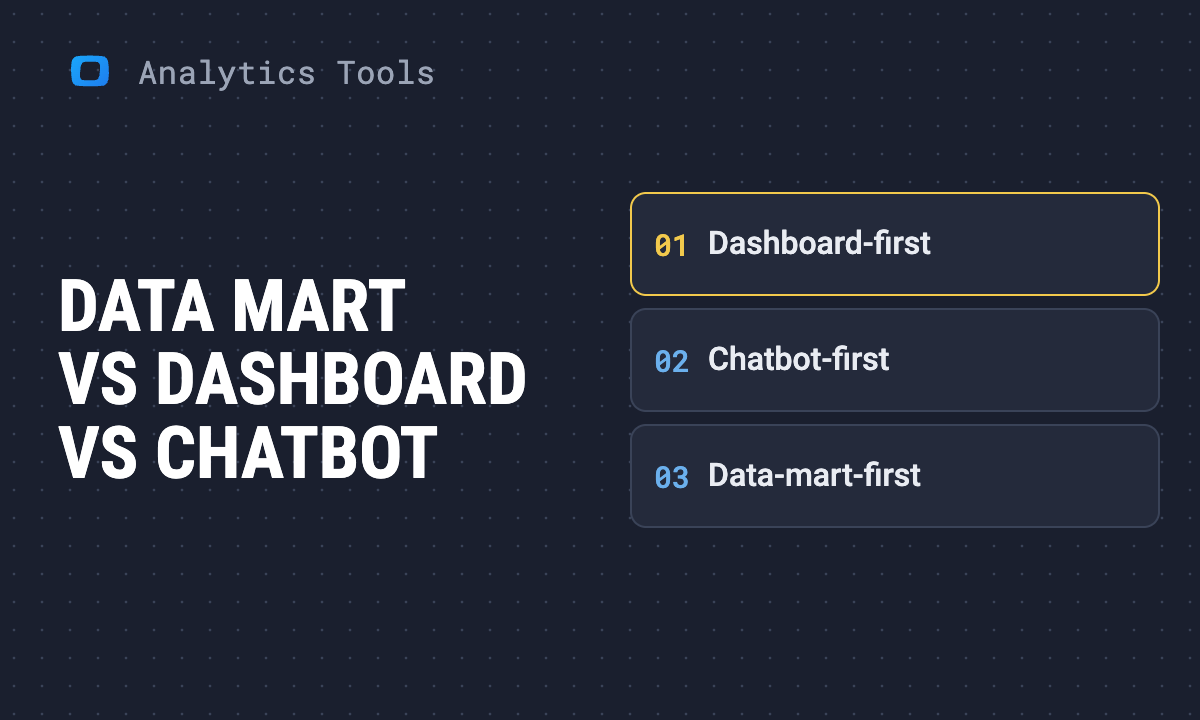
- Group 1: nobody opens it. No views, or only its author, in 90 days. Retire it now.
- Group 2: questions asked once. Variations of the same report for different people, or requests that start “can you also show me…”. These move to an AI chat over written definitions.
- Group 3: a dashboard read as it is. A fixed set of KPIs, looked at and closed, never exported. It moves to a warehouse-native dashboard.
- Group 4: a report people work in. Heavy filtering and drilling, exports to Excel or PDF, row-level security, exact formatting for a board pack, or embedded for customers. It stays in the BI tool, for now.
Be strict about group 4. A Databricks user found its dashboards could not filter a table from the column header: “It’s not possible to add widget filters for every single possible combination of things users may want to filter based on.” Before you move a group 4 report, test that exact interaction in the new tool with the people who use it.
Step 2: count the seats you can actually cut
Step 2: count the seats you can actually cut
The rule: a person loses their BI seat only when every report they use is in groups 1, 2 or 3. One group 4 report keeps the seat.
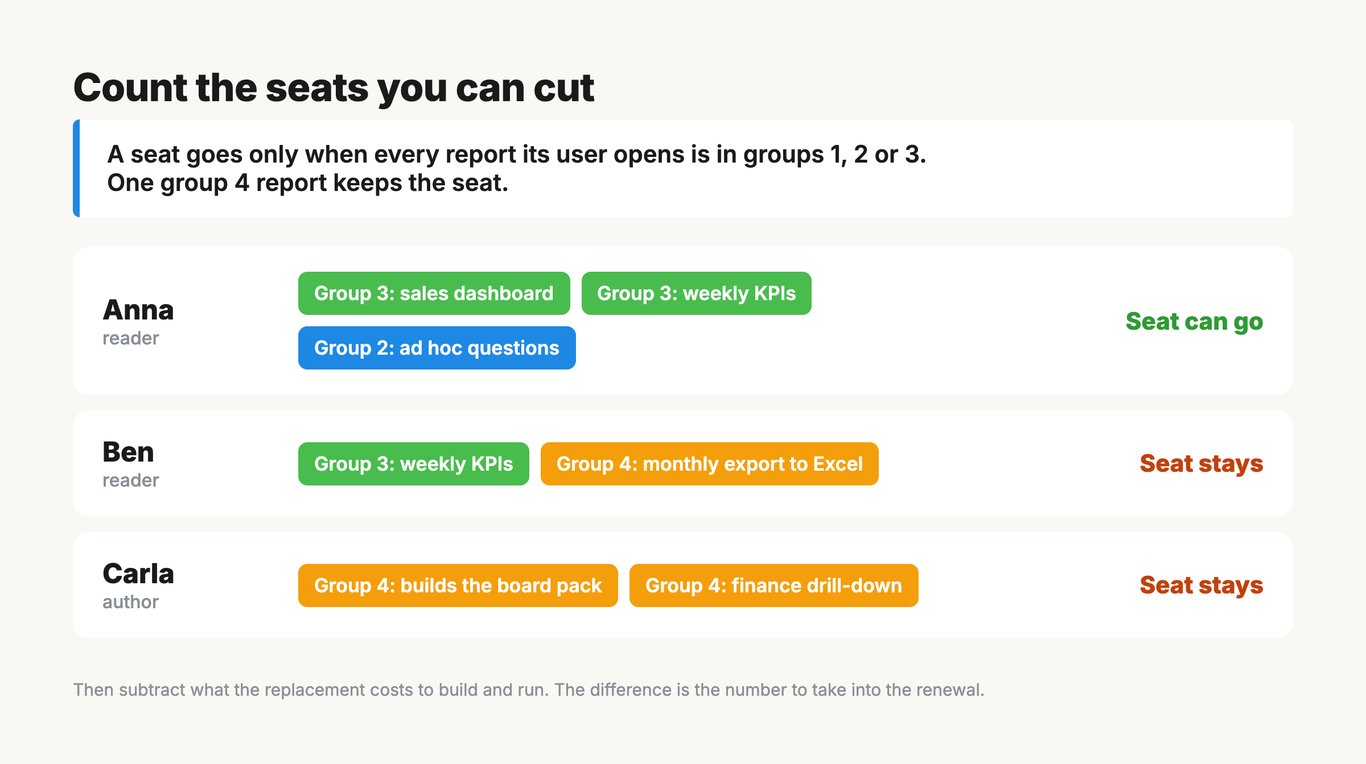
So the count is:
- For each licensed user, list the reports they opened in the last 90 days.
- Mark the user “can move” if none of those reports is in group 4.
- The “can move” users are your gross seat cut.
- Subtract what the replacement costs. The platform’s AI chat and dashboards run on its own compute, and someone builds and maintains them. Ask the account team for a written estimate for your group 2 and group 3 load.
The difference is the number to take into the renewal.
One exception: capacity licences. On Power BI Premium P1 and above, or a Fabric F64 and above, viewers already need no paid seat (Microsoft Learn). Moving readers saves nothing there. Your saving is in creator seats and in the capacity size.
Expect readers to move first and authors last: authors build the group 4 reports, so they keep their seats until the last one moves. Our guide to choosing a BI tool when per-user licensing is the problem shows how to count authors, explorers and readers, and how each licensing model charges for them.
Step 3: write the definitions down before you switch on the AI
Step 3: write the definitions down before you switch on the AI
Group 2 only works if the AI answers from definitions someone wrote. The Snowflake thread that started this guide described what happens otherwise: business questions “quickly fall outside the scope of our semantic views, or the agent struggles to generate accurate SQL”, and engineering is left building “more semantic views or verified queries”.
So the order is:
- List the questions the group 2 requests keep asking.
- Write the definition behind each one, with an owner who decides when it changes.
- Only then point the AI at them, and check its answers against the reports they replace.
Choose a setup where a reviewer can see the SQL behind each answer. Then a wrong number can be traced rather than argued about. We cover why a better tool does not fix this on its own in governed self-service analytics, and compare the assistants that answer such questions in AI data analyst tools you can trust.
Where OWOX Data Marts fits
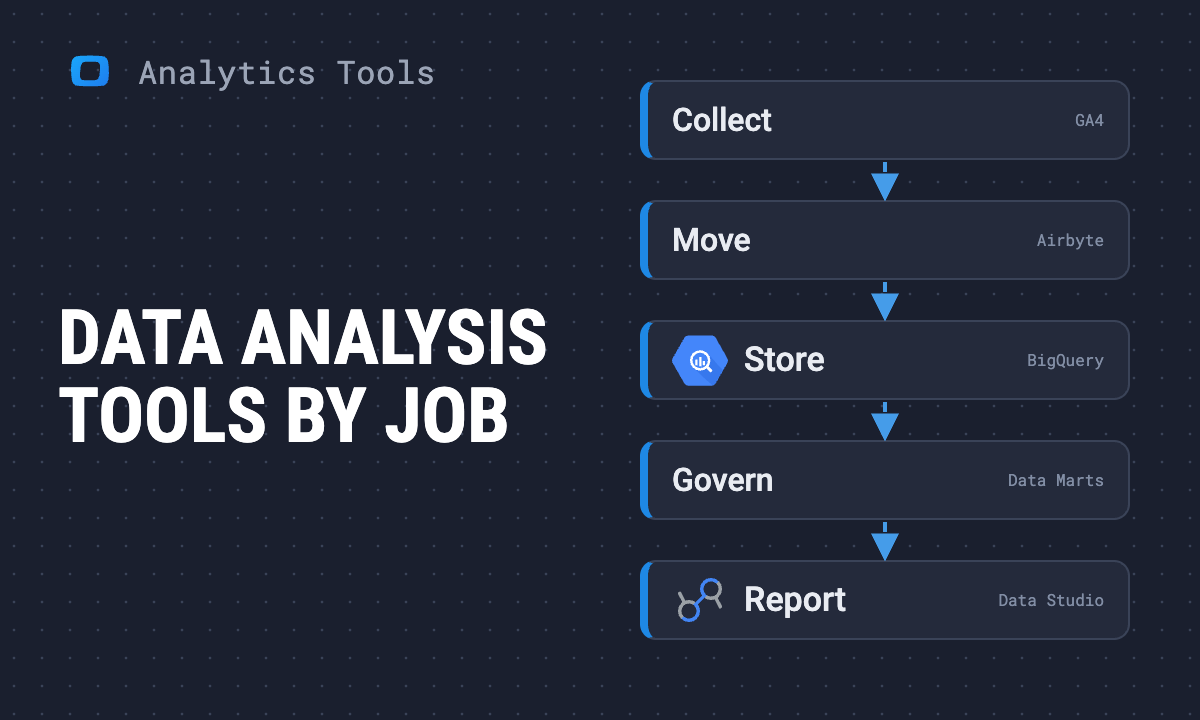
OWOX Data Marts is not a BI tool and does not replace one. It holds the definitions from step 3. An analyst writes each one as SQL in your warehouse and publishes it as a Data Mart, with described fields and declared joins, in a Model.
- Group 2: assistants such as Claude or ChatGPT query the published Data Marts through the OWOX MCP server. It “cannot run arbitrary SQL”, only “structured queries built from the fields, filters, and aggregations” a Data Mart exposes (OWOX documentation). So every answer rests on SQL the analyst wrote and can read.
- Group 3: where a dashboard is really a fixed table people read, it can go out as a scheduled report to Google Sheets, Microsoft Excel or Data Studio instead.
- Group 4: these reports stay in your BI tool, which can read the same tables.
A plan for the month before renewal
A plan for the month before renewal
- Week 1: export 90 days of report usage. Retire group 1.
- Week 2: sort the rest into groups 2, 3 and 4, with the people who use them.
- Week 3: write the definitions behind the top group 2 questions. Rebuild two group 3 dashboards on the platform, run them next to the originals and compare the numbers.
- Week 4: count the users whose reports all sit in groups 1 to 3, subtract the replacement’s cost, and take the net number into the renewal.
How we did this
We collected the comments on eight Reddit threads (r/snowflake, r/BusinessIntelligence, r/analytics, r/databricks and r/bigquery, June to October 2026) on 26 October 2026, and coded each comment by the topics it raised against a fixed list. One reader did the coding, and a comment could raise several topics. Counts of first-hand accounts include only comments where the writer described their own team. Vendor descriptions are quoted from each vendor’s documentation as read that day.
The nine teams that retired or cut back their BI tool, as they described it:
| Team | What left the BI tool | Where it went | What stayed |
|---|---|---|---|
| 1 | Tableau, Google Data Studio, Power BI | Dashboards built by Claude on Databricks, or a Databricks app | Nothing mentioned |
| 2 | Tableau | An app on Snowflake’s app runtime | Nothing mentioned |
| 3 | Power BI | “our own app and data architecture” | Nothing mentioned |
| 4 | The default for new dashboards | Databricks dashboards | “more complex stuff” in Tableau and Power BI |
| 5 | Executive dashboards | Claude artifacts refreshed daily | “deeper and exploratory dashboards” in Power BI |
| 6 | Power BI reports | Genie Agents, after moving the semantic layer into Databricks | Not said; governing it is the open problem |
| 7 | Some Power BI, for data quality | Streamlit | The rest, with a way back “if we run into limitations” |
| 8 | Dashboards, alongside the BI tool | Snowflake Cowork agents | Power BI dashboards and Metabase for SQL users |
| 9 | “dashboard first” | “agent first” with Genie | “some dashboards running still” |
Comments and first-hand outcomes per thread:
| Thread | Subreddit, posted | Comments read | Retired | Cut back | Kept | Not tried |
|---|---|---|---|---|---|---|
| Building our reporting layer in Databricks AI/BI | r/BusinessIntelligence, July 2026 | 45 | 0 | 1 | 1 | 2 |
| If you’re using Claude Dashboards, how do you plan to deploy? | r/analytics, October 2026 | 68 | 1 | 2 | 1 | 1 |
| Is anyone actually replacing traditional BI tools? | r/snowflake, October 2026 | 36 | 1 | 2 | 2 | 0 |
| Power BI and visualization tools in the LLM world | r/BusinessIntelligence, June 2026 | 25 | 1 | 0 | 1 | 0 |
| From a Power BI semantic model to Cortex Analyst | r/snowflake, October 2026 | 6 | 0 | 0 | 0 | 1 |
| Lakeview missing basic functionality? | r/databricks, October 2026 | 5 | 0 | 0 | 0 | 0 |
| Has anyone tried the Databricks AI/BI feature? | r/bigquery, September 2026 | 3 | 0 | 1 | 0 | 0 |
| A VP mandates wide tables for Claude | r/BusinessIntelligence, July 2026 | 2 | 0 | 0 | 0 | 0 |
| All eight | 190 | 3 | 6 | 5 | 4 |
“Retired” includes retirements in progress. One “not tried” reply came from a BI vendor’s account. One comment was posted twice and is counted as exported, so the 190 hold 189 distinct comments.
Turn your data into decisions.
Governed data marts give you the clean foundation ML needs to actually work.
- No AI hallucinations
- Analyst-governed definitions
- Every number traces to SQL