Trusted, proven, recognized

The analytics system teams actually use

170K+
Users trust OWOX[1]
Analysts, marketers, and data teams across 20+ industries
4.9★
Rating on G2[2]
“A trusted data analytics partner” — verified review
370K+
Data marts delivered
Created and served by OWOX to business users
132K+
npm installs[3]
Self-managed OWOX Edition from GitHub
Connect

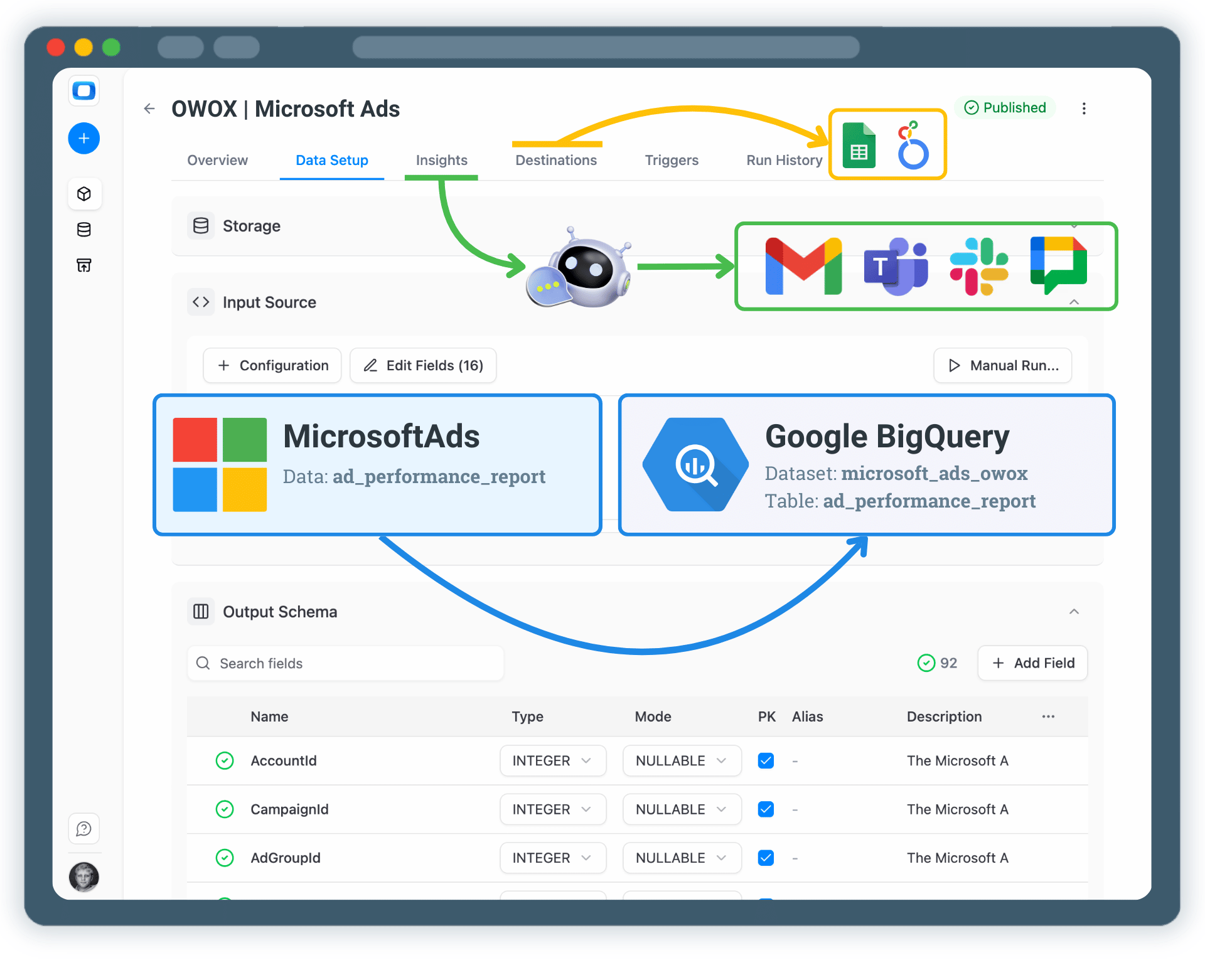
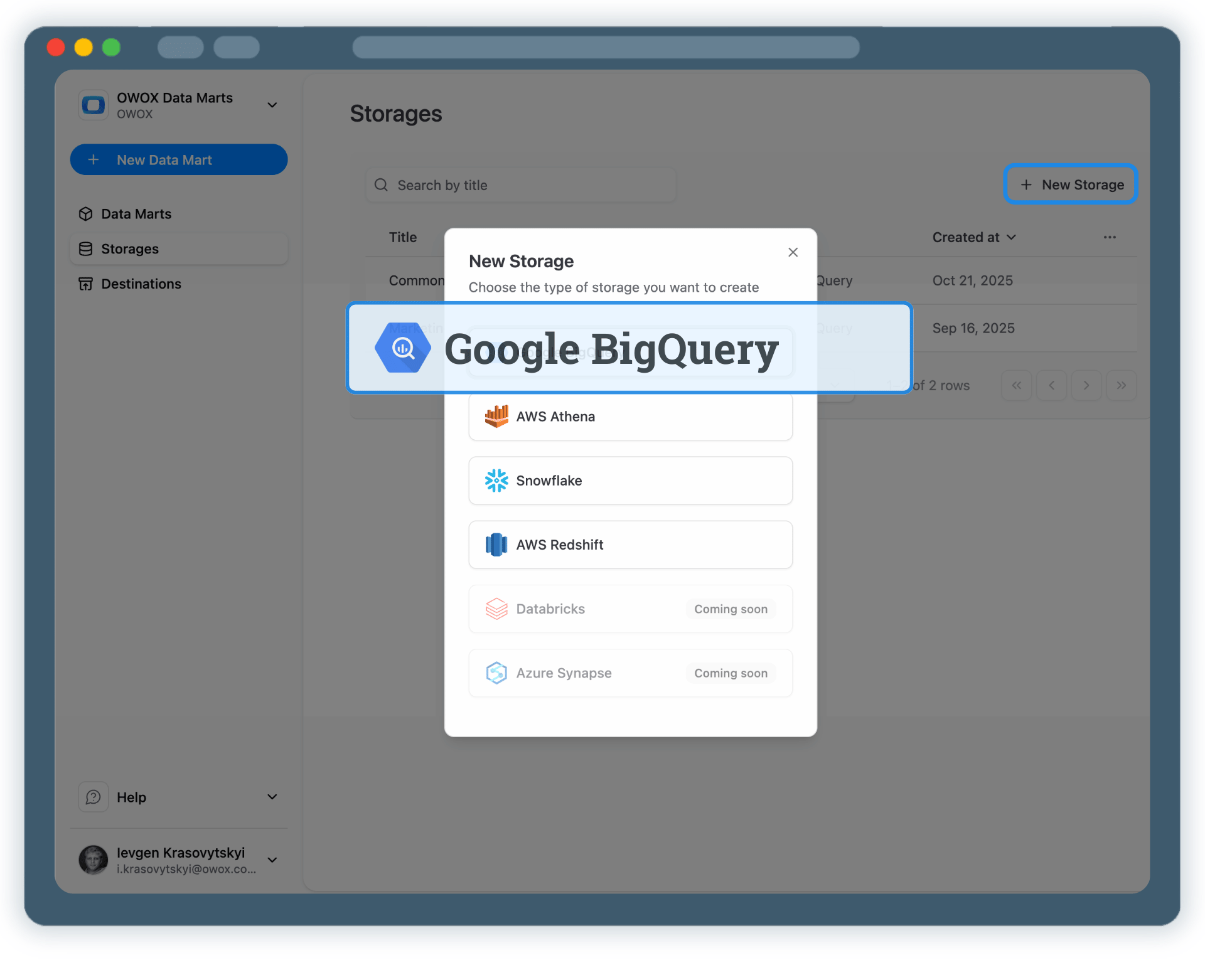
Step 1: Create a Google BigQuery Data Storage

Start by connecting your own Google BigQuery project as a data storage.
✓
Use your own BigQuery project and datasets
✓
Keep full ownership of Microsoft Ads data
✓
No third-party data warehouses
Step 1: Create a Google BigQuery Data Storage
Step 2: Create a Microsoft Ads Data Mart
Create

Step 2: Create a Microsoft Ads Data Mart

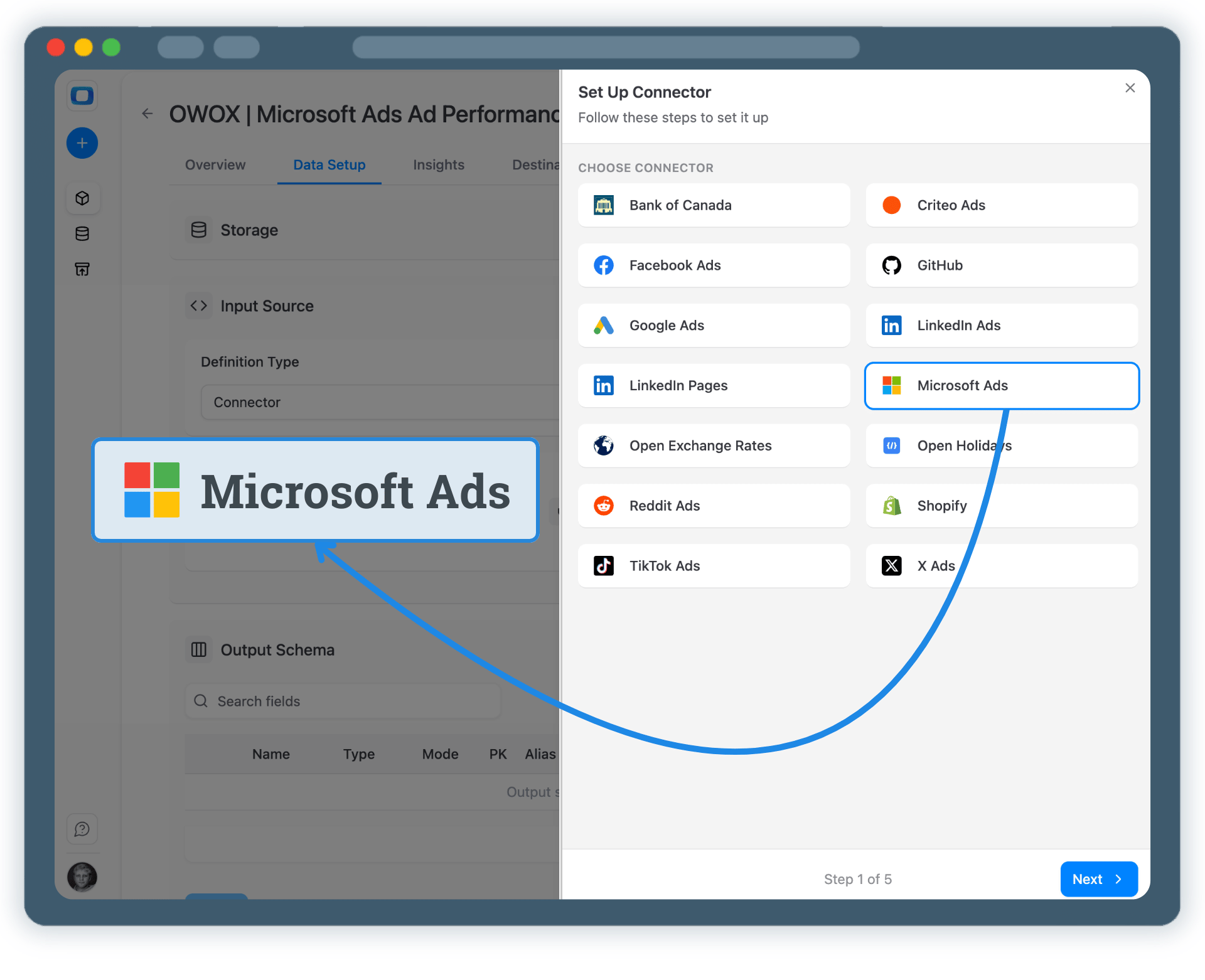
Create a new Data Mart and choose Connector as the definition type.

✓
Select Microsoft Ads as the data source
✓
Connect your Microsoft Ads advertising account
✓
No API coding or engineering required
Step 2: Create a Microsoft Ads Data Mart
Configure

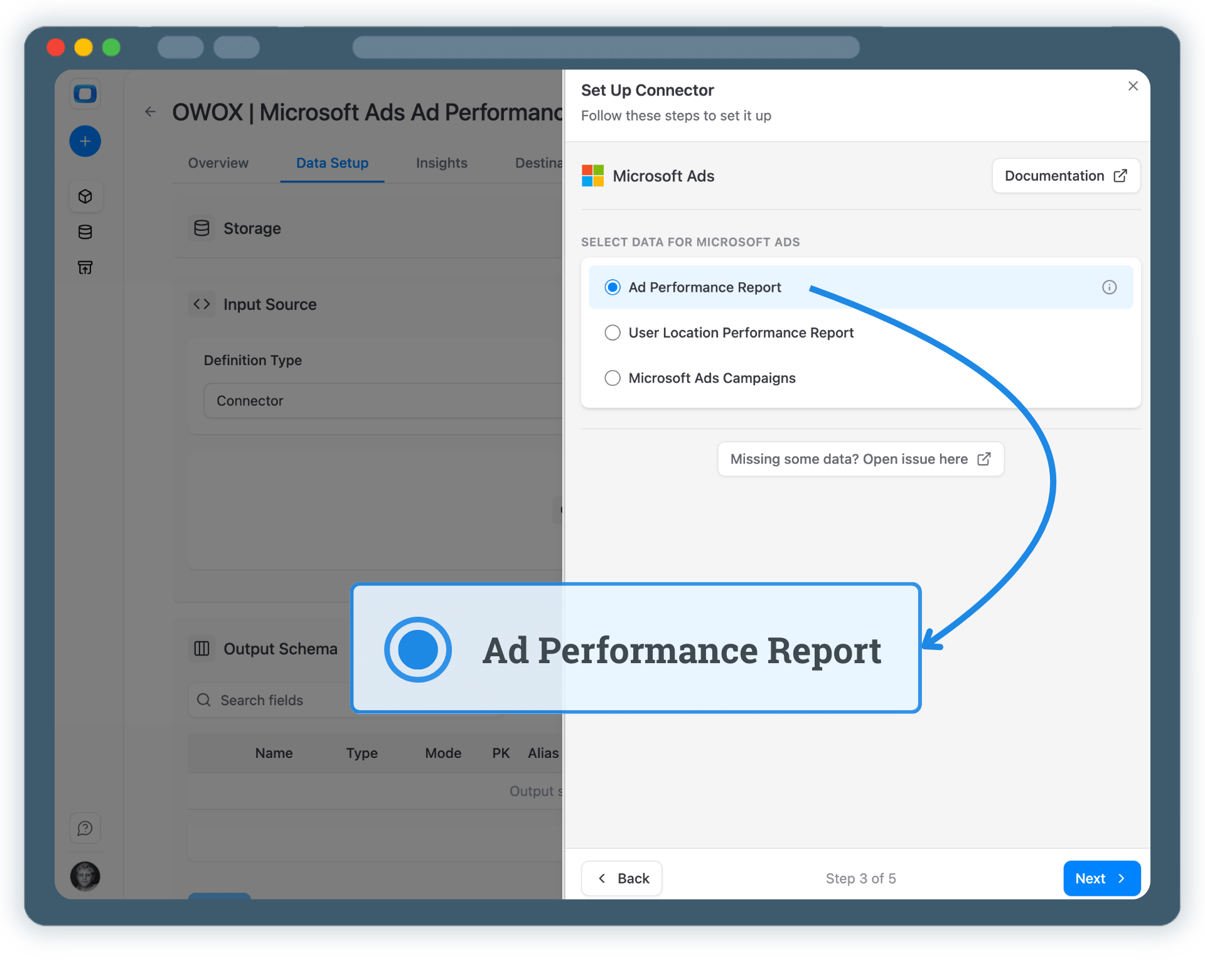
Step 3: Select Fields & Configure Data Import

Choose exactly which Microsoft Ads data you want to store in BigQuery.
✓
Select the appropriate Microsoft Ads API endpoint
✓
Choose fields such as impressions, clicks, spend, conversions, and keyword metrics
✓
No third-party data warehouses
Step 3: Select Fields & Configure Data Import
Step 4: Run & Schedule Microsoft Ads Data Collection
Run

Step 4: Run & Schedule Microsoft Ads Data Collection

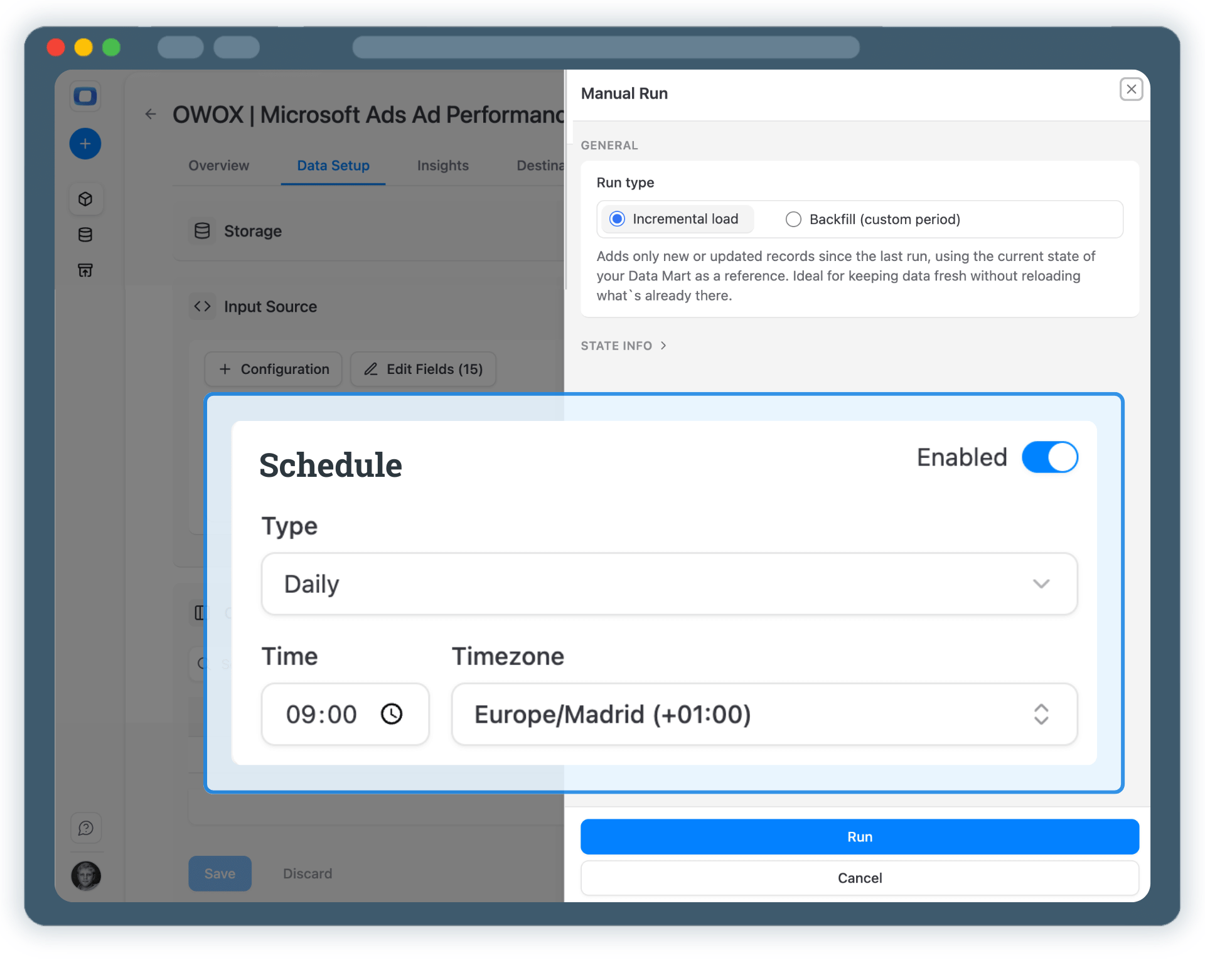
Once published, control how and when Microsoft Ads data is imported.

✓
Incremental load to import the current day’s data
✓
Backfill (custom period) to load historical data
✓
All runs are logged and visible in Run History
Step 4: Run & Schedule Microsoft Ads Data Collection
Activate

Step 5: Use Microsoft Ads Data Across BI Tools & AI Insights

Your Microsoft Ads data is now available in Google BigQuery.

✓
Analyze performance in Google Sheets or Looker Studio
✓
Join Microsoft Ads data with GA4, CRM, or revenue datasets
✓
Enable AI Insights for alerts, summaries, or performance questions
Step 5: Use Microsoft Ads Data Across BI Tools & AI Insights
Social proof

Every claim has a receipt.

Every number below comes straight from our customers — on camera. Click any card to watch them say it.

Self-service analytics

Turn Microsoft Ads Data into Business Decisions

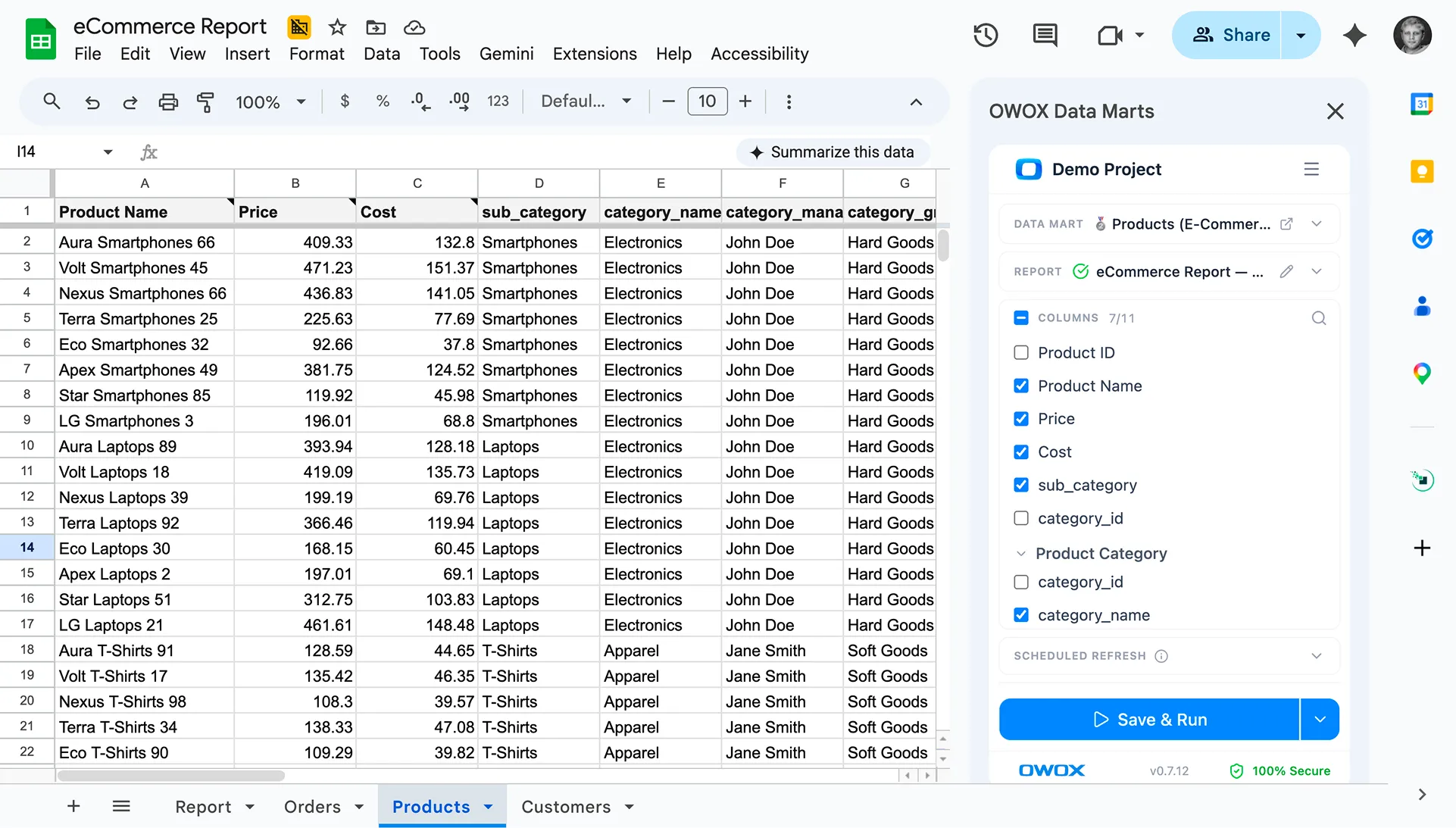
Google Sheets were never designed to be a system of record. With OWOX Data Marts, Sheets becomes a trusted analysis layer — powered by governed data marts defined upstream in your warehouse.

✓
Business teams keep the flexibility they love
✓
Data teams retain control over logic and definitions
✓
No more fragile joins duplicated across spreadsheets
See how it works