What is Databricks and how does it work?
Databricks is a data and AI platform built on the lakehouse architecture: your data stays in open-format files in your own cloud storage, and Databricks adds the transactions, governance and compute that make those files behave like a warehouse. One platform covers pipelines, SQL analytics and machine learning.
Ask five data people what Databricks is and you get five answers: a Spark platform, a data lake, a warehouse, a notebook tool, an AI platform. All five are partly right, which is why it is hard to explain.
The useful way to understand it is by its architecture. Databricks is a platform built on the lakehouse: data stored as open files in your own cloud account, with a layer on top that gives those files the reliability and speed of a data warehouse. Once that is clear, the individual products fall into place.
What Databricks is
Databricks is a cloud data and AI platform. It runs on AWS, Azure and Google Cloud, and it was started by the people who created Apache Spark. Teams use it for four kinds of work, often at once:
- Data engineering: ingesting and transforming data in pipelines.
- SQL analytics: querying tables and feeding BI tools.
- Machine learning and AI: training, tracking and serving models.
- Streaming: processing data as it arrives.
What ties these together is that they all read and write the same tables. There is no separate copy of the data for the data scientists and another for the analysts.
How the lakehouse architecture works
How the lakehouse architecture works
A data lake is cheap storage for files of any shape. A data warehouse is fast, reliable and structured. For years companies ran both and copied data between them. The lakehouse is one system that does both jobs, and it is easiest to read as four layers.
Storage. Your data lives in object storage in your own cloud account: Amazon S3, Azure Data Lake Storage or Google Cloud Storage. Tables are stored as Parquet files in the open Delta Lake format, not in a format only Databricks can read.
Compute. Clusters and SQL warehouses do the processing. They start when there is work and stop when there is none. With serverless compute, Databricks runs the machines for you.
Governance. Unity Catalog is one place to define who can see which catalog, schema, table or column, and to record who accessed what.
Intelligence. Tools for machine learning and AI, including MLflow for tracking experiments and models, built on the same governed tables.
If you want the architecture on its own terms, data lakehouse architecture covers the pattern independently of any vendor, and database vs data warehouse vs data lake explains the three things it combines.
Delta Lake: the foundation
Delta Lake is the table format that makes the lakehouse possible. It adds a transaction log to Parquet files, which gives a folder of files the properties of a database table: ACID transactions, schema enforcement, updates and deletes, and a history of every version.
That history is directly usable in SQL:
DESCRIBE HISTORY sales.orders;

SELECT COUNT(*)
FROM sales.orders VERSION AS OF 12;

OPTIMIZE sales.orders
ZORDER BY (customer_id);
The first statement lists every change to the table. The second queries it as it was at an earlier version. The third compacts small files and co-locates rows with similar values, so that queries filtering on customer_id read less data.
Unity Catalog: governance and access
Unity Catalog organises data as catalog.schema.table and applies one set of permissions across SQL, notebooks and pipelines. It also records lineage and an audit trail, and it is what exposes the billing system tables that the Databricks pricing guide queries.
Governance matters for a practical reason. You can only let people outside the data team explore data on their own if you can control what they see.
OWOX Data Marts
See your first report built in real time. 15 minutes.
- Connect your data warehouse
- Pick your metrics
- Get a live Google Sheets report
In the time it takes to write a ticket. Then imagine never writing that ticket again.
Book a DemoWe'll use your actual use case
The main components
Databricks groups its capabilities into products. These are the ones you will meet first.
Databricks SQL
Databricks SQL is the part built for analysts. It gives you a SQL editor, dashboards and SQL warehouses: compute dedicated to SQL queries and BI connections. This is the entry point for anyone who already writes SQL, and the piece that competes directly with Snowflake and BigQuery.
Lakeflow Jobs
Jobs schedule and orchestrate work: a notebook, a SQL query, a pipeline, or several of them in sequence. You may know the feature by its earlier name, Databricks Workflows. Scheduled work runs on jobs compute, which is the cheapest compute Databricks sells.
Lakeflow Declarative Pipelines
Formerly Delta Live Tables. You declare the tables you want, in SQL or Python, and Databricks works out the order, runs the pipeline and tracks data quality. It handles batch and streaming with the same definition.
Notebooks and all-purpose compute
Notebooks are the interactive workspace for Python, SQL, Scala and R, running on all-purpose clusters. They are where exploration and development happen, and they are priced accordingly: interactive compute costs several times more per unit than jobs compute.
MLflow and model serving
MLflow tracks experiments and versions models, and model serving deploys them behind an endpoint. Because training reads the same Delta tables as everything else, there is no export step between analytics and machine learning.
What Databricks is used for
Most deployments fall into a small number of patterns.
Pipelines. Raw data lands in cloud storage and is refined in stages, often called bronze, silver and gold, into tables that are ready to query. This is the most common use, and where Spark’s ability to process large volumes matters most.
SQL analytics and BI. Analysts query the refined tables through SQL warehouses and connect BI tools to them. For reports that belong in a spreadsheet instead of a dashboard, Databricks to Google Sheets covers the route.
Machine learning and AI. Models are trained on the same tables used for reporting, tracked in MLflow and served from the platform.
Streaming. Structured Streaming processes events as they arrive, for use cases such as monitoring and personalisation.
Data lakehouse use cases goes through these patterns with examples.
How Databricks pricing works
Databricks bills compute in DBUs (Databricks Units), and the price of a DBU depends on the kind of compute that used it. On the Premium plan in AWS US East in October 2026, a DBU lists at $0.15 for classic jobs compute, $0.55 for classic all-purpose compute and $0.70 for a serverless SQL warehouse.
Two things make the bill harder to read than a single price list suggests. With classic compute, your cloud provider also bills you for the machines; with serverless, that cost is inside the DBU price. And the same work costs very different amounts depending on which compute runs it.
The plans on AWS and Google Cloud are Premium and Enterprise. The Standard tier found in older guides was retired in 2025. Databricks pricing explained has the full rate table, DBUs per hour for each SQL warehouse size, a worked monthly bill and the SQL to see your own spend.
Databricks compared with Snowflake and BigQuery
Databricks compared with Snowflake and BigQuery
All three run SQL analytics on large data, scale on demand and charge by use. If the only requirement is “query big tables and build dashboards”, any of them will do it. They differ in what they were designed around.
- Databricks keeps data in open formats in your own cloud storage and covers engineering, SQL and machine learning in one platform. It gives the most control and asks for the most platform knowledge.
- Snowflake is a managed data warehouse: storage and compute are separated but both are run for you, and the interface is SQL first. What is Snowflake explains its design.
- BigQuery is serverless: there is no cluster or warehouse to size, and the default pricing is by data scanned.
A team whose work is mostly SQL reporting will usually find Snowflake or BigQuery simpler to run. A team that also builds heavy pipelines and trains models tends to prefer one platform for all of it. The data warehouse comparison sets the options side by side.
From Databricks tables to reports people read
From Databricks tables to reports people read
Databricks is built for people who write code. The people who need the numbers, in marketing, finance and product, mostly work in and dashboards. Between the two there is a gap that is usually filled with exports and one-off queries.
OWOX Data Marts is a reporting layer for that gap. It does not transform your data. It connects Databricks as a storage through a SQL warehouse you choose, and works on your tables where they are.
On the way in, connectors load data from ad platforms and Shopify into tables in your Databricks catalog on a schedule. The guides for Facebook Ads, Google Ads, LinkedIn Ads and TikTok Ads walk through each one.
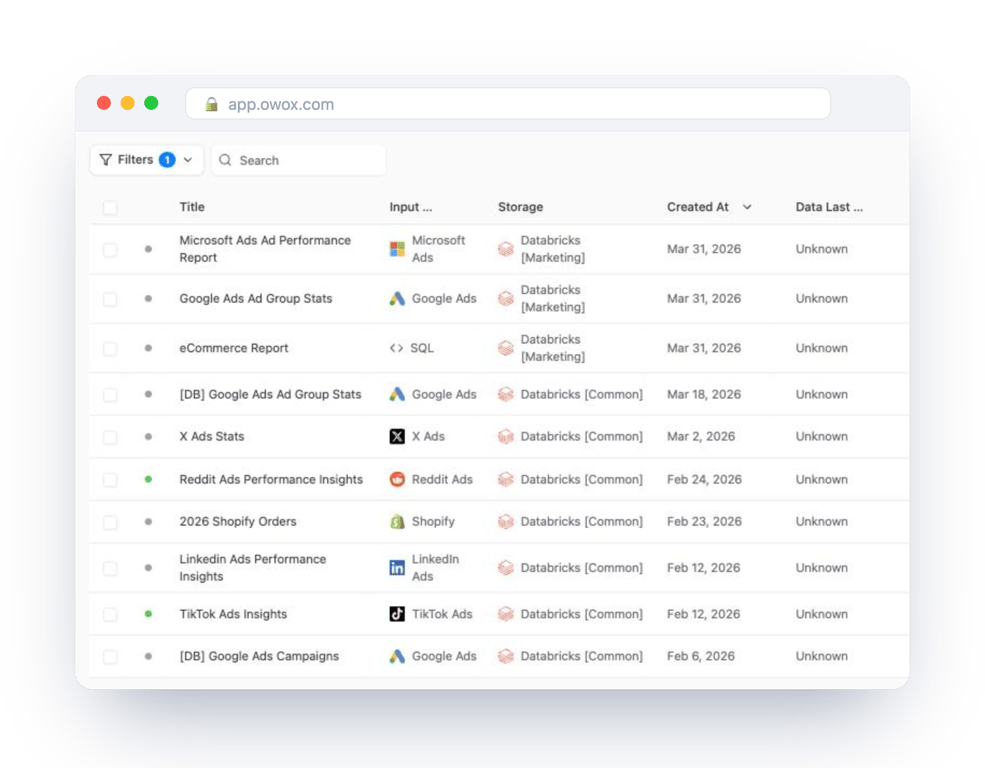
On the way out, an analyst publishes a table, a view or a SQL query as a Data Mart: one named definition that reports are built on. Reports are delivered to Google Sheets, Data Studio, Slack or email on triggers you set, so the reader does not need a Databricks login or a SQL editor.
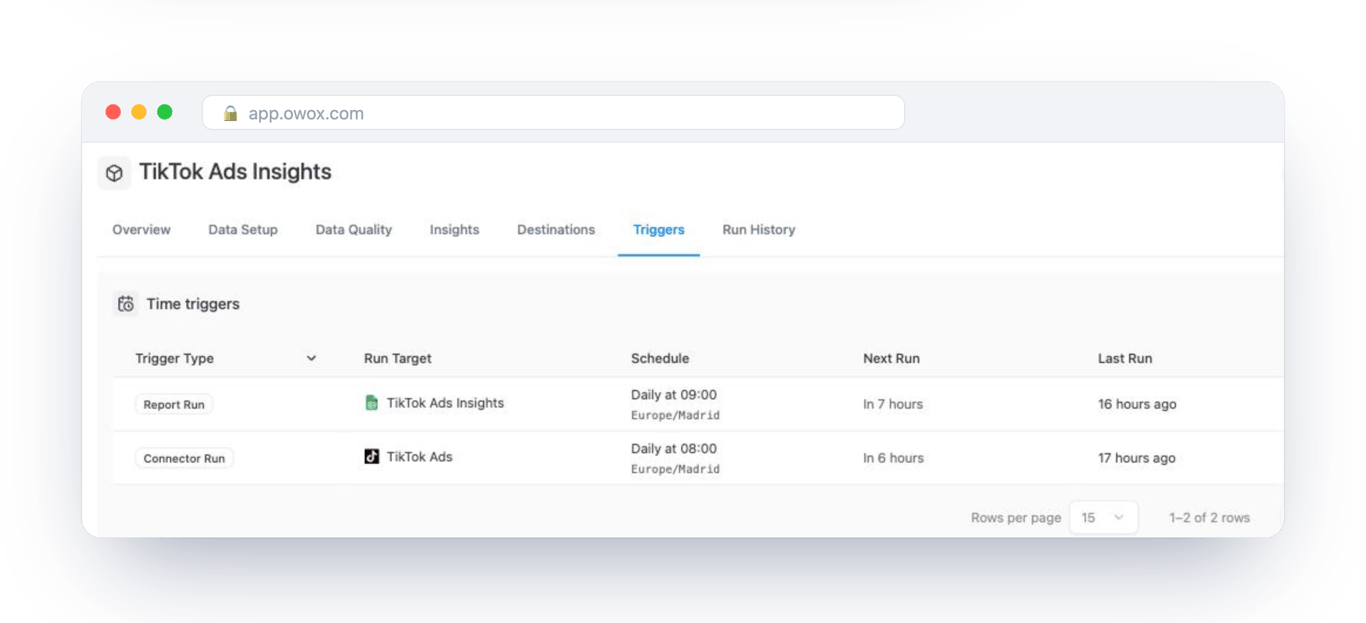
Because every run goes through a SQL warehouse, the schedule is also the cost: one run a day is one short burst of warehouse time, whatever the number of readers.
First steps
If you are evaluating Databricks as an analyst, four steps get you furthest fastest.
- Start in Databricks SQL, not notebooks. The SQL editor is familiar and needs no Spark knowledge.
- Learn how a Delta table works. History, versions and file compaction explain most of what you will see.
- Know the compute types. Jobs, all-purpose and SQL warehouses, classic and serverless. The choice decides the bill.
- Use Unity Catalog from the first day. Adding governance to an ungoverned workspace later is much harder than starting with it.
The Databricks documentation has hands-on tutorials for each of these.
Turn your data into decisions.
Governed data marts give you the clean foundation ML needs to actually work.
- No AI hallucinations
- Analyst-governed definitions
- Every number traces to SQL
Frequently Asked Questions
What are the main use cases for Databricks?
Databricks is used for four primary workloads: data engineering and ETL (building and orchestrating data pipelines), SQL analytics and BI reporting (querying data and connecting BI tools), machine learning and AI (training, tracking, and deploying models), and real-time streaming analytics (processing data as it arrives for fraud detection, IoT, and personalization).
Can business users access data from Databricks without SQL?
Yes, through a reporting layer on top of it. Databricks itself is used with SQL or Python. With OWOX Data Marts an analyst publishes a table, a view or a SQL query as a Data Mart once, and reports built on it are delivered on a schedule to Google Sheets, Data Studio, Slack or email, so the reader needs neither a Databricks login nor SQL.
What is Delta Lake in Databricks?
Delta Lake is an open-source storage layer that adds ACID transactions, schema enforcement, and time travel to data stored in Parquet files on cloud object storage. It is the foundation of the Databricks Lakehouse architecture, giving you data warehouse reliability at data lake storage costs.
What is the difference between Databricks and Snowflake?
Both handle SQL analytics, but they diverge on architecture and strengths. Databricks uses the open Lakehouse architecture with native ML/AI capabilities (MLflow, Mosaic AI), making it stronger for data engineering and machine learning workloads. Snowflake is a cloud data warehouse optimized for SQL analytics and cross-cloud data sharing with simpler pricing. Choose Databricks for ML-heavy workloads; choose Snowflake for primarily SQL analytics.
How does Databricks pricing work?
Databricks bills compute in Databricks Units (DBUs), and the price of a DBU depends on the compute type and the plan, Premium or Enterprise. On Premium in AWS US East in October 2026 a DBU lists at $0.15 for classic jobs, $0.55 for classic all-purpose compute and $0.70 for a serverless SQL warehouse. With classic compute you also pay your cloud provider for the machines; serverless prices include them.
Is Databricks a data warehouse or a data lake?
Neither exclusively. Databricks uses the Lakehouse architecture, which combines both. Your data is stored in open formats (Delta Lake on Parquet files) in cloud object storage like a data lake, but with ACID transactions, schema enforcement, and high-performance SQL like a data warehouse.
What is Databricks in simple terms?
Databricks is a cloud-based data platform that combines the low-cost storage of a data lake with the query performance and reliability of a data warehouse. This combination is called the Lakehouse architecture. It lets teams run data engineering, SQL analytics, machine learning, and AI workloads in one unified system on AWS, Azure, or Google Cloud.