BigQuery DML: INSERT, UPDATE, DELETE and MERGE with tested examples
BigQuery DML is four statements that change rows (INSERT, UPDATE, DELETE, MERGE) plus TRUNCATE TABLE. This guide runs each one against the same products table: why UPDATE and DELETE refuse to run without WHERE, how MERGE upserts and deletes in one pass, why INSERT ROW maps columns by position, how to fix the "must match at most one source row" error, and what a DML statement really costs on a partitioned table.
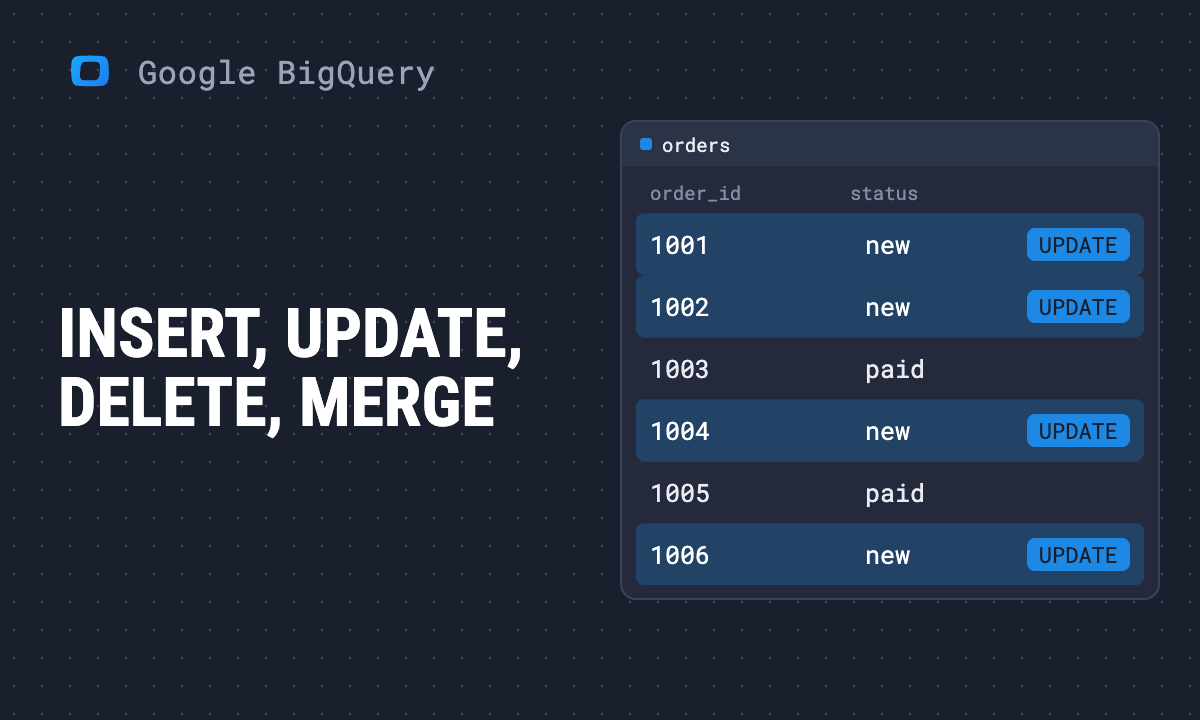
BigQuery’s data manipulation language (DML) changes rows in a table that already exists. There are four statements, plus TRUNCATE TABLE, and each has one rule that surprises people coming from other databases.
| Statement | Does | Watch out for |
|---|---|---|
INSERT |
adds rows from VALUES or a SELECT |
primary keys are not enforced, so duplicates go in silently |
UPDATE |
changes rows | WHERE is required; UPDATE ... FROM fails if a row joins twice |
DELETE |
removes rows | WHERE is required; bills the whole table or partition |
TRUNCATE TABLE |
removes every row | free, but no filter |
MERGE |
insert, update and delete in one statement | INSERT ROW maps columns by position, not by name |
Note: Originally published in January 2024. Fully rewritten in October 2026: every statement below was checked in BigQuery on 16 October 2026. SELECT queries were run and their real results are shown; write statements were validated with a dry run against an empty table with the same three columns, which parses and plans them without changing any data.
The table used in every example
The table used in every example
A product catalogue with three rows, and a price feed that should be applied to it:
CREATE TABLE shop.products (
  product_id   INT64 NOT NULL,
  product_name STRING NOT NULL,
  price        NUMERIC,
  PRIMARY KEY (product_id) NOT ENFORCED
);
Validated with a dry run. The table starts with these rows:
| product_id | product_name | price |
|---|---|---|
| 1 | Mug | 12.00 |
| 2 | T-shirt | 25.00 |
| 3 | Poster | 8.00 |
The price feed raises the mug to 14.00, repeats the T-shirt unchanged, adds a cap and no longer lists the poster:
| product_id | product_name | price |
|---|---|---|
| 1 | Mug | 14.00 |
| 2 | T-shirt | 25.00 |
| 4 | Cap | 15.00 |
The DDL side (CREATE, ALTER, DROP) has its own guides: creating and dropping tables and modifying tables.
INSERT: VALUES or SELECT
INSERT INTO shop.products (product_id, product_name, price)
VALUES (1, 'Mug', 12.00),
       (2, 'T-shirt', 25.00),
       (3, 'Poster', 8.00);
Validated with a dry run. To insert the result of a query, replace VALUES with a SELECT whose columns line up with the list:
INSERT INTO shop.products (product_id, product_name, price)
SELECT product_id, product_name, price
FROM (
  SELECT 5 AS product_id, 'Sticker' AS product_name, NUMERIC '3.00' AS price
  UNION ALL SELECT 6, 'Tote bag', NUMERIC '18.00'
);
Validated with a dry run. Three rules from Google’s DML reference (read in October 2026):
- The column list is optional, except on an ingestion-time partitioned table. Without it, values go into the columns “in ascending order based on their ordinal positions”. Name the columns anyway; a schema change then fails loudly instead of shifting values.
- Values match by position, not by name. The
SELECTaliases above are for the reader. BigQuery uses their order. - The primary key does nothing on write. Google’s wording: “Key constraints are unenforced in BigQuery.” Running the first INSERT twice gives six rows, two of each product. If a load can repeat, use
MERGE, below.
OWOX Data Marts
See your first report built in real time. 15 minutes.
- Connect your data warehouse
- Pick your metrics
- Get a live Google Sheets report
In the time it takes to write a ticket. Then imagine never writing that ticket again.
Book a DemoWe'll use your actual use case
UPDATE needs a WHERE
Try to reprice everything without a condition:
UPDATE shop.products SET price = 14.00;BigQuery refuses before it reads a byte: UPDATE must have a WHERE clause at [1:1]. DELETE behaves the same way. To change every row on purpose, write WHERE TRUE. A normal update:
UPDATE shop.products
SET price = NUMERIC '9.00'
WHERE product_name = 'Poster';
Validated with a dry run.
UPDATE … FROM another table
To take new values from another table, add FROM and put the join condition in WHERE:
UPDATE shop.products AS t
SET price = s.price
FROM (
  SELECT 1 AS product_id, NUMERIC '14.00' AS price
) AS s
WHERE t.product_id = s.product_id;
Validated with a dry run. Each target row may join at most one source row. If the source held two prices for product 1, the statement would pass the dry run and then fail when run, with the error covered further down.
DELETE and TRUNCATE TABLE
DELETE FROM shop.products
WHERE price IS NULL;
Validated with a dry run. DELETE FROM shop.products with no WHERE returns DELETE must have a WHERE clause at [1:1].
To empty a table, use:
TRUNCATE TABLE shop.products;Validated with a dry run. Google describes it as “a metadata operation” that “does not incur a charge”, and it keeps the schema, description and labels (read in October 2026). It does not work on views, materialized views or external tables.
A deleted row is not gone at once: time travel can read the table as it was before the statement, within the dataset’s time-travel window.
MERGE: upsert and delete in one statement
MERGE: upsert and delete in one statement
MERGE joins a source to the target and runs a different action for each kind of row. This one applies the price feed and removes products the feed no longer lists:
MERGE shop.products AS t
USING (
  SELECT 1 AS product_id, 'Mug' AS product_name, NUMERIC '14.00' AS price
  UNION ALL SELECT 2, 'T-shirt', NUMERIC '25.00'
  UNION ALL SELECT 4, 'Cap', NUMERIC '15.00'
) AS s
ON t.product_id = s.product_id
WHEN MATCHED AND t.price != s.price THEN
  UPDATE SET price = s.price
WHEN NOT MATCHED THEN
  INSERT (product_id, product_name, price)
  VALUES (s.product_id, s.product_name, s.price)
WHEN NOT MATCHED BY SOURCE THEN
  DELETE;
Validated with a dry run. To see what it would do without running it, the same join can be written as a SELECT with a FULL OUTER JOIN. This query was run:
WITH products AS (
  SELECT 1 AS product_id, 'Mug' AS product_name, NUMERIC '12.00' AS price
  UNION ALL SELECT 2, 'T-shirt', NUMERIC '25.00'
  UNION ALL SELECT 3, 'Poster', NUMERIC '8.00'
),
price_feed AS (
  SELECT 1 AS product_id, 'Mug' AS product_name, NUMERIC '14.00' AS price
  UNION ALL SELECT 2, 'T-shirt', NUMERIC '25.00'
  UNION ALL SELECT 4, 'Cap', NUMERIC '15.00'
)
SELECT
  COALESCE(t.product_id, s.product_id) AS product_id,
  t.price AS old_price,
  s.price AS new_price,
  CASE
    WHEN t.product_id IS NOT NULL AND s.product_id IS NOT NULL
         AND t.price != s.price THEN 'UPDATE'
    WHEN t.product_id IS NOT NULL AND s.product_id IS NOT NULL THEN 'no change'
    WHEN t.product_id IS NULL THEN 'INSERT'
    ELSE 'DELETE'
  END AS merge_action
FROM products AS t
FULL OUTER JOIN price_feed AS s
  ON t.product_id = s.product_id
ORDER BY product_id;| product_id | old_price | new_price | merge_action |
|---|---|---|---|
| 1 | 12 | 14 | UPDATE |
| 2 | 25 | 25 | no change |
| 3 | 8 | NULL | DELETE |
| 4 | NULL | 15 | INSERT |
Running this check first is cheap, and it shows the one row that NOT MATCHED BY SOURCE will delete before anything is deleted.
Four rules worth knowing (Google’s MERGE reference, read in October 2026):
- Only the first qualifying
WHENclause runs for a row. Put the narrow clause (WHEN MATCHED AND ...) above the broad one. WHEN NOT MATCHED BY SOURCEcannot read the source. There is no source row.UPDATE SET price = s.pricein that clause fails withUnrecognized name: s.- NULL keys never match.
NULL = NULLis not true, so a source row with a NULL key is inserted again on every run. Google suggestsX = Y OR (X IS NULL AND Y IS NULL)for nullable keys. - Matching uses the tables as they were when the statement started. A row inserted by the MERGE cannot be matched by another source row in the same run.
MERGE INSERT ROW maps columns by position
MERGE INSERT ROW maps columns by position
INSERT ROW copies the whole source row without a column list. Google’s wording: it includes “all the columns of the source in the ascending sequence of their ordinal positions”. The names do not matter. Put the name first in the source:
MERGE shop.products AS t
USING (
  SELECT 'Cap' AS product_name, 4 AS product_id, NUMERIC '15.00' AS price
) AS s
ON t.product_id = s.product_id
WHEN NOT MATCHED THEN
  INSERT ROW;
The dry run fails: Value has type STRING which cannot be inserted into column Product_ID, which has type INT64. (The test table spells the column Product_ID; BigQuery column names are case-insensitive.) The aliases say product_id, but BigQuery took the first column. Swap the order to product_id, product_name, price and the same statement validates.
Here the types caught the mistake. If two swapped columns had the same type (two STRING columns, say), the MERGE would run and write values into the wrong columns without an error. Use INSERT ROW only when the source is built to the target’s column order, or name the columns.
INSERT ROW with ON FALSE gives a full replace in one atomic statement: no row matches, so every source row is inserted and every target row is deleted.
MERGE shop.products AS t
USING (
  SELECT 4 AS product_id, 'Cap' AS product_name, NUMERIC '15.00' AS price
) AS s
ON FALSE
WHEN NOT MATCHED THEN
  INSERT ROW
WHEN NOT MATCHED BY SOURCE THEN
  DELETE;
Validated with a dry run.
The “must match at most one source row” error
The “must match at most one source row” error
If two source rows match one target row and the MERGE (or UPDATE ... FROM) would update or delete that row, BigQuery stops with:
UPDATE/MERGE must match at most one source row for each target row
That wording is from Google’s DML reference (read in October 2026). The error happens at run time, so a dry run does not catch it: an UPDATE ... FROM with two prices for product 1 validated without complaint. Other messages quoted for this case on the web, such as “Found duplicate values in the source table of a MERGE operation”, are not BigQuery’s.
Check the source for duplicate keys before you merge. A feed with two updates for the mug, run as a query:
WITH price_feed AS (
  SELECT 1 AS product_id, NUMERIC '14.00' AS price,
         TIMESTAMP '2026-10-16 09:00:00' AS updated_at
  UNION ALL SELECT 1, NUMERIC '13.50', TIMESTAMP '2026-10-16 11:00:00'
  UNION ALL SELECT 4, NUMERIC '15.00', TIMESTAMP '2026-10-16 10:00:00'
)
SELECT product_id, COUNT(*) AS source_rows
FROM price_feed
GROUP BY product_id
HAVING COUNT(*) > 1;| product_id | source_rows |
|---|---|
| 1 | 2 |
Then keep one row per key: the latest, with ROW_NUMBER and QUALIFY. After the same WITH clause:
SELECT product_id, price, updated_at
FROM price_feed
WHERE TRUE
QUALIFY ROW_NUMBER() OVER (PARTITION BY product_id ORDER BY updated_at DESC) = 1
ORDER BY product_id;| product_id | price | updated_at |
|---|---|---|
| 1 | 13.5 | 2026-10-16 11:00:00 UTC |
| 4 | 15 | 2026-10-16 10:00:00 UTC |
Use that query as the USING subquery and the MERGE validates. Whether “latest” is the right winner is a business decision; a SUM per key is right for stock movements, the latest row is right for prices.
No RETURNING, no EXPLAIN
Two things people search for that BigQuery does not have:
RETURNINGfails with a syntax error, and the GoogleSQL formTHEN RETURNreturnsTHEN RETURN is not supported. To see what changed, query the table afterwards, or read@@row_countin a multi-statement query:UPDATE ...; SELECT @@row_count AS rows_updated;.EXPLAINreturnsStatement not supported: ExplainStatement. The plan is in the job’s execution details after a run; the byte estimate comes from a dry run before it.
What a DML statement costs
On on-demand pricing, an UPDATE, DELETE or MERGE with an update or delete clause is billed for the bytes it reads plus the size of the table, or of the partitions it changes, before the change. An INSERT and an insert-only MERGE pay only for what they read (Google’s DML reference, read in October 2026).
Dry runs against a real 11.2 GB Search Console export table, partitioned by data_date, show what that means:
| Statement | Bytes processed |
|---|---|
SELECT clicks, impressions ... WHERE clicks = 0 AND impressions = 1 |
946,315,504 (0.95 GB) |
DELETE ... WHERE clicks = 0 AND impressions = 1 |
11,187,318,669 (11.2 GB) |
DELETE ... WHERE data_date = '2025-10-01' AND clicks = 0 AND impressions = 1 |
9,098,916 (9.1 MB) |
DELETE ... WHERE data_date = '2025-10-01' |
0 |
- The
SELECTreads two columns. TheDELETEwith the same filter is estimated at the whole table, about twelve times more, because it rewrites it. In our dry runs the estimate equalled the size of the table (or of the one partition) alone, not that size plus the filter columns that Google’s rule adds; check the job’s bytes billed after a real run. - A filter on the partition column limits the bill to that one partition. More on that in the partitioned tables guide.
- A
DELETEthat covers whole partitions is done in metadata: Google says it runs “without scanning bytes or consuming slots”. - Small statements still pay Google’s minimum of 10 MB per table referenced; the rest of the price list is in the BigQuery pricing guide.
Quotas and concurrency
There is no daily cap on the number of DML statements per table. What exists is a queue, plus a rate limit of 25 DML statements per 10 seconds per table (Google’s DML and quotas pages, read in October 2026):
- INSERT: the first 1,500 in 24 hours run at once. After that, 10 run concurrently per table and up to 100 wait as PENDING.
- UPDATE, DELETE and MERGE: up to 2 run concurrently per table and up to 20 wait. One more beyond those 22 fails with
Too many DML statements outstanding against table ..., limit is 20. - Conflicts happen only when two mutating statements change the same partition. BigQuery retries a failed one up to three times. An
INSERTnever conflicts.
The practical rule follows from the pricing: batch changes into one statement over a staging table, not one statement per row.
Recently streamed rows
Rows written in the last 30 minutes through the Storage Write API’s REST interface cannot be changed with UPDATE, DELETE, MERGE or TRUNCATE; the rest of the table can. Rows written through the gRPC interface can be changed right away (read in October 2026). If a MERGE runs right after a streaming load, run it on data older than that window.
Where DML sits in reporting
DML maintains tables: a nightly MERGE that applies a feed, a DELETE that drops test orders. Reports should not depend on which of those ran last. In OWOX Data Marts the SELECT that reports read is published once as a Data Mart on top of those tables, and Sheets and Data Studio read that one model. OWOX Data Marts runs your SQL as written, in your own BigQuery project, and does not transform the data. For writing the queries themselves, the CTE guide covers the staging step most MERGE sources need.
Turn your data into decisions.
Governed data marts give you the clean foundation ML needs to actually work.
- No AI hallucinations
- Analyst-governed definitions
- Every number traces to SQL
Frequently Asked Questions
How does OWOX Data Marts work with tables maintained by BigQuery DML?
DML statements such as MERGE and DELETE keep your tables up to date, and OWOX Data Marts publishes the SELECT that reports read on top of those tables as a Data Mart. Sheets and Data Studio then read that one definition. OWOX Data Marts runs your SQL as written in your own BigQuery project and does not transform the data.
How do I keep BigQuery DML fast and cheap?
Batch changes into one statement over a staging table instead of one statement per row, and filter UPDATE, DELETE and MERGE on the partition column. On on-demand pricing these statements are billed for the bytes they read plus the size of the table or partitions they change, so a partition filter can cut the bill from the whole table to a single partition.
What are the BigQuery DML quotas and concurrency limits?
There is no daily cap on DML statements per table. UPDATE, DELETE and MERGE run up to 2 at a time per table with up to 20 queued, and the 21st fails with a Too many DML statements outstanding error. The first 1,500 INSERT statements in 24 hours run immediately, after which 10 run concurrently and up to 100 wait.
Does BigQuery enforce primary keys on INSERT?
No. BigQuery primary keys are declared NOT ENFORCED, so running the same INSERT twice stores duplicate rows. If a load can repeat, use MERGE on the key so existing rows are updated instead of inserted again.
How do I fix 'UPDATE/MERGE must match at most one source row for each target row'?
The source has more than one row for a key that matches a target row. Find the duplicate keys with GROUP BY and HAVING COUNT(*) > 1, then keep one row per key, for example the latest with ROW_NUMBER and QUALIFY, before the MERGE or UPDATE ... FROM. A dry run does not catch this error because it happens at run time.
What is BigQuery DML?
BigQuery's data manipulation language is the set of statements that change rows in an existing table: INSERT, UPDATE, DELETE and MERGE, plus TRUNCATE TABLE. UPDATE and DELETE must have a WHERE clause, and each statement commits automatically when it succeeds.