Business reporting: the OWOX approach to Data Marts
A Data Mart is a focused dataset built for one area of reporting. In OWOX Data Marts it is also a definition: an analyst's SQL, table or view with a description, an owner and relationships, published once and read by every report. This guide covers the classic meaning, the types, how a Data Mart differs from a warehouse, and how the OWOX approach works step by step.
A Data Mart is a dataset prepared for one area of reporting: sales, marketing, finance. It holds only what that area needs, already joined and filtered, so a report does not start from raw tables.
That is the textbook meaning. In OWOX Data Marts the term means something more specific: a Data Mart is a definition an analyst owns. It is SQL, a table or a view, with a description, an owner and relationships to other Data Marts. Reports are built on top of it, and nothing reaches a spreadsheet, a dashboard or an AI assistant until the analyst publishes it.
This guide covers both: the general concept first, then how the OWOX approach turns it into reporting that does not have to be rebuilt every week.
What is a Data Mart?
A Data Mart is a subject-oriented slice of a company’s data, shaped for the people who report on that subject. A marketing Data Mart might hold ad spend, sessions and leads by campaign and day. A sales Data Mart might hold orders, order lines and customers.
Three properties define it:
- Focused. One business area, not the whole company.
- Prepared. Joins, filters and business rules are already applied.
- Reused. Many reports read it, so they agree with each other.
The third property is the reason to build one. If “revenue” is calculated inside each report, every report is a separate chance to calculate it differently.
Data Mart vs data warehouse vs data lake
Data Mart vs data warehouse vs data lake
The three are layers, not alternatives.
| Data lake | Data warehouse | Data Mart | |
|---|---|---|---|
| Holds | Raw files in any format | Structured data from all sources | A prepared dataset for one subject |
| Scope | Everything | The whole company | One area or question set |
| Shaped for | Storage and later use | Integration and history | Reporting |
| Typical reader | Data engineers | Analysts | Business users, through reports |
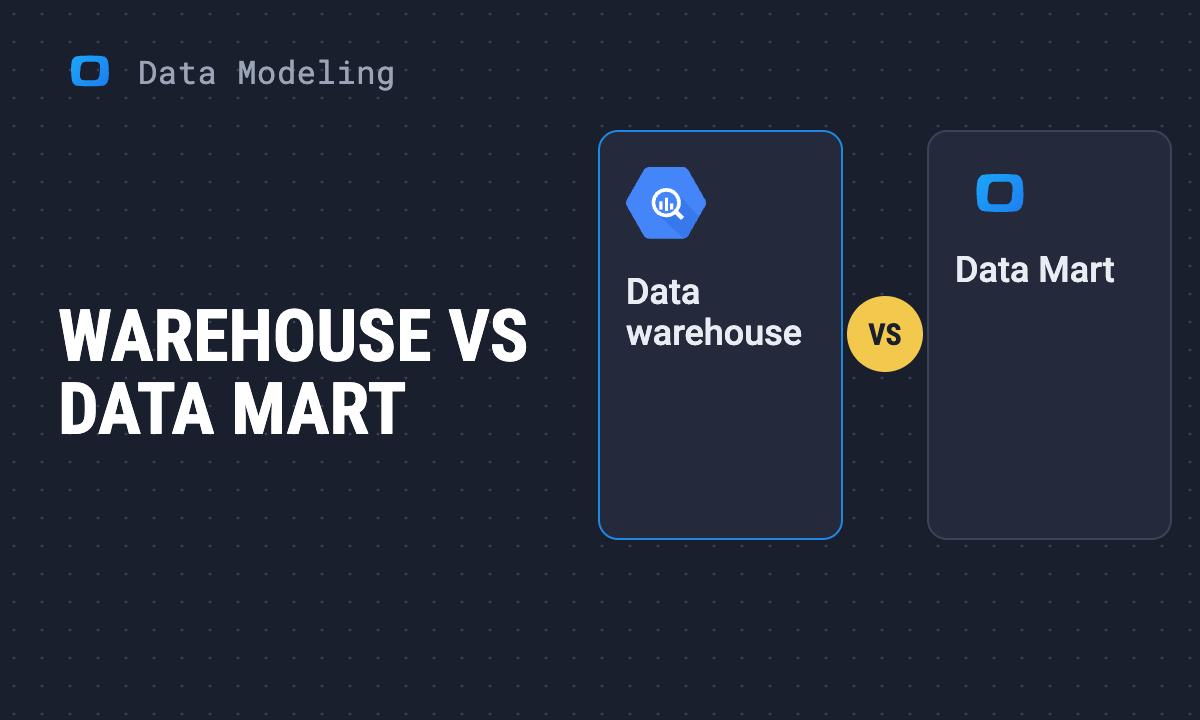
A warehouse answers “where is all our data?”. A Data Mart answers “what do I report on?”. Most Data Marts today are tables, views or queries inside the warehouse, not separate databases.
OWOX Data Marts
See your first report built in real time. 15 minutes.
- Connect your data warehouse
- Pick your metrics
- Get a live Google Sheets report
In the time it takes to write a ticket. Then imagine never writing that ticket again.
Book a DemoWe'll use your actual use case
Types of Data Marts
The classic classification is by where the Data Mart gets its data.
- Dependent. Built from the central data warehouse. Every Data Mart shares the warehouse’s definitions, so they agree with each other. This is the common case on a cloud warehouse.
- Independent. Built straight from source systems, with no warehouse in between. Quick to set up for one team, and the usual origin of two departments reporting two different revenues.
- Hybrid. Mostly built from the warehouse, with some data loaded directly from a source that has not been integrated yet.
In the product, a second classification matters more: what the Data Mart is defined by. OWOX Data Marts has six types: SQL, Table, View, Pattern (for date-sharded tables), Connector (data loaded from a source such as an ad platform) and Joinable (several Data Marts related by keys).
How a Data Mart is structured
Inside, a Data Mart follows the same modeling patterns as any reporting dataset.
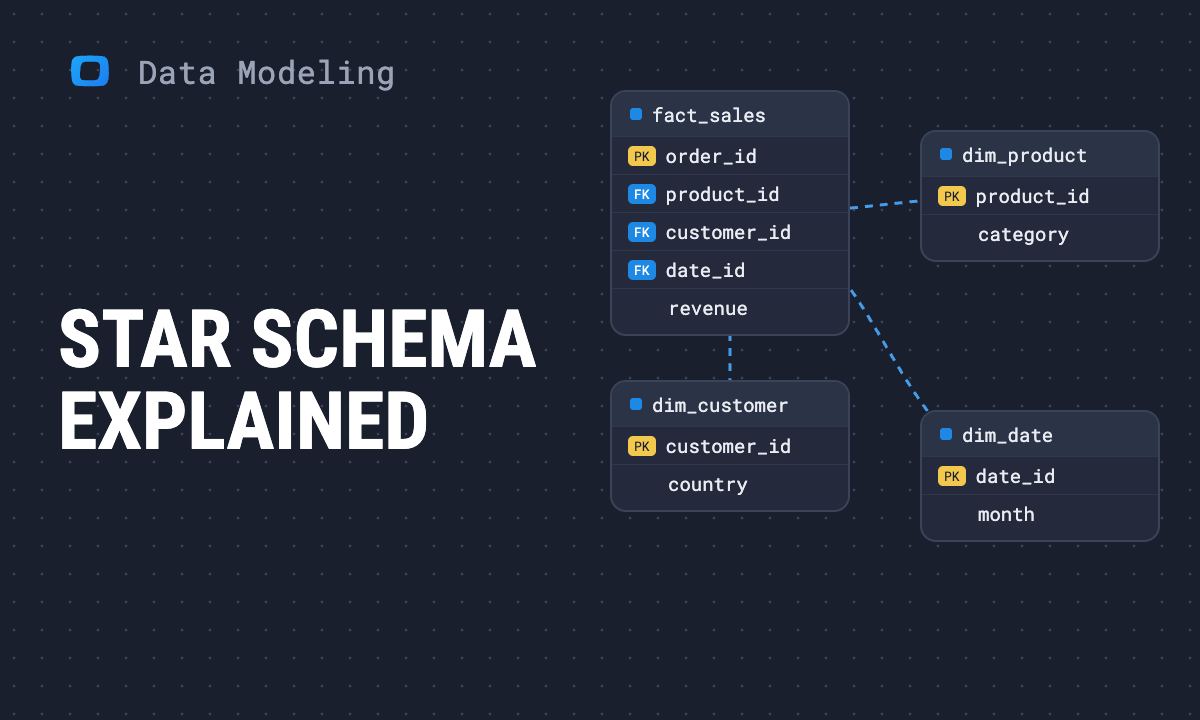
- A star schema has one fact table of events joined directly to dimension tables. It is the usual choice. See star schema.
- A snowflake schema normalizes those dimensions into sub-tables. See snowflake schema.
- A flat table puts everything a report needs into one wide table. It is the simplest for a spreadsheet user. See Data Mart design with flat tables.
Whichever shape it takes, the first decision is the grain: what one row stands for. A Data Mart with one row per order and one with one row per order line give different totals from the same data.
The usual way reporting breaks
The usual way reporting breaks
Most reporting does not fail because a Data Mart is missing. It fails because the definition is not shared.
A typical week: a question arrives in chat. The analyst writes or adapts a query, exports the result to a sheet and answers the follow-ups. Next week the same question arrives with one more column, and the export is rebuilt. Meanwhile a colleague has copied last month’s query and changed a filter, and a third person has asked an AI assistant, which read the raw tables and picked its own join.
There are now three numbers called revenue. Each came from a query that ran without error. The analyst is the one who gets asked which is right.
This is the gap a semantic data model is meant to close. A Data Mart fixes it only if two things hold: the definition lives in one place, and that place is what every report reads.
The OWOX approach to Data Marts
The OWOX approach to Data Marts
OWOX Data Marts is built around that requirement. The flow has five steps, and the analyst controls the first four.
1. Connect the warehouse you already have
Data stays in your own data storage: Google BigQuery, Snowflake, AWS Redshift, AWS Athena or Databricks. Nothing is copied into a proprietary store.
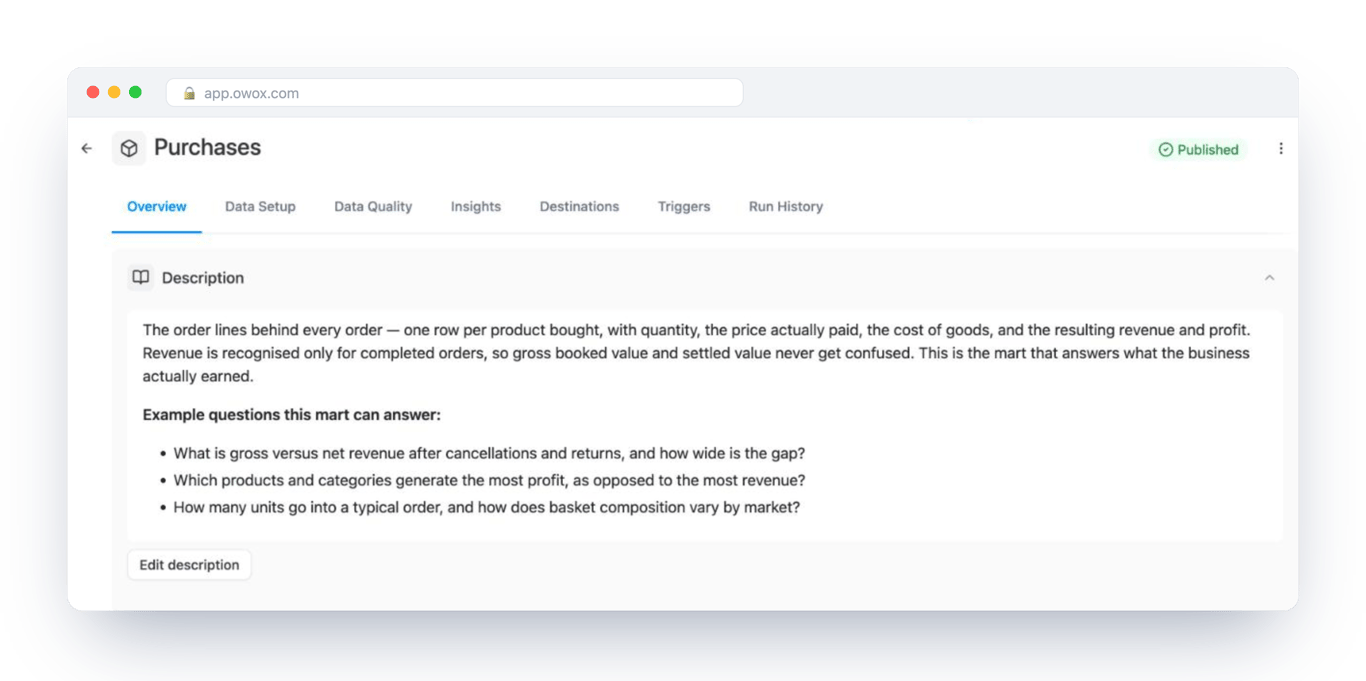
2. Define the Data Mart
The analyst writes SQL, or points at an existing table, view or set of date-sharded tables. This is the business logic: which orders count, how a session is defined, what goes into cost. OWOX Data Marts does not write or transform it.
3. Describe it
Each Data Mart gets a description and an owner, and each output field gets a name, a type and a description. This is the documentation people would otherwise ask the analyst for, kept next to the query it describes.
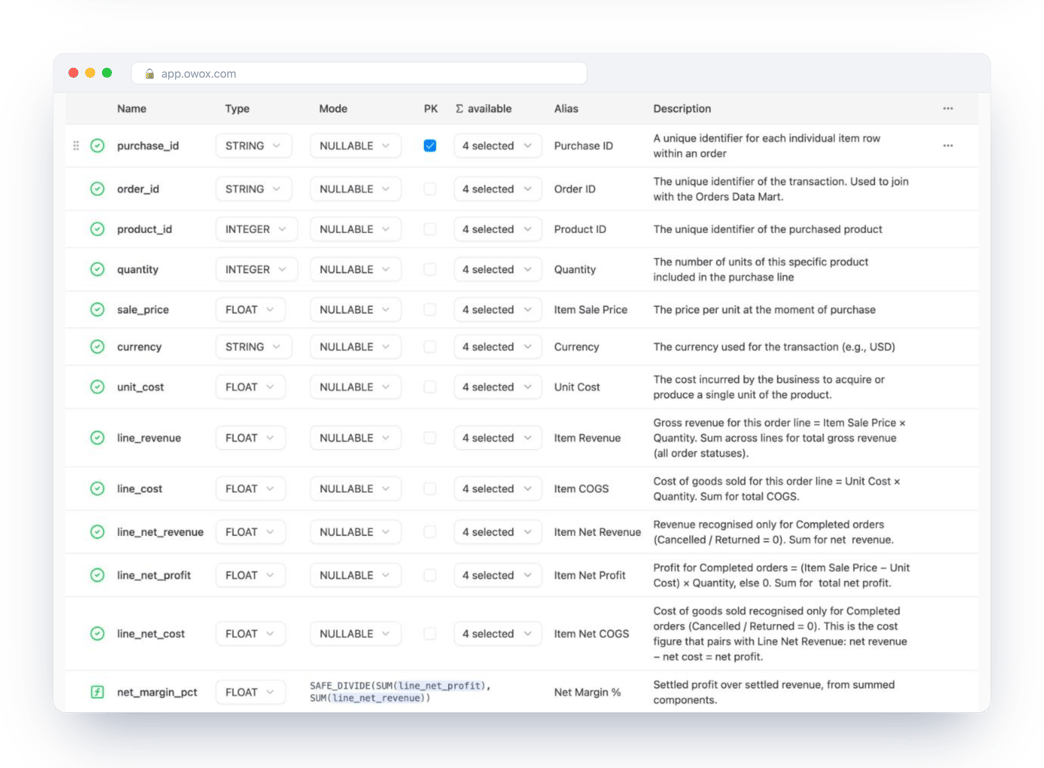
4. Relate and publish it
Relationships between Data Marts are declared once, on their join keys. Orders relate to Customers on the customer id. Then the analyst publishes. Publishing is the gate: an unpublished change reaches no report.
5. Deliver it where people work
A report is a projection of a Data Mart into a destination. The include Google Sheets, Microsoft Excel, Looker Studio, Slack, Microsoft Teams and email, and AI assistants such as Claude and ChatGPT through the OWOX MCP server. Triggers refresh reports on a schedule.
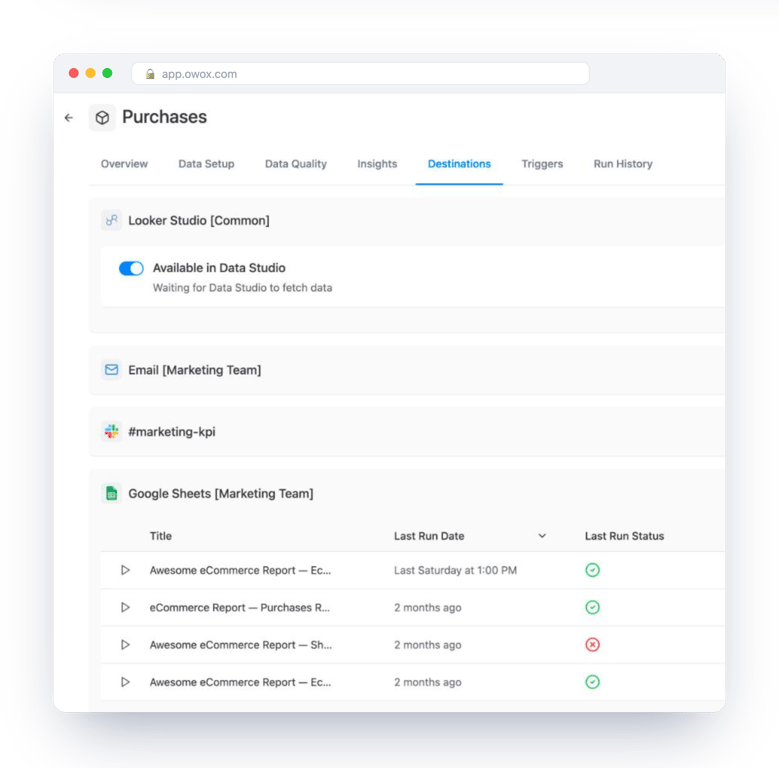
Every one of those reads the same published definition. Change the revenue rule in the Orders Data Mart, publish, and the sheet, the dashboard and the AI answer change together.
What this changes for the analyst
What this changes for the analyst
The differences are practical.
- One edit instead of many. A rule changes in the Data Mart, not in each export.
- The SQL is visible. A report shows the query behind its numbers, so “where did this come from?” has an answer that can be read.
- Joins are decided, not guessed. Business users pick fields across related Data Marts and get the join the analyst declared.
- AI answers stay inside the boundary. An assistant connected through MCP reads published Data Marts, and its queries are logged in Run History. The guarantee is the governed Data Mart behind the answer, and MCP is only the interface to it.
- Fewer repeat requests. People who can pull a governed dataset into their own sheet stop asking for the same export.
And the limits, which are better known up front:
- It needs a data warehouse. Without one there is nothing to define Data Marts on.
- It covers what has been defined. A metric nobody has put into a Data Mart is not answered by approximation. The question goes back to the data owner.
- The quality of every report is the quality of the analyst’s SQL. The product publishes, schedules and governs that SQL. It does not correct it.
Common mistakes when building Data Marts
Common mistakes when building Data Marts
Five problems account for most Data Marts that end up unused.
- One Data Mart per report. That recreates the original problem with more steps. Build per subject, and let several reports share it.
- No stated grain. If the description does not say what one row is, two users will aggregate it two ways.
- Rules left in the report. A filter applied in a dashboard is invisible to the spreadsheet next to it. Put it in the Data Mart.
- Undescribed fields.
amt_2means something to its author only. - Raw tables left open. If people can still reach the source tables, some will, and their numbers will differ.
More in mistakes in data modeling.
Where to start
Start with one disputed number. Pick the metric that causes the most “why does this not match” messages, write its definition as one Data Mart, describe its fields, publish it and move two existing reports onto it. The value shows the first time the rule changes and both reports follow.
To skip the blank page, the industry data models are sets of ready Data Marts and relationships, with walkthroughs for e-commerce, SaaS, B2B marketing and forex brokers. Data Mart management describes the definition types, and Joinable Data Marts covers relationships.
Turn your data into decisions.
Governed data marts give you the clean foundation ML needs to actually work.
- No AI hallucinations
- Analyst-governed definitions
- Every number traces to SQL
Frequently Asked Questions
Does OWOX Data Marts write the SQL or transform the data?
No. The analyst writes the SQL or points at an existing table or view. OWOX Data Marts publishes that definition, schedules its reports, governs who can use it and delivers it to destinations such as Google Sheets, Looker Studio and AI assistants.
Where is the data stored when I use OWOX Data Marts?
In your own data storage: Google BigQuery, Snowflake, AWS Redshift, AWS Athena or Databricks. Data Marts are defined on top of it and reports are delivered from it. Access to the warehouse is controlled by the credentials the data owner provides.
What are the types of Data Marts?
By data origin: dependent (built from the warehouse), independent (built straight from source systems) and hybrid. In OWOX Data Marts there are five types, by how the data is sourced: SQL, Table, View, Pattern for date-sharded tables, and Connector for data loaded from a source. Joinable is not a type: any Data Mart can be related to another on shared keys.
What is the difference between a Data Mart and a data warehouse?
A data warehouse holds structured data from all of a company's sources. A Data Mart is a prepared dataset for one subject, usually a table, view or query inside that warehouse, shaped for the reports that read it.
Why use Data Marts for business reporting?
So that a metric is calculated once. When every report reads the same published Data Mart, the reports agree with each other, a rule changes in one place, and the SQL behind a number can be read by whoever questions it.
What is a Data Mart?
A Data Mart is a dataset prepared for one area of reporting, such as sales or marketing, with joins, filters and business rules already applied. In OWOX Data Marts it is a definition an analyst owns: SQL, a table or a view, plus a description, an owner and relationships to other Data Marts.