OWOX Model Canvas vs DrawSQL: ERD Tools Compared
DrawSQL and OWOX Model Canvas are both free, browser-based ways to draw a model – and both are pleasant to use. The difference is what you’re optimizing for.
DrawSQL makes beautiful, shareable diagrams.
OWOX Model Canvas makes a portable, AI-readable model that happens to also render as a diagram.
If you want a picture for a doc, DrawSQL is a fine choice. If you want the model to travel – into git, into another tool, into an LLM, be the source that drives you report – read on and use it, it’s free. For the wider field, see our best free ERD tools roundup; this is the head-to-head.
TL;DR
- Pick DrawSQL if your main goal is a polished, collaborative ERD you’ll drop into documentation or share with stakeholders.
- Pick OWOX Model Canvas if you want the same visual model plus an open export (OKF) you can version, hand to an AI, or push into a warehouse – free, open-source, and with no sign-up.
Side by side
| DrawSQL | OWOX Model Canvas | |
|---|---|---|
| Focus | Polished, collaborative diagrams | Data model + portable output |
| Output | Image, SQL | OKF (portable markdown), image |
| AI drafting | – | Describe it, AI drafts the model |
| AI-readable output | Not really | Yes – OKF is agent-readable |
| Open samples | – | Opens Google’s GA4 / Stack Overflow / Bitcoin |
| Open-source | – | Yes (Apache-2.0) |
| Sign-up | Account required | None needed |
| Price | Free tier + paid | Free |
OWOX Data Marts
See your first report built in real time. 15 minutes.
- Connect your data warehouse
- Pick your metrics
- Get a live Google Sheets report
In the time it takes to write a ticket. Then imagine never writing that ticket again.
Book a DemoWe'll use your actual use case
Where DrawSQL wins
DrawSQL’s strength is presentation. The diagrams look good out of the box, sharing is easy, and for teams that mostly need to communicate a schema – in a design doc, an onboarding wiki, or a stakeholder review – that polish is genuinely valuable.
If your deliverable is a clean picture of the schema and collaboration on that picture, DrawSQL does it well. OWOX Model Canvas isn’t trying to out-pretty it.
Where OWOX Model Canvas wins
OWOX Model Canvas adds three things DrawSQL doesn’t (as of July 2026):
- AI drafting – describe the model in plain language and let AI draft the tables and joins, then refine visually.
- A portable, AI-readable output – it exports OKF (Google’s Open Knowledge Format), plain markdown you can commit to git, review in a pull request, or feed to an LLM as context so text-to-SQL stops guessing your schema.
- Open and free – Apache-2.0, no sign-up, opens Google’s official GA4, Stack Overflow, and Bitcoin samples, and can push a model into governed OWOX Data Marts.
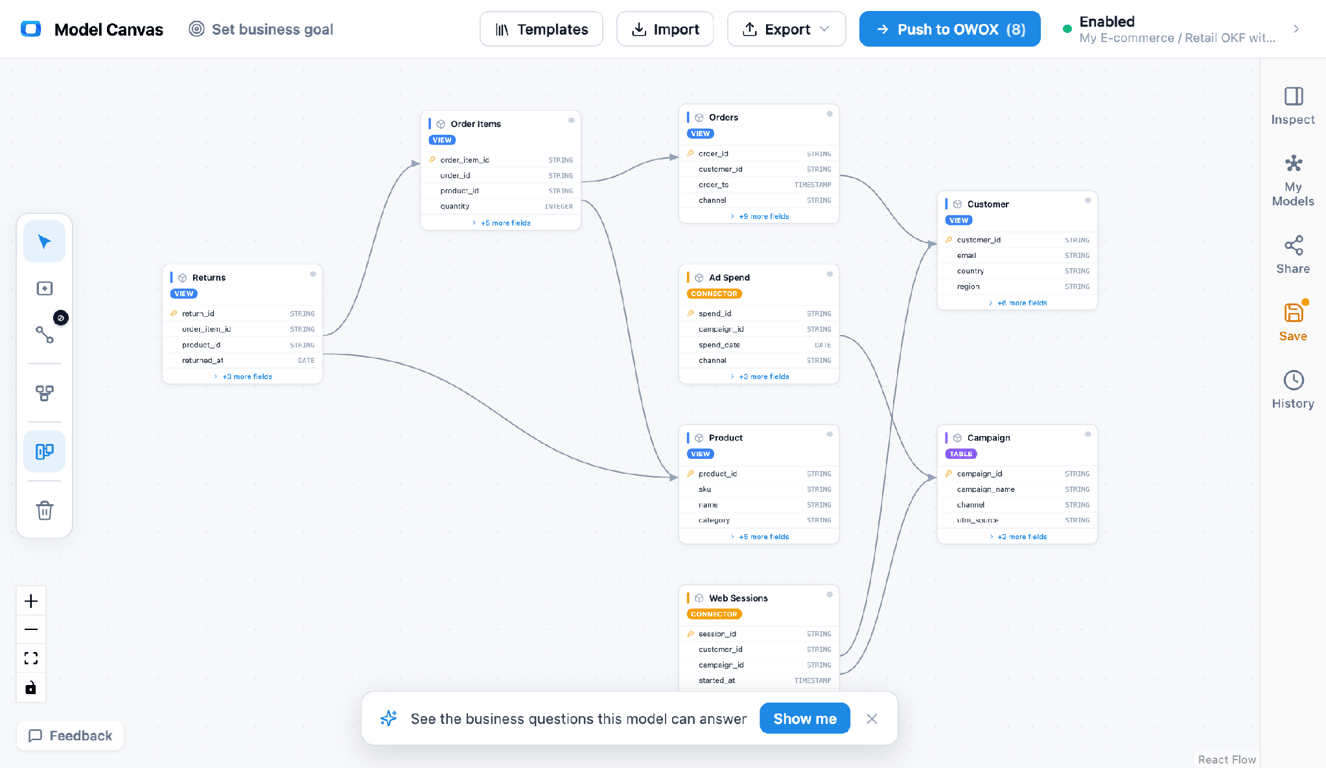
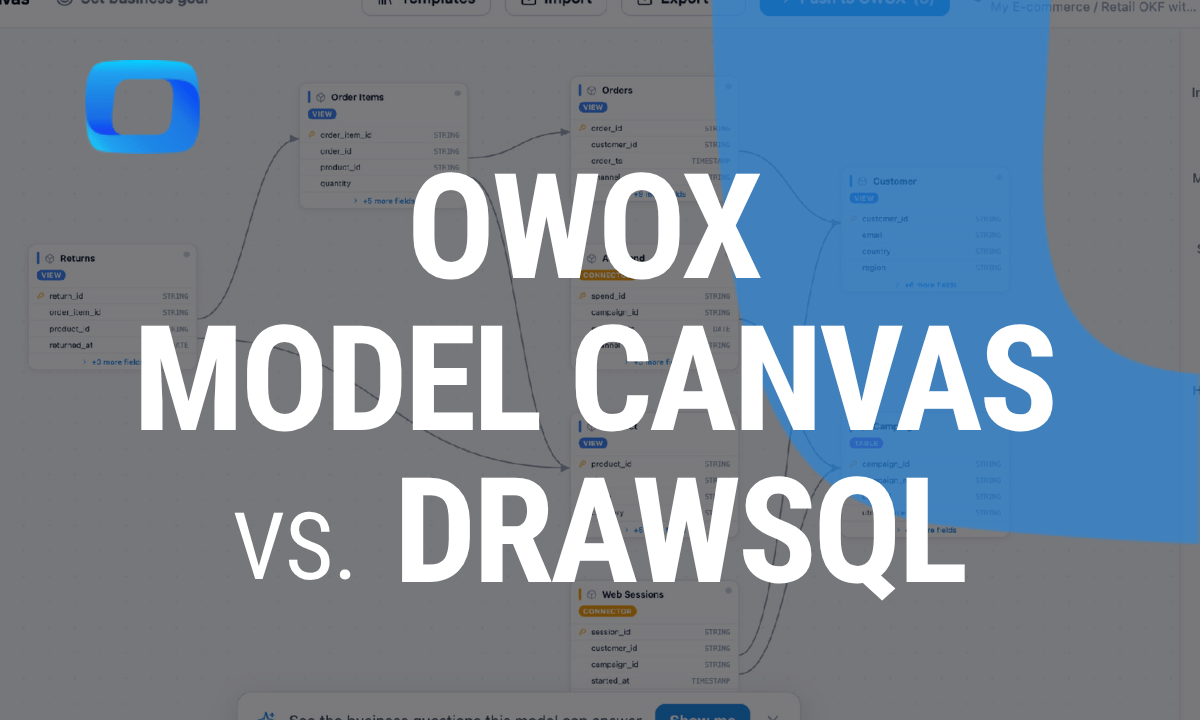
The canvas with tables, keys, and join paths – the same model exports to OKF (portable markdown) or an image.
The real difference: a picture vs a model
The real difference: a picture vs a model
Both tools draw the same kind of ERD. The distinction is the artifact you walk away with. DrawSQL’s output is a diagram – for humans.
OWOX Model Canvas’s output is a model – an open spec a machine can read.
That matters more in 2026 than it did a year ago: assistants now need a trustworthy, machine-readable description of your data, and a PNG can’t be one. An OKF file can. If your diagram only needs to be looked at, DrawSQL is enough; if it needs to do work downstream, the portable model wins.
Which should you choose?
- You need a beautiful, collaborative diagram for a doc → DrawSQL.
- You want a model that’s portable, versionable, and AI-readable → OWOX Model Canvas.
- You don’t want to sign up or pay → OWOX Model Canvas (free, anonymous, open-source).
New to modeling? Start with our guide to data modeling or grab a template; prefer a code-first tool instead? See OWOX Model Canvas vs dbdiagram.io.
Turn your data into decisions.
Governed data marts give you the clean foundation ML needs to actually work.
- No AI hallucinations
- Analyst-governed definitions
- Every number traces to SQL
Frequently Asked Questions
Can I collaborate in OWOX Model Canvas?
You can share models and, because the export is plain-text OKF, collaborate the way you collaborate on code — in git, with pull requests and diffs — which is durable beyond any single tool's sharing feature.
Do I need an account?
DrawSQL requires an account. OWOX Model Canvas runs anonymously in the browser — nothing to sign up for.
Does DrawSQL export a portable data model?
DrawSQL exports images and SQL, which are great for people and databases but aren't a tool-agnostic, machine-readable model. OKF (from OWOX Model Canvas) is designed to be exactly that.
Which is better for AI / text-to-SQL?
OWOX Model Canvas, because it exports OKF, a spec an agent can read as context. A diagram image from any tool doesn't give an LLM a model to reason over.
What's the main difference between DrawSQL and OWOX Model Canvas?
DrawSQL focuses on polished, collaborative diagrams; its output is an image or SQL. OWOX Model Canvas focuses on the model itself and exports OKF — a portable, machine-readable spec you can version and hand to an LLM.
Is DrawSQL free?
DrawSQL has a free tier with paid plans for private and team diagrams. OWOX Model Canvas is free and open-source with no sign-up required.