What is Google BigQuery: how it works, costs and where to start
Google BigQuery is a serverless data warehouse: you load data, query it with SQL and pay for the storage you use and the data your queries scan. This guide explains how it works in plain terms, what it costs, how to start in the free sandbox, and points to a detailed guide for each next step.
Google BigQuery is a serverless data warehouse. You put data in, ask questions of it in SQL, and Google runs the machines. There are no servers to size and no database to administer; you pay for the storage you use and for the data your queries read.
This page explains how it works and what it costs, then points to a detailed guide for each thing you will want to do next. Facts about the service are from Google’s BigQuery pricing and documentation pages, checked on 6 October 2026.
Note: Originally published in January 2024. Fully rewritten in October 2026 as a starting point for the BigQuery guides on this blog.
How BigQuery works, in five ideas
How BigQuery works, in five ideas
1. It is serverless. Google’s own description: you do not provision instances or virtual machines; BigQuery “automatically allocates computing resources as you need them”. Compute is measured in slots, which are virtual CPUs.
2. Storage and compute are separate. Data sits in storage that is billed by size. Queries borrow compute only while they run. That is why a table you never query costs little, and why a busy month does not require a bigger server.
3. Storage is columnar. BigQuery stores each column separately, and a query reads only the columns it names. SELECT order_id on a wide table reads one column; SELECT * reads all of them. Most cost advice for BigQuery follows from this one fact.
4. Everything is a job. Every load, export, copy and query runs as a job with an ID, a user and a record of the bytes it processed. BigQuery keeps that record for six months, which is what makes usage auditable. See query history.
5. The hierarchy is project, dataset, table. A project holds billing and permissions. A dataset is a folder of tables in one location. A table holds rows. A full table name reads project.dataset.table.
What BigQuery costs
Two things are billed, in the Iowa region as of October 2026:
- Queries, on demand: $6.25 per TiB scanned, with the first 1 TiB each month free. The alternative is capacity pricing, per slot-hour.
- Storage: about $0.023 per GiB per month for active data, with the first 10 GiB free, and less for data untouched for 90 days.
Batch loading data and running a query that fails cost nothing. A query’s cost depends on the bytes it reads, not on the rows it returns, so LIMIT does not make a query cheaper. The full picture, with worked examples, is in BigQuery pricing.
OWOX Data Marts
See your first report built in real time. 15 minutes.
- Connect your data warehouse
- Pick your metrics
- Get a live Google Sheets report
In the time it takes to write a ticket. Then imagine never writing that ticket again.
Book a DemoWe'll use your actual use case
How to start for free
The BigQuery sandbox lets you use BigQuery without a billing account, inside the free limits. It is enough to learn the interface and run real queries on public data. Setup is in getting started with the BigQuery sandbox.
A first query that works in any project, on a public dataset:
SELECT
  event_name,
  COUNT(*) AS events
FROM `bigquery-public-data.ga4_obfuscated_sample_ecommerce.events_*`
WHERE _TABLE_SUFFIX BETWEEN '20210101' AND '20210107'
GROUP BY event_name
ORDER BY events DESC
LIMIT 5;
We ran it on 6 October 2026: it returned page_view first, with 85,636 events, and scanned about 8 MB. More to practise on in BigQuery public datasets, and a tour of the console in the BigQuery interface.
Getting data in
| Your data is in | Guide |
|---|---|
| a CSV or a Google Sheet | How to upload data to BigQuery |
| Google Analytics 4 | How to connect GA4 to BigQuery |
| Search Console | Search Console bulk export |
| ad platforms, databases, anything else | How to load data into BigQuery |
Writing SQL
BigQuery’s dialect is GoogleSQL. If you know SQL from another database, most of it carries over; the differences are in the functions and in how nested data is handled.
Start here: BigQuery SQL guide, then the three ideas most queries need: JOIN vs UNION, WHERE vs HAVING vs QUALIFY and common table expressions.
Function references, each with tested examples:
- Dates and times: date, datetime and timestamp functions, and which of the three types to use.
- Text and types: string functions, CAST and SAFE_CAST, conversion functions and COALESCE.
- Nested data: arrays and JSON.
- Analysis: aggregate, window and conditional functions.
Managing tables
- Create, change and remove tables: creating and deleting tables, ALTER TABLE and DML.
- Keep queries cheap: partitioned tables and materialized views.
- Reuse logic: views.
- Undo a mistake: time travel.
- Control access: IAM roles and permissions.
Getting data out
- To a spreadsheet: how to connect BigQuery to Google Sheets.
- To a file: export to CSV.
- To a dashboard: BigQuery visualization tools.
- To a model: BigQuery ML.
Who BigQuery suits, and who it does not
Who BigQuery suits, and who it does not
It suits teams that want to analyse a lot of data without running infrastructure, whose workload is uneven, and who already use Google’s tools: GA4, Google Ads and Search Console all export to it natively.
It is a weaker fit for applications that need many small, fast reads and writes per second. BigQuery is built for analysis over large tables, not for serving an app. And it rewards attention: with on-demand pricing, a careless query on a large table costs real money, so someone has to own cost hygiene.
What BigQuery does not give you
What BigQuery does not give you
BigQuery stores the data and runs the SQL. It has no opinion about what your numbers mean. “Revenue”, “active customer” and “session” are whatever each query says they are, and in a busy project several queries say different things.
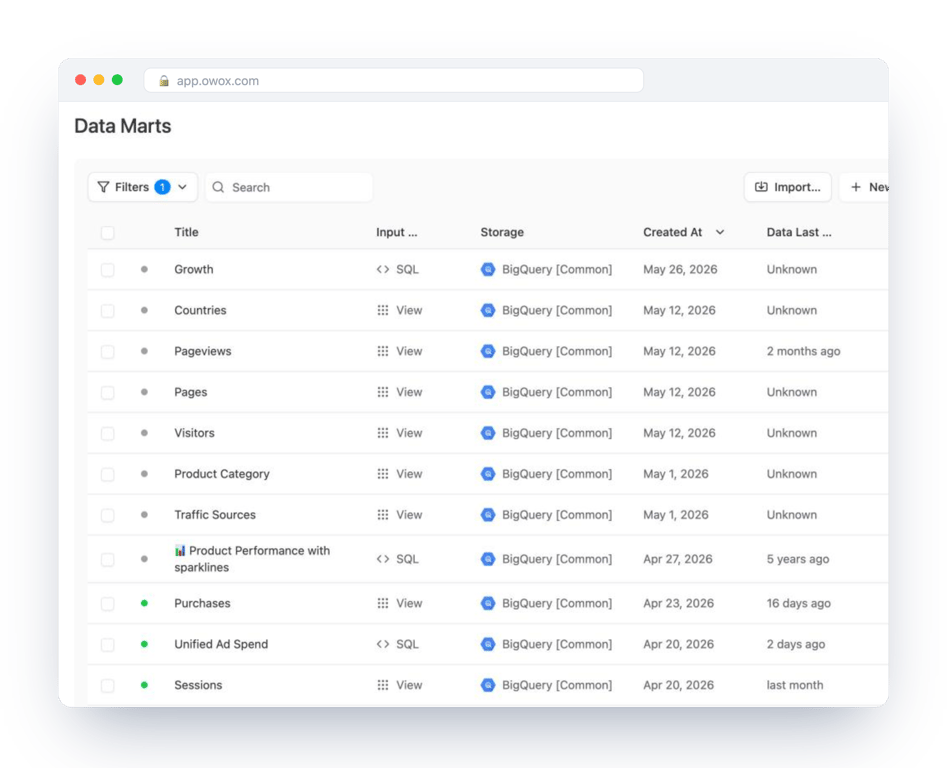
That gap is where OWOX Data Marts fits. A Data Mart is a query you wrote, saved with a description and an owner, run in your BigQuery project and delivered as reports to the spreadsheets and dashboards people use. OWOX does not replace BigQuery, hold your data or transform it. It gives the queries that define your business numbers a home, so the definition is written once.
Turn your data into decisions.
Governed data marts give you the clean foundation ML needs to actually work.
- No AI hallucinations
- Analyst-governed definitions
- Every number traces to SQL
Frequently Asked Questions
How do I create a table in BigQuery?
In the console, open a dataset's menu and choose Create table, then pick a source: an uploaded file, Cloud Storage, Drive or an empty table with a schema. In SQL, use CREATE TABLE, or CREATE TABLE ... AS SELECT to build one from a query.
What is BigQuery not good for?
Workloads that need many small, fast reads and writes per second, such as serving an application. BigQuery is built for analysis over large tables.
How does BigQuery work?
Storage and compute are separate. Data is stored by column, and a query reads only the columns it names, using compute that is allocated while it runs. Every load, export, copy and query runs as a job that is recorded for six months.
How do I load data into BigQuery?
Upload a file in the console, run a load job or LOAD DATA for files in Cloud Storage, use the BigQuery Data Transfer Service for supported sources such as Google Ads, link GA4 for its native export, or use a connector for other platforms.
How much does BigQuery cost?
In the Iowa region as of October 2026: queries on demand cost $6.25 per TiB scanned with the first 1 TiB per month free, and active storage about $0.023 per GiB per month with the first 10 GiB free. Batch loading is free.
What is Google BigQuery?
A serverless data warehouse from Google Cloud. You load data, query it with SQL and pay for the storage you use and the data your queries scan. Google allocates the compute, measured in slots, so there are no servers to manage.
What are projects, datasets and tables in BigQuery?
A project holds billing and permissions. A dataset is a container of tables in one location. A table holds the rows. A full table name is written project.dataset.table.
Can I use BigQuery for free?
Yes. The BigQuery sandbox works without a billing account inside the free limits, and every billed account also gets 1 TiB of on-demand query data and 10 GiB of storage free each month.
How do I export query results from BigQuery?
In the console, click Save results and choose a CSV or JSON file, Google Sheets or a BigQuery table. For results too large to download, write them to Cloud Storage with the EXPORT DATA statement.
Is BigQuery a database or a data warehouse?
A data warehouse. It stores data by column and is built for analytical queries over large tables, not for the many small reads and writes an application makes. You query it with SQL, as you would a database.