
Data Studio dashboards powered by data you can trust
Stop rebuilding logic inside every dashboard. OWOX Data Marts feed Data Studio with governed, fresh data — so dashboards load fast, numbers stay consistent, and analysts stop firefighting.

Available connectors to Data Studio
Available connectors to Data Studio
- AWS Athena Connector to Data Studio
- AWS Redshift Connector to Data Studio
- Bank of Canada Connector to Data Studio1 endpoint3 fieldsExchange Rates
- Criteo Ads to Data Studio Connector4 endpoints196 fieldsPlacement Categories, Placements, Statistics, Transactions
- Databricks Connector to Data Studio
- Facebook Ads to Data Studio Connector15 endpoints1,172 fieldsAd, Ad Account, Ad Account User, Ad Creatives, Ad Insights, Ad Insights by Ad Set, Ad Insights by Age and Gender, Ad Insights by Campaign, Ad Insights by Country, Ad Insights by Device Platform, Ad Insights by Link URL Asset, Ad Insights by Product ID, Ad Insights by Publisher Platform and Position, Ad Insights by Region, Ads
- GitHub Connector to Data Studio3 endpoints54 fieldsRepository Contributors, Repository Information, Repository Statistics
- Google Ads to Data Studio Connector9 endpoints166 fieldsAd Group Ads Stats, Ad Groups, Ad Groups Stats, Campaigns, Campaigns Stats, Criterion, Geo Stats, Geo Target Constants, Keywords Stats
- Google BigQuery Connector to Data Studio
- Google Sheets Connector to Data Studio
- Linkedin Ads to Data Studio Connector5 endpoints175 fieldsAd Accounts, Ad Analytics, Campaign Groups, Campaigns, Creatives
- LinkedIn Pages to Data Studio Connector2 endpoints18 fieldsFollower Statistics, Time-Bound Follower Statistics
- Microsoft Ads to Data Studio Connector3 endpoints225 fieldsAd Performance Report, Campaigns, User Location Performance Report
- Open Exchange Rates to Looker Connector1 endpoint4 fieldsHistorical exchange rates data
- Open Holidays Connector to Data Studio1 endpoint7 fieldsPublic Holidays
- Reddit Ads to Data Studio Connector18 endpoints675 fieldsAd Account, Ad Account User, Ad Groups, Ad Performance, Ad Performance by Account, Ad Performance by Ad Group, Ad Performance by Campaign, Ad Performance by Community, Ad Performance by Country, Ad Performance by DMA, Ad Performance by Interest, Ad Performance by Keyword, Ad Performance by Placement, Ads, Campaigns, Custom Audiences, Funding Instruments, Lead Gen Forms
- Shopify to Data Studio Connector25 endpoints337 fieldsAbandoned Checkouts, Article Metafields, Articles, Blog Metafields, Blogs, Collection Metafields, Collections, Customer Metafields, Customers, Discount Codes, Fulfillment Orders, Inventory Items, Location Metafields, Locations, Order Metafields, Orders, Page Metafields, Pages, Product Metafields, Product Variant Metafields, Product Variants, Products, Shop, Shop Metafields, Tender Transactions
- Snowflake Connector to Data Studio
- TikTok Ads to Data Studio Connector7 endpoints217 fieldsAd Groups, Ad Performance, Ad Performance by Country, Ads, Advertiser Account, Campaigns, Custom Audiences
- Twitter Ads to Data Studio Connector10 endpoints187 fieldsAccounts, Ad Performance, Ad Performance by Country, All Cards, Campaigns, Cards, Line Items, Promoted Tweets, Targeting Locations, Tweets









R01 · Destination
What does Data Studio mean in OWOX Data Marts?
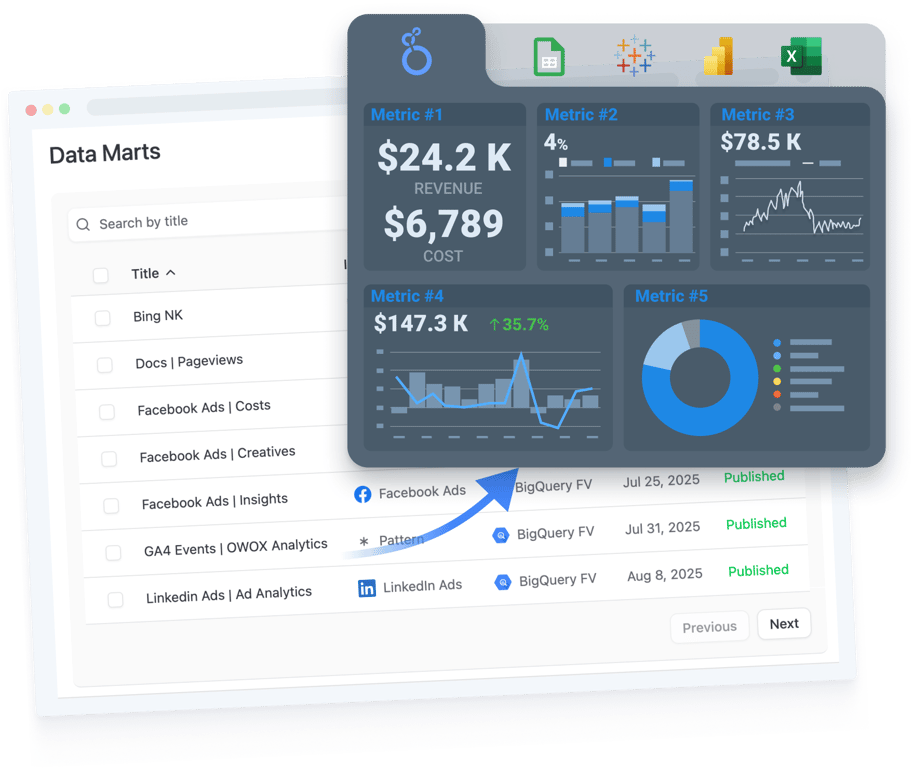
Data Studio is a visualization layer, not a data layer. When business logic lives inside dashboards — custom fields, blended data, calculated metrics — it breaks at scale. OWOX moves the logic upstream to your data warehouse and feeds Data Studio with clean, governed data marts.
- Dashboards consume governed data marts — no custom fields or blended data hacks
- Same data mart powers Data Studio, Google Sheets, and AI Insights
- Update a metric once in your data warehouse — every dashboard reflects it instantly
R02 · Who it is for
Who is Data Studio with OWOX for?
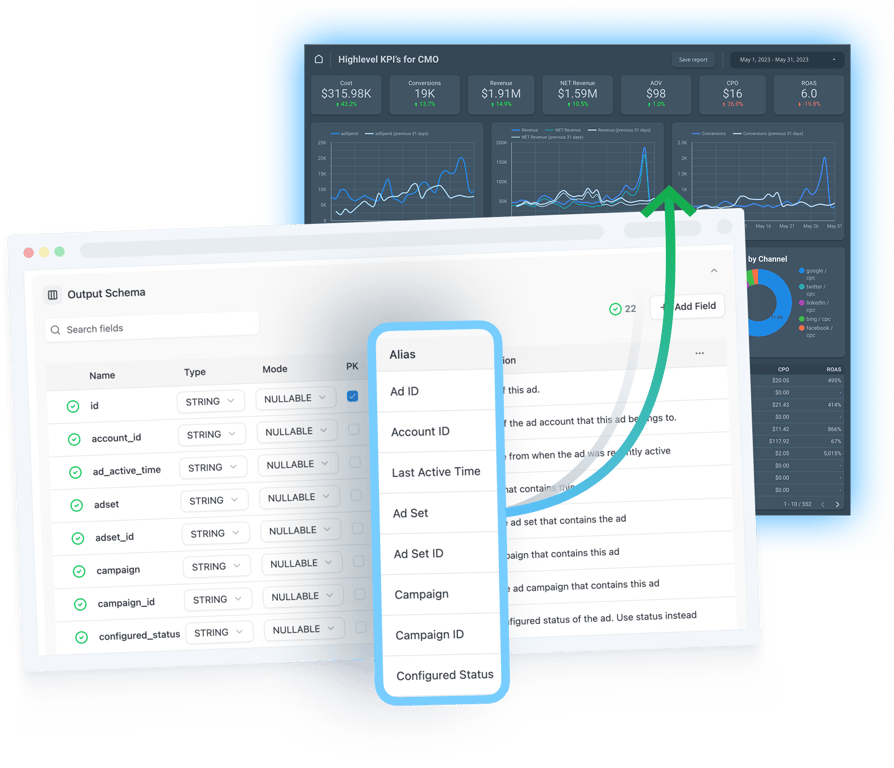
Teams running multiple Data Studio dashboards that keep breaking, drifting, or contradicting each other — because the logic lives inside the dashboard instead of the data warehouse.
- Data and BI teams managing dozens of dashboards across stakeholders
- Marketing and finance teams who need consistent numbers across reports
- Organizations standardizing metrics across Data Studio and Google Sheets
R03 · Why teams pick OWOX
Why use OWOX Data Marts with Data Studio?
Data Studio is great for exploration, but it was never meant to hold business logic. When every dashboard defines its own metrics, you get drift, debates, and broken reports. OWOX Data Marts move definitions into your data warehouse — so Data Studio becomes fast, reliable, and easy to maintain.
R04 · How it works
How teams use OWOX Data Marts with Data Studio
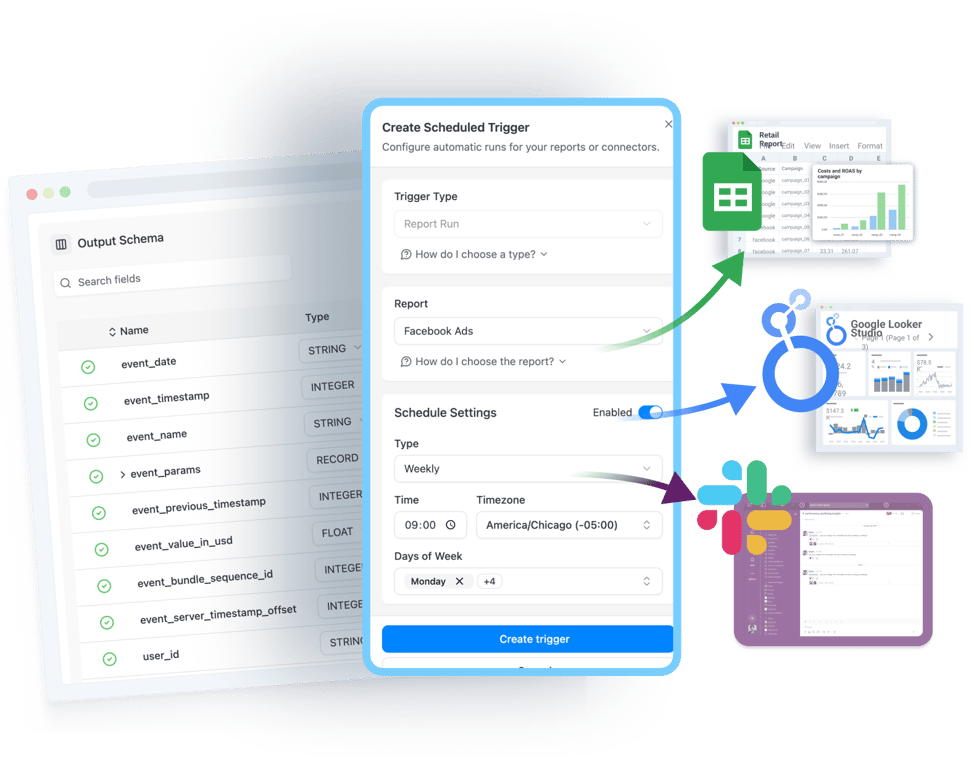
- Define business-ready data marts in your data warehouse (BigQuery, Snowflake, Athena, etc.)
- Centralize metric definitions, joins, filters, and business logic in one place
- Reuse the same data marts across multiple Data Studio dashboards
- Fewer broken models, fewer rewrites, fewer “can you fix this measure?” requests for data teams.
- Update definitions once — all connected dashboards stay consistent
- Combine Data Studio flexibility with governed, analyst-owned data
Why OWOX as a companion to Data Studio
Governed dashboards
Every dashboard runs on the same governed data marts — no duplicated custom fields or conflicting metrics.
Always fresh
Data marts refresh on schedule. Dashboards always show fresh, trusted numbers without manual intervention.
Define once, use everywhere
Analysts define metrics once in SQL. Data Studio consumers explore freely without breaking anything.
One source of truth
Same data mart feeds Data Studio, Google Sheets, and AI Insights — one source of truth across every tool.
Less maintenance
Fewer broken dashboards, fewer “can you fix this chart?” requests, fewer hours wasted on reporting maintenance.
Less debate, more action
When every visualization runs on governed data, teams stop debating numbers and start acting on insights.
Not testimonials. Comment threads.
Real things real customers said — each quote pinned to a specific claim, straight from the quotes database.
 Nodari RizunFounder & CEO, Pürblack®
“AI, by the nature of the models, will hallucinate. And because of that, you need something which will create guardrails to ensure that there are no hallucinations, that you can trust your data.”
 Mark SimmonsCMO, Pürblack®
“We had six or seven different channels and no single source of truth — it was almost impossible, a lot of guesswork.”
Nodari RizunFounder & CEO, Pürblack®“We regained time. And time is the one resource that never comes back.”
Run every Data Studio dashboard on trusted data
Connect your data warehouse and start feeding Data Studio with governed data marts in minutes. Free to start.
- Internal OWOX data as of 2026-10-02
- G2 reviews of OWOX
- npm installs stat