The OKF Ecosystem: Every Open-Source Tool for Google's Open Knowledge Format
Two weeks after Google published the Open Knowledge Format (OKF) – an open, markdown-based standard for describing data models – something unusual happened: an entire open-source ecosystem appeared around it. Not a roadmap, not a waitlist. Real tools, on GitHub, that you can install today.
This page is the map. We’ve collected every open-source OKF tool we could find, grouped by what it does, so you can see the whole landscape at a glance – and pick the right tool for each step. New to the format itself?
Start with our explainer on what OKF is; otherwise, let’s walk the ecosystem.
Disclosure: OWOX builds one of the tools below (Model Canvas). We’ve tried to keep this a neutral, useful index – it’s the same list we proposed to Google’s own OKF repo, where the tool authors showed up to add and refine their own entries.
The shape of the ecosystem: an OKF pipeline
The shape of the ecosystem: an OKF pipeline
The tools sort cleanly into four stages of a pipeline, because a data model has a lifecycle: something generates it, someone edits and visualizes it, tooling validates it, and finally you publish or consume it.
Generate → Edit / visualize → Validate → Publish / consume.
A visual editor sits in the middle – it’s where a raw bundle becomes something a human can actually reason about. That’s the natural hub of the whole flow, and it’s where OWOX Model Canvas lives (more on that below). Here’s every tool, stage by stage.
Generate: turn docs and data into OKF
Generate: turn docs and data into OKF
The front of the pipeline. These tools produce OKF bundles from things you already have – documentation, PDFs, decks, existing schemas, or an AI prompt.
• OKFy – converts docs sites and local Markdown folders into OKF bundles, with validation, inspection, and an MCP server for agents.
• KnowHub – a model-agnostic pipeline that turns implementation documents (guides, PDFs, decks) into OKF bundles via cross-model extraction.
• okf-knowledge – a portable /okf Claude Code skill to create, read, maintain, and visualize bundles.
• okf-skills – a Claude Code toolkit to author, maintain, validate, and visualize OKF bundles.
• okf-frontmatter – a pure-Python agent skill that keeps repo docs under OKF with fast doc/schema lookup.
The common thread: a generator gets you to a first draft fast. But a generated model is rarely a finished one – the joins, the grain, and the naming all need a human eye. Which is exactly what the next stage is for.
OWOX Data Marts
See your first report built in real time. 15 minutes.
- Connect your data warehouse
- Pick your metrics
- Get a live Google Sheets report
In the time it takes to write a ticket. Then imagine never writing that ticket again.
Book a DemoWe'll use your actual use case
Edit and visualize: where the model becomes real
Edit and visualize: where the model becomes real
A bundle of markdown files is portable and machine-friendly, but you can’t reason about a data model as text. You need to see the tables, the keys, and the join paths. Two tools focus here.
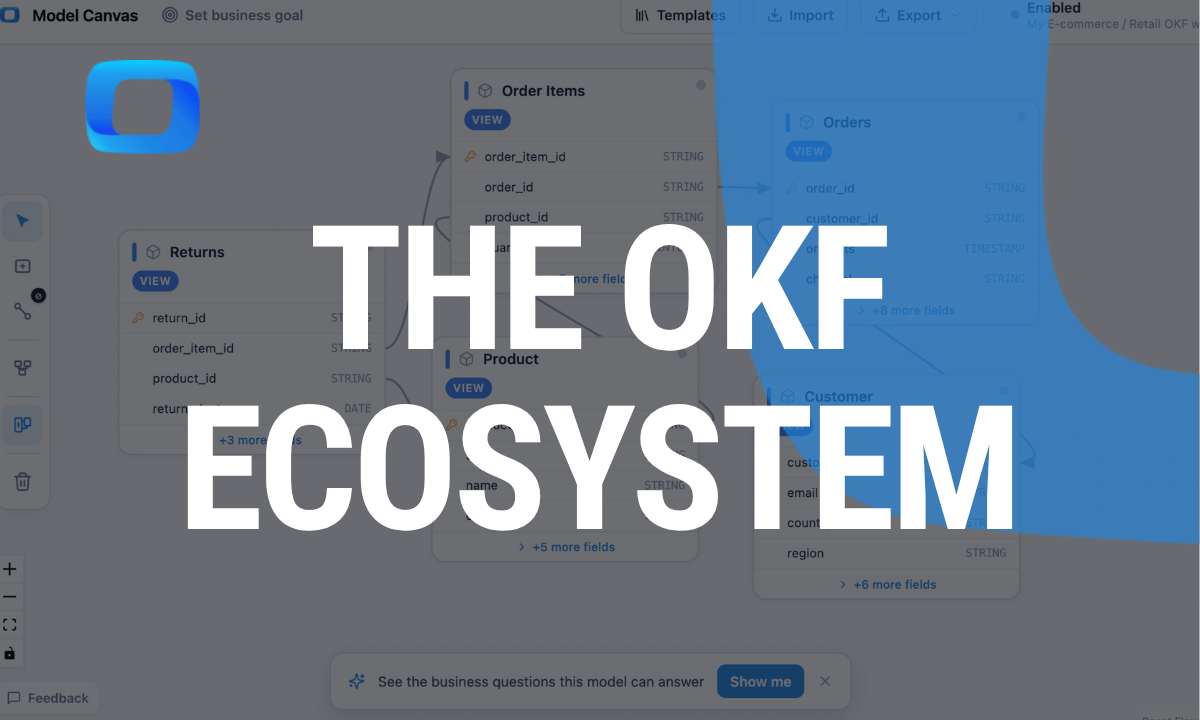
• OWOX Model Canvas – a free, open-source (Apache-2.0) visual canvas and ERD editor. Draw a data model (or import a bundle, or describe it and let AI draft it), see it as a clean entity-relationship diagram, and export valid OKF v0.1. It opens Google’s official GA4, Stack Overflow, and Bitcoin sample bundles, works fully anonymously with no sign-up, and – when you’re ready – pushes the model into governed OWOX Data Marts. It’s currently the most-starred tool in the OKF ecosystem.
• OnyxWriter – a local-first desktop editor (Tauri) for OKF bundles, with visual and raw editing, encrypted bundles, and MCP/CLI support.
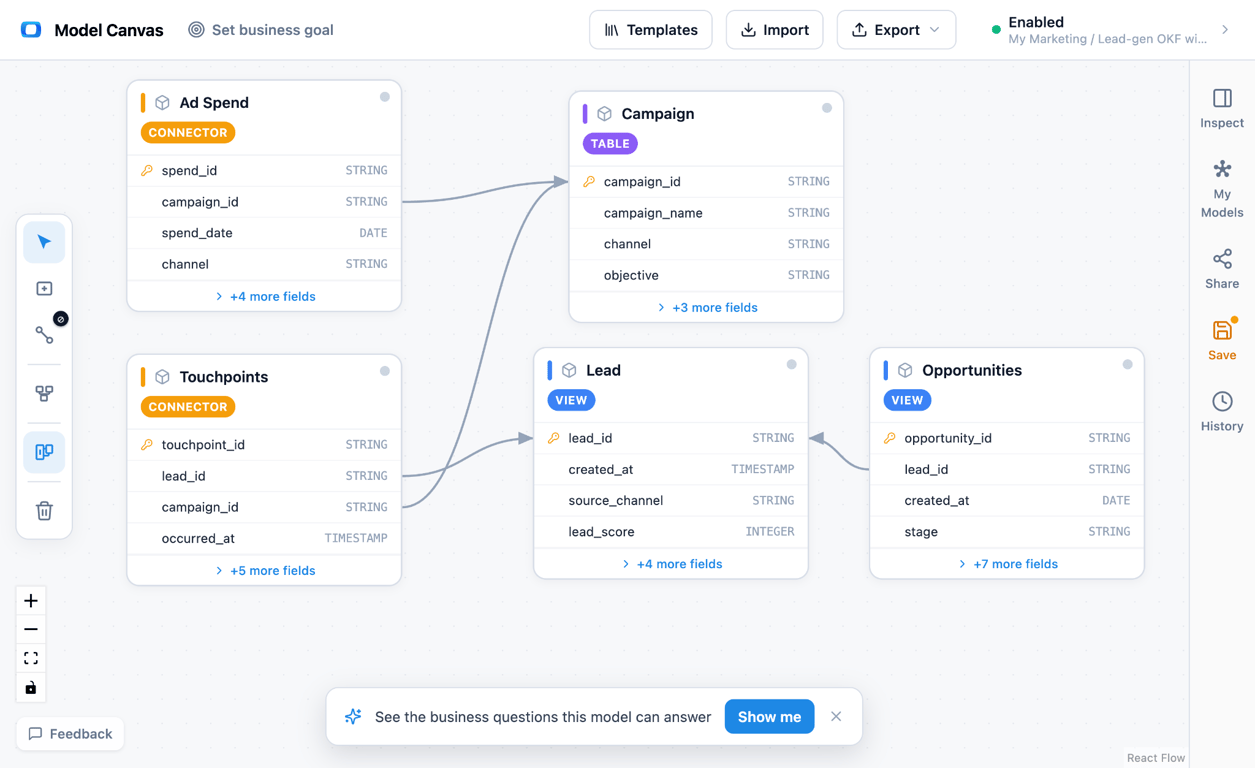
This is the hub of the pipeline. A generator feeds a bundle in; you fix the grain and the joins visually; and the corrected model flows out to everything downstream. It’s also where the most valuable design decision gets made – getting the grain right (one row per what?), the single choice that separates a report that’s correct from one that’s confidently wrong. Our e-commerce data model walks through that exact decision.
Validate: catch problems before they ship
Validate: catch problems before they ship
Because OKF is a spec, you can check a bundle against it – the same way a linter checks code. Two tools do this.
• okf-conformance – a conformance-criteria document plus an executable validator for OKF bundles.
• okf-lint – a linter for OKF bundles that catches conformance violations.
Drop either into CI and a malformed model fails the build before it reaches anyone. Build your model in a canvas, export OKF, and lint it – the same review discipline you already apply to code, now applied to your data model.
Publish and consume: get the model where it’s needed
Publish and consume: get the model where it’s needed
The back of the pipeline – programmatic access and turning a bundle into something people read.
• openknowledge – a Go CLI to create, inspect, and publish OKF bundles (implements v0.1).
• kiso – a publishing engine that turns OKF bundles into static sites (with llms.txt and a sitemap).
Why the visual editor is the center of it all
Why the visual editor is the center of it all
Look at the pipeline again and one thing stands out: almost everything is either input (generators that make a bundle) or output (validators, CLIs, publishers that consume one). The visual editor is the one place where a human actually shapes the model – which makes it the natural hub the rest of the ecosystem flows through.
That’s the role OWOX Model Canvas is built for. Point a generator like OKFy or KnowHub at your messy docs, get a rough bundle, then open it in the canvas to see it, fix the joins, and get the grain right. From there the model is yours: keep the OKF in git, lint it, or push it into governed OWOX Data Marts so your whole team can report from one trusted source. It’s free, open, and anonymous – the model you build is portable markdown you own, not a file locked inside one tool.
| Stage | What it does | Tools |
|---|---|---|
| Generate | Docs / AI → OKF bundle | OKFy, KnowHub, okf-knowledge, okf-skills, okf-frontmatter |
| Edit / visualize | Shape and see the model (ERD) | OWOX Model Canvas, OnyxWriter |
| Validate | Check a bundle against the spec | okf-conformance, okf-lint |
| Publish / consume | CLI access, static sites | openknowledge, kiso |
How to choose: which OKF tool for which job
How to choose: which OKF tool for which job
You don’t need all of these – you need the right one for where you are. A quick decision guide:
- You have docs, PDFs, or a wiki and want a starting model. Reach for a generator – OKFy (docs sites and Markdown folders) or KnowHub (guides, PDFs, decks). They get you a first-draft bundle in minutes.
- You work inside an AI coding assistant. The Claude Code skills – okf-knowledge, okf-skills, okf-frontmatter – let your agent author and maintain bundles without leaving the editor.
- You need to see, understand, or fix a model. Open it in a visual editor. OWOX Model Canvas (browser, no install) or OnyxWriter (desktop) turn the bundle into an ERD you can actually reason about.
- The model is going into production. After you’ve shaped it in the canvas, push it into governed OWOX Data Marts so reporting, dashboards, and AI all read from one definition.
- You want quality gates. Add okf-lint or okf-conformance to CI so a malformed model never merges.
- You want to share or publish the model. Use the openknowledge CLI for scripted access, or kiso to turn a bundle into a browsable static site.
The point of an open standard is exactly this: you can mix and match tools from different authors at every step, and nothing traps your model along the way.
Put it together: from a pile of docs to a trusted model
Put it together: from a pile of docs to a trusted model
Here’s the whole ecosystem in one workflow:
(1) Generate – point OKFy or KnowHub at your existing docs, PDFs, or a data-source description; get a first-draft OKF bundle.
(2) Open it in OWOX Model Canvas – see the ERD, fix the joins, set the grain, and rename tables to match the business. No sign-up.
(3) Validate – export OKF and run okf-lint or okf-conformance in CI so a broken model never ships.
(4) Ship it – keep the OKF in git for review, or push it into governed OWOX Data Marts and let the whole team self-serve from one definition.
Four open tools, one open format, no lock-in at any step.
The bigger signal
An open standard is only as real as the tools built on it. Two weeks after launch, OKF already had generators, agent skills, linters, a CLI, publishers, and visual editors – most of them appearing within days, several of their authors collaborating in the open on Google’s own repository. That’s not a press release. That’s an ecosystem.
And it’s still growing – new tools keep landing. If you want to be part of it, the fastest way in is to model something: open a free template, reshape it, and export OKF. And if you’ve built an OKF tool that isn’t on this list, tell us – this map is meant to grow.
Turn your data into decisions.
Governed data marts give you the clean foundation ML needs to actually work.
- No AI hallucinations
- Analyst-governed definitions
- Every number traces to SQL
Frequently Asked Questions
Is OKF tied to a specific vendor?
No. OKF is an open standard and the tools are open-source. Your model is portable markdown you own — you can move it between tools or keep it in git with no lock-in.
Can I convert an OKF model into live warehouse tables?
Yes. After you shape the model in a canvas, OWOX Model Canvas can push it into governed OWOX Data Marts in your own warehouse, so dashboards, spreadsheets, and AI all report from one trusted definition.
How do I validate an OKF bundle?
Run okf-lint or okf-conformance — both check a bundle against the OKF spec and can run in CI, so a malformed model fails the build.
How do I turn existing docs into an OKF bundle?
Use a generator like OKFy (docs sites and Markdown folders) or KnowHub (guides, PDFs, decks), then open the result in a visual editor to fix the joins and grain before you rely on it.
What's the best OKF editor?
For visual editing, OWOX Model Canvas is a free, open-source browser canvas that imports and exports OKF v0.1 and opens Google's official samples; OnyxWriter is a local-first desktop option. The right choice depends on whether you want a browser or a desktop tool — both are open.
What open-source tools exist for OKF?
The ecosystem includes generators (OKFy, KnowHub), Claude Code agent skills (okf-knowledge, okf-skills, okf-frontmatter), validators and linters (okf-conformance, okf-lint), a Go CLI (openknowledge), a static-site publisher (kiso), and visual editors (OWOX Model Canvas, OnyxWriter).
What is OKF (Open Knowledge Format)?
OKF is an open, markdown-based standard from Google for describing a data model as a folder of plain-text files — one document per table, a schema block, and a joins section. Because it's plain text, a model can live in git, be reviewed in a pull request, and be read or written by both people and AI agents.