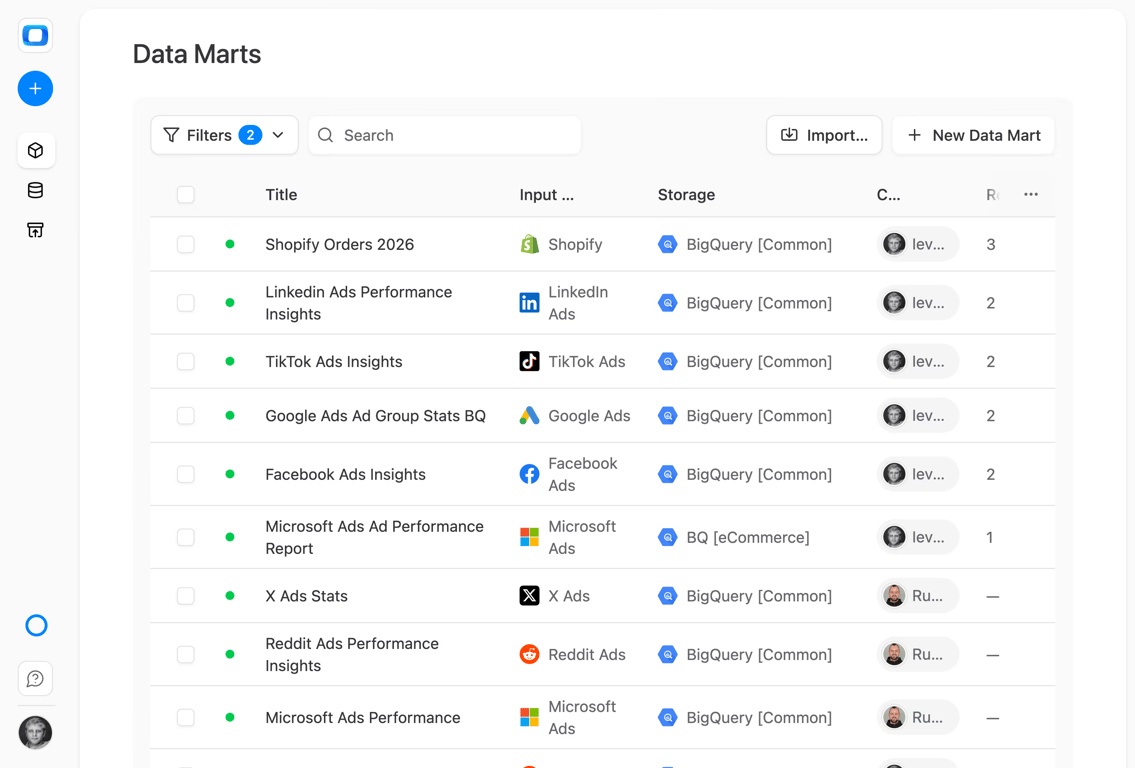
Collect Microsoft Ads data. Deliver reports. Automate AI Insights.
Connect Microsoft Ads to OWOX Data Marts, automate reporting across Google Sheets, Looker Studio, and any BI tool, and get AI Insights delivered on a schedule.
Data Partner You Can Trust
users
175K
Executives and data analysts across 20+ industries
G2 rating
4.9★
“A trusted data analytics partner” — verified review
Customers
Available connectors










Microsoft Ads endpoints
3 Microsoft Ads endpoints you can import. Each lands in its own table in your warehouse.
Ad Performance Report
Daily ad performance — impressions, clicks, spend, and conversions segmented by device, network, and match type.
92 fieldsTime seriesCampaigns
Your campaign and ad group structure — type, status, bid strategy, budget, and keyword settings.
52 fieldsUser Location Performance Report
Daily performance by user physical location — impressions, clicks, spend, and conversions broken down by country, state, and city.
81 fieldsTime series
Microsoft Ads Ad Performance Report schema
92 fieldsTime seriesmicrosoft_ads_ad_performance_reportSchema on GitHub
Daily ad performance — impressions, clicks, spend, and conversions segmented by device, network, and match type.
| Field | Type | Description |
|---|---|---|
AccountName | STRING | The account name. |
AccountNumber | STRING | The Microsoft Advertising assigned number of an account. |
AccountId | STRING | The Microsoft Advertising assigned identifier of an account. |
TimePeriod | DATE | The time period of each report row. |
CampaignName | STRING | The campaign name. |
CampaignId | STRING | The Microsoft Advertising assigned identifier of a campaign. |
AdGroupName | STRING | The ad group name. |
AdId | STRING | The Microsoft Advertising assigned identifier of an ad. |
AdGroupId | STRING | The Microsoft Advertising assigned identifier of an ad group. |
AdTitle | STRING | The ad title. |
AdDescription | STRING | The first ad description that appears below the path in your ad. |
AdDescription2 | STRING | The second ad description that appears below the path in your ad. |
AdType | STRING | The ad type. |
CurrencyCode | STRING | The account currency type. |
AdDistribution | STRING | The network where you want your ads to show. |
Impressions | INTEGER | The number of times an ad has been displayed on search results pages. |
Clicks | INTEGER | Clicks are what you pay for. |
Ctr | NUMBER | The click-through rate (CTR) is the number of times an ad was clicked, divided by the number of times the ad was shown. |
AverageCpc | NUMBER | The average cost per click (CPC). |
Spend | NUMBER | The cost per click (CPC) summed for each click. |
AveragePosition | NUMBER | The average position of the ad on a webpage. |
Conversions | INTEGER | The number of conversions. |
ConversionRate | NUMBER | The conversion rate as a percentage. |
CostPerConversion | NUMBER | The cost per conversion. |
DestinationUrl | STRING | The destination URL attribute of the ad. |
DeviceType | STRING | The type of device which showed ads. |
Language | STRING | The language of the publisher where the ad was shown. |
DisplayUrl | STRING | The ad display URL. |
AdStatus | STRING | The ad status. |
Network | STRING | The entire Microsoft Advertising Network made up of Microsoft sites and select traffic, and only partner traffic. |
TopVsOther | STRING | Indicates whether the ad impression appeared in a top position or elsewhere. |
BidMatchType | STRING | The keyword bid match type. |
DeliveredMatchType | STRING | The match type used to deliver an ad. |
DeviceOS | STRING | The operating system of the device reported in the DeviceType column. |
Assists | STRING | The number of conversions from other ads within the same account that were preceded by one or more clicks from this ad. |
Revenue | STRING | The revenue optionally reported by the advertiser as a result of conversions. |
ReturnOnAdSpend | NUMBER | The return on ad spend (ROAS). |
CostPerAssist | NUMBER | The cost per assist. |
RevenuePerConversion | STRING | The revenue per conversion. |
RevenuePerAssist | STRING | The revenue per assist. |
TrackingTemplate | STRING | The current tracking template of the ad. |
CustomParameters | STRING | The current custom parameters set of the ad. |
FinalUrl | STRING | The Final URL of the ad. |
FinalMobileUrl | STRING | The Final Mobile URL of the ad. |
FinalAppUrl | STRING | Reserved for future use. |
AccountStatus | STRING | The account status. |
CampaignStatus | STRING | The campaign status. |
AdGroupStatus | STRING | The ad group status. |
TitlePart1 | STRING | The title part 1 attribute of an ad. |
TitlePart2 | STRING | The title part 2 attribute of an ad. |
TitlePart3 | STRING | The title part 3 attribute of an ad. |
Headline | STRING | The shorter of two possible responsive ad headlines. |
LongHeadline | STRING | The longer of two possible responsive ad headlines. |
BusinessName | STRING | Depending on your responsive ad's placement, your business's name may appear in your ad. |
Path1 | STRING | The path 1 attribute of an ad. |
Path2 | STRING | The path 2 attribute of an ad. |
AdLabels | STRING | The labels applied to the ad. |
CustomerId | INTEGER | The Microsoft Advertising assigned identifier of a customer. |
CustomerName | STRING | The customer name. |
CampaignType | STRING | The campaign type. |
BaseCampaignId | INTEGER | The Microsoft Advertising assigned identifier of an experiment campaign. |
AllConversions | INTEGER | The number of conversions. |
AllRevenue | STRING | The revenue optionally reported by the advertiser as a result of conversions. |
AllConversionRate | NUMBER | The conversion rate as a percentage. |
AllCostPerConversion | NUMBER | The cost per conversion. |
AllReturnOnAdSpend | NUMBER | The return on ad spend (ROAS). |
AllRevenuePerConversion | STRING | The revenue per conversion. |
FinalUrlSuffix | STRING | A place in your final URL where you can add parameters that will be attached to the end of your landing page URL. |
ViewThroughConversions | INTEGER | View-through conversions are conversions that people make after they have seen your ad, even though they did not click the ad. |
Goal | STRING | The name of the goal you set for the conversions you want. |
GoalType | STRING | The type of conversion goal. |
AbsoluteTopImpressionRatePercent | NUMBER | How often your ad was in the first position of all results, as a percentage of your total impressions. |
TopImpressionRatePercent | NUMBER | The percentage of times your ad showed in the mainline, the top placement where ads appear above the search results. |
AverageCpm | NUMBER | The total advertising cost divided by the number of impressions (in thousands). |
ConversionsQualified | INTEGER | The number of conversions. |
AllConversionsQualified | INTEGER | The number of conversions. |
ViewThroughConversionsQualified | INTEGER | View-through conversions are conversions that people make after they have seen your ad, even though they did not click the ad. |
ViewThroughRevenue | STRING | The revenue optionally reported by the advertiser as a result of view-through conversions. |
VideoViews | INTEGER | The number of times the video was played and watched for at least two continuous seconds with more than 50% of the screen in view. |
ViewThroughRate | NUMBER | The number of video views divided by the number of impressions. |
AverageCPV | NUMBER | Average total spend divided by video views. |
VideoViewsAt25Percent | INTEGER | The number of times a person completed at least 25% of a video. |
VideoViewsAt50Percent | INTEGER | The number of times a person completed at least 50% of a video. |
VideoViewsAt75Percent | INTEGER | The number of times a person completed at least 75% of a video. |
CompletedVideoViews | INTEGER | Number of times a person watched the entire video to completion. |
VideoCompletionRate | INTEGER | The number of completed video views divided by the total number of impressions, multiplied by 100. |
TotalWatchTimeInMS | DATE | Total amount of time a person spent watching the video in milliseconds. |
AverageWatchTimePerVideoView | INTEGER | Total watch time divided by the number of video views. |
AverageWatchTimePerImpression | NUMBER | Total watch time, in milliseconds, divided by the number of impressions. |
AdStrength | STRING | The ad strength score of responsive search ads. |
AdStrengthActionItems | STRING | The suggestion based on ad strength of your responsive search ads. |
GoalId | INTEGER | The Microsoft Advertising assigned identifier of a conversion goal. |
Microsoft Ads Campaigns schema
52 fieldsmicrosoft_ads_campaignsSchema on GitHub
Your campaign and ad group structure — type, status, bid strategy, budget, and keyword settings.
| Field | Type | Description |
|---|---|---|
Type | STRING | Row type: Account, Campaign, Ad Group, Keyword, etc. |
Status | STRING | Status of the entity (Active, Paused, Deleted, etc.) |
Id | STRING | Unique ID for the entity (Campaign, Ad Group, etc.) |
ParentId | STRING | Parent entity ID (e.g., Account for Campaign, Campaign for Ad Group) |
CampaignId | STRING | Campaign unique ID |
Campaign | STRING | Campaign name |
CampaignType | STRING | Type of campaign (Search, Shopping, Audience, etc.) |
CampaignSubType | STRING | Sub-type of the campaign |
StartDate | STRING | Start date for the campaign or ad group (YYYY-MM-DD) |
EndDate | STRING | End date for the campaign or ad group (YYYY-MM-DD) |
Budget | NUMBER | Campaign budget |
BudgetType | STRING | Type of budget (Daily, Monthly, etc.) |
BidStrategyName | STRING | Name of the bid strategy |
BidStrategyType | STRING | Type of bid strategy (Manual CPC, Target CPA, etc.) |
Language | STRING | Language targeting |
AdGroup | STRING | Ad group name |
AdGroupType | STRING | Type of ad group (e.g., Standard, Hotel) |
AssetGroup | STRING | Asset group name (if using Asset Groups/PMax) |
AssetGroupId | STRING | Asset group unique ID |
Keyword | STRING | Keyword text |
MatchType | STRING | Keyword match type (Broad, Phrase, Exact) |
Bid | NUMBER | Bid amount for the keyword/ad group/campaign |
DeviceType | STRING | Device type (Computer, Mobile, Tablet) |
OSNames | STRING | Device operating systems targeted |
CountryCode | STRING | Country code (e.g., US, GB) |
StateOrProvinceCode | STRING | State or province code |
City | STRING | City name |
Clicks | NUMBER | Number of clicks received |
Impressions | NUMBER | Number of times the ad was shown |
Spend | NUMBER | Total cost or spend |
CurrencyCode | STRING | Currency used for reporting |
AvgCPC | NUMBER | Average cost per click |
AvgCPM | NUMBER | Average cost per thousand impressions |
CTR | NUMBER | Click-through rate |
Avgposition | NUMBER | Average ad position |
QualityScore | NUMBER | Quality score (if available) |
Conversions | NUMBER | Number of conversions |
CPA | NUMBER | Cost per acquisition/conversion |
TrackingTemplate | STRING | URL tracking template for this entity |
FinalUrlSuffix | STRING | Suffix appended to the final URL for tracking |
FinalUrl | STRING | The actual landing page URL |
MobileFinalUrl | STRING | Mobile-specific landing page URL |
DisplayUrl | STRING | Display URL shown in the ad |
Domain | STRING | Domain of the landing page |
Promotion | STRING | Promotion details (if any) |
DevicePreference | STRING | Device preference setting (All, Mobile only, etc.) |
EditorialStatus | STRING | Editorial status for compliance (e.g., Approved, Disapproved) |
EditorialReasonCode | STRING | Code describing editorial review reason |
FeedId | STRING | Feed ID if used with product ads |
SitelinkExtensionLinkText | STRING | Sitelink extension visible text |
BusinessName | STRING | Name of the business |
PhoneNumber | STRING | Phone number associated with the ad |
User Location Performance Report schema
Microsoft Ads User Location Performance Report schema
81 fieldsTime seriesmicrosoft_ads_user_location_performance_reportSchema on GitHub
Daily performance by user physical location — impressions, clicks, spend, and conversions broken down by country, state, and city.
| Field | Type | Description |
|---|---|---|
AccountName | STRING | The account name. |
AccountNumber | STRING | The Microsoft Advertising assigned number of an account. |
AccountId | STRING | The Microsoft Advertising assigned identifier of an account. |
TimePeriod | DATE | The time period of each report row. |
CampaignName | STRING | The campaign name. |
CampaignId | STRING | The Microsoft Advertising assigned identifier of a campaign. |
AdGroupName | STRING | The ad group name. |
AdGroupId | STRING | The Microsoft Advertising assigned identifier of an ad group. |
Country | STRING | The country where the user was located when they clicked the ad. |
State | STRING | The state where the user was located when they clicked the ad. |
MetroArea | STRING | The metro area where the user was located when they clicked the ad. |
CurrencyCode | STRING | The account currency type. |
AdDistribution | STRING | The network where you want your ads to show. |
Impressions | INTEGER | The number of times an ad has been displayed on search results pages. |
Clicks | INTEGER | Clicks are what you pay for. |
Ctr | NUMBER | The click-through rate (CTR) is the number of times an ad was clicked, divided by the number of times the ad was shown. |
AverageCpc | NUMBER | The average cost per click (CPC). |
Spend | NUMBER | The cost per click (CPC) summed for each click. |
AveragePosition | NUMBER | The average position of the ad on a webpage. |
ProximityTargetLocation | STRING | The location being targeted. |
Radius | STRING | The radius of the location target. |
Language | STRING | The language of the publisher where the ad was shown. |
City | STRING | The city where the user was located when they clicked the ad. |
QueryIntentCountry | STRING | The country that the user was searching for. |
QueryIntentState | STRING | The state that the user was searching for. |
QueryIntentCity | STRING | The city that the user was searching for. |
QueryIntentDMA | STRING | The DMA that the user was searching for. |
BidMatchType | STRING | The keyword bid match type. |
DeliveredMatchType | STRING | The match type used to deliver an ad. |
Network | STRING | The entire Microsoft Advertising Network made up of Microsoft sites and select traffic, and only partner traffic. |
TopVsOther | STRING | Indicates whether the ad impression appeared in a top position or elsewhere. |
DeviceType | STRING | The type of device which showed ads. |
DeviceOS | STRING | The operating system of the device reported in the DeviceType column. |
Assists | STRING | The number of conversions from other ads within the same account that were preceded by one or more clicks from this ad. |
Conversions | INTEGER | The number of conversions. |
ConversionRate | NUMBER | The conversion rate as a percentage. |
Revenue | STRING | The revenue optionally reported by the advertiser as a result of conversions. |
ReturnOnAdSpend | NUMBER | The return on ad spend (ROAS). |
CostPerConversion | NUMBER | The cost per conversion. |
CostPerAssist | NUMBER | The cost per assist. |
RevenuePerConversion | STRING | The revenue per conversion. |
RevenuePerAssist | STRING | The revenue per assist. |
County | STRING | The county where the user was located when they clicked the ad. |
PostalCode | STRING | The postal code where the user was located when they clicked the ad. |
QueryIntentCounty | STRING | The county that the user was searching for. |
QueryIntentPostalCode | STRING | The postal code that the user was searching for. |
LocationId | STRING | The Microsoft Advertising identifier of the location where the user was physically located when they clicked the ad. |
QueryIntentLocationId | INTEGER | The Microsoft Advertising identifier of the location that the user was searching for. |
AllConversions | INTEGER | The number of conversions. |
AllRevenue | STRING | The revenue optionally reported by the advertiser as a result of conversions. |
AllConversionRate | NUMBER | The conversion rate as a percentage. |
AllCostPerConversion | NUMBER | The cost per conversion. |
AllReturnOnAdSpend | NUMBER | The return on ad spend (ROAS). |
AllRevenuePerConversion | STRING | The revenue per conversion. |
ViewThroughConversions | INTEGER | View-through conversions are conversions that people make after they have seen your ad, even though they did not click the ad. |
Goal | STRING | The name of the goal you set for the conversions you want. |
GoalType | STRING | The type of conversion goal. |
AbsoluteTopImpressionRatePercent | NUMBER | How often your ad was in the first position of all results, as a percentage of your total impressions. |
TopImpressionRatePercent | NUMBER | The percentage of times your ad showed in the mainline, the top placement where ads appear above the search results. |
AverageCpm | NUMBER | The total advertising cost divided by the number of impressions (in thousands). |
ConversionsQualified | INTEGER | The number of conversions. |
AllConversionsQualified | INTEGER | The number of conversions. |
ViewThroughConversionsQualified | INTEGER | View-through conversions are conversions that people make after they have seen your ad, even though they did not click the ad. |
Neighborhood | STRING | The neighborhood where the user was located when they clicked the ad. |
QueryIntentNeighborhood | STRING | The neighborhood that the user was searching for. |
ViewThroughRevenue | STRING | The revenue optionally reported by the advertiser as a result of view-through conversions. |
CampaignType | STRING | The campaign type. |
AssetGroupId | STRING | The Microsoft Advertising assigned identifier of an asset group. |
AssetGroupName | STRING | The asset group name. |
Downloads | INTEGER | The number of downloads. |
PostClickDownloadRate | NUMBER | The download rate after click. |
CostPerDownload | NUMBER | The cost per download. |
AppInstalls | INTEGER | The number of app installs. |
PostClickInstallRate | NUMBER | The install rate after click. |
CPI | NUMBER | Cost per install. |
Purchases | INTEGER | The number of purchases. |
PostInstallPurchaseRate | NUMBER | The purchase rate after install. |
CPP | NUMBER | Cost per purchase. |
Subscriptions | INTEGER | The number of subscriptions. |
PostInstallSubscriptionRate | NUMBER | The subscription rate after install. |
CPS | NUMBER | Cost per subscription. |
Why collect Microsoft Ads data into your warehouse with OWOX?
Your Microsoft Ads data shouldn’t be trapped in a platform you can’t query. OWOX collects it into your warehouse on autopilot — no per-connector fees, no vendor lock-in. The entire platform is open-source on GitHub, so you can self-host it today and never worry about losing access to your own data pipelines.
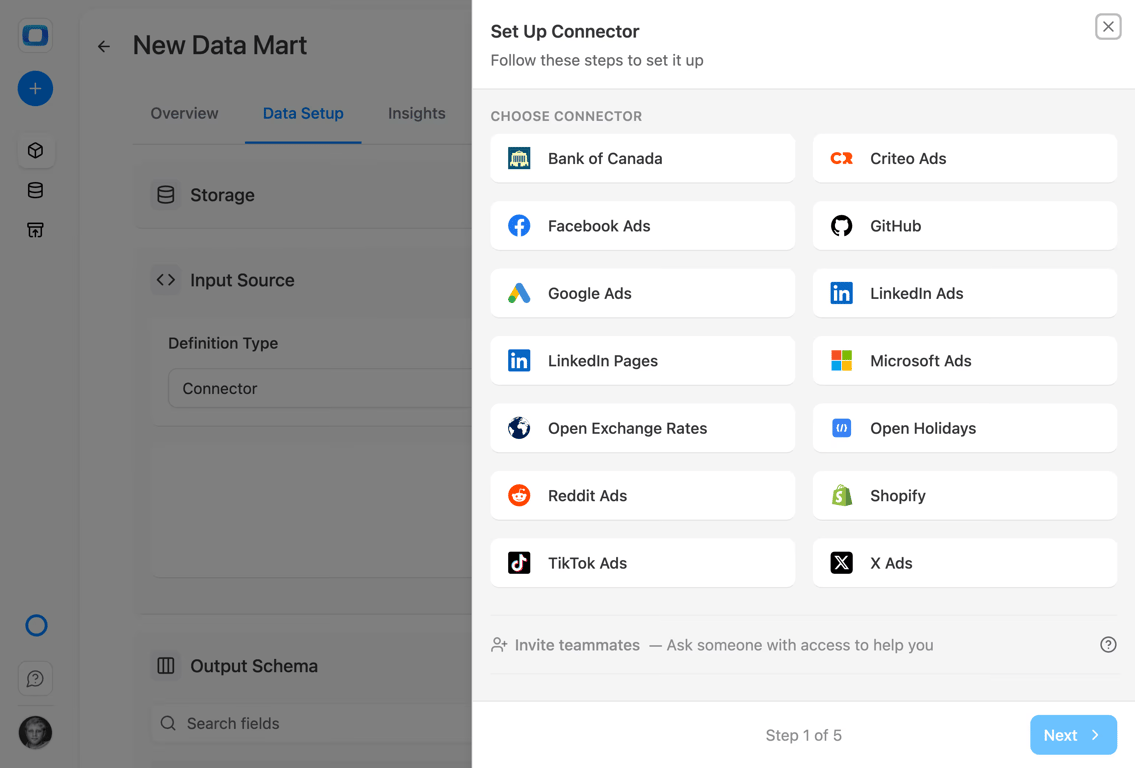
Collect to your warehouse
No per-connector pricing — connect as many sources as you need, all included
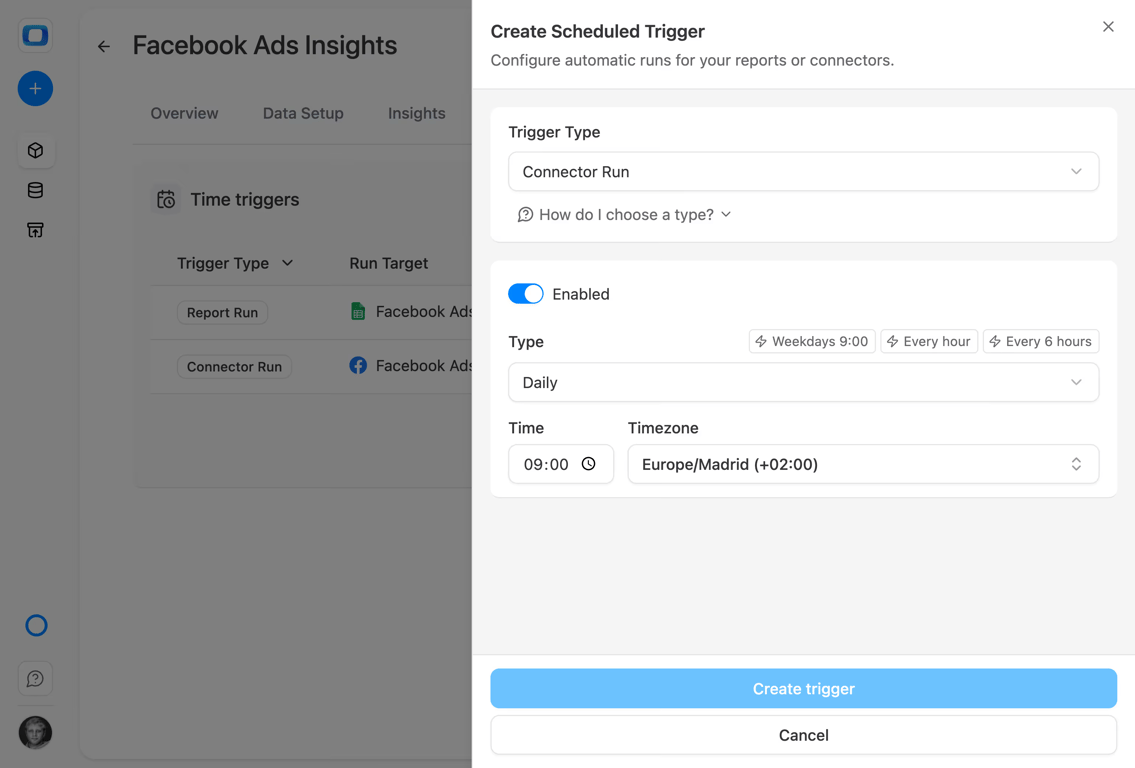
Zero-maintenance syncs
Fully open-source on GitHub — self-host anytime, no vendor lock-in, your data stays yours
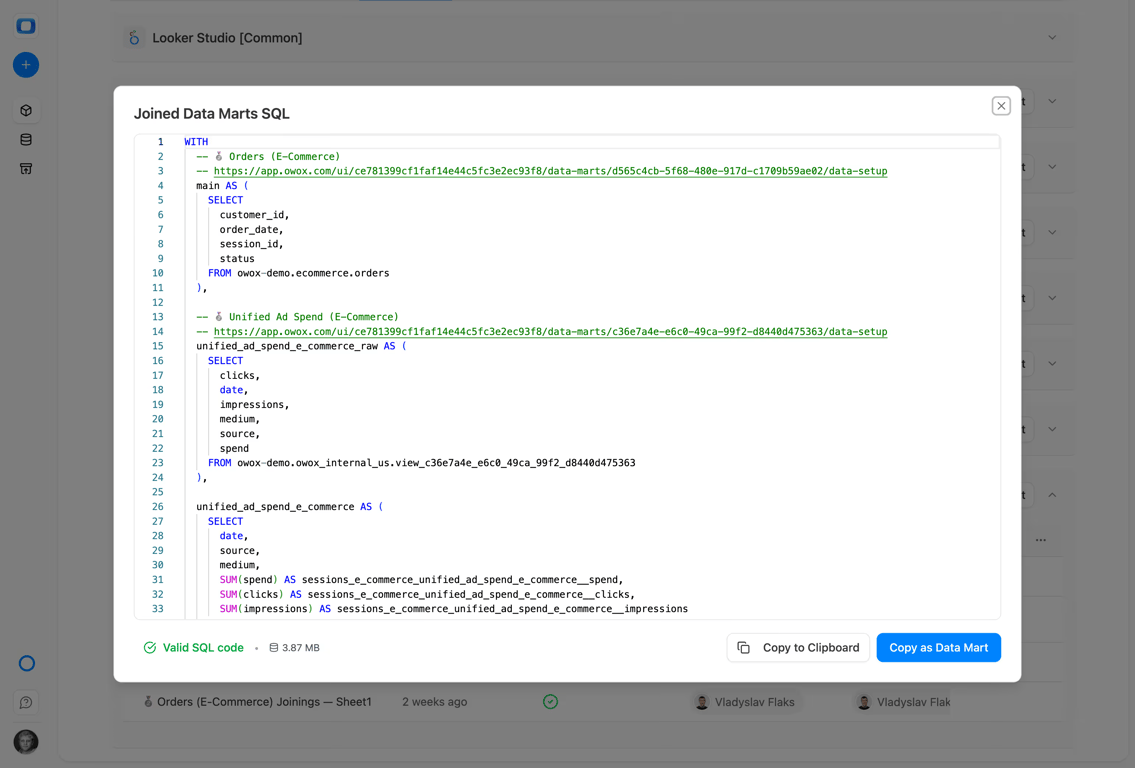
Full-funnel joins
Full transparency and control — every query, every schema, every schedule is visible and auditable
R01 · Collect
Collect all your Microsoft Ads data with zero engineering
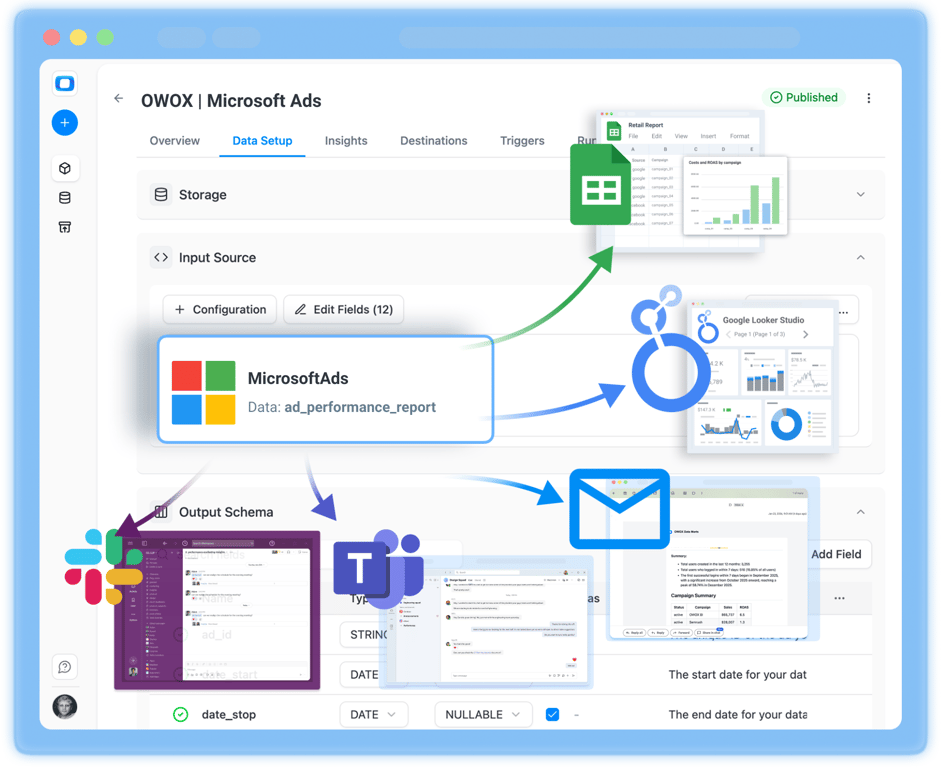
Pull everything your company needs from Microsoft Ads (Bing) without touching code or maintaining custom scripts. OWOX Data Marts handle the heavy lifting.
- Your Microsoft Ads data is stored in one place – your own infrastructure. OWOX Data Marts automatically land your data into BigQuery, Snowflake, or Redshift.
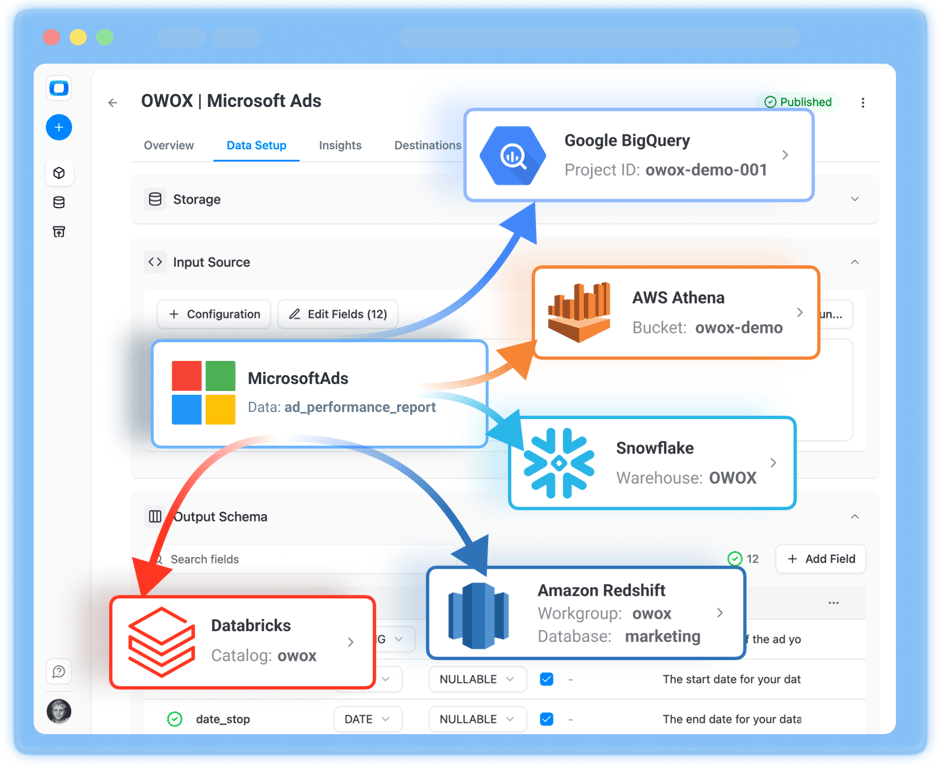
- Your Microsoft Ads data lands on a schedule: clean, complete, and ready to re-use across reports, dashboards, BI tools, and spreadsheets.
- No API maintenance, no broken scripts — just reliable daily syncs
R02 · Report
Build reports with Microsoft Ads data that everyone trusts
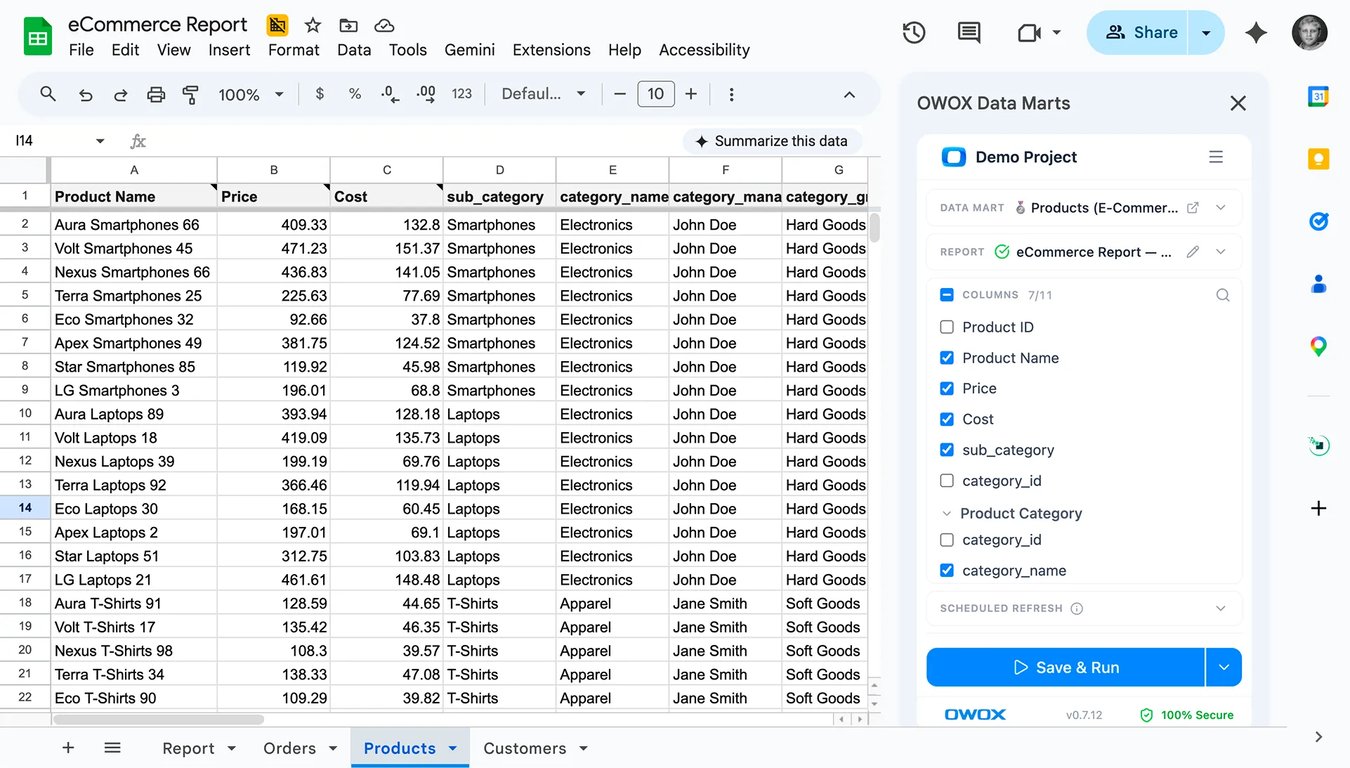
Once your Microsoft Ads data lands in your warehouse, OWOX Data Marts make it instantly reusable across spreadsheets and BI tools.
- Pre-built data marts for campaign performance, spend, and conversions
- Join Microsoft Ads with CRM, GA4, and revenue data in one query
- Self-serve reporting for marketing teams — no analyst tickets needed
R03 · Visualize
Visualize Microsoft Ads data instantly in your BI tools
With OWOX Data Marts, your Microsoft Ads data becomes instantly available for charts, dashboards, pivots, and spreadsheets.
- Whether you use Google Sheets, Looker Studio, Excel, or Power BI, OWOX delivers clean, scheduled Microsoft Ads data that just works.
- Deliver to Looker Studio, Google Sheets, Power BI, or Excel automatically
- Same numbers everywhere — one source of truth for all stakeholders
Why use OWOX connectors to collect your Microsoft Ads data?
Eight outcomes you get the moment your data marts go live.
Full picture, one screen
Send Microsoft Ads cost and conversions into dashboards from one governed source — the second search channel, finally in view.
Beyond native dashboards
Microsoft Ads is often the neglected channel; in your warehouse it sits beside Google so comparisons are apples to apples.
Your questions, your reports
Build reports that answer your questions — CPA, ROAS, incremental reach — on your definitions, not the platform’s defaults.
Faster decisions, better data
Blended CAC is only true when every channel is in the mix; Microsoft Ads data in your warehouse closes that gap.
Always fresh, always complete
OWOX Data Marts automate Microsoft Ads collection on a schedule — campaigns, keywords, and spend — with no manual exports.
All sources, one warehouse
Merge Microsoft Ads with Google, Meta, and revenue data for one complete acquisition picture.
Zero manual work
Automate transfer into BigQuery, Snowflake, or Redshift — governed and reusable across every report, saving time and removing errors.
Blended reports
Once Microsoft Ads lands in governed Data Marts, anyone can ask in their own AI chat — “is Microsoft cheaper per customer than Google?” — every number tracing to analyst-written SQL.
Not testimonials. Comment threads.
Real things real customers said — each quote pinned to a specific claim, straight from the quotes database.
 Nodari RizunFounder & CEO, Pürblack®
“AI, by the nature of the models, will hallucinate. And because of that, you need something which will create guardrails to ensure that there are no hallucinations, that you can trust your data.”
 Mark SimmonsCMO, Pürblack®
“We had six or seven different channels and no single source of truth — it was almost impossible, a lot of guesswork.”
Nodari RizunFounder & CEO, Pürblack®“We regained time. And time is the one resource that never comes back.”
Start collecting Microsoft Ads data for free
Set up your Microsoft Ads connector in minutes. No credit card, no engineering team required.